10 Content Calendar Apps for Smarter Scheduling
19 min readcontent calendar appssocial media schedulingcontent planning toolssocial media management

The most feature-rich platform isn't automatically the best content calendar app. A large dashboard can still leave a solo creator wrestling with platform-specific captions, an agency chasing approvals in email, or a marketing team unable to connect scheduled posts with business outcomes.
The better question is: which workflow does the app support best? This comparison evaluates ten content calendar apps by cross-platform publishing, calendar design, approval processes, analytics, agency management, campaign planning, pricing structure, trial terms, and operational limitations. The right choice will differ for solo creators, small businesses, agencies, startup marketing teams, and larger organizations.
That distinction matters because publishing now spans multiple networks, formats, audiences, and review stages. A tool that excels at Instagram planning may be a poor fit for a B2B team that needs governance and reporting. A platform with advanced listening may be unnecessary for a creator who mainly needs reliable scheduling.
Use this list to identify your actual bottleneck first. If collaboration is the problem, prioritize approvals. If distribution is the problem, compare network coverage and account limits. If strategy is the problem, look beyond the date grid. Teams comparing broader workflows may also benefit from this guide to team collaboration tools for media buyers.
Table of Contents
- 1. iHatePosting
- 2. Hootsuite
- 3. Sprout Social
- 4. Buffer
- 5. Later
- 6. Loomly
- 7. Planable
- 8. CoSchedule
- 9. Agorapulse
- 10. Metricool
- Top 10 Content Calendar Apps, Feature Comparison
- Choose the Calendar That Matches Your Operating Model
1. iHatePosting
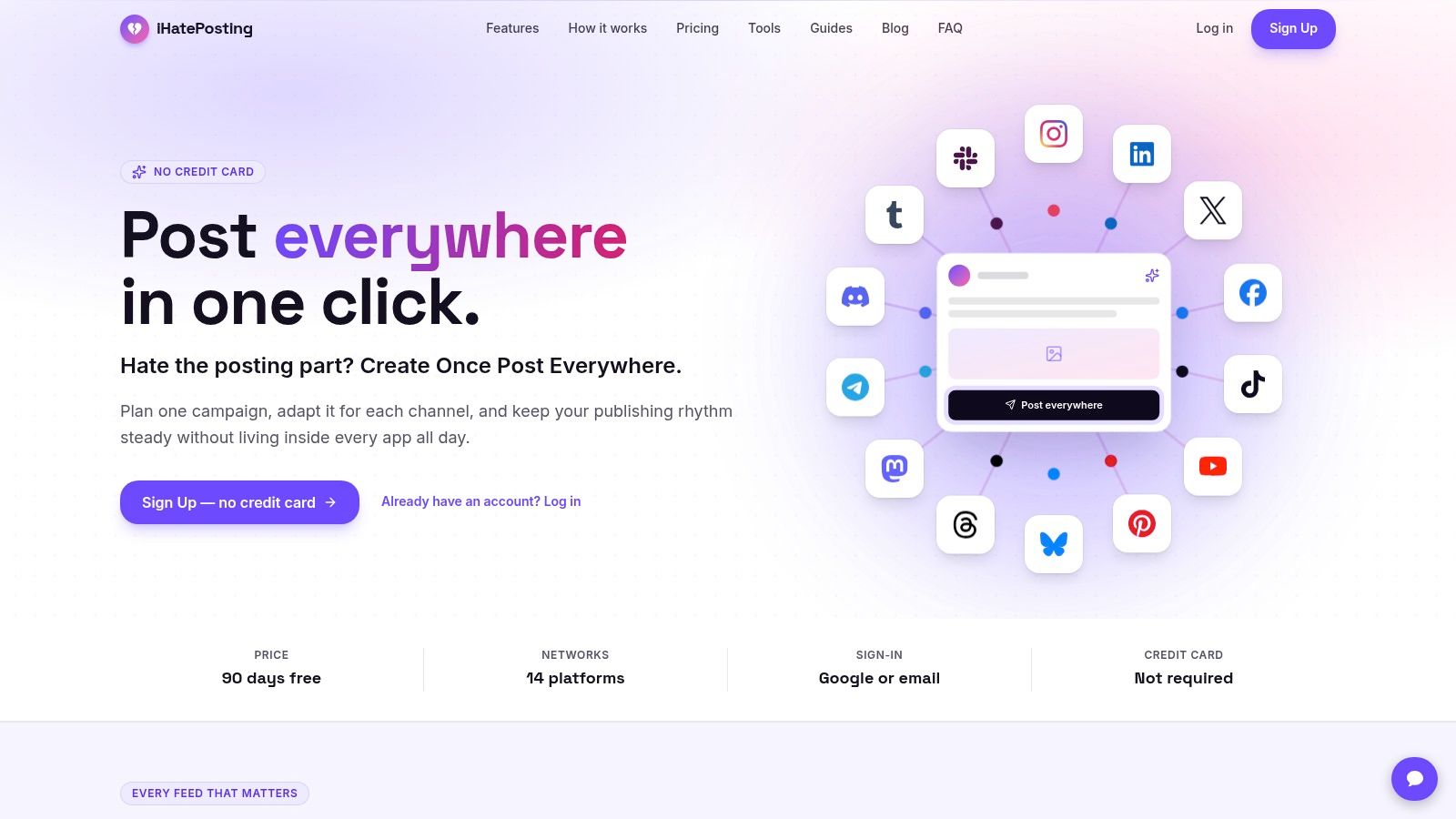
iHatePosting is built around a straightforward publishing problem: teams often create one idea, then manually adapt it across several networks. Its single composer supports 14 networks, including Instagram, LinkedIn, Facebook, TikTok, YouTube, X, Bluesky, Threads, Mastodon, Telegram, Discord, Tumblr, Pinterest, and Slack.
The workflow is broader than a basic queue. Users can plan content in a visual calendar, group posts into campaigns, attach reels, carousels, and videos, and tailor captions for each platform. Character counters, previews, reusable hashtag sets, and pre-publish checks are useful for reducing the last-minute corrections that appear when one caption is copied everywhere without adjustment.
Best for broad publishing workflows
The strongest differentiator is the account-based operating model. iHatePosting describes billing by connected accounts rather than by channel or seat, which can be easier to understand for creators, agencies, and small teams managing several networks. Its Growth and Pro tiers include priority human support, while Pro adds bulk CSV import, X growth automations, and links in X posts.
The platform also includes automatic publishing, publish alerts, retries, an API, signed webhooks, and integrations with Zapier, Make, and n8n. Those capabilities make it more suitable for teams that want scheduling to function as dependable infrastructure, not just a visual planning board.
Account-level best-time recommendations are based on a connected account's own history, and analytics include 12 months of history, with trends and CSV export. That makes the product more useful for refining a publishing rhythm than a calendar that only shows future posts.
Trade-offs to investigate
The advertised offer is a 90-day free trial with no credit card, while exact paid-plan prices aren't displayed on the main public pages. The plans do show different allowances for connected accounts, media storage, and AI caption credits, so teams should verify the total cost against their account count before committing.
The site also presents limited visible third-party testimonials, awards, or press badges. That doesn't establish a product weakness, but it does mean buyers should use the trial to test support responsiveness, platform connections, retries, previews, and the workflow for one real campaign.
Practical rule: Test the time required to create one idea, tailor it for every channel, secure approval, publish it, and review the result. A broad feature list matters less than that complete operating cycle.
2. Hootsuite
Hootsuite is a full-suite social platform for organizations that need more than scheduled posts. Its visual calendar sits alongside publishing, a unified inbox, analytics, social listening options, and the AI assistant called Wisdom.
That combination makes Hootsuite most relevant when publishing is connected to customer care or governance. A team can plan content, respond to messages, monitor conversations, and report on activity from the same broader environment. Larger organizations may value the mature approval and permission structure more than a lightweight creator would.
The platform offers a 14-day free trial without a credit card. Its pricing is seat-based, so the buying question isn't only how many profiles you manage. It's also how many people need to create, review, analyze, or respond. That structure can become less attractive as a team adds users, particularly when advanced listening and analytics require higher tiers or add-ons.
Best for governance and engagement
Hootsuite's advantage is operational breadth. It can support a marketing team that needs publishing and a customer-care team that needs shared conversations. The unified inbox reduces the need to switch between network dashboards, while the calendar provides a central view of planned activity.
Its limitation is that breadth brings complexity. If your actual need is to publish adapted posts across several networks with minimal setup, the full-suite approach may introduce more administration than value. If your team needs listening, inbox workflows, and organization-level control, that complexity is more defensible.
For a more focused comparison with another large social platform, see Metricool versus Hootsuite. The key distinction is workflow scope, not just which interface looks more polished.
3. Sprout Social
Sprout Social is aimed at teams that treat content scheduling as one part of a broader social operation. Its calendar, publishing tools, Smart Inbox, analytics, and collaboration features are designed to support cross-functional work between marketing, customer care, and reporting teams.
The product's strongest fit is analytics-led management. Teams can coordinate content while also examining performance, tagging conversations, and preparing more formal reports. Optional Premium Analytics and Listening add-ons extend the reporting and monitoring layer, while influencer marketing is available as a separate module.
Best for reporting depth
Sprout Social offers optimal send-time recommendations and the AI feature called Trellis. Those capabilities can help teams make timing decisions without relying only on a generic publishing schedule. Its unified inbox also supports tagging and collaboration, which matters when social interactions need to be assigned or categorized.
The pricing model is seat-based, and costs rise as more users join. Listening, advocacy, and other advanced functions are also commonly positioned as add-ons. That makes the platform easier to justify when reporting quality and cross-functional coordination are central requirements, but harder to justify for a small team that only needs a calendar and automatic publishing.
A 30-day free trial is available, giving teams time to test whether the reporting justifies the additional complexity. During that trial, compare the effort required to create a report with the effort required to publish a campaign. If the team won't use the deeper analytics, a lighter scheduler may be more practical.
Teams evaluating a different balance of analytics and publishing can also review Sprout Social alternatives.
4. Buffer
Buffer is the lightweight option in this comparison. Its visual calendar is easy to understand, the interface is quick to learn, and the free plan supports up to three channels, with 10 scheduled posts per channel and one user, according to the product information supplied for this comparison.
The platform uses per-channel pricing. That model is predictable when a team has a small, stable network mix, but the bill grows as the organization adds channels. The Team tier adds unlimited team members, approval workflows, notes, and custom access and permissions, making it more suitable for collaboration than the free plan.
Best for simple scheduling
Buffer supports LinkedIn, Instagram, TikTok, Facebook, YouTube, Threads, Bluesky, Mastodon, Pinterest, Google Business Profile, and other networks. It also includes an AI assistant for drafting and repurposing content. The useful distinction is that Buffer helps a team move content through a publishing queue quickly, rather than trying to become a complete marketing operations system.
Its analytics are lighter than the reporting environments in Hootsuite or Sprout Social. That isn't necessarily a problem. A creator or startup may prefer a simple schedule and basic insights over a platform that requires more configuration.
The operational limitation is the gap between a post and a campaign brief. Buffer can hold the caption, media, timing, and approval state, but teams may still need Notion, Airtable, or a project-management tool for goals, audience stages, dependencies, and production notes.
A clean publishing queue is valuable, but it shouldn't be mistaken for a complete content strategy.
For a detailed product-level comparison, see Buffer versus Sprout Social.
5. Later
Later is a calendar-first platform with a particularly strong fit for Instagram and TikTok-oriented workflows. Its visual calendar, feed-oriented planning, link-in-bio tools, best-time recommendations, and Social Sets are designed for brands and creators that think visually.
A Social Set packages profiles for a brand or client, with one of each supported profile per set. That structure is intuitive for agencies and brand teams managing separate identities, because the calendar can reflect the client or brand rather than mixing every account into one undifferentiated queue.
Best for visual social planning
Later's strengths are most apparent when the feed itself is part of the planning process. A team can examine how posts sit together visually, plan content around profile presentation, and use link-in-bio tools as part of the distribution workflow. Collaboration and approvals are available on Growth and Scale tiers.
The trade-off is capacity structure. Lower tiers apply monthly post caps, and user limits differ by plan. Advanced listening and competitive benchmarking are restricted to higher tiers. Annual billing is advertised as saving about 25%, and the platform provides a 14-day free trial, but teams should compare their expected post volume and reviewer count with the plan limits before choosing it.
Later is less compelling for a team whose main challenge is broad network coverage, operational automation, or formal enterprise governance. It's more compelling for a visual brand that needs a clear Instagram and TikTok planning environment.
The differences between visual planning and broader social operations are also explored in Later versus Hootsuite.

6. Loomly
Loomly is built around structured collaboration. It combines calendar, list, and post views with approvals, custom roles, best-time recommendations, bulk posting, engagement tools, and reporting with report export.
That makes Loomly a practical fit when several people touch the same post before publication. A strategist may create the content, a designer may attach the asset, a manager may review the caption, and a client may need to approve the final version. Custom roles help separate those responsibilities more clearly than a shared spreadsheet.
Best for defined review stages
Loomly also connects with Slack, Microsoft Teams, Canva, Unsplash, and Giphy. Those integrations support a production workflow in which content creation happens alongside scheduling rather than in a separate, disconnected process.
The platform provides engagement features such as replies, saved replies, and assignments. Analytics and report export make it more useful than a calendar that stops at “published,” although it isn't positioned as an especially deep listening or enterprise intelligence environment.
Annual pricing is advertised with a 25% discount. The public pricing presentation emphasizes plan limits and account structure, while some exact details may require starting a trial or viewing in-app billing. That creates a small amount of purchase friction. Teams should record the number of users, social accounts, approval stages, and report requirements they need before entering the trial.
Loomly is a stronger choice than Buffer when approval structure is the bottleneck, but it may be more process than a solo creator needs.
7. Planable
Planable puts review and approval at the center of the calendar. Its feed, calendar, grid, and list views let teams inspect content by timing, channel presentation, or workflow status. Post previews are designed to resemble the destination networks, which helps clients and non-specialist reviewers understand what they're approving.
The billing model is per workspace, with unlimited users per workspace. That distinction matters for agencies and internal teams with many reviewers. A client, manager, designer, and writer can participate without the same per-seat calculation used by several enterprise-oriented platforms.
Best for client sign-off
Planable supports structured approval steps and offers add-ons for Social Inbox, Social Listening, and Analytics. The public product information describes a free trial based on 50 posts, while Basic and Pro apply monthly post caps. Analytics, inbox, and listening aren't included in the same way on every tier, so the entry price shouldn't be treated as the full cost of an agency workflow.
The strongest practical benefit is keeping feedback attached to the post. A reviewer can comment on the specific caption or asset instead of sending an unclear message that forces the creator to search through email or chat. That reduces ambiguity, particularly when several posts are waiting at different approval stages.
The limitation is strategic depth. Planable is excellent at preparing, reviewing, and publishing social posts, but teams may still need a separate planning layer for campaign objectives, audience stages, content pillars, and broader marketing deliverables.
For agencies, the per-workspace structure can be more important than the feature count. It makes Planable a particularly strong choice when approval volume, not publishing breadth, consumes the most time.
8. CoSchedule
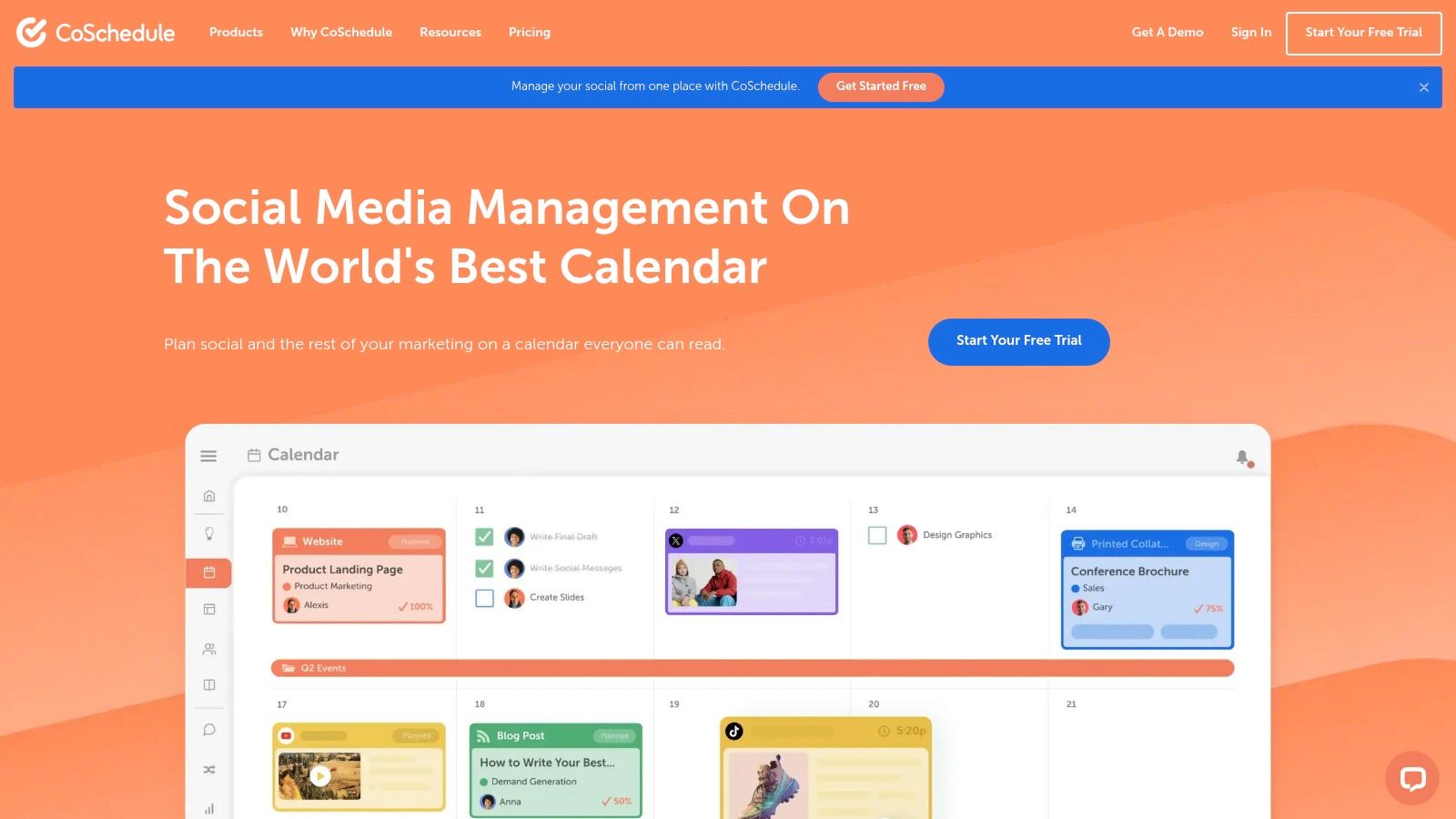
CoSchedule is the most calendar-centric option for teams that want social publishing connected to broader marketing planning. Its drag-and-drop calendar supports campaign organization, content operations, and social scheduling in one visual environment.
The product also includes ReQueue automation for recycling evergreen posts. That can help teams maintain a publishing rhythm without manually rebuilding recurring content, although recycled posts still need human review when product positioning, audience expectations, or platform conventions change.
Best for campaign planning
CoSchedule's strength is context. A marketing team can use the calendar to organize campaigns rather than seeing social posts as isolated units. This is more useful for launch planning, editorial coordination, and teams that need a shared marketing schedule beyond social media alone.
The platform offers a 14-day free trial. Its starter profile count is limited for agencies unless additional profiles are purchased, and X or Twitter is handled separately, which can complicate account totals. Those restrictions are operational rather than cosmetic. An agency should calculate the number of client profiles across every required network before comparing headline plans.
CoSchedule is most defensible when the calendar itself needs to be the center of marketing operations. It's less attractive when the team only wants broad cross-platform publishing at a simple cost structure.
The distinction between a social queue and a broader campaign calendar is discussed further in this social media content calendar tool guide.
9. Agorapulse
Agorapulse combines scheduling with engagement and reporting. Its publishing calendar, unified inbox, collaboration tools, assignments, approvals, and optional social listening make it suitable for small and mid-market teams that need to manage what happens after a post goes live.
The unified inbox is the key workflow distinction. A content team can schedule posts, monitor responses, assign conversations, and maintain a shared process for replies without treating publishing and engagement as separate departments.
Best for publishing plus community management
Agorapulse uses a seat-based pricing model with clear profile allowances. Its plan matrix makes it easier to understand the relationship between users and profiles, but the cost rises as more team members join. More than 10 profiles requires add-ons even on higher plans, according to the supplied product information.
The platform offers a 15-day free trial with access to advanced features. That window is useful for testing a realistic campaign, especially one that includes approval, publishing, comment assignment, reporting, and a listening requirement.
Agorapulse is not the simplest choice for a creator who only wants a calendar. Its value appears when the team needs a repeatable engagement workflow and wants reporting close to the publishing schedule. Buyers should also test whether the inbox categorization and assignment model match their response responsibilities, rather than assuming that a unified inbox automatically improves operations.
10. Metricool
Metricool is oriented toward freelancers, agencies, and multi-brand teams that want publishing, analytics, competitor tracking, ads reporting, and brand management in the same platform.
Its defining commercial structure is brand-based pricing. Instead of primarily charging by seat, Metricool organizes plans around brands or workspaces. That can fit an agency better than a seat-based tool when the agency has several clients but a relatively stable internal team.
Best for agency reporting
Metricool provides a visual calendar with unlimited publishing on paid tiers, multi-network support, PDF and PowerPoint reporting, competitor analysis, and ads reporting. Advanced tiers add team and client management, approvals, a Data Studio connector, and an API.
The free plan excludes LinkedIn and X or Twitter and limits publishing to 20 posts per month, so it works better as an evaluation or light-use option than as a complete agency operating system. Teams should compare the number of brands, required networks, reporting formats, and approval users before treating brand-based pricing as automatically cheaper.
Metricool's reporting orientation is its clearest advantage. An agency that needs client-ready exports and competitive context may prefer it to a scheduling-only tool. The limitation is that higher-tier connectors and collaboration features are needed for more advanced workflows.
For agencies, the relevant question is not merely whether Metricool has a calendar. It's whether one brand workspace can carry the publishing, reporting, approvals, and client handoff without forcing the team to maintain parallel systems.
Top 10 Content Calendar Apps, Feature Comparison
| Product | Core features | UX & quality (★) | Value / Unique selling points (✨🏆) | Target audience (👥) | Pricing & trial (💰) |
|---|---|---|---|---|---|
| iHatePosting 🏆 | Schedule to 14 networks; visual calendar; per‑platform composer; campaign org; 12‑mo analytics; robust publish infra | ★★★★★ | ✨ Create‑once, tailor‑everywhere; account‑based best‑time insights; flat per‑account pricing; priority human support | Creators, SMBs, agencies, growth teams | 💰 90‑day free trial; Creator/Growth/Pro tiers; pricing by connected accounts |
| Hootsuite, Social OS | Visual calendar; publishing + unified inbox; listening; AI assistant (Wisdom) | ★★★★☆ | ✨ All‑in‑one social OS for publishing + care + governance | Mid‑market & enterprise teams, customer care | 💰 14‑day free trial; seat‑based plans (can scale costly) |
| Sprout Social | Calendar; Smart Inbox; deep analytics; Trellis AI; add‑ons (listening/influencer) | ★★★★★ | ✨ Polished reporting & cross‑functional workflows | Agencies, enterprise teams needing analytics | 💰 30‑day free trial; seat‑based + paid add‑ons |
| Buffer | Clean calendar; simple composer; AI drafting; basic analytics | ★★★★☆ | ✨ Low entry price; simple, fast learning curve; transparent pricing | Solo creators, startups, small teams | 💰 Generous free tier (up to 3 channels); paid per‑channel tiers |
| Later (Later Social) | Calendar‑first; Social Sets; best‑time recs; link‑in‑bio tools | ★★★★☆ | ✨ Strong Instagram/TikTok tooling; social‑set brand packaging | Influencers, DTC brands, social teams focused on visuals | 💰 14‑day trial; plan caps on posts; annual discount ~25% |
| Loomly | Calendar/list/post views; approvals; role controls; integrations | ★★★★☆ | ✨ Structured approvals & role limits; creative integrations (Canva) | Teams needing clear approvals and stakeholder workflows | 💰 Trial available; annual pricing with ~25% discount |
| Planable | Realistic post previews; feed/calendar/grid; workspace billing; approvals | ★★★★☆ | ✨ Unlimited users per workspace; client‑friendly review flows | Agencies and teams with many reviewers | 💰 Free start/trial; workspace‑based pricing; add‑ons for analytics/inbox |
| CoSchedule | Drag‑and‑drop marketing calendar; campaign planning; ReQueue automation | ★★★★☆ | ✨ Strong calendar ergonomics for content ops; recycle evergreen posts | Marketing teams combining social + broader content calendar | 💰 14‑day trial; profile add‑ons for extra accounts |
| Agorapulse | Publishing calendar; unified inbox; reporting; listening add‑on | ★★★★☆ | ✨ Clear users × profiles matrix; strong engagement workflows | SMB to mid‑market teams needing publishing + care | 💰 15‑day trial; seat‑based plans with profile allowances |
| Metricool | Visual calendar; reporting & competitor tracking; ads reporting; brands | ★★★★☆ | ✨ Brand‑based pricing for agencies; strong reporting tools | Freelancers, agencies managing multiple brands | 💰 Free tier (limits); paid tiers by brands; advanced connectors on higher plans |
Choose the Calendar That Matches Your Operating Model
There isn't a universal winner among content calendar apps because the calendar is only one part of the workflow. A creator may need fast publishing across several networks. An agency may need client approvals and brand separation. A larger organization may care more about governance, listening, permissions, and reporting than about how quickly someone can drag a post to a new date.
Start with the operating model rather than the feature list. Count the networks and profiles you manage, then identify who creates posts, who edits them, who approves them, and who reports on results. Compare the pricing unit against that reality. Per-seat pricing behaves differently from per-channel, per-workspace, or per-brand pricing, especially when clients, freelancers, designers, and executives need access.
The trial period also deserves practical attention. Hootsuite and CoSchedule offer 14-day trials, Later offers a 14-day trial, Agorapulse offers a 15-day trial, Sprout Social offers 30 days, and iHatePosting advertises a 90-day trial without a credit card. Those terms are product details, not evidence that one tool is inherently better. Use the available time to run the same campaign through each shortlisted platform.
Record the time required to:
- Create the campaign: Add the brief, content themes, assets, and target channels.
- Adapt each post: Write platform-specific captions, formats, links, and calls to action.
- Secure approval: Invite reviewers, collect feedback, resolve changes, and document sign-off.
- Publish reliably: Check automatic publishing, alerts, retries, and platform restrictions.
- Report results: Export analytics and connect each post to its intended audience stage or business goal.
That final step prevents the calendar from becoming a vanity system. A full calendar can still contain posts with no defined job, no owner, and no evidence that the team should repeat the format. The stronger model assigns each post a purpose such as discovery, trust, consideration, conversion, retention, or community, then evaluates it with an appropriate measure.
Choose iHatePosting when broad multi-network publishing, account-based workflow simplicity, platform-specific tailoring, and publishing reliability matter most. Choose Buffer for lightweight scheduling and a simple learning curve. Choose Later for Instagram and TikTok-oriented visual planning. Choose Planable or Loomly when approvals are the bottleneck. Choose Metricool when brand-based agency reporting and competitor analysis matter. Choose CoSchedule when social publishing needs to sit inside a broader marketing calendar.
Hootsuite, Sprout Social, and Agorapulse make more sense when publishing must connect with engagement, governance, inbox management, listening, or advanced reporting. That broader scope can justify their complexity, but only if the team will use it.
For a planning framework that connects calendars with campaigns and business priorities, consult this guide to social media planning. Then test the two or three strongest options using one real campaign, not a fictional demo. The best app is the one that reduces the most expensive repeated friction in your workflow without adding administrative work the team won't maintain.
iHatePosting brings visual planning, campaign grouping, platform-specific captions, previews, analytics, and publishing across fourteen networks into one workflow. Visit iHatePosting to test whether its account-based model and extended free trial fit the way your team creates, approves, and publishes content.