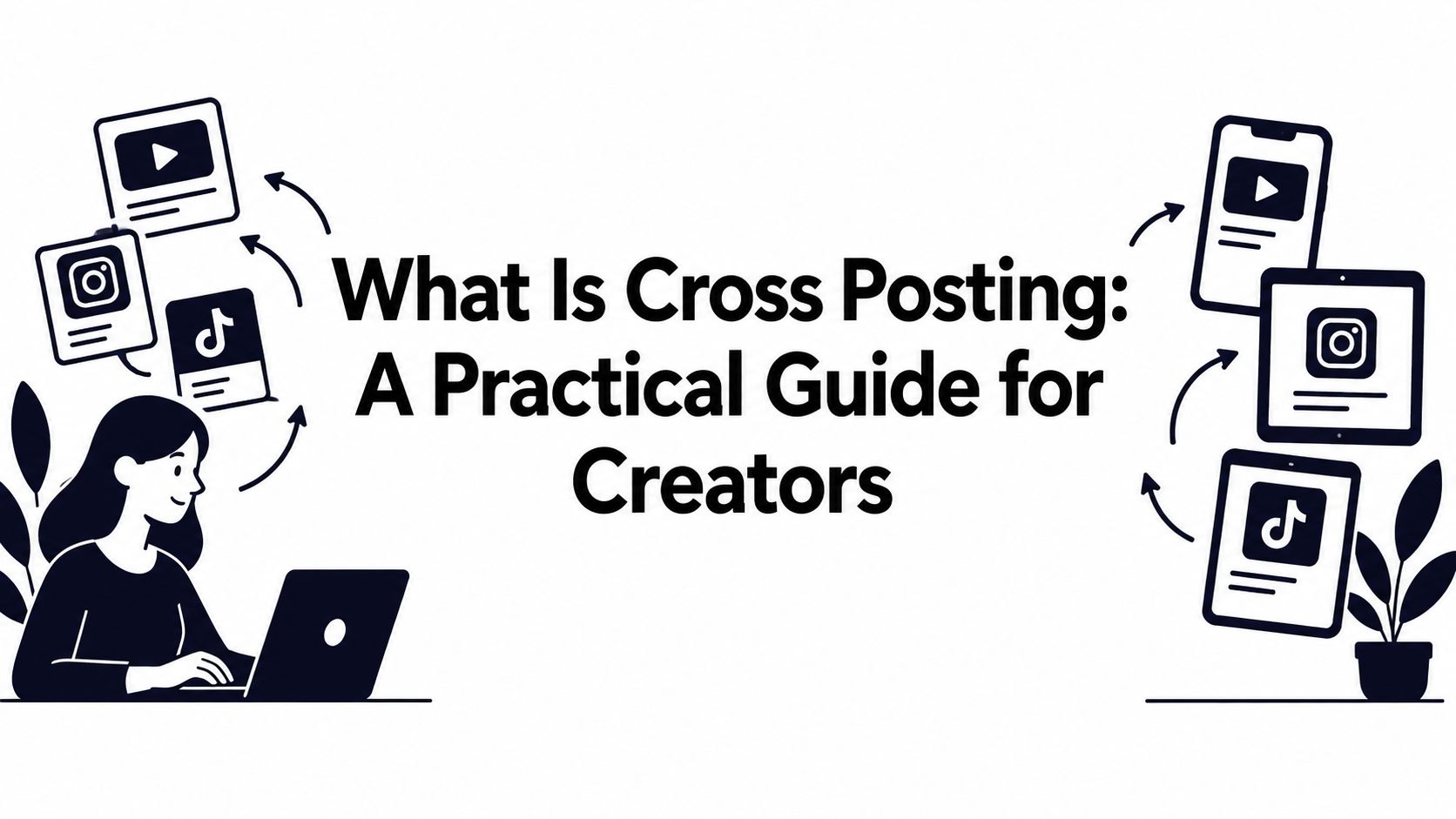
What Is Cross Posting: A Practical Guide for Creators
11 min readcross postingsocial media strategycontent distributionmulti-platform
You've just finished a strong video. The instinct is understandable: upload it to YouTube, TikTok, Instagram, and LinkedIn, paste the same caption, and move on to the next task. A few minutes later, the video is live everywhere, but the results feel uneven. LinkedIn readers don't understand the context, Instagram viewers see a caption built for another audience, and the call to action makes little sense on TikTok.
That situation captures the direct answer to what is cross posting. It's the practice of publishing one core message or activity across two or more social networks, manually, through native sharing, or with a centralized publishing workflow. The efficient part is reusing the idea. The strategic part is adapting how that idea appears in each environment.
Table of Contents
- The Cross-Posting Reality Check
- Does Cross-Posting Work
- Adaptation vs Duplication Framework
- Real-World Examples of Good and Bad Cross-Posting
- Accessibility and Verification Workflows
- Streamlining Cross-Posting with iHatePosting
- Key Takeaways for Sustainable Cross-Posting
The Cross-Posting Reality Check
A creator might build a short video about a useful productivity habit. On TikTok, the post could open with a fast question, use a compact caption, and invite viewers to respond. On LinkedIn, the same video might need a professional explanation, a practical takeaway, and a question that encourages discussion. The asset is related, but the publishing job isn't identical.

Cross-posting means distributing the same central idea across multiple networks. It doesn't require every post to be a perfect duplicate. In fact, the most useful definition includes adaptation, because each destination has different audience expectations, content formats, publishing rules, and interaction habits. Academic research described early cross-network sharing as “multicasting” an activity across several online social networks, showing that people adopted the behavior as part of participating in multiple communities, not only as a marketing tactic (the academic study of multicasting across social networks).
That distinction matters for creators, local businesses, and small marketing teams. Your audience may follow you on more than one platform, so publishing the exact same words everywhere can create repetition without adding value. The person who saw your announcement on Instagram may not need the same opening line, image crop, or call to action again on LinkedIn.
The copy-paste version creates friction
A one-click workflow can save setup time, but it can also carry the wrong assumptions from one platform to another. A link-focused caption may feel natural on LinkedIn, while a TikTok viewer may need a clear spoken prompt. A meme-style opening may work in a fast-moving feed but appear careless in a professional discussion.
A centralized social media scheduling tool can reduce repetitive publishing work, but the tool should support decisions, not replace them. Start with one approved message, then ask what each audience needs to understand, trust, and act on it.
Practical rule: Reuse the idea, not every detail of the post.
Does Cross-Posting Work
Cross-posting can work, but it isn't a universal engagement multiplier. The earlier analysis of professional users across Facebook, Twitter, and Google+ found that cross-posting was common on some networks and far less common on others. That difference matters: publishing habits already vary by platform, so one distribution rule cannot fit every channel.
The performance results were mixed as well. Cross-posts produced stronger engagement on Facebook and Twitter in the analysis, while non-cross-posts performed better on Google+. These findings do not show that copying a post creates better results. They show that performance depends on the originating network, destination, audience overlap, content type, and adaptation quality.
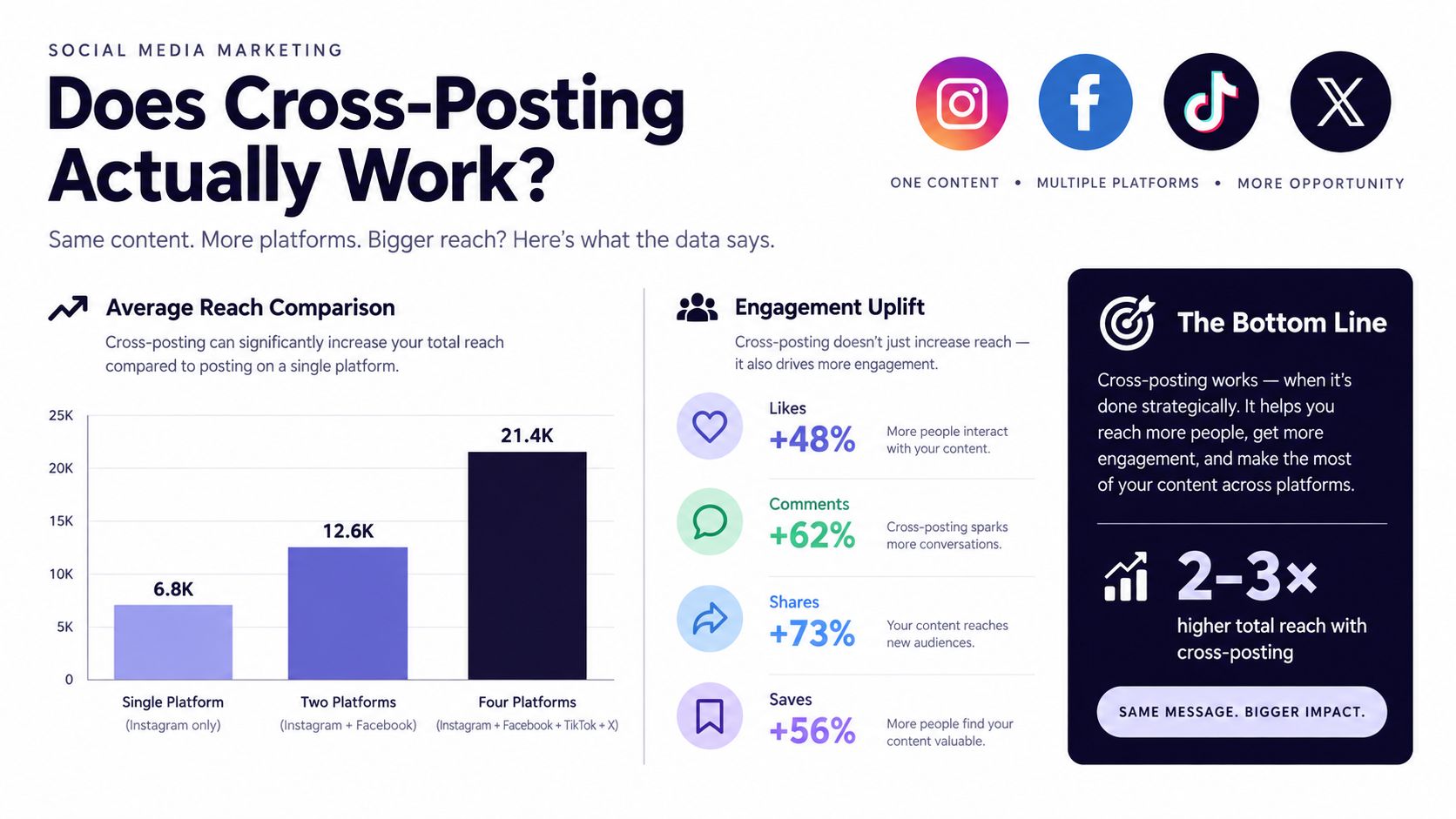
A post may introduce an idea to a useful new community. It may also frustrate followers who see the same wording repeatedly, especially when many people overlap across your accounts. Treat cross-posting as a coordination problem: identify who already saw the message, then adapt the version for people encountering it for the first time.
Use research as a decision aid
Make cross-posting a testable distribution choice. If a post succeeds on one network, compare an unmodified version with a version that changes the opening, context, media treatment, or call to action. The goal is to learn which adjustment helps each audience understand and use the message.
Track networks separately. Total impressions can look healthy even when the additional reach comes largely from people who already saw the original. A LineVerifier guide to social media management can help organize publishing across several destinations and reduce avoidable account-handling errors.
Measure engagement rate, completion rate, clicks, saves, shares, replies, and publishing errors by platform and format. Ask whether each adaptation created a useful action on its specific network, rather than just asking whether the post appeared everywhere. Timing belongs in the test too. Use account-level evidence when choosing a posting window, instead of assuming that a generic best time to post Instagram Reels applies to every channel.
Adaptation vs Duplication Framework
Cross-posting works best when every destination receives a deliberate version of the same idea. Start with a single canonical content object, a master brief containing the topic, main claim, original video, intended audience, campaign purpose, approved link, and desired action. It is the source material for the workflow, not a caption to publish unchanged.
Build each platform version from that object. The central message stays recognizable, while the opening, context, format, and action fit the destination. This preserves production efficiency without making audiences process a post that feels copied from another network.
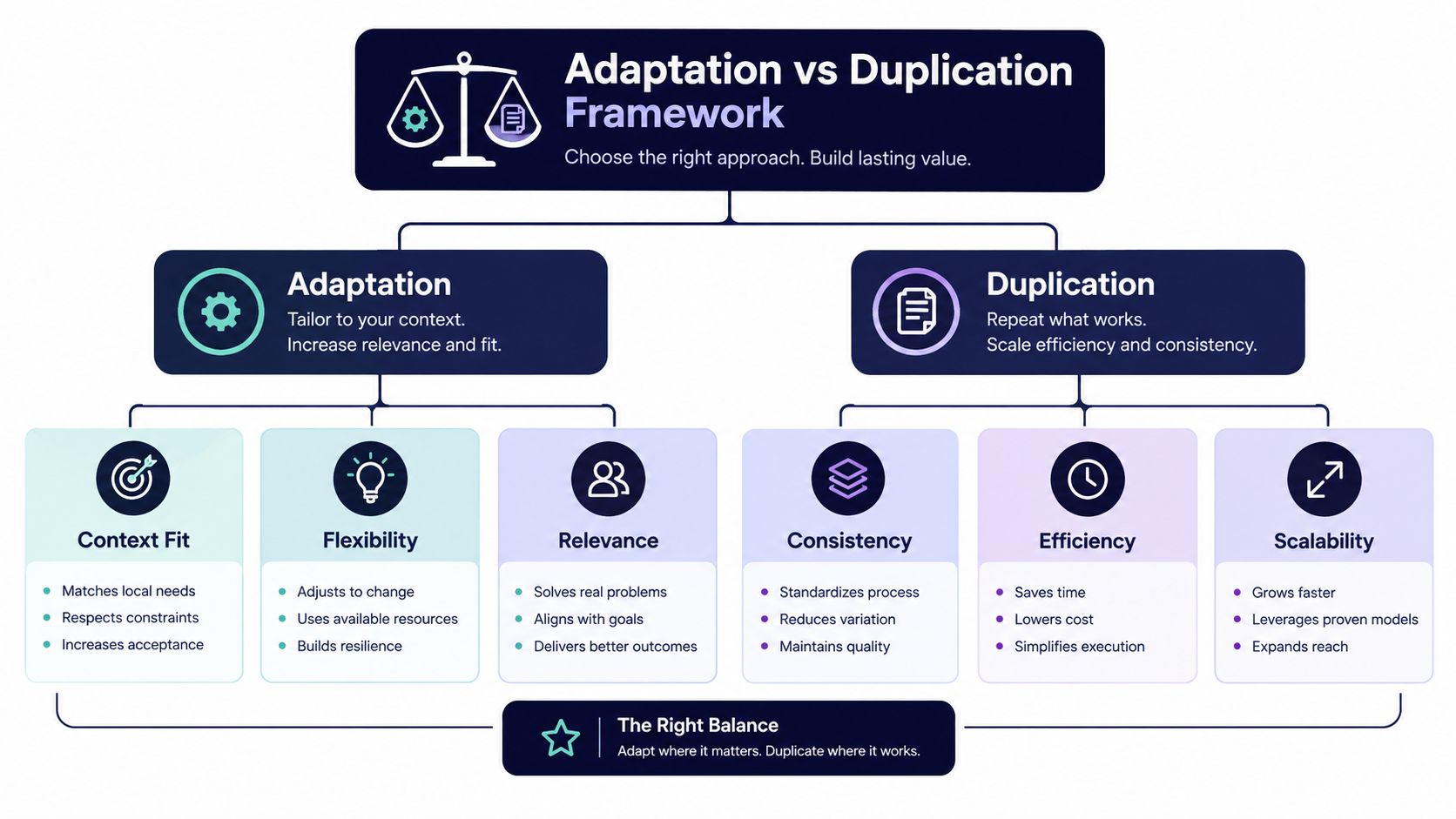
Build the variant in layers
Define the job of the post. Decide whether the version should explain, start a conversation, generate a click, or encourage a save. One video can support different actions on different networks, so choose the destination-specific action before writing.
Rewrite the opening. A concise, conversational hook may fit a short-form video feed. A professional audience may need the problem, lesson, or business implication behind the same asset before the content becomes relevant.
Adjust the message fields. A platform-specific variant may require a new caption, call to action, hashtag set, mention list, link treatment, alt text, crop, aspect ratio, scheduled time, or validation status. These choices affect both technical fit and the audience's reason to engage.
Technical limits make direct duplication risky. X allows 280 characters, Bluesky allows 300, LinkedIn allows 3,000, Instagram captions allow 2,200, and YouTube titles allow 100 characters, according to Adobe Express media specifications. Media rules differ as well. Instagram allows a maximum of 10 images, while X allows a maximum of four images, as documented in Adobe's media specs.
A useful mental model: One idea, several deliberate implementations.
Before publishing, verify the finished version rather than assuming the platform will correct it. For repurposed video, compare the difference between a reel and a story so the asset, message, and viewing context match. Creators measuring commercial outcomes can also connect distribution decisions with measurable creator campaign revenue, rather than judging success by exposure alone.
Real-World Examples of Good and Bad Cross-Posting
Consider a creator who publishes a vertical TikTok video about a new way to organize client feedback. The original caption uses an informal joke, a short phrase, and a prompt to comment with a reaction. The creator sends that exact video and caption to LinkedIn.
That's duplication, not thoughtful cross-platform publishing. The vertical format may still be usable, but the caption gives professional readers little context. The joke may not translate, and the original call to action may not encourage the kind of discussion LinkedIn readers expect. The post is technically present, but the creator hasn't adapted the reason for someone to stop, understand, and respond.
A stronger version keeps the video as the core asset but changes the surrounding experience:
| Weak cross-post | Adapted cross-post |
|---|---|
| Copies the short, meme-style caption | Opens with the client-feedback problem |
| Assumes the audience knows the original context | Explains the practical lesson |
| Uses the same interaction prompt | Asks readers how they organize feedback |
| Publishes one vertical asset without further thought | Adds supporting context, such as a document carousel |
| Judges success by total visibility | Reviews replies, saves, clicks, and incremental reach |
The adapted LinkedIn post doesn't need to pretend it was created from scratch. It needs to answer a different audience question: “Why does this matter to my work?” The video demonstrates the idea, the professional summary explains it, and the question gives readers a reason to participate.
Test for incremental value
Audience overlap makes measurement more important. A second post may generate impressions without expanding the audience meaningfully. Compare incremental reach, saves, replies, shares, clicks, and conversions by network, then ask whether the new version added a useful action or merely repeated the same exposure.
A practical control is simple. Publish the original treatment in one suitable context and an adapted treatment in another comparable campaign. Keep the core idea stable, then evaluate which changes improve qualified actions without creating disproportionate production work.
Accessibility and Verification Workflows
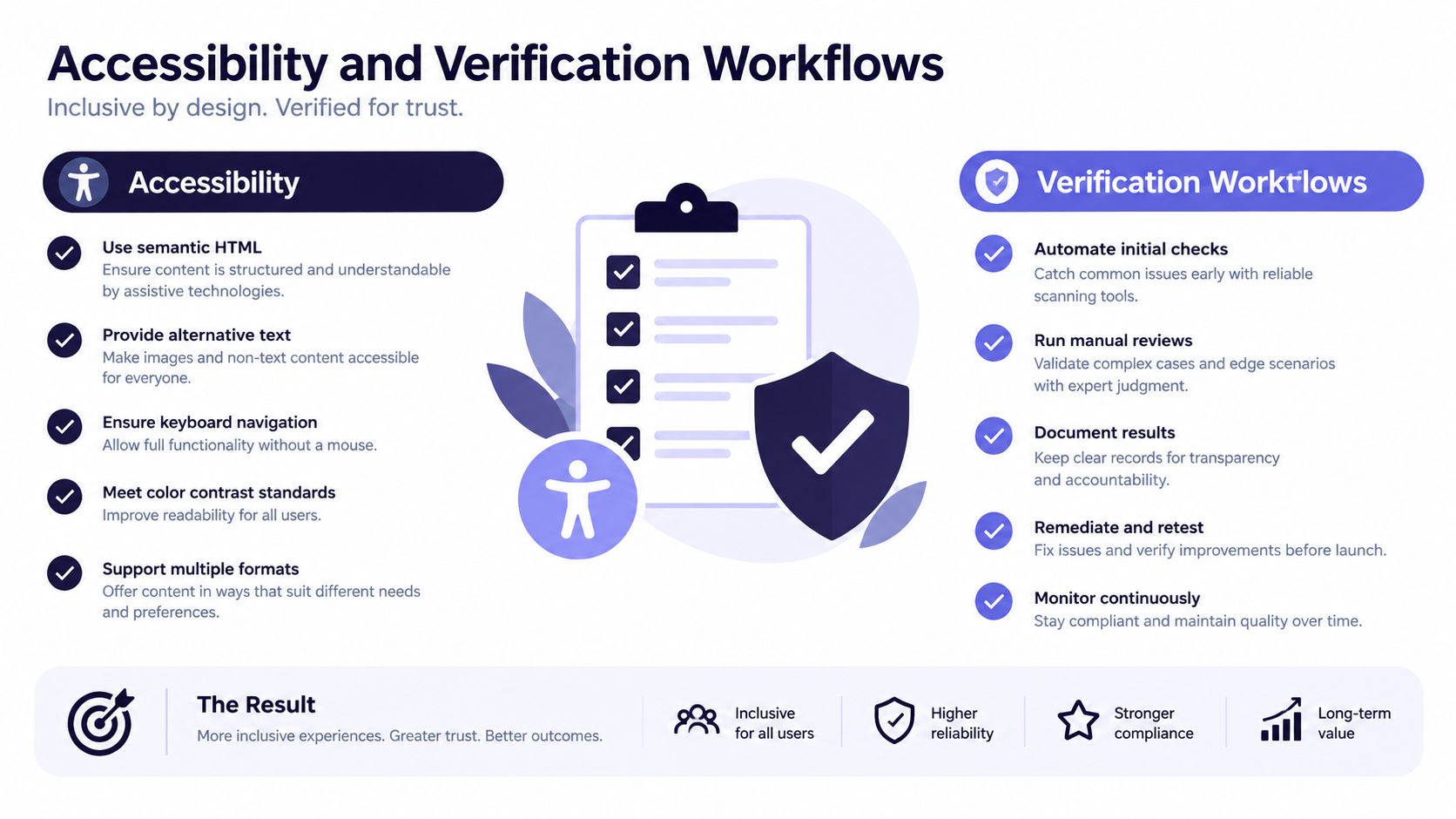
Cross-posting can transfer the visible post while losing the information that makes it usable. Alt text may not carry over. Captions may disappear. Formatting can change. A publisher may see a complete video while viewers who rely on captions or screen readers receive an incomplete experience.
These features serve different purposes. Closed captions can be switched on or off when the platform supports a separate caption file. Open captions are permanently embedded in the video. Alt text describes an image for people using assistive technology, while a visible image description places that explanation in the post itself for anyone who needs more context.
Some platforms accept caption files, while others require captions to be embedded directly into the video. Automatically generated captions also need review, especially when the content includes names, technical terms, or specialized vocabulary. Guidance on accessible social media content recommends contextual alt text and accurate video captions, while noting that platform support varies.
Use a post-publication check
Before scheduling, confirm that each variant has the correct asset, caption, link, and accessibility treatment. After publication, open the live post on every destination and check what the audience can access.
- Video: Confirm captions are present, synchronized, and accurate.
- Images: Check that alt text or a concise visible description explains the important information.
- Links: Verify that the destination works and that the call to action still makes sense.
- Formatting: Review line breaks, mentions, hashtags, and opening text.
- Platform gaps: If a destination lacks a needed feature, use an alternative such as accurate open captions or a visible image description.
Accessibility isn't a metadata detail to assume will survive transfer. It's a verification responsibility. For broader context on WCAG standards and ADA laws, review the relevant compliance guidance alongside your platform-specific publishing process. You can also use a workflow for seeing scheduled posts on Instagram to catch missing or incorrectly configured variants before they go live.
Streamlining Cross-Posting with iHatePosting
A coordinated workflow needs a clear place to store the core idea, its variants, and the checks that happen before publication. iHatePosting brings planning, platform-specific composition, and scheduling into one workspace, so a creator or team can work from a shared calendar instead of rebuilding each post inside separate apps.
Start by creating the campaign or content item. Attach the approved image or video, then create separate captions for the networks you plan to use. Character counters help identify length problems early, while hashtag groups and reusable snippets reduce repetitive editing without forcing the same wording everywhere.
The visual calendar gives the team a way to inspect timing, campaign balance, and upcoming posts. Live previews and pre-publish checks help reviewers assess how each variant will appear. Account-based best-time recommendations can inform scheduling, but they should support your own testing rather than replace performance analysis.
Keep the workflow deliberate
A practical process looks like this:
- Add the canonical idea and media.
- Select the relevant networks.
- Tailor captions, calls to action, crops, and formats.
- Review accessibility information for each destination.
- Schedule or publish the approved variants.
- Compare platform-level results and record the learning.
The advantage of centralization is not that every network receives one identical payload. It's that the team can preserve the connection between the original idea and each adapted execution. For a fuller explanation of how to post to all social media at once, focus on the workflow behind the action, not just the button that starts it.
Key Takeaways for Sustainable Cross-Posting
Cross-posting works best when you treat it as coordination, not duplication. Preserve the central idea, then adapt the hook, context, format, call to action, accessibility information, and timing for each network.
Remember the main principles:
- Study audience overlap: A second platform may contain many of the same people, so look for incremental reach and useful actions.
- Respect platform constraints: Captions, media limits, aspect ratios, and link behavior can change the outcome.
- Measure separately: Compare engagement rate, completion rate, clicks, saves, shares, replies, conversions, and publishing errors by destination.
- Verify accessibility: Check captions, alt text, image descriptions, links, and formatting on the live post.
- Protect production time: Reuse the approved concept and assets, but reserve effort for the details that make each version relevant.
The goal isn't to publish everywhere. It's to publish meaningfully where your audience can understand and act on the message. A sustainable system helps you distribute more consistently without turning every post into a manual rebuild or sacrificing the quality of the audience experience.
iHatePosting helps you plan, tailor, schedule, and review platform-specific versions from one visual workflow. Visit iHatePosting to organize your next cross-posting campaign and turn one strong idea into deliberate content for the networks that matter.