10 Sprout Social Alternatives Worth Switching to in 2026
20 min readsprout social alternativessocial media toolsscheduling platformssocial media management
Sprout Social didn't become the default choice because it's the easiest tool to run, it became the benchmark because the category got big fast. The social media management market is already measured in the tens of billions, with one estimate putting it at USD 31.20 billion in 2025 and projecting USD 190.98 billion by 2034 (Grand View Research). That scale is why teams are finally comparing sprout social alternatives on workflow, account model, and reporting depth instead of just asking what's cheaper.
The frustration is practical, not theoretical. Buyers want fewer seats, less rework, cleaner approvals, and reporting that helps them publish better content. They also want a tool that fits their team size and network mix without dragging them into an enterprise stack they won't use. This list is built around that decision: budget ceiling, team structure, network coverage, workflow pain, and how painful migration will be.
Table of Contents
- 1. iHatePosting
- 2. Hootsuite
- 3. Buffer
- 4. Later
- 5. Loomly
- 6. Agorapulse
- 7. Sendible
- 8. SocialPilot
- 9. Zoho Social
- 10. Metricool
- Sprout Social Alternatives, Top 10 Comparison
- Picking Your Next Social Scheduler Without the Migration Headache
1. iHatePosting
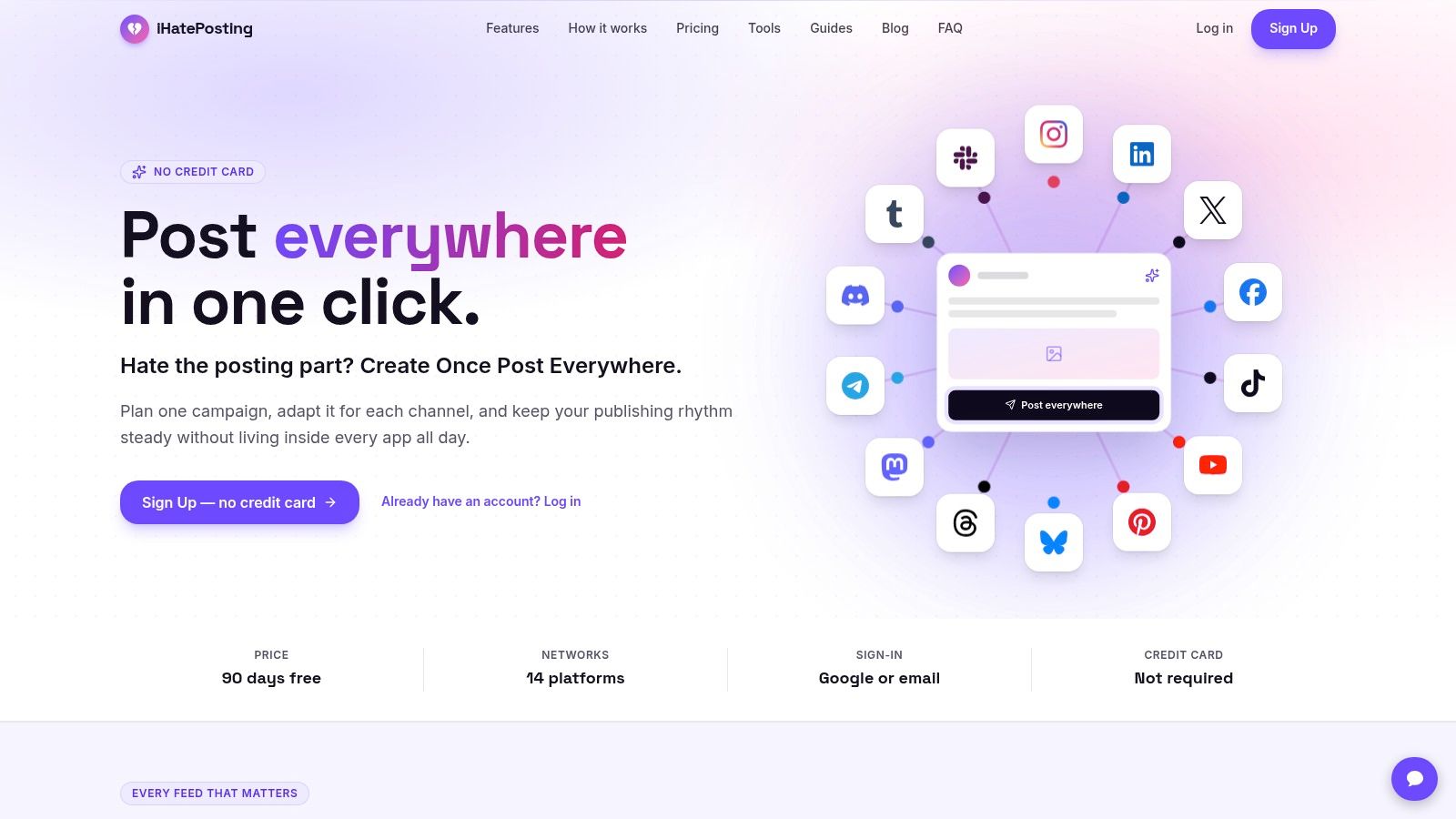
If your team is tired of copy-pasting the same campaign into half a dozen tools, start here. iHatePosting is the best choice for teams that want one composer, one calendar, and one publishing flow across 14 networks, including Instagram, LinkedIn, Facebook, TikTok, YouTube, X, Bluesky, Threads, Mastodon, Telegram, Discord, Tumblr, Pinterest, and Slack.
Best for teams that care about workflow, not enterprise theater
The platform is built around the actual work of publishing. You can organize campaigns by launch, content pillar, creator partnership, or seasonal promotion, then use per-platform caption tools, character counters, hashtag groups, and reusable snippets to adapt copy without rebuilding every post from scratch. The visual calendar, live previews, and pre-publish checks make it a strong fit for creators, agencies, and growth teams that need fewer mistakes and less last-minute rewriting.
Practical rule: If your current process involves opening multiple tabs just to tailor one campaign, you're paying a workflow tax every single week.
iHatePosting also gives you timing guidance based on your own account data, not generic best-practice advice. The analytics go back 12 months and support CSV export, which makes it easier to review cadence and performance without exporting into a second reporting tool. That matters for teams that want usable scheduling decisions, not just dashboards.
The pricing model is also different from the usual per-seat trap. The public site currently promotes a 90-day free trial with no credit card required, and the paid tiers are structured by connected accounts rather than by channels or seats. The plan notes also mention a 7-day trial, so confirm the live signup terms before you commit.
Pros
- 14-network publishing: One composer covers the major channels that teams typically use.
- Workflow-first planning: Campaign grouping, visual calendars, and platform-fit checks reduce duplicate setup.
- Useful account-level analytics: Best-time recommendations and 12-month trends make scheduling decisions easier.
- Lower migration friction: It's easier to move a team when the product already mirrors how marketers work.
Cons
- No public dollar pricing: You'll need to check the current plan page or sign up to see the exact cost.
- Some features sit on higher tiers: Bulk imports, certain automations, and X-specific growth tools aren't universal.
- Trial messaging isn't perfectly consistent: Verify the current free-trial length before you onboard the team.
Website: iHatePosting
2. Hootsuite
Hootsuite is the safer choice when your team needs breadth, governance, and reporting more than a stripped-down scheduler. Use it if you want one platform that can cover publishing, inbox work, analytics, and optional listening without building a tool stack around it.
That breadth is the point. Hootsuite fits marketing teams that need a familiar enterprise vendor and a clear upgrade path as the workflow gets more complex. It is less attractive if your main goal is speed.
Choose Hootsuite when you want enterprise depth, not a lightweight setup
Hootsuite makes sense for cross-functional teams that need publishing, care, and reporting in one place. The trade-off is cost creep, especially as seats grow. For a direct product-level benchmark, see the iHatePosting vs Hootsuite breakdown, then compare it with the vs Hootsuite comparison if you want a second opinion on where the platform fits against Sprout Social.
G2's Sprout Social review page reports enterprise satisfaction of 9.7/10 from 1,048 enterprise reviews, which is the benchmark Hootsuite is measured against (G2). If you are switching from Sprout, that is the standard you should use. Hootsuite needs to justify itself on onboarding, support, and reporting value, not just on name recognition.
Pros
- Broad feature set: Scheduling, inbox management, analytics, and enterprise options sit in one system.
- Clear path to scale: Teams can start small and move into heavier governance later.
- Works for larger teams: Better fit when multiple people need shared publishing and reporting.
Cons
- Per-seat pricing adds up: Costs rise as the team expands.
- Higher-tier features are uneven: Listening and governance are not equally available on every plan.
- Can feel heavy for smaller teams: Simpler teams may end up paying for more platform than they use.
Website: Hootsuite
3. Buffer
Buffer is the tool to choose when a small team needs to start publishing fast without paying for a heavy stack. It stays clean, easy to learn, and practical, which is why creators and lean marketing teams keep it on the shortlist.
Buffer's channel-based pricing is the key decision point. It keeps entry costs predictable and avoids the clutter that makes larger platforms feel like overhead. If your team only needs scheduling, a simple queue view, and basic analytics, Buffer covers the job without forcing a training project.
For teams comparing it directly with Sprout Social, the question that matters is scope, not prestige. Buffer wins on simplicity and speed to adoption, while Sprout is built for teams that need deeper care and governance. See the Buffer vs Sprout Social comparison for a direct product-level read.
Choose Buffer if your workflow is simple
Use Buffer when deep inbox management is unnecessary and governance is not a priority. It is built to make scheduling easy and reporting decent, not to replace an enterprise social stack.
That makes it a smart fit for small teams publishing across a manageable network mix. It also works as a temporary cleanup move if you want to shrink your stack before deciding whether a heavier platform is worth the cost.
Pros
- Very easy to adopt: The interface stays straightforward.
- Predictable pricing model: Per-channel billing is easy to plan around.
- Good for small teams: Works well when you want simple scheduling without a big rollout.
Cons
- Costs can grow by channel: Pricing becomes less attractive as your footprint expands.
- Limited care features: It does not replace enterprise inbox workflows.
- Not built for governance-heavy teams: Regulated orgs will outgrow it quickly.
Website: Buffer
4. Later
Pick Later if your bottleneck is visual execution, not reporting depth.
Some teams do not need a heavier social suite. They need to see the feed, line up assets, save caption patterns, and keep Instagram and TikTok publishing from turning into a messy spreadsheet plus Slack routine. Later is built for that job, and it does it well.
That makes the buying decision pretty simple. If your brand depends on how the grid looks before anything goes live, Later deserves a serious look. If your team is choosing between calendar polish and enterprise oversight, choose based on that tension first.
Later's strength is the visual planner. It helps teams organize posts around the feed instead of treating each asset as a one-off task. That matters for fashion, food, beauty, travel, creator-led brands, and any team where the presentation of the content is part of the strategy, not an afterthought. Collaboration and approvals help too, especially when a marketer, designer, and brand lead all need to sign off before publishing.
The trade-off is clear. Later makes visual scheduling easy, but it is not the platform I would choose for deeper governance, broad care workflows, or advanced reporting needs. Those capabilities sit higher in the stack or outside Later's main appeal. If your pain is a clogged visual pipeline, this is a strong fit. If your pain is cross-team controls and executive reporting, keep looking.
Best fit: brands that care how the feed looks before it ships
Use Later when your network mix leans visual and your workflow breaks down at the planning stage. It is a practical choice for lean brand teams, creators, and social managers who want a cleaner publishing rhythm without paying for a larger operating system than they need.
Website: Later
Comparison: Later vs Hootsuite
5. Loomly
Loomly makes sense when your real problem is approval drag. If posts stall because brand, legal, clients, or leadership all want a say before publishing, this tool solves that bottleneck better than it solves everything else.
That is the decision here. Do you need a social platform with deeper analytics, or do you need people to stop blocking the calendar?
Loomly is strongest in teams where content passes through several hands before it ships. The calendar view keeps status visible, approvals are easy to follow, and asset gaps are harder to miss. Agencies benefit too, especially when clients need a clean sign-off process instead of scattered feedback across email and chat.
Its integration mix helps in a practical way. Canva, Google Drive, Slack, and Teams keep creative work, review, and scheduling connected, so the workflow stays organized instead of getting rebuilt in spreadsheets and message threads.
Pick Loomly if stakeholder reviews keep slowing down publishing
I would choose Loomly for mid-process control, not for top-tier analysis. It gives marketing teams a cleaner operating rhythm, and that alone can save a lot of wasted time. If your team already knows what to post but struggles to get posts approved and out the door, this is a strong fit.
The trade-off is simple. You need to verify current pricing before switching, and lower plans will not satisfy teams that expect serious reporting depth. It is also a planning and collaboration tool first, so heavy listening use cases belong elsewhere.
What Loomly gets right
- Clear approval tracking: You can see exactly where each post is stuck.
- Collaboration is built in: Multiple reviewers can work without turning feedback into chaos.
- Useful day-to-day integrations: Canva, Slack, Teams, and Google Drive support the actual workflow.
Where it falls short
- Plan fit needs checking: Confirm the current pricing and feature limits before migrating.
- Reporting is lighter on lower tiers: Leadership teams may want more than the base analytics.
- Listening is not the main strength: Choose another tool if monitoring is a priority.
Website: Loomly
6. Agorapulse
Agorapulse makes sense for one specific buyer. The team that is drowning in comments, DMs, mentions, and internal handoffs.
That is the decision point here. If your biggest social problem is publishing polish or visual planning, pick something else. If your real bottleneck is clearing the queue, assigning replies, and proving what got handled, Agorapulse deserves a serious look.
It fits agencies and brand teams that need accountability built into the day-to-day workflow. The unified inbox keeps incoming activity in one place, assignment features make ownership obvious, and reporting is practical enough for client updates and internal visibility. That combination is why it stays on agency shortlists.
Choose Agorapulse when response management drives the buying decision
Agorapulse is strongest as a shared operating hub for social care. It gives teams structure without pushing them into a bloated enterprise setup, and the 30-day free trial is long enough to test the actual workflow before you commit (Agorapulse).
The trade-off is clear. Pricing gets harder to justify as more teammates need seats, so larger teams should model that cost early. Listening also sits outside the base package, which matters if your shortlist depends on deeper monitoring. And if your team wants campaign planning to be the center of the product, this is not the cleanest fit.
What Agorapulse gets right
- Inbox ownership is clear: Assignments and follow-ups are easy to track.
- Reporting is client-friendly: It works well for status updates and team visibility.
- The trial is useful: You can test the day-to-day process before paying.
Where it falls short
- Seat costs add up: Bigger teams will feel the pricing faster.
- Listening costs extra: Full monitoring raises the total spend.
- Planning is secondary: It is stronger in response management than campaign orchestration.
Website: Agorapulse (agorapulse.com)
7. Sendible
Sendible makes sense when the buying decision comes down to one question: does every client need its own clean workspace? If the answer is yes, put it near the top of your shortlist.
Its value is less about flashy depth and more about operational sanity. Client calendars, media libraries, connected profiles, and reports stay separated, so an agency team is not constantly sorting through one crowded account. That matters more than it sounds. Once multiple brands, approvers, and account managers are involved, clean separation saves time every week.
Choose Sendible when every client needs its own workspace
The pricing model is the main draw for agency teams. Unlimited users changes how you budget, because collaboration does not become more expensive every time you add another teammate or stakeholder. That makes Sendible a practical fit for agencies that need account managers, creators, and clients in the same system. Support is another plus. Onboarding help and live chat make setup easier, especially if your team wants to get the structure right early (Sendible).
There is a catch. Some of the more advanced pieces sit behind add-ons, so you need to confirm exactly which workspace setup, profile limits, and extras you will need before signing. If you want a platform built around strict governance and deeper enterprise controls, look elsewhere. Sendible is better for agencies that want order, collaboration, and predictable user scaling than for companies shopping for a heavy enterprise stack.
Why teams pick it
- Unlimited users: Better fit for agencies with lots of collaborators.
- Clear client separation: Brands and accounts stay organized without clutter.
- Helpful onboarding: Support shortens setup time.
What to verify first
- Add-ons affect total cost: Advanced options are not always included.
- Configuration matters: Check workspace and profile needs before committing.
- Enterprise depth is lighter: It is not built as a full governance suite.
Further reading: Sendible compared with other Sprout alternatives
8. SocialPilot
Choose SocialPilot when your team needs more publishing capacity without paying for a large enterprise suite. It fits agencies and SMBs that need scheduling, collaboration, approvals, and reporting, while keeping the budget easier to predict.
The strongest case is Strong value for the money. SocialPilot gives growing teams a practical operating base, with enough room to manage multiple accounts without adding unnecessary platform overhead. Agencies should also examine its Agency-friendly pricing model, especially when scaling account coverage matters more than advanced governance.
Use it for predictable growth, not complex compliance.
SocialPilot keeps the interface more focused than legacy enterprise software. That makes everyday setup and publishing easier for teams that want to get campaigns live without configuring an oversized system. Its Useful collaboration features also support approvals and role-based workflows, so content does not need to move through disconnected tools.
Before choosing it, check the plan carefully. Advanced analytics require higher tiers, and teams that need white-label reporting may need to budget beyond the entry option. The Interface is less deep than enterprise tools, which can limit control for power users managing highly detailed workflows.
SocialPilot is also Not the best choice for heavy governance. Compliance-first organizations should compare platforms built around stricter controls before committing.
For a closer comparison with similar tools, review these SocialPilot alternatives for different team needs.
Website: SocialPilot
9. Zoho Social
Zoho Social earns its place when social activity must connect to customer records. If your team already uses Zoho CRM or Desk, it can tie publishing and monitoring to lead and support workflows without adding another disconnected system.
That integration should drive the buying decision. Zoho Social combines scheduling, listening, reporting, and inbox management within the Zoho environment. Teams already paying for Zoho can keep more of their marketing and customer work in one stack, reducing context switching during daily campaign management.
Choose Zoho Social for a Zoho-centered workflow
The strongest advantage is Strong Zoho CRM and Desk integration. It suits teams that need social interactions to support lead follow-up or ticket handling, rather than treating social as an isolated publishing channel.
The Good entry point also lowers the risk of testing it. Zoho Social offers a free trial and a limited forever-free tier, so smaller teams can assess the workflow before committing to a paid plan.
Review the account structure before you choose it. Advanced limits vary by plan, including brand caps and feature access, and regional pricing can change the final USD cost. Verify the current amount at checkout instead of relying on a general price assumption.
Zoho Social is Best fit is ecosystem-specific. If your company does not use Zoho products, the integration advantage matters less and another scheduler may create fewer trade-offs. It also has Less enterprise depth than bigger suites, with more modest governance and analytics for organizations that need extensive controls or detailed reporting.
Choose it for connected customer workflows, not just because you need another scheduler. Simple for Zoho customers is the practical reason to shortlist it.
Website: Zoho Social
10. Metricool
Metricool earns a shortlist when reporting quality matters more than enterprise governance. It suits creators, agencies, and marketing teams that need to explain performance clearly without exporting data into several other tools.
Its core advantage is Strong analytics for the price. Metricool combines scheduling with cross-platform analytics and connectors for reporting workflows, giving data-driven teams a clearer view of results than many budget schedulers. That makes it a practical upgrade for anyone outgrowing a basic publishing tool.
Choose Metricool when analytics drive the buying decision
Start with the free plan to test the workflow. Flexible add-ons let you expand reporting without replacing the platform, which keeps the initial commitment manageable and makes the tool easier to adapt as reporting needs grow.
Metricool is a strong choice for teams that want useful insights without the heavier administration of a full governance suite. It supports performance analysis well, but it does not provide the same depth of compliance controls or team governance as enterprise-focused platforms.
The main constraint is collaboration. Starter plan is single-user, so teams need a higher tier to work together properly. X connectivity costs extra, with a separate monthly fee per account. Include that charge in your comparison if X is part of your network mix, since it can change the actual monthly total.
Use the Buffer versus Metricool comparison if you are choosing between a simpler scheduler and a more analytics-focused workflow.
Metricool is Good for data-driven teams, but the trade-off is clear: you gain stronger reporting and flexible expansion, while collaboration and governance require more budget. Choose it when performance clarity is the priority.
Website: Metricool
Sprout Social Alternatives, Top 10 Comparison
| Product | Core features | UX & Quality ★ | Price & Value 💰 | Target audience 👥 | Unique selling points ✨ |
|---|---|---|---|---|---|
| 🏆 iHatePosting | Scheduling to 14 networks; visual calendar; per‑platform composer; analytics; auto‑publish | ★★★★☆ workflow‑first, clear previews & checks | 💰 long free trial (site: 90d); flat account‑based tiers; Pro = unlimited accounts | 👥 Creators · small teams · agencies · growth marketers | ✨ 14‑platform composer; account‑derived best‑time insights; campaign/pillar workflows |
| Hootsuite | Unified calendar, inbox, native analytics; enterprise listening/governance | ★★★★ mature, feature‑rich | 💰 per‑seat billing; can scale costly; enterprise add‑ons | 👥 Mid→large teams · enterprises | ✨ enterprise governance, social listening, robust reporting |
| Buffer | Per‑channel scheduling; visual planner; AI assistant & integrations | ★★★☆ simple, easy onboarding | 💰 transparent per‑channel pricing; low entry cost | 👥 Creators · small teams | ✨ clean UI; unlimited posts per channel (paid tiers) |
| Later | Visual planner for IG/TikTok; auto‑publish; saved captions; link‑in‑bio | ★★★★ strong IG/TikTok visual workflows | 💰 affordable add‑ons; starter caps post counts | 👥 Visual brands · creators · influencers | ✨ IG/TikTok focus; excellent visual planning & previews |
| Loomly | Calendar‑first planning; approvals; integrations (Canva, Drive, Slack) | ★★★★ clear approval & review flows | 💰 tiered pricing; scales to unlimited users on higher plans | 👥 Teams needing structured approvals | ✨ robust approval workflows; unlimited calendars |
| Agorapulse | Scheduling; unified inbox with assignments; advanced reporting; listening add‑on | ★★★★ inbox/reporting focus for agencies | 💰 per‑user pricing can grow expensive; add‑ons for listening | 👥 Agencies · brands with client reporting | ✨ client reporting, SLA‑style inbox workflows |
| Sendible | Client workspaces; unlimited users; direct publishing; reporting packs | ★★★☆ agency‑oriented, collaborative | 💰 workspace pricing; add‑ons for white‑label/features | 👥 Agencies managing multiple clients | ✨ workspace model maps to clients; unlimited users |
| SocialPilot | Visual calendar; bulk scheduling; team roles; white‑label reporting | ★★★☆ value‑focused, predictable scaling | 💰 competitive price‑to‑capacity; clear add‑ons | 👥 Freelancers · SMBs · budget‑conscious agencies | ✨ strong accounts/users value; white‑label on higher tiers |
| Zoho Social | Scheduling (SmartQ); monitoring; reporting; CRM/Desk integrations | ★★★☆ solid within Zoho ecosystem | 💰 regional/global pricing; free/forever‑free tier options | 👥 Teams using Zoho CRM/Desk | ✨ tight CRM integration; SmartQ best‑time queues |
| Metricool | Scheduling; cross‑platform analytics; ads & web tracking; connectors | ★★★★ analytics‑centric, data depth | 💰 great analytics value; flexible add‑ons per account | 👥 Data‑driven creators & agencies | ✨ deep analytics, ads tracking, Looker/Studio connectors |
Picking Your Next Social Scheduler Without the Migration Headache
Choose the tool that matches your team size, network mix, and reporting needs, not the one with the longest feature page. A solo creator doesn't need the same operating system as an agency managing six brands, and a brand team with heavy approvals shouldn't buy a lightweight scheduler just because the monthly price looks low. The right sprout social alternative is the one that removes friction from the work you do every week.
If your pain is workflow clarity, iHatePosting is the cleanest starting point. If your problem is enterprise breadth, look at Hootsuite. If you want simple scheduling, Buffer or Later will get you moving faster. If inbox management or reporting is the main issue, Agorapulse, Sendible, SocialPilot, or Metricool are stronger bets depending on whether you're agency-led, budget-led, or analytics-led.
Migration should be boring. Export your Sprout Social content calendar first, then map each profile to the new tool's account model so you're not rebuilding the structure from memory. Run the new platform in parallel for two weeks, compare publishing speed and reporting quality, and only then cancel Sprout. That process reduces mistakes, and it gives your team time to catch missing assets, broken permissions, and bad assumptions before they become real problems.
For teams that want the lowest-risk evaluation window, iHatePosting's 90-day no-card trial is the easiest place to start. It gives you enough runway to test campaign planning, cross-network publishing, and timing recommendations without forcing a rushed decision. If your team wants a faster, simpler workflow for multi-network publishing, visit iHatePosting and see whether it replaces enough manual work to justify the switch.
iHatePosting helps you plan, tailor, and publish across fourteen networks from one workflow, which is exactly what teams need when Sprout starts feeling heavy. If you want a faster way to manage campaigns, calendars, and platform-specific publishing without the enterprise overhead, start by checking out iHatePosting.