Content Calendar for Instagram: Build and Manage
13 min readInstagramcontent calendarsocial mediascheduling
Tuesday morning arrives, your Instagram feed is empty, the designer is waiting for a brief, and the only available photo needs a caption before the next meeting. You publish something acceptable, then spend the rest of the day wondering whether your audience will see it, whether the format fits your recent posts, and whether the next deadline will be just as chaotic.
A content calendar for Instagram solves more than scheduling. It connects ideas, assets, captions, publishing windows, campaigns, and performance reviews in one operating system. The strongest calendars create consistency without turning your feed into a rigid queue, leaving enough room for trends, timely conversations, and unexpected collaborations.
Table of Contents
- Why You Need a Strategic Instagram Content Calendar
- Laying the Foundation for Your Content Strategy
- Building Your Calendar with iHatePosting Tools
- Navigating the Data on Best Posting Times
- Maintaining Flexibility Within a Structured Plan
- Reviewing Performance and Iterating Your Approach
Why You Need a Strategic Instagram Content Calendar
Posting without a plan creates a familiar pattern. A product photo appears on Tuesday because it's ready, an educational carousel follows when someone finds time to write it, and a Reel gets delayed because nobody knows who owns the edit. The problem isn't a lack of creativity. It's that every post starts from zero.
A working calendar changes the question from “What can we publish today?” to “Which audience need and business objective does this post serve?” That shift gives your team time to develop stronger visuals, review captions, check links, and maintain a recognizable voice. It also makes gaps visible. You can spot a week crowded with promotions or a feed that hasn't explained the product clearly enough.

A calendar is more than a publishing queue
A useful calendar combines four layers:
- Editorial direction: The themes, topics, and audience problems your content addresses.
- Production control: The person responsible for the asset, caption, review, and final approval.
- Publishing context: The format, date, time zone, CTA, and campaign relationship.
- Learning loop: The performance signals that influence your next batch of content.
That's why reviewing practical content calendar benefits can help teams move beyond a simple list of dates. Organization matters, but the value comes from reducing avoidable decisions and making quality repeatable.
Consistency without creative burnout
Consistency doesn't mean publishing identical content on autopilot. It means your audience can understand what your account offers and your team can produce that message without emergency work every day. A calendar gives recurring ideas a home while allowing the execution to change.
Content pillars make that repeatability easier. If you need help distinguishing broad themes from usable recurring categories, this guide to what content pillars are provides a useful starting point. Once those pillars are defined, your calendar becomes a decision system rather than a collection of disconnected posts.
Practical rule: If a post has no clear audience purpose, owner, asset status, or CTA, it isn't ready for the calendar.
The best system also protects attention. Instead of asking a designer, writer, or founder to create something at the last minute, you batch related work and reserve review time. You still respond to the moment, but you're no longer depending on the moment to produce your best work.
Laying the Foundation for Your Content Strategy
Before opening a scheduling tool, inspect the account you already have. Instagram Insights can show which recent topics, formats, and publishing contexts earned meaningful responses. Start with an audit of the last 30 days, as recommended in the practical Instagram content calendar workflow, and record observations rather than assumptions.
Look for patterns in saves, shares, comments, profile activity, reach, and replies. A post with fewer visible reactions may still have helped people discover the account or move to the profile. Don't label a format a failure because one post underperformed. Ask whether the topic, opening line, creative quality, CTA, and timing gave it a fair test.
Turn observations into usable pillars
Define three to five recurring content pillars. The exact categories depend on the brand, but most accounts need a useful balance of audience education, proof, personality, and commercial content. A software company might use product education, workflow advice, customer questions, team expertise, and release updates. A local retailer could use product demonstrations, staff recommendations, customer stories, seasonal offers, and behind-the-scenes content.
Keep each pillar narrow enough to generate ideas. “Brand awareness” is an objective, not a pillar. “Short demonstrations that show how the product solves a common task” is a pillar that can produce carousels, Reels, Stories, and lives.
Use a simple inventory like this:
| Pillar | Audience need | Possible formats | CTA direction |
|---|---|---|---|
| Education | Understand a problem | Carousel, Reel, Story | Save or share |
| Proof | Trust the solution | Testimonial, demonstration | Visit the profile |
| Personality | Know the people behind the brand | Story, photo, short video | Reply or comment |
| Promotion | Take a commercial action | Reel, carousel, Story | Shop, book, or enquire |
Build a two-week idea bank
Map each pillar to concrete ideas before assigning dates. Write the working title, key message, format, required asset, and CTA. This prevents the calendar from becoming a list of vague intentions such as “post about the product.”
A two-week horizon is usually practical because it gives the team enough material to batch while preserving space to respond to new information. Campaigns with fixed launch dates may need earlier preparation, but routine content shouldn't be locked away so far in advance that it loses relevance. For larger launches, document dependencies and owners using a structured approach to campaign planning.
Building Your Calendar with iHatePosting Tools
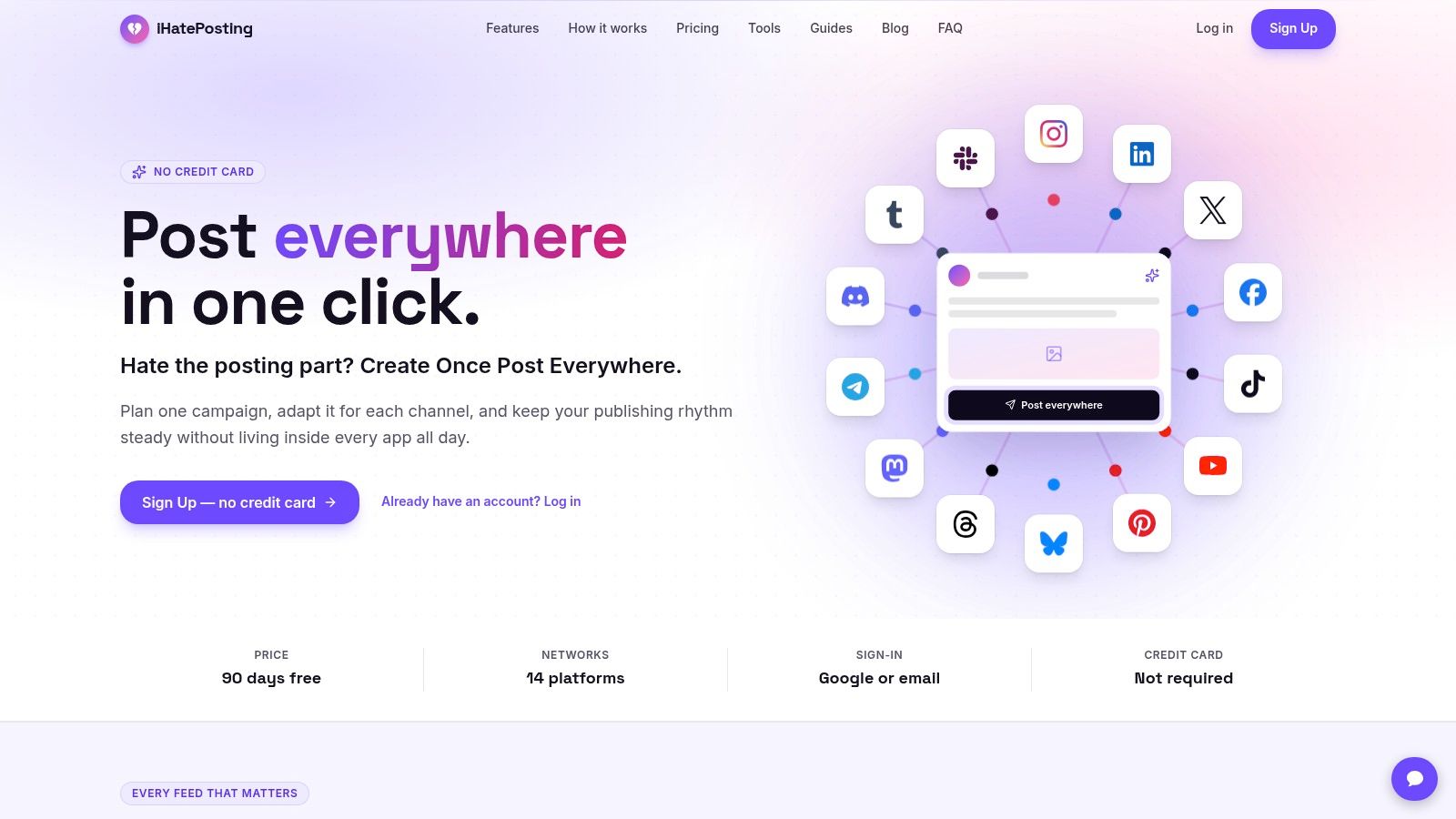
Once your ideas are clear, populate the calendar in batches rather than one post at a time. iHatePosting is one option for bringing Instagram planning, platform-specific captions, media, campaigns, and publishing into a shared workspace. Start by creating a campaign or working collection for the relevant launch, content pillar, partnership, or seasonal theme.
Use the calendar as a visual quality check
Open the week or month view and place the strongest anchor pieces first. These might include a launch announcement, a product demonstration, a founder video, or a high-value educational carousel. Then fill around them with supporting Stories, shorter posts, and community-focused content.
A visual view helps you catch problems that a spreadsheet hides:
- Format imbalance: Too many Reels, or no clear place for carousels and still images.
- Message repetition: Several posts making the same claim without adding a new angle.
- Campaign confusion: Promotional posts appearing without the education or proof that supports them.
- Production risk: Multiple videos requiring editing in the same review window.
- Feed rhythm: Similar colors, compositions, or hooks appearing consecutively.
Attach the actual image or video to each draft instead of storing assets in a separate folder with unclear filenames. This gives reviewers the context they need and reduces the chance of publishing an outdated version.
Batch the drafting and caption work
Create a working batch around a single pillar or campaign. For every post, add the topic, format, visual, first-line hook, body copy, CTA, hashtags, and approval status. Keep the core idea consistent across platforms, but don't paste the Instagram caption unchanged into LinkedIn, TikTok, or another network.
Per-platform caption tools are useful here because they let you adapt length, tone, CTA, and formatting while keeping the asset connected to the post. Character counters, reusable caption snippets, hashtag groups, and previews help catch avoidable errors before scheduling. If a long-form video needs to become short Instagram content, these 2026 YouTube to Instagram tips can inform the repurposing workflow.
Use campaign labels to group related posts. A launch might contain a teaser, educational explanation, demonstration, objection-handling post, announcement, and follow-up. The calendar should show that narrative, not just a series of unrelated publishing dates.
After approval, schedule through a workflow such as this guide to schedule Instagram posts and Reels. Keep a final manual check for tags, music, mentions, product details, and any post that depends on a live conversation.
The calendar should reduce switching, not eliminate judgment. Automation handles repeatable publishing work. A strategist still decides whether the post is timely, accurate, useful, and appropriate for the audience.
Navigating the Data on Best Posting Times
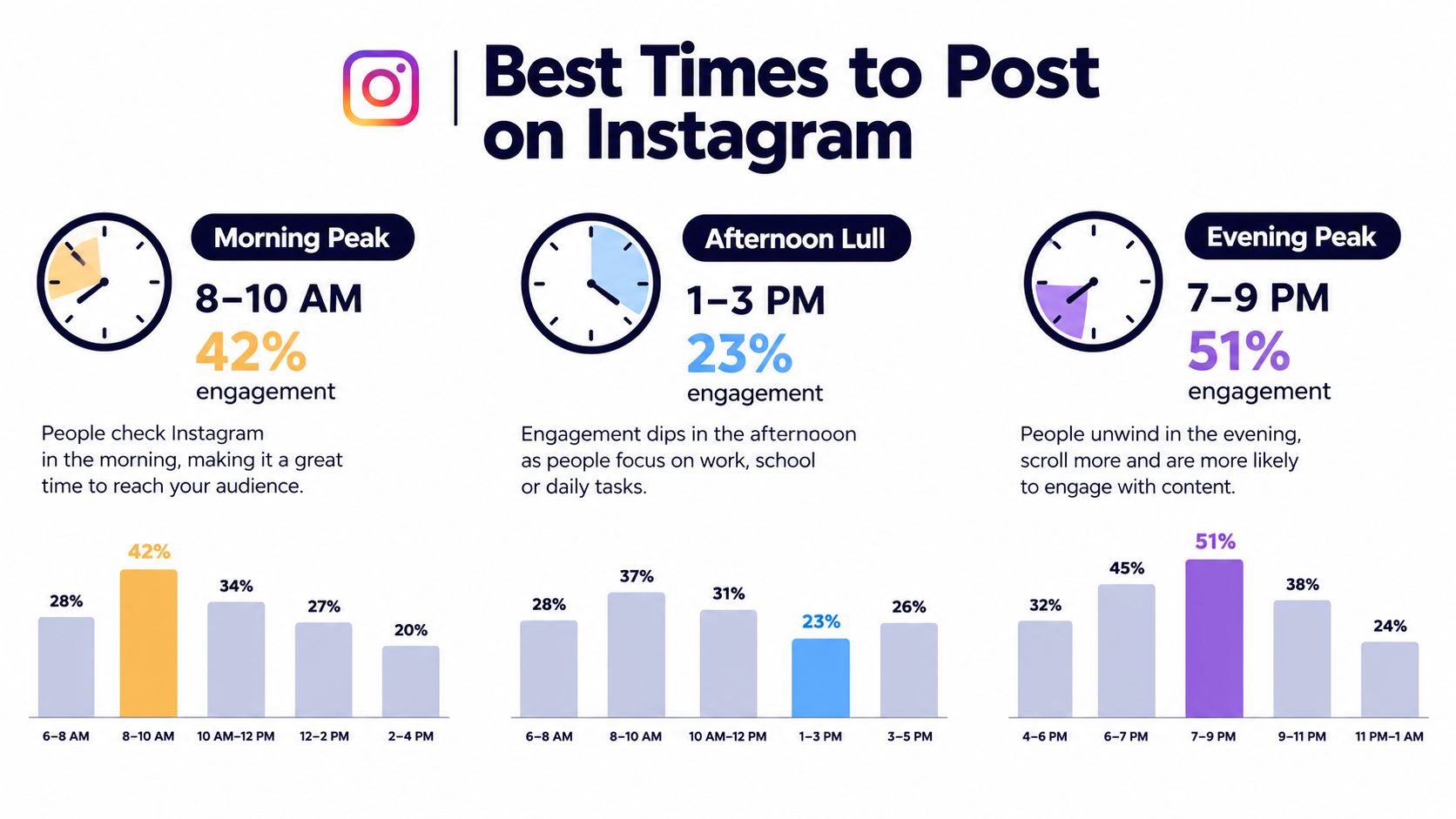
Posting time matters, but industry averages are starting points, not instructions. Sprout Social's 2026 analysis identified these strongest Instagram windows: Mondays from 2–4 p.m., Tuesdays from 1–7 p.m., Wednesdays from 12–9 p.m., and Thursdays from 12–2 p.m. The same summary references Buffer's analysis of 9.6 million posts, which found evening hours from 6–11 p.m. strongest on every weekday except Thursday. (SocialPilot's comparison of the 2026 findings)
Those findings don't produce one universal answer. Another 2026 study of 455,062 Instagram posts reported Wednesday at 9 p.m. as the strongest overall time, while research covering 50,000 accounts and 7 million posts identified 7–9 a.m. as the overall best window and singled out 7 a.m. (HubSpot's review of the research).
Why averages disagree
The disagreement is useful. It shows that audience behavior varies by account, geography, format, and day. A global brand can't assume that one local evening window suits followers in every market. A creator whose audience checks Stories during a commute may need a different test from a business whose followers browse Reels after work.
Use published benchmarks to create test slots, then let account-level evidence narrow the schedule. Instagram Insights should tell you when your followers are active, while your own post history can show whether specific formats perform differently across those windows.
A practical testing process looks like this:
- Choose a small set of candidate windows from your account data and relevant benchmarks.
- Match the window to the content type, rather than treating every post as interchangeable.
- Record the result in the calendar, including format, topic, CTA, and time zone.
- Compare like with like, because a product announcement and a casual Story serve different purposes.
- Keep the strongest recurring slots, but continue testing when the audience or content mix changes.
Decision principle: A generic best-time report can help you start. Your calendar should eventually be governed by your audience's response, not by a chart built from other accounts.
For format-specific decisions, use the best time to post Instagram Reels as a separate planning question rather than applying one time to every format. Timing can improve the conditions around a post, but it can't rescue a weak idea, unclear opening, or mismatched CTA.
Maintaining Flexibility Within a Structured Plan
A completely full calendar looks efficient until a relevant trend appears, a partner proposes a collaboration, or a customer raises an issue that deserves a timely response. If every slot is already committed, the team has only two choices: ignore the opportunity or disrupt approved work.
Recent independent guidance recommends keeping 20–30% of the calendar open, or reserving one or two empty slots each week for timely posts, trend participation, and opportunistic collaborations. (Measure Studio's Instagram content calendar guidance)
Treat open space as planned capacity
Unassigned space isn't a failure in planning. It's a deliberate operating reserve. Mark flexible slots visibly in the calendar so nobody mistakes them for unfinished work, then define what qualifies for use:
- Timely relevance: The post connects to a current conversation your audience already cares about.
- Brand fit: The trend or collaboration supports the account's positioning.
- Production feasibility: The team can create and approve it without lowering quality.
- Strategic value: It helps educate, build trust, participate in community, or support a live opportunity.
- Risk awareness: The topic doesn't require rushed claims, sensitive commentary, or incomplete verification.
Keep evergreen content ready but unpublished. A prepared educational carousel, reusable customer question, or behind-the-scenes concept can fill a slot when no reactive idea earns priority. That gives you flexibility without forcing the team to invent content under pressure.
Separate commitments from options
Use clear labels such as Committed, Flexible, and Reactive. Committed posts include fixed campaign milestones and announcements. Flexible posts can move within the week. Reactive posts are ideas waiting for a suitable moment.
Campaigns need their own boundaries. Protect the posts that explain the offer and carry the main message, but leave supporting content movable. If a timely opportunity is strong enough to replace a planned post, move the evergreen item to the next suitable slot instead of deleting it.
A flexible calendar isn't less disciplined. It makes room for judgment while protecting the work that must happen.
Review open slots during your weekly planning session. If the team never uses them, the reserve may be too large or the criteria too strict. If reactive posts constantly displace campaign essentials, the calendar needs stronger priorities and more prepared evergreen material.
Reviewing Performance and Iterating Your Approach
A calendar becomes valuable when the team uses its results to make better decisions. Schedule a recurring review that examines recent posts by topic, format, timing, CTA, and production quality. Don't judge the entire strategy from one successful Reel or one weak carousel. Look for patterns that can guide the next batch.
Start with the questions that affect planning:
- Which pillars generated useful conversations, saves, shares, or profile actions?
- Which formats were easy to produce but failed to communicate the message?
- Which captions earned replies because they asked a clear, relevant question?
- Which posts reached people but gave them no reason to continue?
- Did the publishing time suit the account's audience, or did the idea itself need work?
Turn analytics into calendar changes
Use account-level trends and best-time recommendations where your scheduling platform provides them. iHatePosting offers analytics with trend views, historical performance, CSV export, and best-time recommendations based on account data. Treat those recommendations as inputs to editorial judgment, not automatic replacements for strategy.
Document the decision beside the next scheduled post. For example, note that a customer-question topic will return in a different format, that a weak CTA will be rewritten as a direct invitation, or that a campaign post needs more supporting education before publication. The note matters because it turns a vague impression into a testable change.
A simple review cycle works well:
- Collect: Export or record the relevant performance observations.
- Diagnose: Separate creative, topic, timing, and distribution issues.
- Decide: Keep, adjust, pause, or replace each content pillar.
- Schedule: Apply the decision to the next two-week batch.
- Recheck: Compare the new result with a similar earlier post.
Keep the calendar audit-ready
Every post should show enough context for another team member to understand what happened. Record the original objective, format, publishing time, caption version, CTA, approval status, and post-publication observation. A reusable social media scheduler template can help establish those fields before you move into a more connected workflow.
Review the calendar itself, not only the numbers. If approvals repeatedly arrive late, change the production deadline. If videos create a bottleneck, reduce simultaneous editing demands. If reactive posts consistently outperform planned ideas, identify the underlying audience need and build it into an evergreen pillar.
Your system should become more accurate over time. A good calendar doesn't predict every successful post. It gives the team a clear way to plan, publish, learn, and adjust without returning to Tuesday-morning panic.
iHatePosting brings Instagram planning, per-platform caption editing, campaign organization, scheduling, and account-level timing insights into one workflow. Visit iHatePosting to organize your next two-week content batch, preserve flexible slots, and turn performance reviews into practical calendar updates.