Content Calendar Creation for a Reusable Plan
14 min readcontent calendar creationsocial media planningposting cadencecampaign calendar
Your team has a spreadsheet full of dates, three half-written captions, and a product launch that still slips. The designer is waiting for approved messaging, the social lead is rewriting the same caption for different networks, and nobody has agreed what the month's content should accomplish.
Content calendar creation should solve those coordination problems, not just fill empty squares. Build it as a reusable operating system: documented decisions, a sustainable publishing rhythm, platform-specific execution, and creator work managed alongside the rest of the campaign.
Table of Contents
- Why Content Calendar Creation Beats a Date List
- Fields That Make a Calendar Operational
- Set a Cadence You Can Actually Keep
- Adapt One Campaign Across Platforms
- Plan Creator Work Inside the Same Calendar
- Turn the Calendar into a Publishing Workflow
Why Content Calendar Creation Beats a Date List
A post can go live on schedule and still miss its purpose. The date alone cannot show which audience the message serves, what business goal it supports, or what the team should learn from the result.
That gap matters when a small team has more ideas than production capacity. Without a connection to strategy, a team can publish every planned post and still have little evidence that its work supported a launch.
Strategy integration isn't the same as useful measurement
In the Content Marketing Institute's 2024 B2B research, 70% of respondents said their content strategy was integrated with broader organizational strategy, while 46% believed their organization measured content performance effectively. Common indicators included conversions at 73%, website traffic at 71%, and social media analytics at 65%.
Social publishing belongs inside the wider marketing system. A post might introduce a problem, support a sales conversation, direct people to a product page, or help customers understand an update. Those purposes call for different messages and different measures. Likes alone cannot show whether each job was done.
Practical rule: If the team can name a publishing date but not the result the post supports, the calendar is still a date list.
A list of completed posts shows what shipped. An operating plan records why each item was chosen and what trade-offs shaped the work. Keep that reasoning with the campaign, so the team can reuse what worked and change what did not.
Give every campaign a reason to exist
Set the campaign purpose before assigning individual posts:
- Campaign goal: Name the business outcome, such as qualified product interest or customer adoption.
- Audience: Specify who needs the message and what they already understand.
- Channel job: Decide whether each channel should introduce, explain, demonstrate, or prompt action.
- Result to review: Choose evidence that will help the team decide whether to repeat the campaign.
For example, a product update removes a frustrating setup step. A date list might schedule an announcement, a demo, and a reminder. A connected campaign plan explains how they work together: the announcement introduces the change, the demo addresses hesitation, and the reminder directs interested customers to the relevant action. Each item has a distinct role, even though they support the same launch.
Decide how to measure your social campaign results before production begins. Once the campaign has run, compare its intended outcome with traffic, conversions, and relevant social results. A full calendar shows that the team published; that review shows whether the work earned another round.
Fields That Make a Calendar Operational
A launch can have a full month of dates and still fall apart if nobody knows which version is approved, who owns the next edit, or what each post is meant to do. Make the calendar a reusable operating system: record the decisions that keep work moving, then carry them through production and review.
Research summarized by Social Media Examiner found that 60% of organizations with a written strategy considered their content marketing effective, compared with 32% relying on a verbal strategy. Attribution and customer-journey tracking were each challenges for 56% of B2B marketers. Documented fields give teams a shared reference instead of leaving those decisions in separate conversations.
Make the essential decisions mandatory
Set a minimum record for each planned item. A practical calendar can include:
- Objective: State the intended audience action, rather than “promote the update.”
- Pillar: Connect the topic to a repeatable editorial theme. If yours are vague, build content pillars with iHatePosting before adding more ideas.
- Platform-specific variant: Describe what will change for each channel, such as a demonstration clip for one platform and a discussion-led caption for another.
- Responsible owner: Name the person accountable for the next step, even when others contribute.
- KPI: Match the measure to the objective and note where the result will be recorded.
- Status and deadline: Show whether the item needs writing, review, approval, or scheduling, and who must act by when.
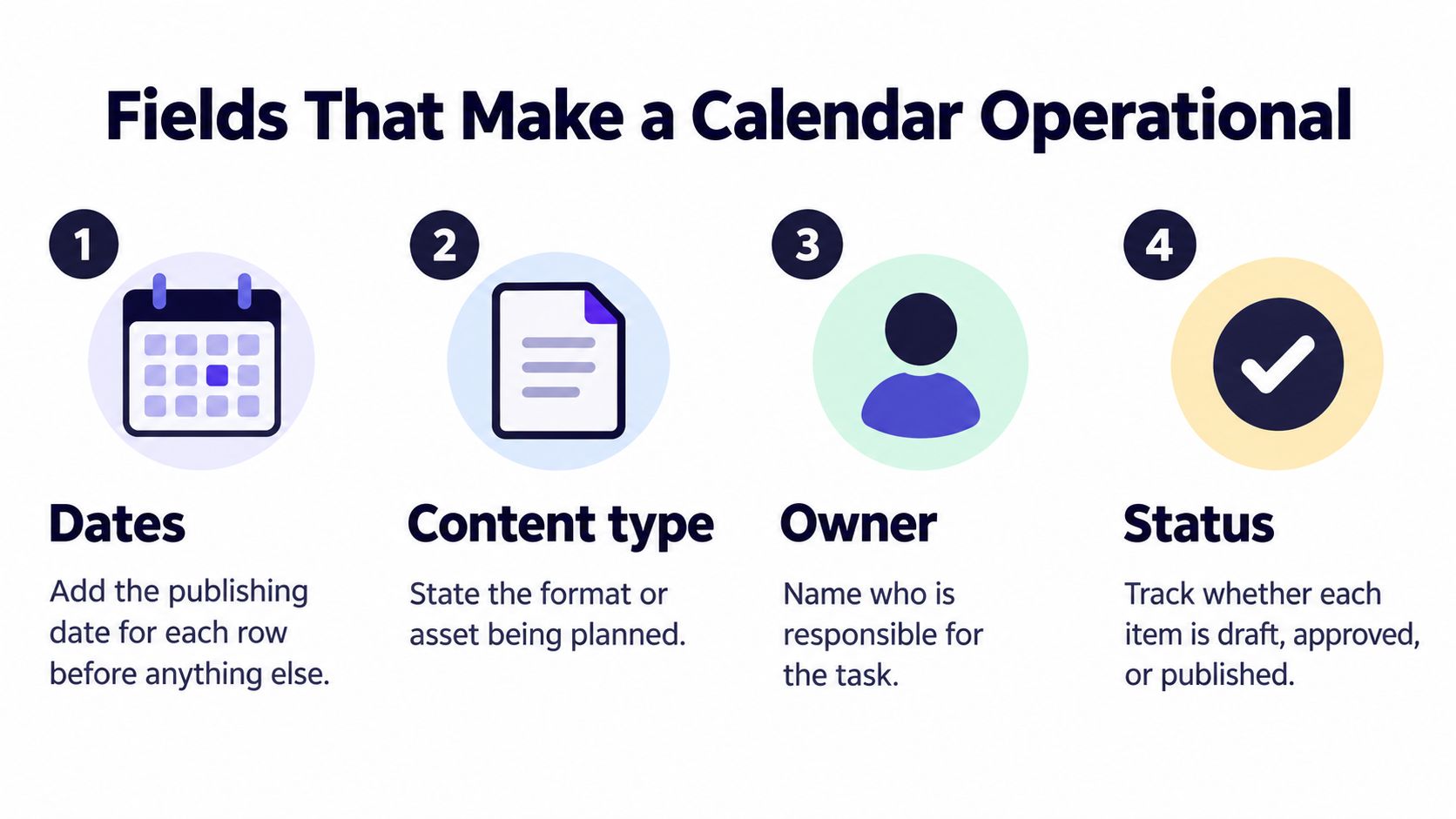
Dates, content type, owner, and status make the schedule visible. The other fields explain why an asset exists and what the team must finish before it can publish.
For a product update that removes a setup step, the entries might look like this:
| Planned asset | Accountable owner | Intended action | Success metric |
|---|---|---|---|
| LinkedIn proof post explaining the removed setup step | Product marketer | Visit the update page | Tracked product-page visits |
| Short vertical demonstration | Video producer | Open the walkthrough | Tracked walkthrough visits |
| Email teaser | Lifecycle marketer | Try the updated workflow | Defined activation event |
These are planning examples, not performance claims. The assets support one update, but each has a different job and measurement method. Record platform versions and creator contributions in the same campaign plan, rather than treating them as separate date lists.
Establish tracking before approval
Assign a campaign ID, set consistent UTM conventions, and agree on the conversion definition before publishing. Without those decisions, teams can count different actions under one label or lose the link between an asset and its destination.
For a clip-heavy workflow, StreamGen's short-form scheduling tool is one resource to assess alongside the planning sheet. Choose a scheduler only after deciding which fields and asset details must travel with each post.
Before approval, check content pillar, intent, platform fit, creative alignment, hashtag strategy, measurement, and campaign context. iHatePosting's pre-publish questions cover those decisions. A complete calendar row should make the next action and its owner clear, not just show that a caption exists.
Set a Cadence You Can Actually Keep
A publishing schedule can look steady on a calendar and still fail in production. Set a cadence your team can repeat without thinning out the work or skipping review.
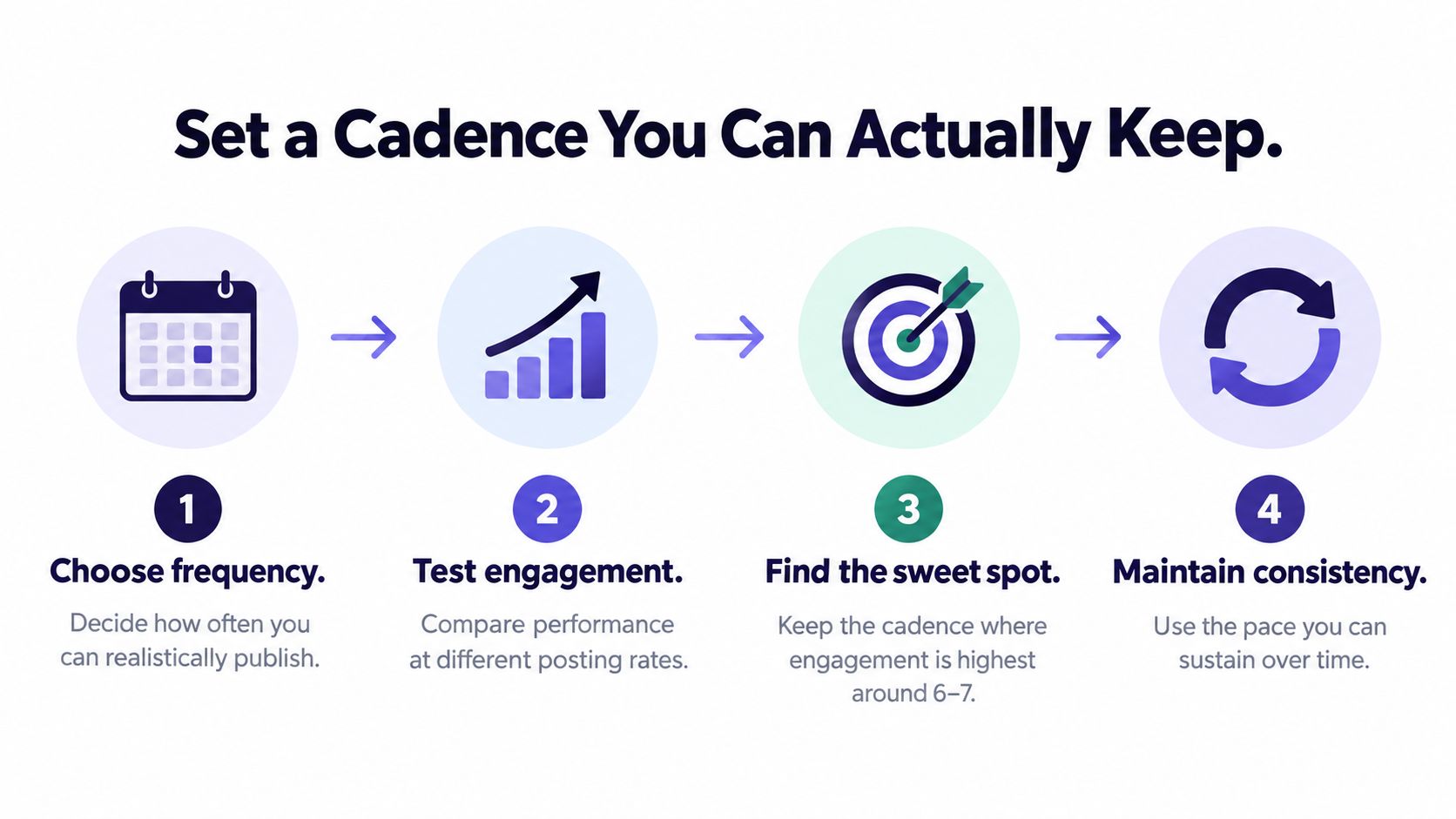
A longitudinal study covering 525 weekly observations from five companies found an inverted-U relationship: engagement was highest around 6–7 social posts per week, while more frequent posting was associated with weaker engagement and fewer positive brand mentions. Use this as a hypothesis, not a universal target. Audit the previous 8–12 weeks, choose a sustainable baseline, such as 6 posts per week, then test one change for at least four weeks. Compare rolling four-week results with the account's own baseline.
The right cadence depends on the work. A technical brand producing demonstrations has different production demands from a creator sharing ongoing daily work. A frequency that only works with thin variations is not sustainable.
Separate the test from the scramble
Start with your calendar's documented fields: content pillar, format, owner, planned date, and intended result. Review which pillars and formats have produced useful outcomes, looking for patterns rather than chasing the biggest spike. Record whether strong results depended on a launch, collaboration, paid support, or another circumstance the team cannot regularly reproduce.
Write a test statement before scheduling. For example, hold topic mix and formats steady while testing frequency, or keep frequency steady while testing timing. Changing frequency, creative style, and subject matter together makes the result difficult to interpret. Compare each account with its own history, since LinkedIn engagement and TikTok engagement are not equivalent measures.
Protect the capacity behind the schedule
A useful cadence test accounts for the work around publishing:
- Production capacity: Include writing, filming, editing, and community follow-up, not only uploading.
- Approval buffer: Leave reviewers time to request meaningful changes.
- Evergreen fallback: Keep approved material ready for when a time-sensitive item no longer fits.
- Review date: Assign someone to assess the results and recommend what to change.
Track reach, engagement rate, saves or shares, profile actions, and conversions separately by platform. Keep the primary KPI visible so easy reactions do not distract from the intended outcome.
A cadence is sustainable when the team can maintain quality and review results afterward.
Use account history to measure engagement to refine posting times. Keep timing tests inside an otherwise steady schedule, and use your own data rather than treating generic advice as a rule. Batch related production tasks, and set specific windows for comments and analytics. Retain a change only when it improves the chosen result without creating an unreasonable production burden.
Adapt One Campaign Across Platforms
A holiday gift finder can serve several audiences, but one finished post rarely serves them all. Keep the campaign's objective, evidence, and offer consistent, then tailor the format, opening, and action to each platform. A calendar becomes a reusable operating system when it records those decisions, not just publication dates.
Metricool's 2025 social media study analyzed more than 1 million accounts and 21 million posts across eight social networks. It found that video remained dominant, while interaction-led distribution created growth opportunities for smaller accounts on Instagram, YouTube, and TikTok. That is a reason to test platform-native treatments, not to turn every campaign into video or post the same asset everywhere.
Content Atomization Matrix
Write the campaign objective above the matrix, then assign a useful role to each platform. For a seasonal promotion, a retailer might aim to help uncertain shoppers choose a suitable gift and visit the relevant collection.
| Platform role | Native format | Opening hook | Call to action | Repurposing limit |
|---|---|---|---|---|
| TikTok discovery | Short vertical demonstration of choosing a gift | Start with the shopper's dilemma, then show the selection process | Explore the gift finder | Don't reuse a slow product introduction |
| LinkedIn professional relevance | Discussion post about choosing useful client gifts | Lead with the tension between a thoughtful gift and a generic purchase | Discuss the selection criteria or visit the business-gifting collection | Publish only if business buyers are a relevant audience |
| Discord community participation | Moderator-approved prompt in a relevant channel | Ask what makes a gift genuinely useful | Share preferences or ask for help | Don't drop an unsolicited promotional link |
| YouTube search-led explanation | Long-form guide organized around gift-selection questions | State whose buying problem the guide solves | Use the gift finder after watching | Don't stretch a brief sales announcement into a padded guide |
The fields make the editorial choices visible. A TikTok demonstration needs an action viewers can see. LinkedIn needs a professional reason for the post; a Discord prompt needs community relevance and permission. Record each platform's format, hook, action, and repurposing limit in the campaign plan so reviewers can see what changes and what stays consistent.
Leave a row unpublished when the fit is weak
Suppose the retailer's LinkedIn audience consists mainly of industry peers, not business gift buyers. Mark the row not publishing and record the reason. Don't force a professional-development angle onto a consumer offer just to fill a connected account's slot.
The same test applies to YouTube. If the team has no useful advice beyond announcing the seasonal collection, leave the guide unpublished. A search-led video should answer the viewer's gift-selection question, not pad a sales announcement into a longer format.
A blank slot with a clear reason is an editorial decision, not a distribution failure. It keeps the calendar honest and gives the team a reusable record of where the campaign fits, and where it does not.
Efficiency means minimizing duplicated thinking while preserving the variations that make each version useful.
Use cross posting advice from iHatePosting to distinguish useful reuse from mechanical duplication. Keep verified product details and campaign messaging consistent, but adapt the opening and action to the audience's context. Sometimes the reusable asset is a demonstration, customer question, or explanation, not a caption. Preserve that material, then give each channel a treatment worth publishing.
Plan Creator Work Inside the Same Calendar
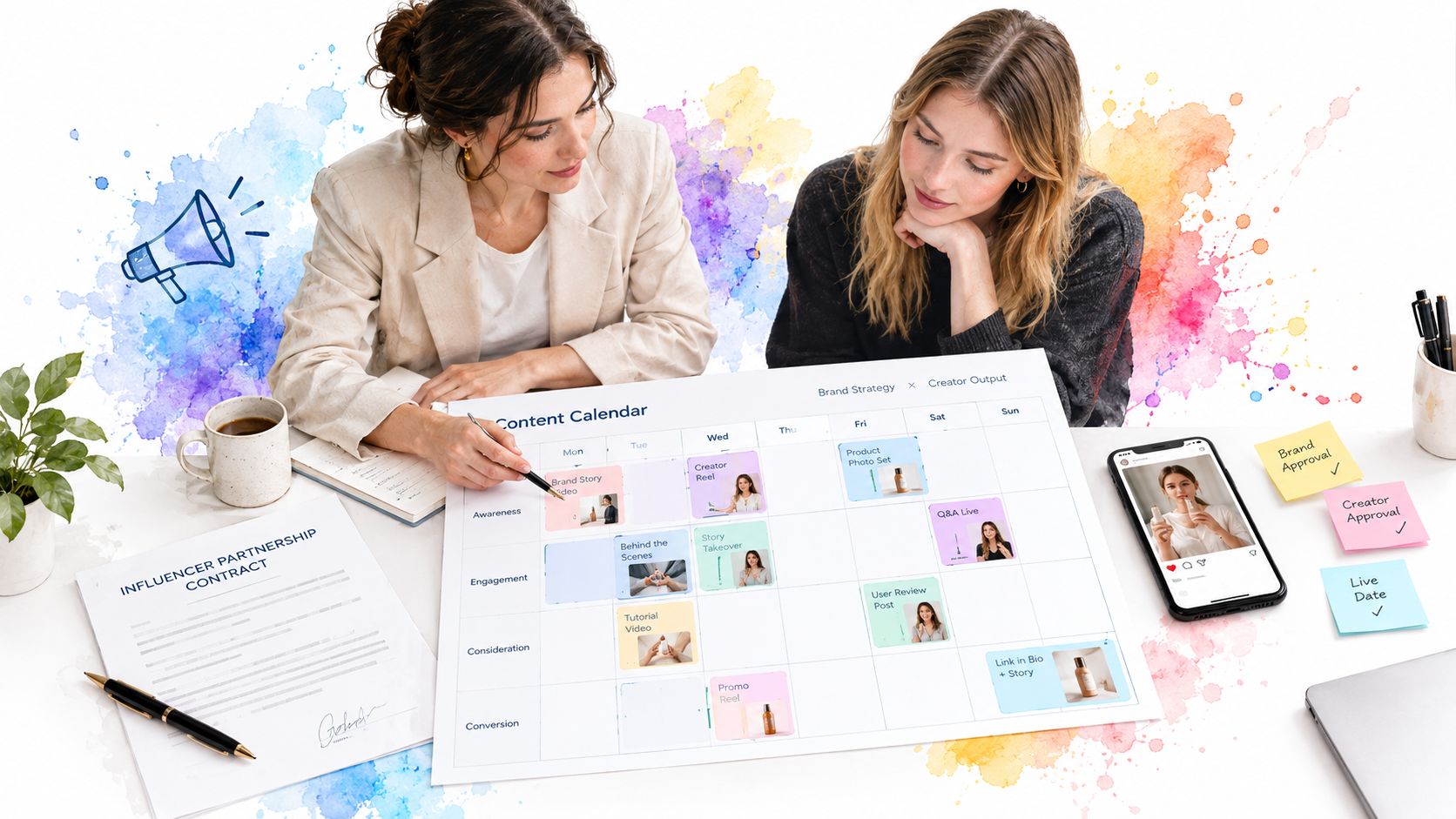
A creator post shouldn't appear as a mysterious fixed date beside the brand's own work. Record the collaboration inside the campaign plan so the team can see the briefing, approval, and publishing dependencies.
Keep the working plan visible during collaboration, not just at handoff.
Creators received 24% of average social-media marketing budgets in 2024, while social-first brands prioritized micro- and mid-tier creators at rates of 84% and 87%, respectively, according to Deloitte Digital's State of Social research. That level of investment deserves more operational detail than a publication date and a contact name.
Record constraints before promising a launch slot
Add the information needed to make the partnership executable:
- Availability and briefing status: Record when the creator can produce, what they've received, and what remains unresolved.
- Disclosure requirements: Document the agreed disclosure approach and who checks it before publishing.
- Usage rights: State where the asset may be used, whether edits are permitted, and any agreed limits.
- Review deadline: Identify the approver and the point when feedback must be returned.
- Paid amplification window: Record when promotion may run and what approval or permission it depends on.
- Funnel role: Choose awareness, proof, community participation, or conversion assistance as the collaboration's primary job.
Give the creator room to execute within that role. A brand brief should establish the audience problem, required accuracy, and boundaries without turning every creator into a substitute brand spokesperson.
Use the supporting video as a separate viewing resource during planning.
Make dependencies explicit
A creator-campaign block should show that brief approval precedes asset delivery, asset approval precedes amplification, and post-campaign learning follows the agreed publishing window. If a dependency slips, update the affected launch item rather than leaving an impossible date untouched.
Evaluate the work according to its assigned role. An awareness collaboration needs evidence of relevant exposure; a proof-led collaboration needs evidence that people engaged with the demonstration or explanation. Don't declare every partnership successful or unsuccessful based on the same engagement spike.
Afterward, record the useful learning: which question the creator answered, which objection mattered, or which demonstration viewers responded to. Bring that insight into the next organic cycle without assuming the creator's asset can, or should, be reposted across every network.
Turn the Calendar into a Publishing Workflow
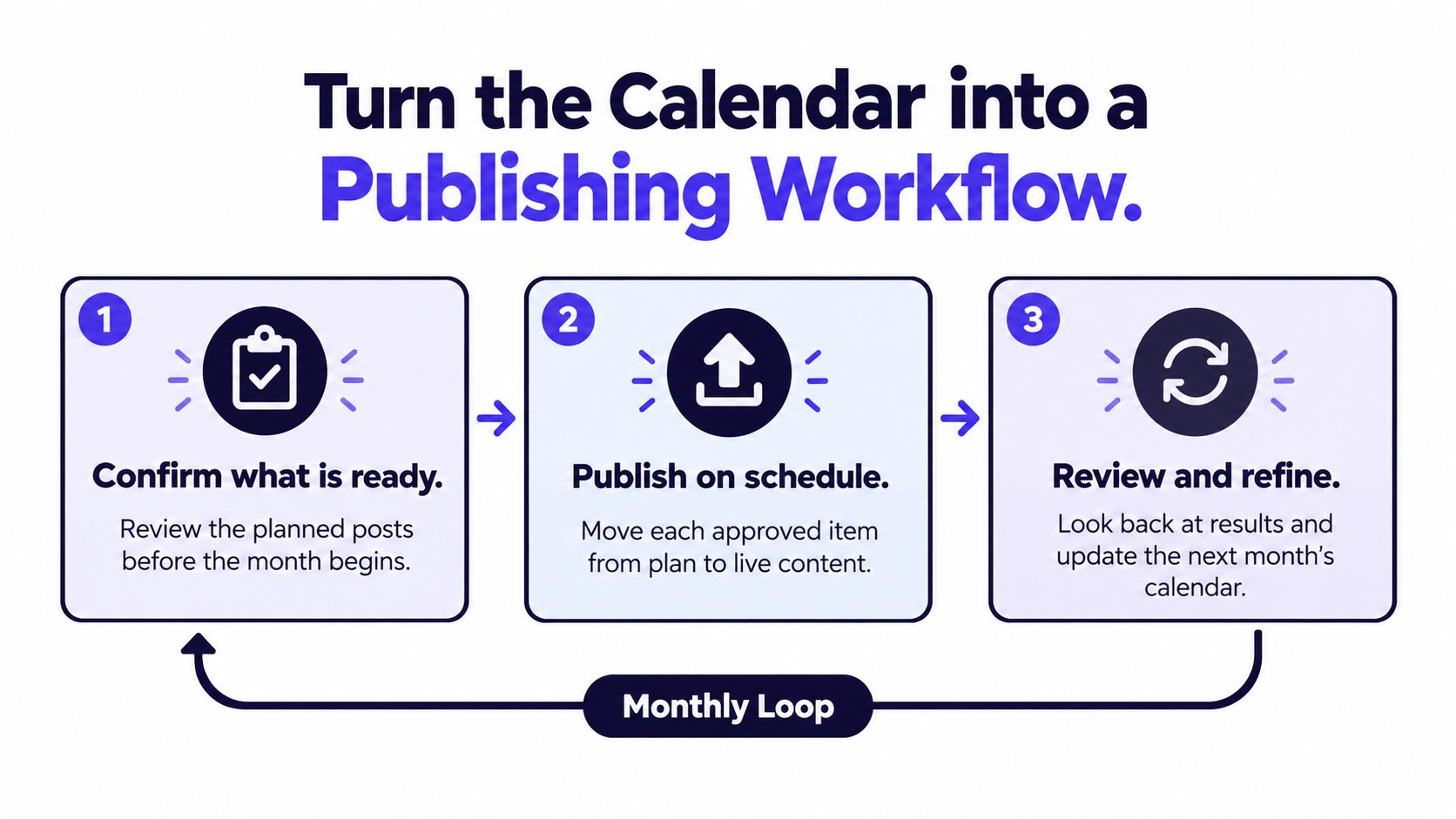
A launch date can still be missed when the creative, caption, approval, and publishing owner live in separate places. Use the calendar as a shared operating system: record what is ready, what needs edits, what is blocked, and who owns the next action.
Group work by launch, content pillar, creator partnership, product update, podcast episode, or seasonal promotion. This campaign view reveals missing support, such as an announcement without follow-up content. It also gives the team a record of how each item connects to the larger effort.
Move approved work without rebuilding it
iHatePosting's visual calendar maps a week, month, or launch campaign, showing planned content, items needing edits, and gaps. Campaign organization keeps related posts together. Its social media scheduler supports a practical workflow: connect your accounts, create or upload content with per-platform captions, then schedule.
Before scheduling, keep each post's final creative, approved caption, intended platform, owner, and status attached to the same calendar item. That handoff reduces last-minute rewrites and makes blockers visible. Check the live preview and platform fit; one campaign idea may need a different format or message on each network.
When an asset or approval is missing, return the item to its owner and update its status or date. Don't schedule around an unresolved decision. If the creative direction needs work, use a visual content guide for creators during preparation, then settle the direction before the publishing handoff.
Close the loop with a decision
After publication, compare the plan with what went live. Separate execution issues from content results: an item that never published cannot show whether its message worked.
Review the KPI assigned to each post and record a decision: keep the approach, revise it, retire it, or gather more evidence. Carry forward the useful creative or audience insight, not a finished post copied without checking whether it still fits.
Start the next cycle with one upcoming week, named owners, and review dates. Run the handoff, publication check, and results review before adding more networks. A smaller process the team follows gives you a reliable base for improving the calendar.
iHatePosting combines a visual calendar, campaign organization, and per-platform captions to support this repeatable workflow. Set up the coming week in the calendar, then track each approved item through scheduling and review.