Later vs Hootsuite: How to Choose the Right One
14 min readlater vs hootsuitehootsuite vs laterlater alternativehootsuite review
You're halfway through a free trial, your content calendar looks polished in both dashboards, and you still can't answer the only question that matters: which tool will make your actual publishing week easier? Later and Hootsuite both promise scheduling, analytics, collaboration, and AI assistance. They solve different operational problems, though.
The useful choice isn't “creator tool versus enterprise tool.” It's visual workflow versus operational scale, then seat economics versus posting limits. This Later vs Hootsuite comparison focuses on how you publish, how many people touch the calendar, and where each product starts creating friction.
Table of Contents
- Why Picking Between Later and Hootsuite Feels Harder in 2026
- Where Each Tool Came From and Why That Still Shapes the Product
- Feature by Feature Comparison Without the Marketing Spin
- Pricing, Seats, and Posting Limits in Real Numbers
- Best Fit by Audience Type and Real Workflow
- Migrating From One Tool to the Other Without Losing Posts
- The Decision Framework to Use Before You Subscribe
Why Picking Between Later and Hootsuite Feels Harder in 2026
The comparison feels difficult because the products now overlap in the features buyers notice first. Both can help plan content, schedule posts, review performance, and reduce repetitive publishing work. A polished demo can make either platform look suitable until you load a real calendar with different formats, approval steps, client accounts, and platform-specific captions.
Three pressures make the decision less obvious. AI features are appearing across scheduling platforms, so an assistant that drafts a caption rarely decides the purchase by itself. Seat-based pricing changes the total cost quickly, especially when several people need access. And Instagram-first planning now sits beside multi-account dashboards, which means a small team may need both visual control and cross-network coordination.
Practical rule: Choose the workflow that removes your most expensive daily task, not the platform with the longest feature list.
Start with workflow fit. Ask where content is created, which networks receive most of it, whether every post needs approval, and how often someone must adapt one idea for several channels. Then examine seat economics. A tool that feels affordable for one operator may become awkward when editors, clients, or regional teams need separate access.
Brand reputation comes last. Hootsuite entered the category earlier, while Later developed from a more visual, Instagram-oriented foundation, as described in this history of social media scheduling software. That history matters, but it shouldn't overrule your publishing reality. If your main problem is choosing between social platforms rather than scheduling alone, this Sprout Social versus Hootsuite comparison adds useful context.
Where Each Tool Came From and Why That Still Shapes the Product
Later began as Latergramme, an Instagram-only scheduling product built around visual planning. Its original workflow asked you to arrange a feed, check how posts looked together, and maintain an image-led publishing rhythm. Later now supports Facebook, TikTok, LinkedIn, Pinterest, and YouTube, yet that visual foundation still shapes how the product feels.
Later suits teams that review content as a collection before publishing. Reels previews, link-in-bio workflows, creator partnerships, and campaign grids extend that original idea. The work centers on arranging a public-facing visual sequence, not just placing isolated posts on a calendar.
Hootsuite grew from a different operational need. It was one of the earliest dedicated social media scheduling platforms, launched in 2008, while Later began as Latergramme in 2013, placing Hootsuite about five years earlier in the category's evolution, according to this overview of the scheduling software market. That earlier multi-account focus helps explain Hootsuite's emphasis on streams, monitoring, approvals, and organizational control.
Product DNA creates predictable trade-offs
Later asks how content will look and perform on visual networks. Hootsuite asks how an organization can publish, monitor, and report across many accounts. One prioritizes the feed. The other prioritizes the pipeline. Pick the one that matches your bottleneck.
Later's visual heritage does not make it weak outside Instagram, and Hootsuite can still handle brand content effectively. The difference becomes clear in the composer and calendar. A creator may value a feed preview more than a monitoring stream, while a corporate communications team may prioritize approvals and account governance over a grid.
Generic category labels therefore mislead buyers. “Social media scheduler” covers products designed for different jobs. Hootsuite's multi-platform scheduling comparison reflects a broader network-management direction, while Later reflects gradual expansion from visual planning. Judge the tools by their operating assumptions, seat needs, and posting workflow, not by whether both feature lists contain similar terms.
Feature by Feature Comparison Without the Marketing Spin
The scheduling gap is smaller than the branding suggests. Both tools can organize a content queue and handle routine publishing. The practical choice depends on visual planning, reporting breadth, collaboration, monitoring, network coverage, seat economics, and posting limits.
| Feature Area | Later | Hootsuite |
|---|---|---|
| Platform coverage | Strongest around Instagram and other visual networks, with support for Facebook, TikTok, LinkedIn, Pinterest, and YouTube | Broad multi-network coverage for organizations managing several channels |
| Calendar and planning | Visual calendar and feed-oriented planning | Operational calendar with wider account and team coordination |
| Composer | Instagram-first workflow for visual assets, Reels, and creator content | General cross-network publishing and content adaptation |
| Analytics | Instagram-led benchmarking, including engagement-rate comparisons for accounts with similar follower counts and weekly reports on top-performing industry hashtags, as documented in this competitor analysis comparison | Cross-network performance tracking and broader reporting |
| Collaboration | Suitable for smaller content teams and visual review | Stronger fit for approvals, permissions, monitoring, and multi-user workflows |
| Publishing depth | Posting limits depend on the selected plan tier | Hootsuite publishes unlimited post scheduling on all plans, according to its Later comparison |
| Integrations | Focused on visual content and social publishing | Hootsuite publishes a claim of 100+ integrations and emphasizes wider operational connectivity in the same comparison |
| AI allowance | AI credits start at 5, according to Hootsuite's comparison | Hootsuite publishes 300 AI content credits per user that renew monthly |
| Best practical use | Visual planning, Instagram-led publishing, creator content, and product campaigns | Multi-network operations, approvals, listening, and enterprise-style reporting |
Where Later earns its place
Later makes sense when the calendar is part of the creative work. Its visual planning helps you assess how a sequence of posts fits together, prepare assets for Instagram-led campaigns, and keep link-in-bio activity near the publishing workflow. That reduces context switching for image-heavy campaigns.
Its benchmarking also fits Instagram-oriented competitive work. Engagement-rate comparisons against accounts with similar follower counts and hashtag reporting help creators and brands examine category performance instead of relying only on broad channel totals.
Later is the better choice when one or two people own the content process and visual consistency matters more than operational controls. Check the plan's posting limits before subscribing, especially if the team publishes frequently across several profiles.
Where Hootsuite pulls ahead
Hootsuite fits teams where several people review, approve, publish, and monitor activity across a wider network mix. Its cross-network reporting supports one reporting process instead of separate platform reviews, while permissions and approvals reduce confusion over who can publish.
The difference is smaller for straightforward scheduling. If the job is to write a caption, attach media, choose a time, and publish, both tools cover the core workflow. The decision depends on the work around that post, including review, monitoring, reporting, and the number of users who need access.
Hootsuite is the stronger operational choice when seat coordination and broader oversight matter. Later is the more efficient fit when visual planning carries the workload and the posting cap fits the publishing schedule.
For a wider look at scheduler workflows, this social media scheduler app guide separates basic publishing mechanics from features that matter once a team's operating model becomes more complex.
Pricing, Seats, and Posting Limits in Real Numbers
Pricing deserves more scrutiny than a feature checklist because the bill follows the structure of your team. Hootsuite's published comparison emphasizes unlimited scheduling on all plans, but Hootsuite's own 2026 pricing starts at $99 per user per month, while Later's lower tiers cap posting volume, according to the 2026 social media scheduling tools roundup. Those constraints point in opposite directions. Hootsuite charges heavily for seats but removes a key publishing restriction. Later can be easier to enter, but its limits matter as cadence and account coverage grow.
The following table uses only the concrete figures available in the verified product information. Where a plan-specific amount or cap isn't documented, the comparison marks the item as dependent on the selected tier rather than guessing.
| Profile | Later monthly | Hootsuite monthly | Posts/mo | Seats | Networks |
|---|---|---|---|---|---|
| Solo creator managing two channels | Plan-dependent | From $99/user/month | Later depends on tier; Hootsuite scheduling is unlimited on all plans | 1 | Later is strongest for Instagram-led work; Hootsuite is broader |
| Four-person in-house team | Plan-dependent, with tier limits | From $396/month before add-ons, based on $99 per user/month | Later depends on tier; Hootsuite scheduling is unlimited on all plans | 4 | Later supports major networks; Hootsuite is built for broader coverage |
| Five-person agency managing 25 client accounts | Plan-dependent, with account and posting limits | From $495/month before add-ons, based on $99 per user/month | Later depends on tier; Hootsuite scheduling is unlimited on all plans | 5 | Hootsuite is more suited to broad multi-account operations |
Use the table as a diagnostic, not as a quote. A solo operator should test whether Later's posting allowance accommodates the actual calendar. A team should count people who need to edit, approve, or report, not only the person who clicks Publish.
For a broader purchasing exercise, you can compare plans across social tools and adjacent marketing products. Keep the comparison grounded in your own account count, publishing frequency, and required permissions. A low entry price doesn't stay low if you need workarounds, while a high seat price doesn't make sense if one person runs the entire calendar.
The same logic separates this decision from other platform comparisons, including this Buffer versus Hootsuite analysis. Don't compare monthly prices in isolation. Compare the cost of the workflow you'll actually operate.
Best Fit by Audience Type and Real Workflow
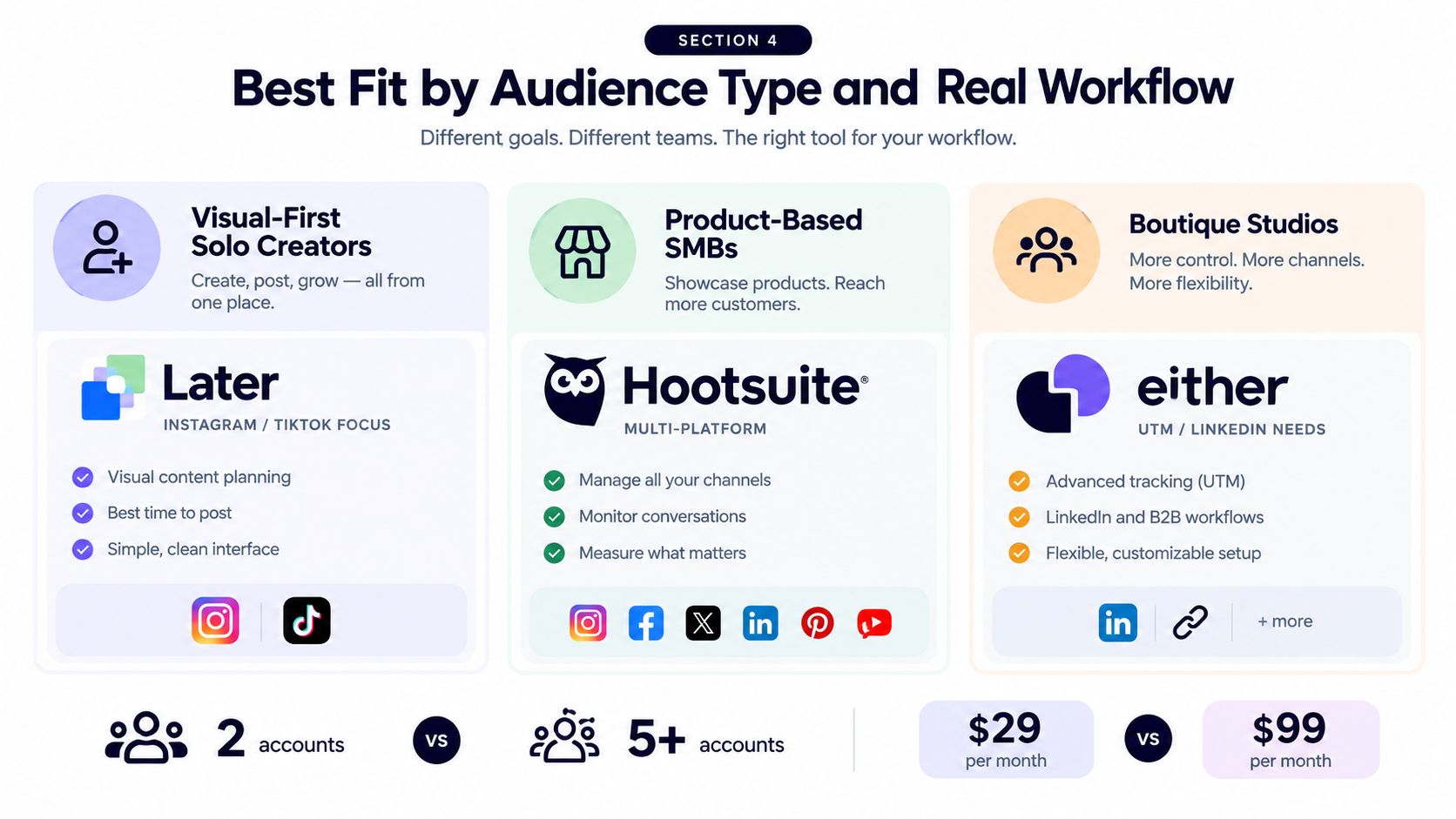
The right choice follows publishing behavior, seat needs, and posting limits, not brand recognition. Later fits visual-first solo creators, product-based small businesses, and boutique studios that arrange Instagram or TikTok content, review creative assets, and connect posts to link-in-bio journeys.
A creator producing regular Reels and carousels will notice Later's value during planning. The calendar makes it easy to check whether the next sequence looks coherent. That visual review matters more than broad reporting when one person creates, approves, and publishes every post. Before subscribing, confirm that the plan's posting allowance covers the scheduled calendar.
Hootsuite fits multi-brand agencies, corporate communications teams, and franchises that need account separation, review paths, monitoring, and reporting across networks such as LinkedIn and X. Its published materials claim more than 18 million users and 800+ Fortune 1000 employers, figures summarized in independent coverage. Those figures show market reach, not proof that Hootsuite is the right operational choice for a smaller team.
Choose by the work your team repeats
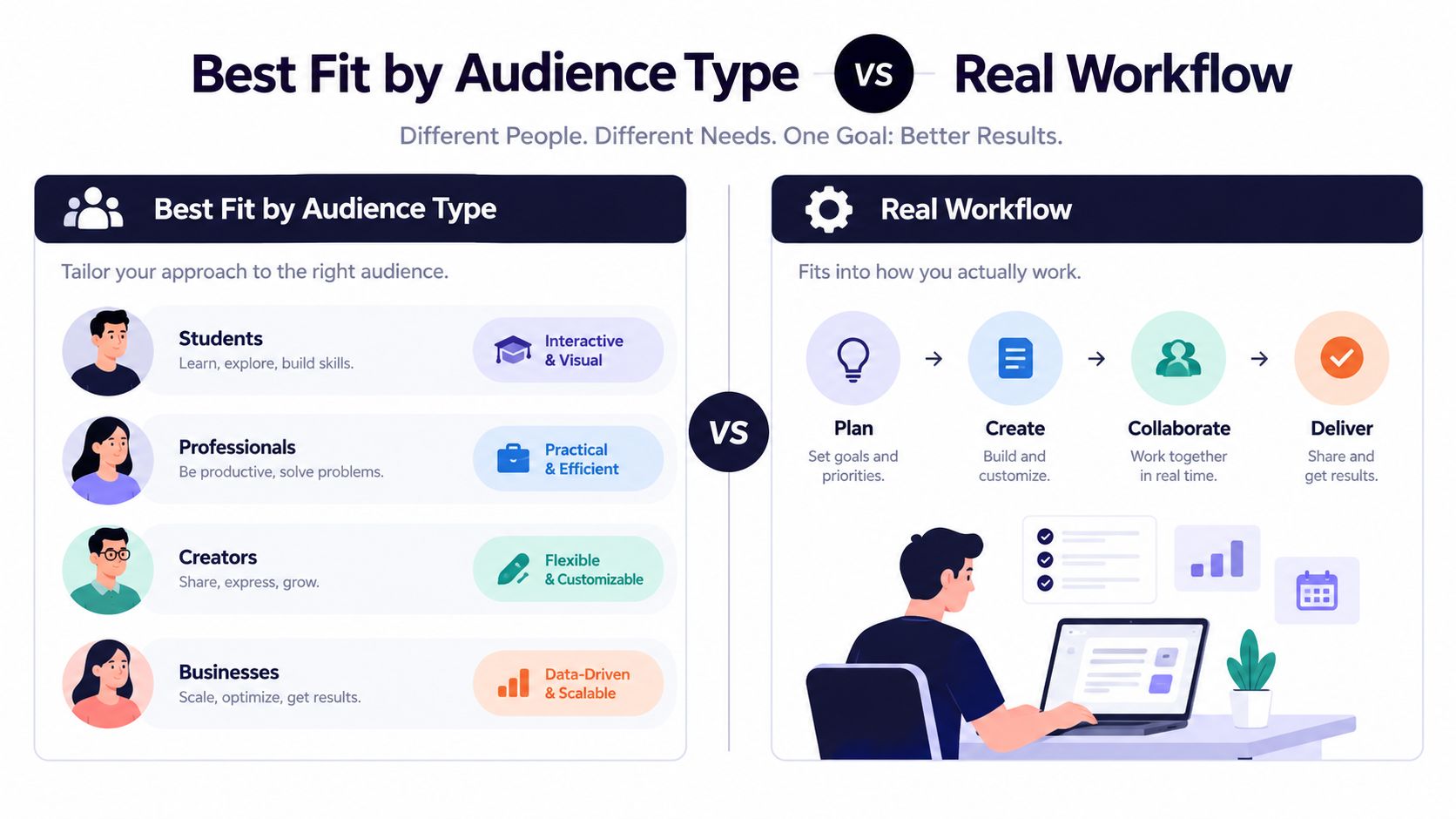
A boutique studio often needs both approaches. It may want Later's visual control for product launches while requiring LinkedIn publishing, UTM discipline, client approvals, and repeatable campaign organization. Choose the platform that removes more manual handoffs. Count the weekly account switches, approval steps, content adaptations, and reporting tasks before you compare brands.
Pinterest-heavy teams should investigate top Later alternatives for Pinterest, because planning an Instagram feed differs from maintaining a search-driven pin library. Pinterest scheduling, asset reuse, and evergreen organization can affect the tool's practical value even when feature lists look similar.
A workflow-focused scheduler such as iHatePosting offers planning, per-platform tailoring, campaign organization, and publishing across fourteen networks. It suits creators and small teams that need broader network coverage without adopting a larger governance process. Its visual calendar and account-based analytics address the middle ground between Later's visual workflow and Hootsuite's wider operational coverage.
For another visual-first comparison, read this Buffer versus Later guide. The decision comes down to the publishing system your team repeats every week, not the product with the loudest positioning.
Migrating From One Tool to the Other Without Losing Posts
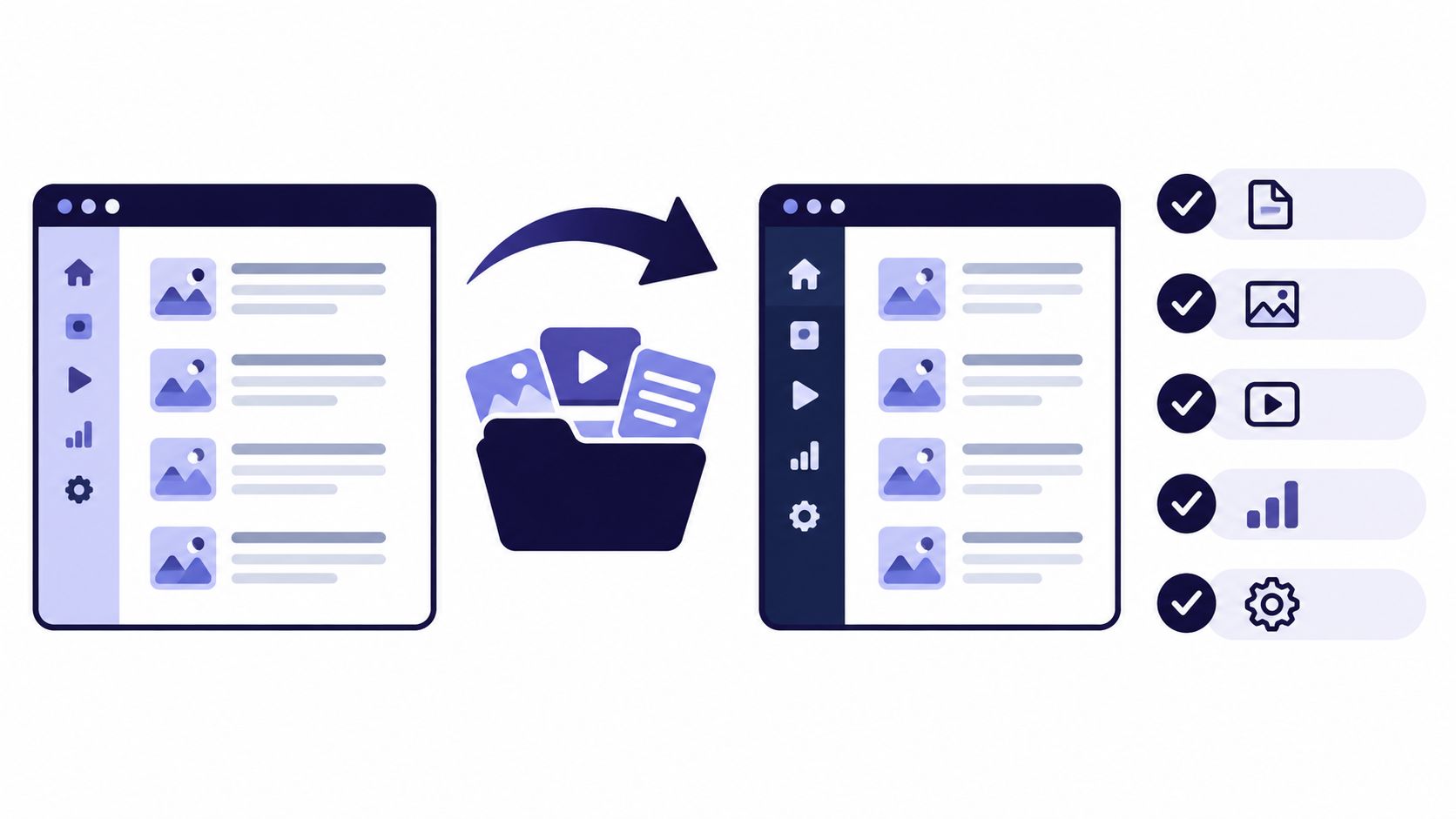
A migration fails when teams treat it as a subscription change instead of a publishing-system change. Your scheduled queue contains assets, captions, dates, links, hashtags, approval states, and assumptions about who checks the final post. Move those pieces deliberately before you disconnect the old platform.
Build the migration inventory first
Export or record the active queue, drafts, evergreen libraries, campaign names, UTM conventions, first-comment text, hashtag groups, and link-in-bio destinations. CSV exports can preserve the content structure, but they won't automatically preserve every platform-specific setting or visual preview, so reconcile the imported calendar against the original.
Pay special attention to content that depends on an integration. Webhook triggers, automation connectors, and approval notifications can break when account permissions change. Bulk imports can also encounter API rate limits, so stage the transfer instead of sending the entire library through at once.
Use a controlled cutover week
Day one, export and reconcile: Compare the old calendar with the destination tool. Match dates, channels, media files, links, and campaign labels before importing anything.
Days two and three, parallel-schedule high-stakes posts: Recreate launch announcements, client deliverables, and time-sensitive posts in the new platform. Keep the original schedule active until you've checked previews, permissions, and publishing settings.
Day four, switch the primary tool: Pause new scheduling in the old platform, confirm the destination accounts are authorized, and assign one person responsibility for the live calendar.
Days five through seven, monitor every publish: Check successful publication, media rendering, tagged accounts, links, first comments, and notifications. Record failures immediately instead of assuming they're isolated.
Keep a rollback copy of the original calendar and media library. Don't cancel the old subscription until the new workflow has passed a real publishing cycle and your team has confirmed that no essential approval or automation path disappeared.
The Decision Framework to Use Before You Subscribe
Run these five questions before you start a trial. Answer them using your real calendar, not the vendor's sample content.
What platform drives the work
If Instagram, TikTok, Reels, and visual sequencing dominate, start with Later. If LinkedIn, X, multiple brand pages, monitoring, and approval processes dominate, start with Hootsuite. If you need a broad network mix but don't need enterprise governance, evaluate a workflow-focused alternative instead.
How many accounts will you manage
A small visual portfolio can fit Later's model comfortably. A growing account set makes posting limits, social-set rules, and calendar administration more important. Hootsuite's broader multi-account orientation becomes more compelling as coordination replaces creative arrangement as the main task.
Who needs access
If one person creates and publishes, seat economics are straightforward. If editors, clients, regional managers, or compliance reviewers need access, calculate the total seats before you fall for a low starting tier. If your team wants flat account and seat pricing, neither product may match the buying model you prefer.
Do you need Pinterest or LinkedIn depth
Choose Later when Pinterest and Instagram presentation are central to your content system. Choose Hootsuite when LinkedIn scheduling and cross-network reporting carry more weight. If both matter equally, test the exact post types you publish, including links, videos, carousels, tags, and approval notes.
Does enterprise reporting or compliance matter
Hootsuite is the more natural candidate for formalized approvals, monitoring, and organizational reporting. If you need Salesforce-aware analytics, single sign-on, or governance requirements beyond these products' practical fit, look at enterprise suites or category-specific tools instead.
Trial advice: Don't tour the demo. Load a live cadence, involve the people who approve content, and watch the calendar operate.
This social media scheduling tool guide can help you widen the shortlist before subscribing. Test both platforms for fourteen days with real posts, real assets, and real review steps. Reliability only becomes visible when the calendar is live.
If you're a creator managing one to three visual-first accounts, Later is the cleaner default. If you're coordinating many accounts or LinkedIn-heavy clients, Hootsuite is the stronger operational choice. If you need cross-network publishing, campaign organization, and visual planning without enterprise-style seat pressure, compare a workflow-focused option before committing.
iHatePosting consolidates planning, per-platform caption tailoring, campaign organization, and publishing across fourteen networks in one workflow, with a visual calendar and a seven-day free trial. Visit iHatePosting and test it with your real Later or Hootsuite calendar before you decide.