Difference Between a Reel and a Story on Instagram
15 min readreel vs storyinstagram reelsinstagram storiessocial media scheduling
Most advice about the difference between a Reel and a Story on Instagram is too shallow to be useful. It treats the choice as a formatting detail, usually “Reels are for growth, Stories are for updates,” and stops there. That framing misses the operational cost of choosing the wrong format. A team can spend hours polishing a Reel for a message that needed follower response, or burn Story slots on content that needed discovery outside the current audience.
The more useful lens is funnel design. Reels sit closer to audience expansion. Stories sit closer to audience retention, response, and conversion. Once you look at the formats that way, the debate stops being about lifespan and starts being about where each piece of content should work hardest.
Table of Contents
- Why the Reel vs Story Question Matters in 2026
- Format Basics Side by Side
- Reach, Discovery, and How Each Format Spreads
- Analytics Expectations That Fit Each Format
- When to Pick Reels, When to Pick Stories
- Scheduling Reels, Carousels, and Story Previews Together
- A Practical Weekly Publishing Rhythm
Why the Reel vs Story Question Matters in 2026
The common recommendation is simple: use Reels to grow, use Stories to engage. It isn't wrong. It's incomplete.
By 2026, industry guides still describe Reels as Instagram's primary discovery format, while Stories remain the more ephemeral, relationship-driven format according to Later's Reel analysis. That distinction matters because it changes how teams allocate time. If your goal is broad visibility, a Story is usually the wrong asset. If your goal is direct follower action, a Reel may attract attention without producing the response you needed.
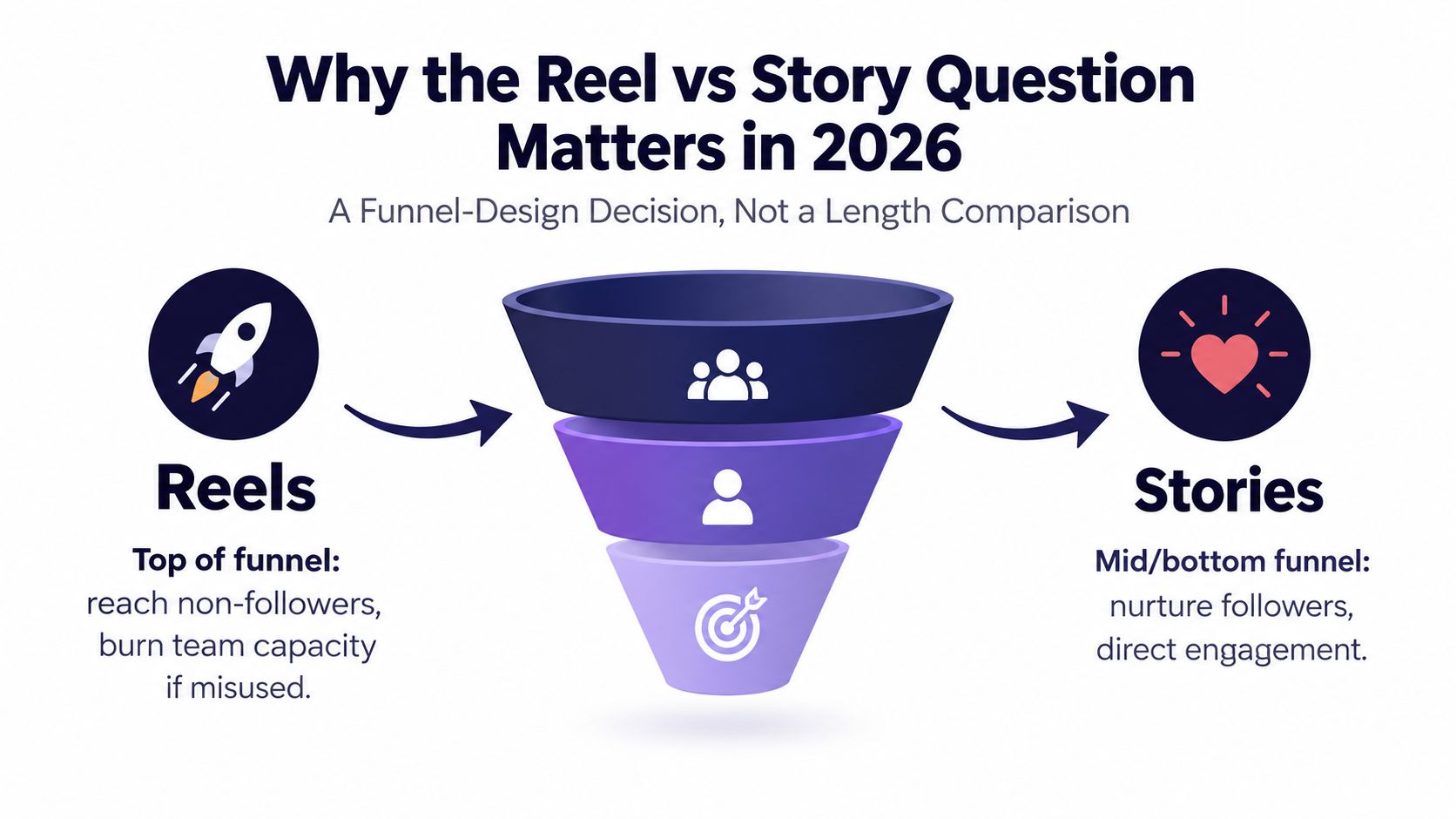
Why the wrong format wastes real team capacity
A content calendar isn't just a list of posts. It's a distribution budget measured in editing time, approvals, creative energy, and publishing slots. Teams that blur Reels and Stories often overproduce one and underfeed the other. That's one reason a structured workflow matters more than another brainstorm board. A shared social media scheduler app helps because it forces the team to place each asset against a publishing goal, not just a date.
Three practical mistakes show up often:
- Awareness content trapped in Stories: Teams post strong educational or entertaining ideas only to the follower bar, where distribution is narrower.
- Conversion content pushed into Reels: Teams ask cold audiences to act like warm buyers, then call the post a failure when reach doesn't translate into direct response.
- Shared KPI confusion: People compare Reel views against Story taps as if both formats are supposed to do the same job.
Practical rule: The difference between a Reel and a Story isn't primarily duration. It's whether you need Instagram's recommendation system or your existing follower relationship to do the work.
The real decision
If you're deciding between the two, ask one question first: do you need strangers or do you need signals from people who already know you? That answer shapes the right format faster than any checklist about seconds, stickers, or feed placement.
Format Basics Side by Side
The shared 9:16 canvas causes a lot of bad planning. Teams see matching dimensions and assume Reels and Stories are interchangeable production outputs, when the more useful distinction is workflow position. One usually sits at audience entry. The other sits closer to audience response.
A basic spec check still matters because poor exports create avoidable losses in watch time and completion. Square Pic's Instagram Reels and Stories format guide notes that both formats use a 1080 × 1920 vertical canvas at 9:16, while Reels function as a persistent profile asset and Stories remain temporary unless saved to Highlights.
| Spec | Reels | Stories |
|---|---|---|
| Canvas | 1080 × 1920 vertical, 9:16 | 1080 × 1920 vertical, 9:16 |
| Length | Longer-form vertical video unit built for a complete viewing session | Short sequential frames built for quick progression and response |
| Lifespan | Persistent profile asset and discovery format | Temporary by default unless saved to Highlights |
| Primary job | Public discovery and top-of-funnel entry | Follower-first updates and mid-to-lower-funnel interaction |
| Typical interaction pattern | Views, replays, shares, saves, comments, follows | Replies, taps, polls, sticker interactions, link taps |
| Placement logic | Reels tab, recommendation surfaces, profile presence | Story bar and follower relationship layer |
The question to ask first
A better planning question than “Which one is shorter?” is “Where in the funnel should this asset do its work?”
If the team needs reach outside the current audience, build for a Reel first. If the team needs signals from people who already know the brand, build for Stories first. That decision changes the edit, the CTA, the approval path, and even what counts as success after publishing.
The creative implications are practical. Reel briefs need a first-second hook, a payoff worth finishing, and a reason to save, share, or visit the profile. Story briefs need sequence logic. Each frame should earn the next tap, and each interactive element should have a job, whether that is gathering objections, prompting replies, or moving warm viewers to a link.
Production prep also changes. Teams refining exports, safe zones, and cover treatments should use a technical reference for how to format video for Instagram Reels, especially if the same footage will later be recut into Story frames with tighter pacing and more context.
Why this matters for content operations
This is less about format trivia than resource allocation. A Reel often deserves the stronger concept and editing pass because it can keep distributing after publish. A Story often deserves the clearer offer, context, or prompt because it is working on attention that already exists.
That distinction helps 2026 content teams schedule supporting assets more intelligently. A Reel can open the loop. Stories can answer objections, add urgency, or convert interest generated elsewhere. If the campaign also needs explanation that exceeds what short-form video can carry cleanly, a companion post such as a guide on how to make an Instagram carousel usually fits the middle of the funnel better than forcing all the detail into either format.
Reach, Discovery, and How Each Format Spreads
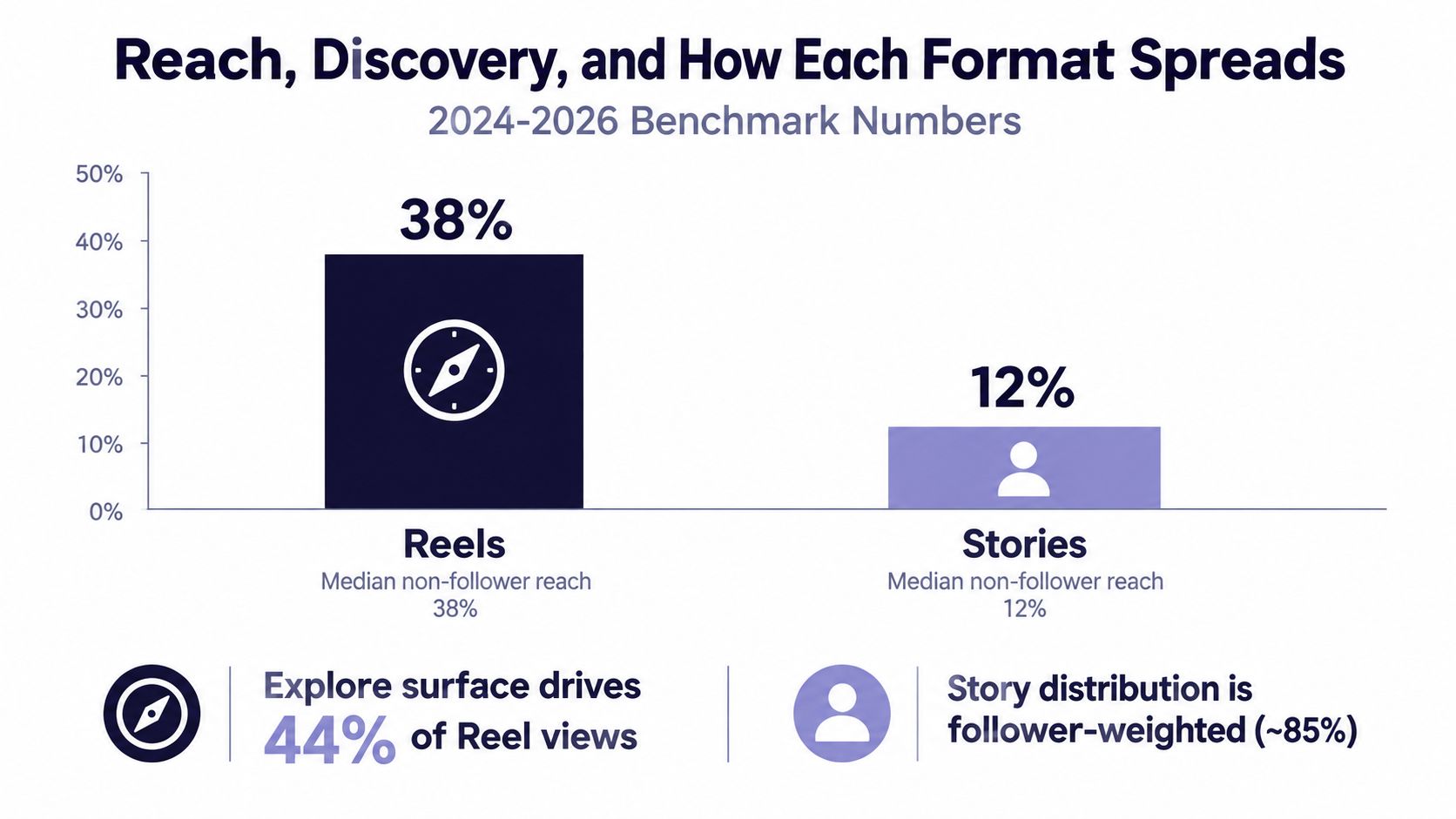
The clearest difference between a Reel and a Story is distribution. Reels are built to travel beyond the current audience. Stories usually aren't.
Benchmark data summarized from a 2024 Metricool study reported that Reels reached 37.87% of users, while Stories reached 3.13% in major-market Instagram usage, according to the Enhance summary of the Metricool study. That doesn't just show a gap. It shows two different systems at work.
Reels live in the recommendation layer
One reason Reels dominate top-of-funnel work is that they're designed for non-follower discovery. A 2026 guide cited average Reel reach at 30.81%, with about 55% of views coming from non-followers, while Stories typically reach 5% to 10% of existing followers and have near-zero non-follower distribution, according to PostEverywhere's comparison.
That changes what success looks like. A strong Reel doesn't just entertain your current audience. It introduces the account to people who haven't decided to follow yet. That makes the opening seconds, replay value, and shareability more important than polish alone.
A scheduling implication follows from that. Timing still matters, but concept quality matters more for Reels because Instagram is deciding whether to keep widening distribution. Teams trying to improve performance usually need stronger hooks before they need more post volume. That's also why teams often pair creative review with timing review using resources like this guide to the best time to post Instagram Reels.
Stories stay inside the relationship layer
Stories move differently. They sit closer to the daily follower habit. The content is temporary, the sequence is more personal, and the response often happens through a tap or a private reply rather than public spread.
That makes Stories weaker for discovery, but often stronger for certainty. If you need to warm an audience, answer objections, tease a drop, run a poll, or capture high-intent action from people who already know the brand, Stories give you tighter control.
Reels scale attention. Stories concentrate intent.
What this means for planning
A lot of weak calendars invert the funnel. They spend most of their effort on Stories, where reach is naturally constrained, then wonder why growth stalls. Or they over-index on Reels and neglect the layer where followers ask questions, vote, and convert.
Use this split instead:
- Use Reels when the core problem is exposure.
- Use Stories when the core problem is follow-through.
- Use both when a campaign needs awareness first and response second.
That's the practical difference between a Reel and a Story. One spreads. One deepens.
Analytics Expectations That Fit Each Format
Teams make bad decisions when they force Reels and Stories into one reporting template. The formats produce different signals because they're built for different outcomes.
The cleanest distinction comes from analytics guidance that treats Reels as a discovery format and Stories as an interaction-density format. Reels are better evaluated with views, watch time, reach, replays, shares, saves, and follows. Stories are better measured by completion rate, replies, sticker taps, link taps, and related interaction signals, as outlined in SocialKit's Reels analytics breakdown.
| Metric | Reels | Stories |
|---|---|---|
| Reach | Useful for judging distribution beyond followers | Useful as a base for interpreting follower attention |
| Views | Central, but can include repeat plays | Less informative than sequence behavior |
| Watch time or retention | Critical because distribution depends on holding attention | Less important than whether viewers complete the sequence |
| Shares and saves | Strong signals of idea portability and utility | Not the main interaction model |
| Follows | Useful sign that discovery converted into audience growth | Less tied to Story performance |
| Completion rate | Secondary | Core signal for sequencing and pacing |
| Replies | Helpful but not primary | One of the clearest signs of audience warmth |
| Sticker taps or link taps | Usually not the main success measure | Often the clearest action metric |
Why one dashboard creates false arguments
A Reel can generate a large volume of attention without producing many direct responses. That might still be a win. If the job was discovery, broad reach and strong replay behavior can mean the format worked.
A Story can reach fewer people and still outperform strategically because the audience took denser actions. If viewers reply, vote, or tap through, the Story may have done more commercial work than a better-looking Reel.
Metric rule: Judge Reels by how well they attract and hold attention. Judge Stories by how well they move existing followers to respond.
What to report every week
A weekly reporting view should separate the formats rather than merge them. Many teams also route that into a scheduling workflow so planners can connect outcomes to publishing decisions. If you're managing that inside a single tool, a guide to an Instagram social media scheduler is useful because the reporting only matters when it feeds the next round of production.
Track Reels for idea strength. Track Stories for audience depth. If you don't, you'll keep rewarding the wrong creative behavior.
When to Pick Reels, When to Pick Stories
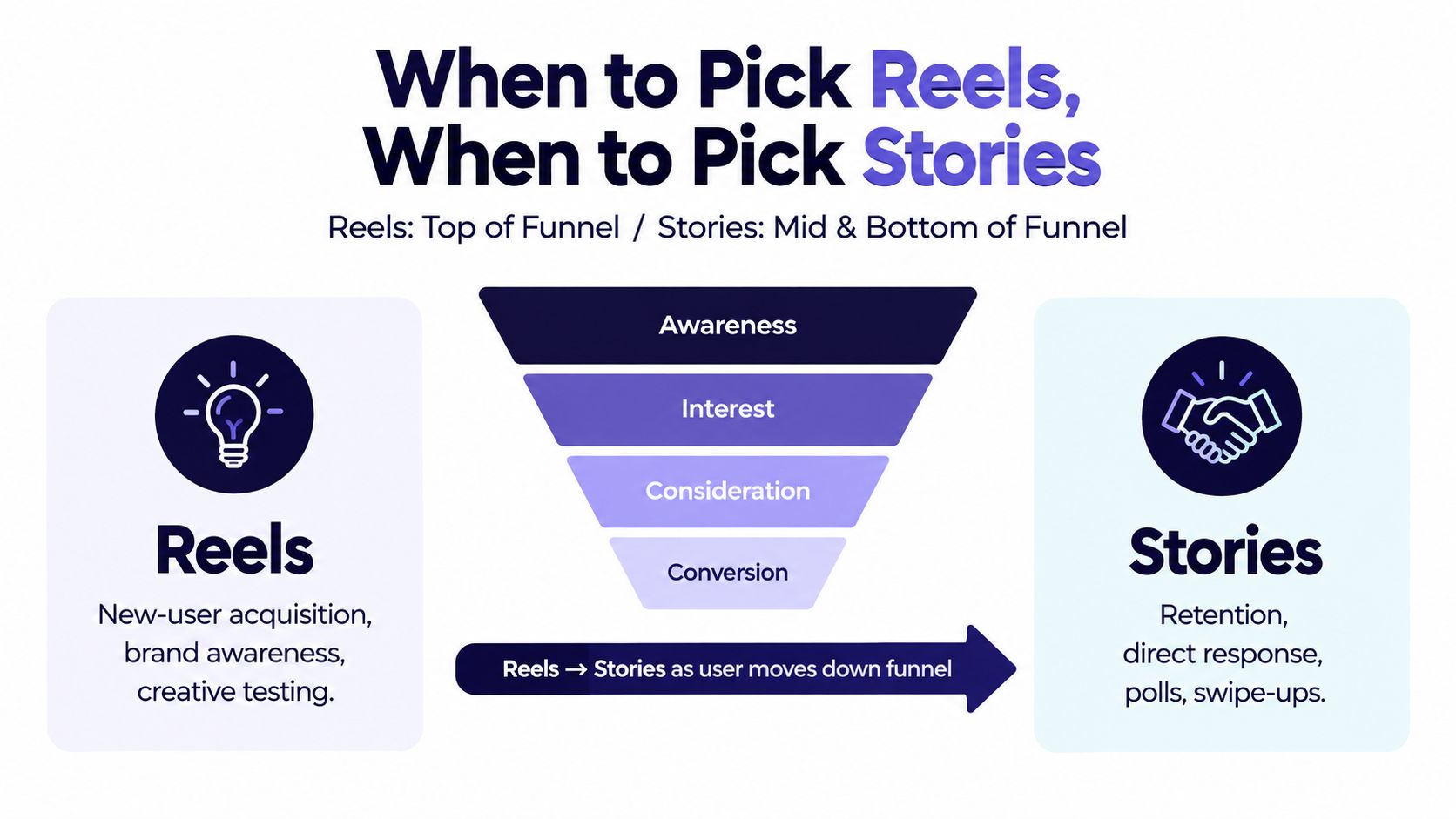
The simplest rule is this: pick Reels for audience expansion, pick Stories for follower action. But that's still too abstract for planning meetings, so it helps to turn it into campaign choices.
Choose Reels when the idea needs scale
Reels make more sense when the content can work without prior context. Educational hooks, opinion-led commentary, visual demos, transformations, and broadly relatable moments all fit because the viewer doesn't need a relationship with the account to understand the post.
Use Reels for situations like these:
- A launch teaser: You want the product, angle, or promise to reach people who don't follow yet.
- Evergreen education: You're publishing a tutorial or framework that should keep surfacing over time.
- Creative testing: You want to test multiple hooks around the same idea and see which framing earns broader distribution.
If your team doesn't want to appear on camera for every concept, a practical resource on best faceless reels generators can help at the ideation and production stage.
Choose Stories when timing and context matter
Stories work better when the audience already knows enough to care. They're ideal when you need urgency, segmentation, or private feedback.
Good Story-first use cases include:
- Launch-day details. Drop the reveal, answer questions, show the unboxing, and point warm followers toward the next action.
- Community prompts. Ask a question, run a poll, or gather objections before the next campaign.
- Short-term offers. Temporary publishing creates urgency that fits time-sensitive updates.
The strongest use is sequential
A sequence strategy can work better than an either-or framing.
A Reel can introduce the idea to a colder audience. Stories can then carry the people who are already interested toward response. That's a better read of funnel behavior than choosing a favorite format and forcing every message into it.
If a message needs both scale and certainty, publish the Reel first and let Stories do the conversion work around it.
Scheduling Reels, Carousels, and Story Previews Together
The workflow usually breaks before the strategy does. Teams know Reels and Stories play different roles, but they still manage them in separate apps, with separate approval steps, and with no shared view of campaign pacing.
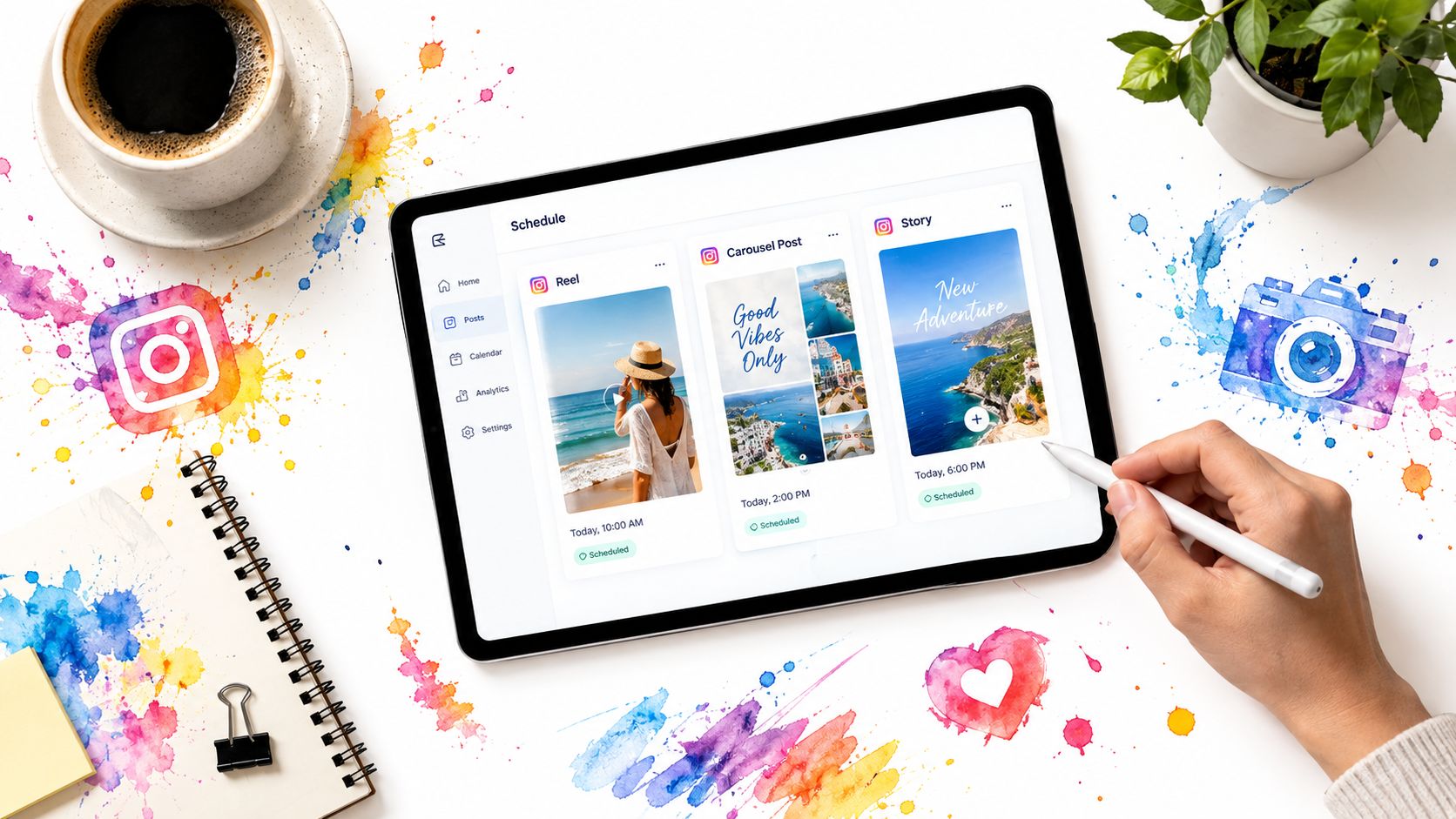
What a unified workflow should include
At minimum, a publishing system should let a team do three things in one place:
- Queue Reels with the actual production details attached. That includes captions, covers, timing, and the final video asset.
- Place carousels on the same calendar. Educational depth often belongs in a feed post even when discovery starts with a Reel.
- Preview Story sequences before publish. Approvers need to see the order and pacing, not just individual assets.
One option that supports this kind of workflow is iHatePosting. It provides a visual calendar, per-platform caption tools, campaign organization, and support for reels, carousels, and Story previews within one scheduling setup.
A workable team sequence
The process doesn't need to be complex.
First, load the campaign assets into the composer and attach the Reel video, cover, and caption variant. Then queue the carousel that expands the same idea in feed format. After that, stage the Story frames that preview, react to, or convert interest generated by the campaign.
The value is less about automation by itself and more about visibility. When planners can see Reels, carousels, and Story sequences on one calendar, they're less likely to overproduce one format and starve the others.
Why previewing matters for Stories
Story performance depends on sequence quality, so previewing on mobile matters more than many teams assume. A single frame can be fine on its own and still fail in context because the order is wrong, the copy is too dense, or the sticker appears too late.
That's where process detail matters. Teams often need a fast way to confirm what's already queued and what still needs revision. A guide on how to see scheduled posts on Instagram is useful because scheduling only helps if the team can audit the lineup before launch.
A Practical Weekly Publishing Rhythm
A workable week doesn't treat Reels and Stories as competing slots. It gives each format a job and repeats that rhythm until the audience learns what to expect.
A simple structure that matches the funnel
Use Reels as the reach anchors for the week. Publish them on a repeating rhythm so the team can batch scripting, editing, and approvals. Then run Stories around them daily to maintain follower contact, answer questions, and surface direct signals from the audience.
A practical weekly setup looks like this:
- Early week Reel: Lead with the strongest broad-interest idea. This is the asset most likely to reach beyond followers.
- Midweek Stories: Use behind-the-scenes clips, poll prompts, or question boxes tied to the same topic.
- Second Reel later in the week: Reframe the topic with a different hook or angle rather than repeating the same creative.
- Weekend Story sequence: Recap, respond, and turn interest into a direct action if the campaign has an offer attached.
What each content type should carry
Don't ask every post to do everything.
Reels should usually carry the hook, the big claim, the pattern interrupt, or the strongest visual transformation. Stories should carry the nuance. That includes objections, reminders, audience questions, quick updates, countdowns, and reaction loops.
This weekly split also helps with launch planning:
- Before launch: Reels create awareness around the problem or promise.
- During launch: Stories handle urgency, reminders, and direct follower responses.
- After launch: Reels keep the campaign discoverable while Stories gather feedback from buyers and engaged followers.
The mistake that collapses the whole system
Many teams treat Stories as leftover content. That's the fastest way to waste Reel reach. If Reels bring new attention in but Stories don't nurture the people already watching, the account keeps renting visibility without building a stronger audience relationship.
The difference between a Reel and a Story isn't just format behavior inside Instagram. It's what part of the audience journey you're willing to leave unsupported.
If your team is trying to manage that journey without juggling separate tools, iHatePosting gives you one workflow for planning Reels, organizing carousel support posts, and previewing Story sequences before they go live. That matters here because the Reel versus Story decision only pays off when both formats are scheduled deliberately, measured separately, and aligned inside the same weekly calendar.