10 Social Media Scheduler Software Options
18 min readsocial media scheduler softwaresocial media scheduling toolssocial media managementcontent scheduling

The tool with the longest feature list isn't automatically the best social media scheduler software. A platform can support many networks yet still create extra work if it forces your team to rewrite every caption, switch between approval screens, or pay separately for each user and profile.
Buyers should compare network coverage, pricing units, publishing reliability, collaboration, analytics, and platform-specific adaptation. A solo creator may value a fast composer and a visual calendar. An agency may care more about client permissions and reporting. A larger organization may need governance, inbox management, listening, and CRM connections. That distinction matters because the category has moved beyond simple queue-based posting. The global social media management software market is projected to reach USD 42.76 billion by 2031, with cloud deployment already representing 61.23% of the market in 2025, according to Mordor Intelligence's market analysis.
The comparison below evaluates each tool through the decisions buyers often overlook: which networks it really covers, how it charges, how much tailoring and approval work it supports, how deep its reporting goes, and what switching costs look like. For broader context on how AI is changing social workflows, see Busylike's CMO guide to AI and social.
Table of Contents
- 1. iHatePosting
- 2. Buffer
- 3. Hootsuite
- 4. Later
- 5. Sprout Social
- 6. Loomly
- 7. SocialPilot
- 8. Sendible
- 9. Agorapulse
- 10. Metricool
- Top 10 Social Media Scheduler Comparison
- Choose the Scheduler That Fits Your Operating Model
1. iHatePosting
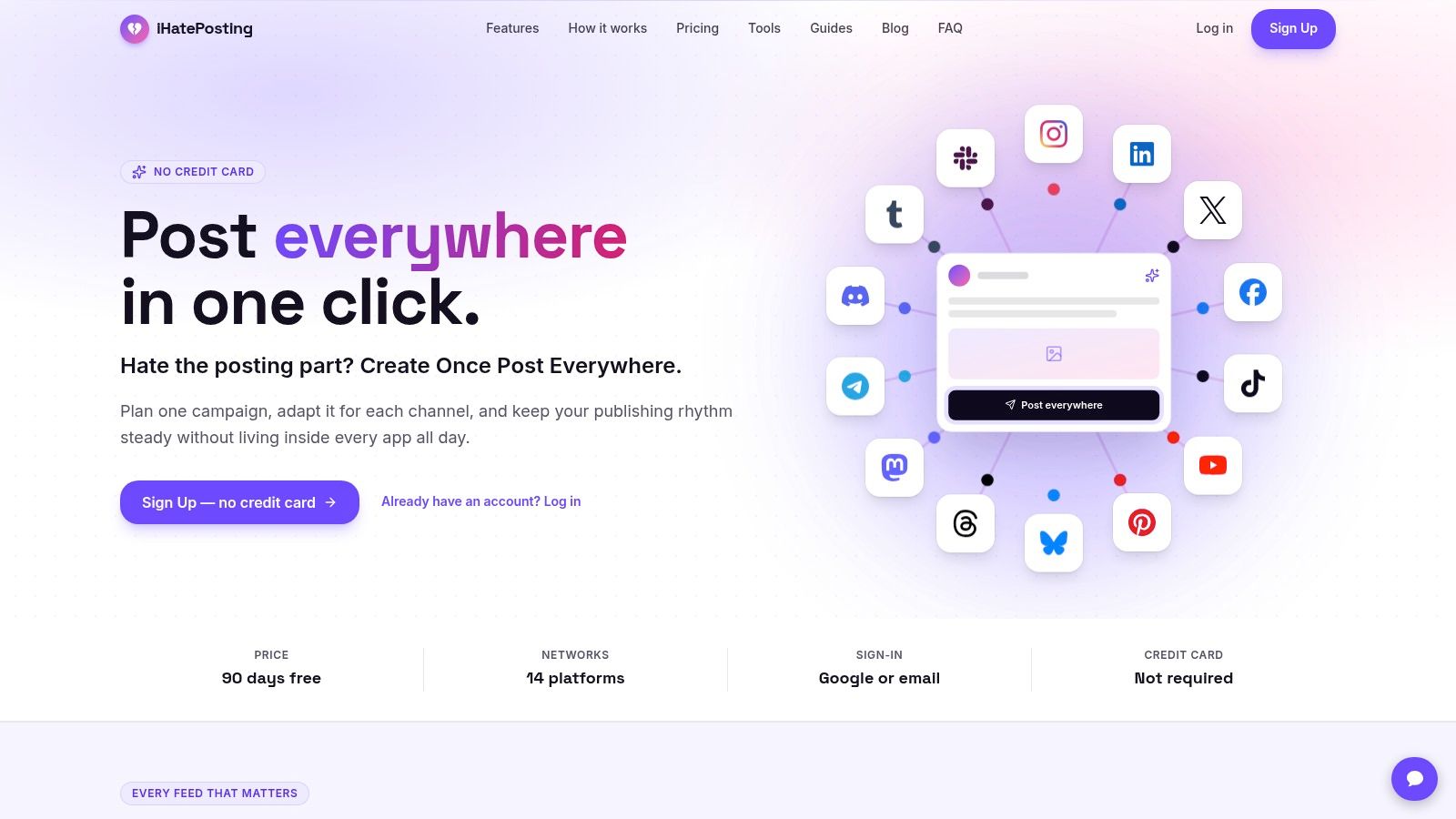
iHatePosting is the strongest fit for teams that treat cross-platform adaptation as the main scheduling problem. Its single composer supports Instagram, LinkedIn, Facebook, TikTok, YouTube, X, Bluesky, Threads, Mastodon, Telegram, Discord, Tumblr, Pinterest, and Slack, giving creators and small teams one place to prepare posts for 14 networks. The platform is available through the iHatePosting website.
That coverage matters most when the same campaign needs different captions, formats, and publishing checks. The composer includes character counters, reusable hashtag sets, caption snippets, previews, and per-platform tailoring. Images and videos stay attached to their posts, including reels, carousels, and video content, so a campaign doesn't dissolve into separate folders and vendor dashboards.
Why the workflow is different
The visual calendar supports campaign grouping around launches, content pillars, partnerships, product updates, podcasts, and seasonal promotions. That makes it more useful for planning a repeatable content system than for just filling a queue. Account-derived analytics include trends, a 12-month history, CSV export, and best-time recommendations based on the connected account's own data rather than generic industry averages.
Publishing infrastructure is another differentiator. Automatic publishing, alerts, retries, a public API, signed webhooks, MCP server support, and Zapier, Make, and n8n integrations give technical teams more options when scheduling sits inside a wider operating system.
Practical rule: Choose iHatePosting when reducing duplicate setup across networks matters more than buying the largest enterprise inbox.
The main limitation is commercial clarity. The supplied materials describe both a 7-day and a 90-day no-credit-card trial, so buyers should confirm the current terms before subscribing. Public social proof is also limited in the provided materials. There are no named testimonials, case studies, awards, or third-party certifications to use as a substitute for a hands-on trial.
2. Buffer
Buffer remains a sensible choice for solo creators and small businesses that want a clean scheduling experience without adopting a full social operations suite. It supports Instagram, TikTok, Facebook, LinkedIn, Pinterest, YouTube Shorts, Threads, Mastodon, Bluesky, X, and Google Business Profile, with a visual calendar and queue that keep routine publishing easy to inspect.
The important buying decision is its per-channel pricing model. That structure can be attractive when a team uses only a few active profiles and wants to remove dormant channels without rebuilding the whole account. It becomes less compelling as the number of active channels grows, especially when the team also needs deep reporting or extensive customer-care workflows.
Where Buffer fits
First-comment scheduling, hashtag management, an AI assistant, access levels, and approval workflows give Buffer more structure than a basic queue. A small team can draft, review, and schedule without learning a heavyweight platform. The interface is the main operational advantage, because a tool that people understand quickly is less likely to push scheduling back into spreadsheets and reminders.
Analytics and reporting are the weaker side for power users. Teams that need advanced listening, detailed client reporting, or a unified engagement operation may outgrow it. The Buffer comparison with Later is useful for buyers deciding whether a simpler interface outweighs stronger visual and short-form video workflows elsewhere.
Buffer is best for a creator, local business, or compact marketing team with mainstream networks and modest collaboration needs. It isn't the best default for agencies with complex client governance or organizations that need scheduling tied closely to CRM and customer-care data.
3. Hootsuite
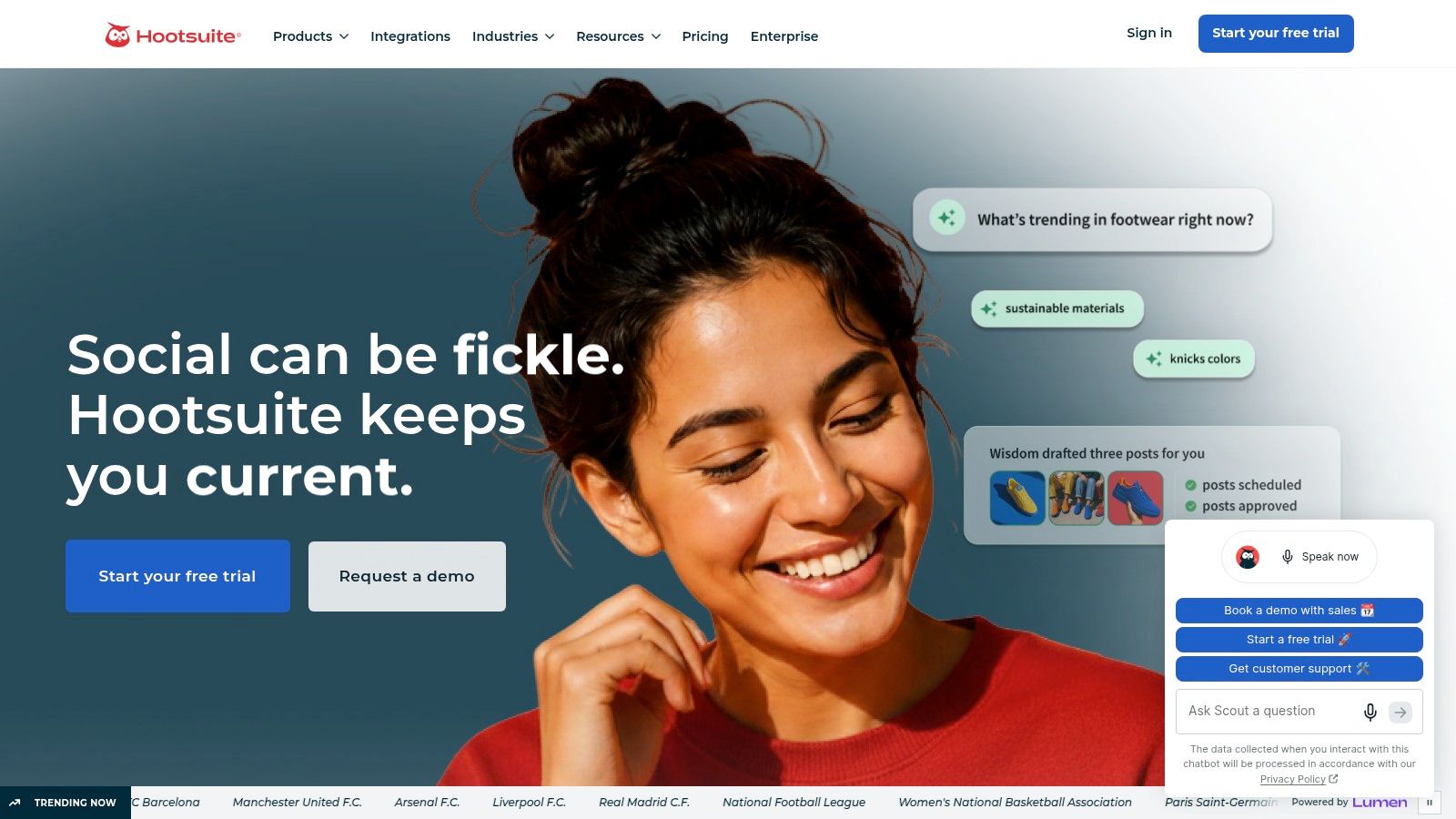
Hootsuite is built for teams that need scheduling alongside inbox management, listening, analytics, and governance. Its unified calendar supports drag-and-drop planning and bulk CSV scheduling, while the composer includes previews and Instagram-specific workflows such as first comments, Reels, and Stories handling. The platform's broad account support is documented on the Hootsuite website.
The key distinction isn't merely the number of networks. Hootsuite is designed for organizations where several people touch the same publishing process. Approval routing, permissions, and customer-care workflows can matter more than the convenience of a fast queue when posts require formal review or engagement needs a shared destination.
The cost of going deeper
Hootsuite's AI features include caption ideas and trend-oriented functions. Its Inbox extends beyond ordinary social feeds, including WhatsApp and Google Business Profile support, while listening and analytics are available through modular capabilities and higher-level packages.
That breadth creates a predictable limitation. Pricing is per user, so the cost can rise as more contributors, reviewers, and client stakeholders need access. Advanced listening and reporting may also require add-ons or higher tiers. A team that only wants calendar scheduling could pay for operational depth it never uses.
The right question isn't whether Hootsuite has enough features. It's whether your approval, care, and measurement requirements justify a platform built around all three.
The Hootsuite and Later comparison helps clarify the tradeoff. Choose Hootsuite when governance and shared customer-care workflows are central. Choose a lighter platform when your team mostly needs reliable publishing and a readable calendar.
4. Later
Later is a strong option for brands whose publishing decisions start with visual presentation. Its calendar and grid planning workflows are especially useful for Instagram-led teams, while Reels and Shorts support makes it relevant to short-form video programs. Later's broader product details are available on the Later website.
The platform has expanded beyond Instagram, but its center of gravity remains visual content. Saved captions, hashtag tools, best-time suggestions, Social Sets, and a Social Inbox for comments and direct messages make it practical for creators, ecommerce brands, and influencer teams that need to review how a feed will look before publishing.

The overlooked constraint
Later's Social Sets provide a useful way to map brands and organize collaboration. Higher tiers add stronger approval capabilities, which can make the platform suitable for agencies or multi-brand teams that prioritize presentation and creator content.
The limitation is network breadth. Later focuses on key networks and doesn't support channels such as Bluesky and Mastodon. Starter-level post caps per profile can also shape the workflow, especially for accounts publishing frequent short-form content. Buyers should test their actual publishing volume rather than assuming that a visually attractive planner will accommodate every campaign.
Later is the conditional choice for teams where grid planning, Reels, Shorts, and user-generated content matter more than niche-network coverage. It isn't the obvious fit for a community manager coordinating many newer or specialist channels from one composer.
5. Sprout Social
Sprout Social is designed for organizations that need a mature social operation rather than a scheduling utility. Its publishing calendar supports bulk import, tagging, approvals, and multi-network planning. Instagram workflows cover posts, carousels, Stories, and Reels, while the wider suite combines publishing, engagement, listening, and measurement through Sprout Social.
The platform's advantage is reporting depth and governance. Larger teams can create structured approval processes, organize content, and produce shareable reports without treating analytics as an afterthought. The same environment can support customer-care activity, listening, and publishing, which reduces the operational cost of moving between specialist tools.
Who should pay for the suite
Sprout Social makes sense when stakeholders need dependable reporting and a documented operating process. It can also suit organizations where social data feeds management reviews, client conversations, or broader customer-experience work.
That depth is excessive for a creator who only needs to schedule posts. Per-seat pricing means costs grow with the number of people who need access, including reviewers who may not publish themselves. A small team should calculate the cost of every required seat before comparing it with flat or workspace-based alternatives.
Buyer test: If removing listening, inbox, and advanced reporting would leave you with everything you need, Sprout Social is probably more platform than scheduler.
The Buffer versus Sprout Social comparison captures the practical choice. Buffer favors simplicity and lighter operations. Sprout favors measurement, governance, and a unified social-management environment.
6. Loomly
Loomly is a planning-first platform for teams that need a calendar clients can understand. Its interface emphasizes content organization, role-based workflows, multi-stage internal and external approvals, and presentation-ready calendar exports. The Loomly website positions it around structured planning rather than a sprawling customer-care suite.
That makes Loomly especially useful for agencies and small in-house teams where the bottleneck is approval. A client can review planned content, request changes, and sign off within a defined process instead of managing scattered email threads. Content and hashtag management add useful consistency without forcing non-marketers to learn an enterprise platform.
Structure without enterprise weight
Loomly offers unlimited calendars on its Starter tier, which can help teams separate brands, campaigns, or departments. Advanced analytics become available on plans once posting begins, giving teams a path from planning into measurement.
Its limitations appear when the workflow expands beyond planning. Social inbox and listening capabilities are less feature-dense than those in enterprise suites, and stronger governance requires higher tiers. The Starter user cap also matters when clients, designers, strategists, and approvers all need access.
Choose Loomly when client sign-off and calendar clarity are more important than social listening. If the team needs a shared customer-care operation, compare it with Hootsuite, Sprout Social, or Agorapulse before committing.
7. SocialPilot
SocialPilot targets small and midsize businesses and agencies that want substantial account and user allowances without moving immediately to an enterprise suite. Its workflow combines bulk scheduling, a visual calendar, approval controls, a unified inbox, white-label reporting, and support for major platforms including Bluesky and Google Business Profile. See the SocialPilot platform for its current account structure and plan details.
The value proposition is operational rather than glamorous. Bulk scheduling supports batches of up to 500 posts, which is useful for agencies preparing recurring campaigns or clients with established content libraries. White-label reports and client-facing features also reduce the need to assemble separate reporting documents after every reporting cycle.
Agency economics
SocialPilot's account and user allowances are the first variables to model. A low headline price can become less attractive when extra accounts or users trigger add-ons, while a higher tier may be more efficient if it includes the collaborators and client spaces you already need.
Its native listening and advanced customer-care features are lighter than those of leading enterprise platforms. That tradeoff is reasonable for agencies that mainly need publishing, approvals, and reporting. It is less suitable for teams treating social as a real-time service desk.
Cost insight: Compare the total number of client accounts, reviewers, report recipients, and required inbox functions. Comparing only the base subscription hides the operating model.
The SocialPilot alternatives guide is useful when you need to weigh agency features against broader platform coverage or a flatter pricing structure. SocialPilot is a practical value candidate, but its fit depends on whether your agency needs publishing infrastructure or a complete social-care stack.
8. Sendible
Sendible is built around agency collaboration. Its centralized calendar supports bulk scheduling and content libraries, while client dashboards, granular permissions, approvals, and integrations with Google Drive, Dropbox, and Canva keep client work connected to the assets teams already use. The Sendible platform also includes a Priority Inbox for shared engagement.
Its most important pricing characteristic is unlimited users across plans. That changes the comparison for agencies with many strategists, designers, account managers, clients, or approvers. A flat structure can be more predictable than per-seat pricing, even if the plan has other limits that need careful modelling.
The hidden model behind flat access
Unlimited users don't mean unlimited everything. Profile and workspace limits vary by tier, and add-ons can alter the actual subscription cost. Agencies should map each client to the required profiles and workspace, then include reporting, white-labeling, and engagement needs in the calculation.
Sendible's client approval flows and white-label options make it a strong choice when external review is routine. The limitation is complexity. Teams that only run their own brand may find the agency-oriented structure unnecessary, while teams needing particularly advanced listening may prefer a larger enterprise suite.
Sendible fits agencies with many collaborators and recurring client approvals. It also deserves a place on the shortlist when per-seat licensing would make a more feature-rich platform expensive before the team has even connected all its profiles.
9. Agorapulse
Agorapulse balances publishing, collaboration, inbox work, and reporting without aiming at the full complexity of an enterprise platform. Its shared calendars and approval workflows support cross-platform scheduling, while first-comment publishing and Instagram support for posts, Stories, Reels, and carousels help teams adapt content instead of copying it unchanged.
The platform's Agorapulse website highlights practical reporting and best-time recommendations based on engagement data. That combination is valuable for teams that want scheduling decisions to respond to their own performance rather than rely on generic posting advice.
A balanced operating layer
Agorapulse's publishing experience is strongest when a team needs both calendar visibility and per-network tailoring. AI writing and suggestion features can speed up preparation, but the main value comes from keeping review, publishing, engagement, and reporting close together.
The tradeoff is pricing by user and a profile allowance that starts with 10 profiles before add-ons are required. That may be efficient for a compact team with a focused network mix, but agencies should calculate the cost of additional profiles and collaborators before choosing it as a default.
Agorapulse is a good middle path for teams that have outgrown a basic scheduler but don't need the full governance and listening architecture of Hootsuite or Sprout Social. It won't be the cheapest option for every agency, and it isn't ideal if the main requirement is support for a wide range of emerging networks.
10. Metricool
Metricool combines scheduling with a performance layer that covers organic and paid analytics, automated reports, competitor tracking, and an inbox. Its planning workflows support Instagram, Facebook, TikTok, YouTube, and Google Business Profile, while PDF and PowerPoint reporting makes it useful for teams that need to turn social activity into recurring client or management updates. Product details are available on the Metricool website.
The main buying decision is whether reporting matters as much as publishing. Metricool scales by brand count, rather than relying primarily on per-seat pricing, and higher tiers provide unlimited users. That can make it attractive to teams where several people need visibility but only a limited number of brands are active.
Where analytics changes the shortlist
Competitor tracking, automated reports, and an optional Advanced Analytics add-on give Metricool more measurement depth than a lightweight queue. A Data Studio connector can also help teams place social metrics alongside broader marketing reporting.
Collaboration and approvals are lighter than in agency-first tools. X support and some analytics capabilities may require paid add-ons, so teams should verify the exact plan before assuming the base subscription covers every required channel and report.
The Buffer versus Metricool comparison frames the decision clearly. Buffer is easier when simple publishing is the priority. Metricool is more compelling when the team wants to connect scheduling with performance reporting and competitor context.
Top 10 Social Media Scheduler Comparison
| Product | Core features | UX & quality | Value & Pricing | Target audience | Unique selling points |
|---|---|---|---|---|---|
| iHatePosting 🏆 | 14‑network composer; visual calendar; per‑platform tailoring; analytics; auto‑publish | ★★★★☆, previews, character counters, campaign UX | 💰 Tiered (Creator/Growth/Pro); flat pricing; free trial (verify 7–90d) | 👥 Creators, SMBs, social teams, agencies | ✨ One composer for 14 networks; account‑based best‑time; robust publishing infra; Pro = unlimited accounts |
| Buffer | Visual calendar; AI assistant; queue; hashtag manager; collaboration | ★★★★☆, clean, quick to learn | 💰 Predictable per‑channel pricing; scales gently | 👥 Solo creators, small businesses, agencies | ✨ Lean, reliable UI; fast onboarding |
| Hootsuite | Publishing, calendar, inbox, listening, bulk CSV, approvals | ★★★★☆, powerful but steeper learning | 💰 Per‑user pricing; can be costly at scale | 👥 Large teams, enterprises, customer‑care | ✨ Broadest network support; deep governance & enterprise modules |
| Later | Grid planner; auto‑publish; saved captions & hashtags; Social Inbox | ★★★★☆, strong visual workflows | 💰 Tiered (post caps on Starter); Social Sets add value | 👥 Brands, influencers, UGC curators | ✨ Grid planning + Reels/Shorts workflows; brand Social Sets |
| Sprout Social | Publishing, approvals, deep analytics, inbox, reporting | ★★★★★, premium, mature support | 💰 Per‑seat enterprise pricing; premium cost | 👥 Enterprises, agencies needing deep reporting | ✨ Enterprise‑grade analytics and end‑to‑end social management |
| Loomly | Intuitive calendars; multi‑stage approvals; content/hashtag mgmt | ★★★★☆, simple for non‑marketers | 💰 Clear tiers; Starter caps users (3) | 👥 Small teams, agencies, client workflows | ✨ Presentation‑ready exports; easy client sign‑off |
| SocialPilot | Bulk scheduling (500 posts); white‑label reports; approvals | ★★★★☆, value‑oriented UX | 💰 Cost‑effective; generous account/user allowances | 👥 SMBs, budget‑conscious agencies | ✨ Agency features & white‑label at accessible price |
| Sendible | Centralized calendar; client dashboards; unlimited users; libraries | ★★★★☆, agency focused | 💰 Flat non‑per‑seat pricing; tiered profile limits | 👥 Agencies with many collaborators | ✨ Unlimited users; strong client‑approval flows |
| Agorapulse | Cross‑platform scheduler; inbox; best‑time recommendations; reporting | ★★★★☆, balanced, practical UX | 💰 Mid‑range; per‑user pricing (10 profiles incl.) | 👥 Teams needing approvals + ROI reporting | ✨ Best‑time insights + robust inbox and reporting |
| Metricool | Scheduler + performance analytics; automated reports; competitor tracking | ★★★★☆, analytics‑forward | 💰 Scales by brand count; affordable tiers | 👥 Teams linking publishing with paid/organic data | ✨ Unified organic+paid analytics; Data Studio connector |
Choose the Scheduler That Fits Your Operating Model
Start with the networks you need, not the networks a vendor lists in its headline feature page. Write down every active profile, including newer channels such as Bluesky or Threads, local listings such as Google Business Profile, and community destinations such as Discord or Slack. Then check whether the tool supports the exact publishing formats you use, including Reels, Stories, carousels, short-form video, first comments, and platform-specific media requirements.
Next, identify the pricing unit. A scheduler may charge by connected account, profile, brand, workspace, user, seat, or social set. Those units produce very different totals. Buffer's per-channel approach can suit a small set of active accounts. Sendible's unlimited-user model can be more efficient for agencies with many collaborators. Metricool's brand-based structure may work better when several users need access to a limited brand portfolio. Hootsuite and Sprout Social require closer attention to user and seat growth.
Test the workflow with representative content before subscribing. Don't upload only a text post. Use a campaign containing a video, a carousel, a platform-specific caption, an approval step, a client comment, and a scheduled revision. That test reveals whether the tool really reduces work or merely centralizes more screens.
Evaluate the work behind the calendar
Publishing reliability deserves its own test. Confirm whether each format auto-publishes or sends a mobile notification for manual completion. Check how the platform handles failed connections, expired permissions, time zones, daylight-saving changes, retries, and rescheduling. A calendar that looks polished is less valuable if your team still has to monitor every post manually.
Then examine analytics and integrations. A solo creator may need account-level trends and timing recommendations. An agency may need client-ready exports and white-label reporting. A larger organization may need CRM, data warehouse, inbox, listening, or automation connections. The market commentary cited by Global Growth Insights describes the category as increasingly centered on cross-system automation, multi-account orchestration, and analytics integration, rather than simple queue-based publishing.
Finally, price the cost of switching. Export existing content, document approval rules, save media and caption libraries, reconnect profiles, and run both systems long enough to verify scheduled posts. A cheaper subscription isn't a saving if the migration forces your team to rebuild campaigns, lose reporting history, or recreate every client workflow by hand.
Choose iHatePosting when one composer, platform-specific tailoring, campaign grouping, broad network coverage, and account-derived timing insights solve the main friction. Choose Buffer for straightforward publishing, Later for visual-first brands, Loomly or Planable-style workflows for approvals, SocialPilot or Sendible for agencies, and Sprout Social or Hootsuite when governance, care, listening, and reporting justify the added complexity. Verify current prices, trial terms, profile limits, add-ons, and network support before you subscribe, because those details can change and they determine the total cost of ownership.
iHatePosting brings planning, platform-specific tailoring, campaign organization, analytics, and publishing across fourteen networks into one workflow. Visit iHatePosting to test whether a single composer can remove the cross-posting and coordination work your current scheduler leaves behind.