10 Content Calendar Canva Templates for Campaign Teams
16 min readcontent calendar canvacanva calendar templatessocial media calendarCanva Sheets
Most advice about a content calendar Canva setup treats the template like the finish line. It isn't. A Canva calendar is a planning artifact first, and a publishing system only if you connect it to the right workflow. That matters because visual content planning has clearly moved from specialist design work into everyday operations, and Canva's scale shows how broad that shift has become, with more than 100 million monthly active users reported in October 2022 and coverage across 190 countries in the company's own newsroom reporting (Canva newsroom report).
The useful question isn't “Which Canva calendar looks nicest?” It's “What job does this layout do in the process?” A sheet tracks, a doc briefs, a deck aligns stakeholders, and the Planner or an external scheduler publishes. That's the lens I use below, because campaign teams usually need a mix of layouts, not one perfect template. If you're still mapping the basics, it helps to keep planning your social posts in mind as a workflow problem, not a decoration problem (planning your social posts).
Table of Contents
- 1. Canva Content Planner
- 2. Canva Sheets Social Media Calendar
- 3. Canva Docs Content Calendar Templates
- 4. Canva Presentation Templates for Social Media Content Calendars
- 5. Canva Template Library for Social Media Calendars
- 6. Chital Graphic Canva Content Calendar Collection
- 7. Sugarpunch Marketing Client Content Review and Approval Calendar
- 8. Author Content Calendar 2026 Canva Template Bundle
- 9. Etsy Canva Sheets Social Media Monthly Content Planner
- 10. Mayhem to Money ADHD Content Batching Bundle
- Comparing 10 Canva Content Calendars
- Match Each Template to Its Job in the Workflow
1. Canva Content Planner
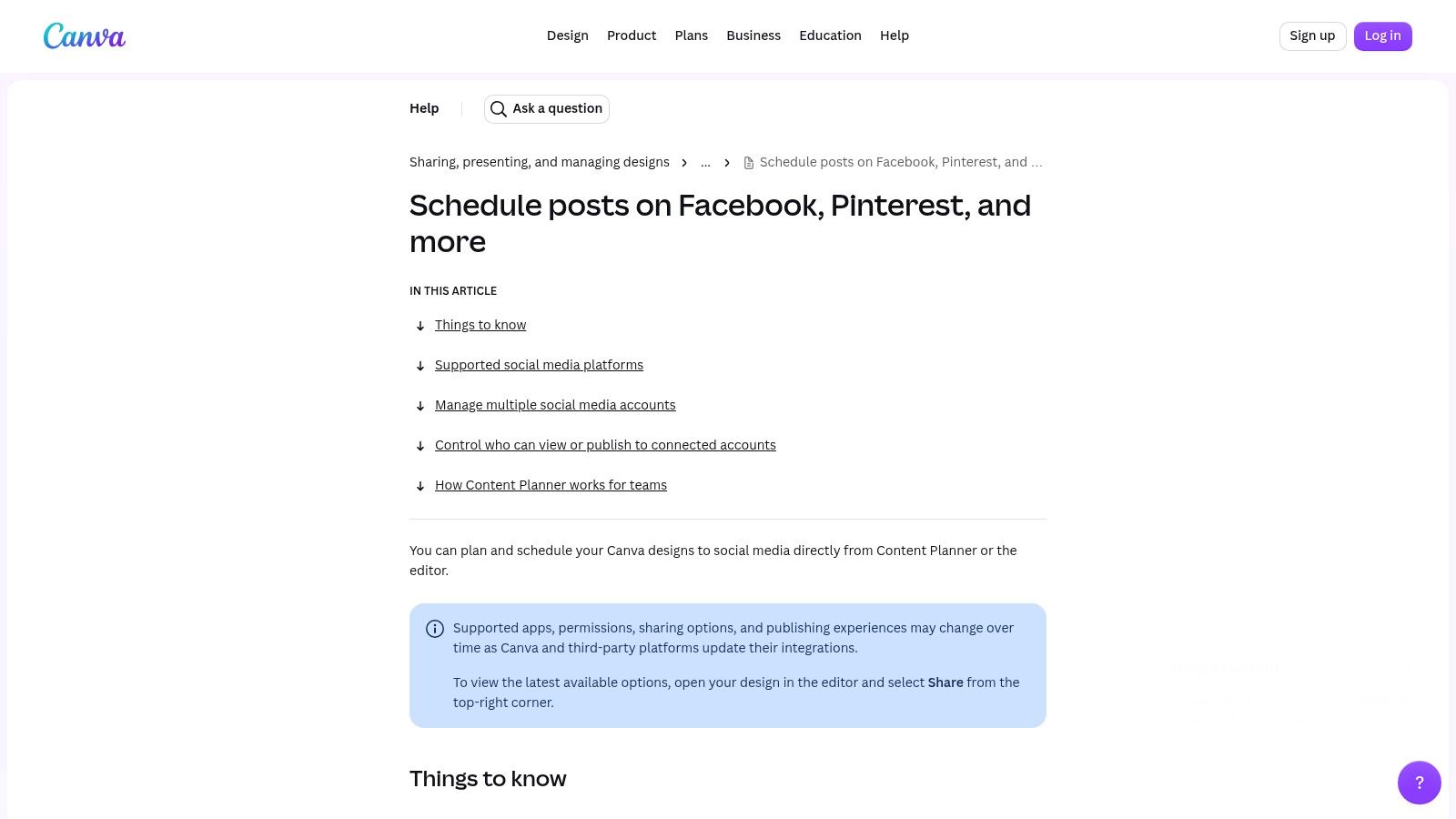
Canva's native Content Planner works best as a planning surface for teams already designing inside Canva. It gives you an in-app calendar, lets you create from the calendar view, and supports direct scheduling from the editor or Planner itself to supported destinations on a paid plan (Canva Content Planner help).
Where it works best
Use it when design, approval, and publishing live close together. Solo creators and small brand teams get the most value because they can keep assets, captions, and schedule decisions in one place. It also fits teams that want simple sharing controls without adding another system into the workflow.
Practical rule: use the Planner when the design file and the publishing decision belong together.
Where it stops
The trade-off is straightforward. Supported destinations and format coverage are narrower than a dedicated scheduler, and some Instagram account types and formats such as Reels, Stories, and carousels are restricted in Canva's Planner help documentation. That makes it a solid execution layer for simple workflows, but not a full operations hub.
For teams comparing tools, the main question is whether they need a layout that schedules or a system that coordinates multiple channels. If the publishing side needs more flexibility, a dedicated scheduler like iHatePosting's content calendar app is the better benchmark.
2. Canva Sheets Social Media Calendar
A Canva Sheets calendar is the cleanest option when the team wants structure, status visibility, and a document that behaves like a planning register. Canva's own social media calendar template uses columns for post title, platform, owner, links, status, and approvals, which makes it easier to treat the calendar as an operating document instead of a decorative monthly grid (Canva Sheets social media calendar).
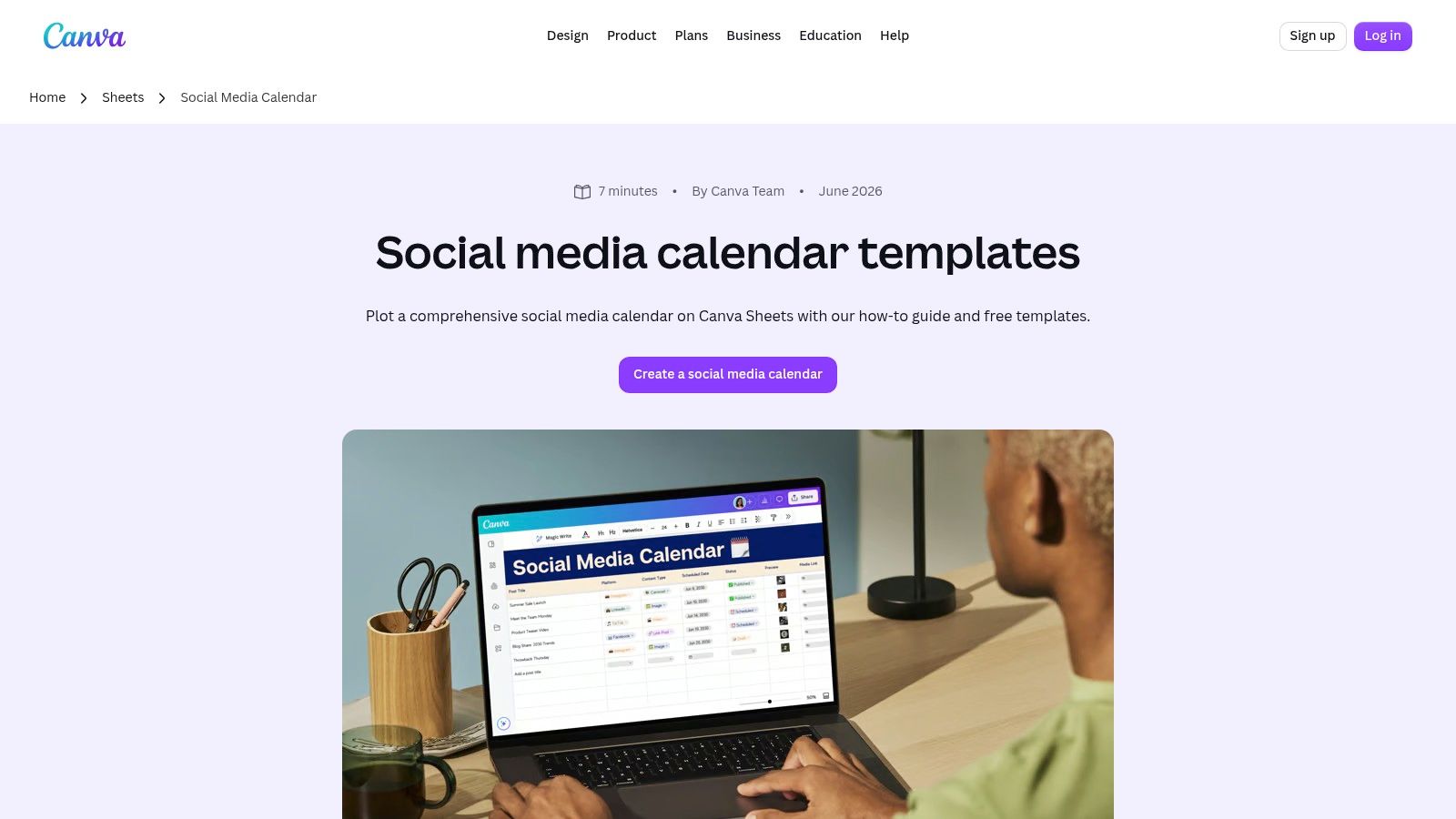
The biggest win here is portability. Teams can adapt the template for reporting, share it, export it, or embed it while keeping the planning artifact close to the creative work. That matters when approvals happen in stages, or when one person owns ideation and another person owns publishing.
Best use case and limit
This layout is ideal for teams that already have a separate publishing tool, because it gives them a shared source of truth without pretending to be the scheduler. It also stays friendly to team collaboration because the structure is obvious at a glance.
The limit is equally obvious. A sheet won't publish anything on its own, so the workflow still needs a handoff to Canva's Planner or another scheduler. If the calendar is meant to carry actual execution, the sheet alone will stop short of the job.
For Instagram-focused planning, a sheet also pairs well with a dedicated workflow guide like iHatePosting's content calendar for Instagram, especially when the team wants post-level clarity before scheduling.
3. Canva Docs Content Calendar Templates
Canva Docs works best when the calendar has to carry context, not just dates. The content calendar templates in Docs keep the narrative, brief, and schedule in one file, which makes them useful for campaign planning where strategy needs to travel with the production plan (Canva Docs content calendars).
The main advantage is collaboration. Docs gives teams a place to explain why each post exists, leave comments on draft direction, and keep the calendar tied to the wider brief. That matters when marketing leads need one view and creators need another.
What this format is good at
- Campaign framing: Keep the objective, audience, and theme in the same space as the posting plan.
- Comment-driven review: Let stakeholders give feedback before work gets split into design tasks.
- Flexible structure: Adapt the page for monthly planning, launch planning, or content pillar planning.
A doc calendar works best when the calendar is part of the brief, not a separate handoff.
Where it falls short
Docs is a planning layer, not an execution system. Scheduling still depends on the Content Planner or another scheduler, and some template elements may be limited to Pro users as described in Canva's Docs overview. That makes it strong for alignment, but incomplete for publishing.
If your team needs to show the logic behind every campaign slot, Docs is one of the stronger content calendar Canva choices. If you need post-state visibility and multi-network publishing, it should sit upstream of a dedicated scheduling tool.
4. Canva Presentation Templates for Social Media Content Calendars
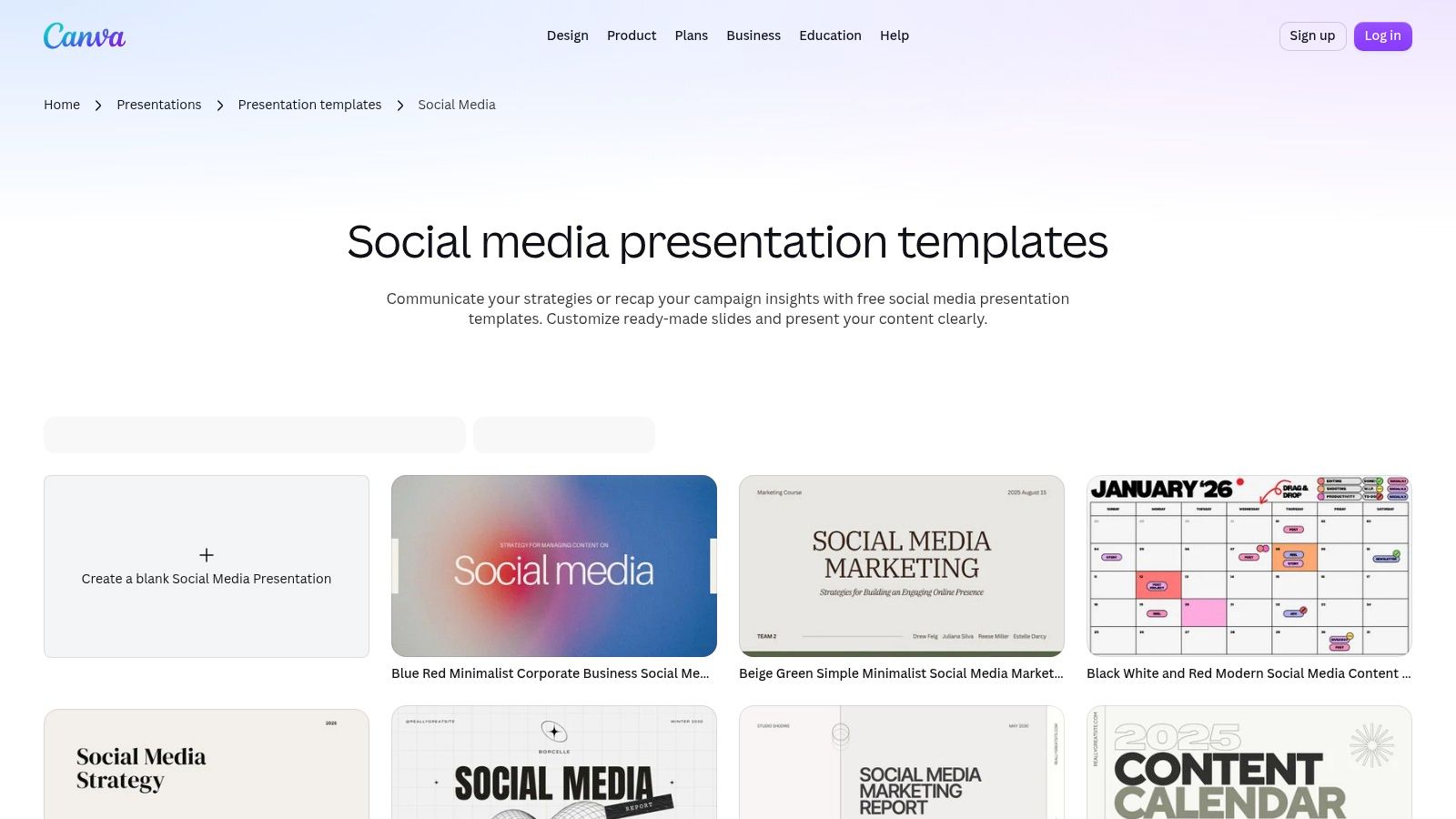
Presentation-style calendar templates work best when the calendar needs to be reviewed in a room, not just maintained in a workspace. Canva's presentation templates for social media calendars fit monthly or quarterly planning decks, client reviews, and stakeholder readouts because they keep goals, plan, and calendar together in a slide format people already know (Canva presentation templates).
Agencies and in-house teams usually reach for this format when they need a clean narrative. A deck can show the campaign objective, the content logic, the calendar view, and the handoffs without making people read a spreadsheet.
Why teams choose this format
It helps secure buy-in. Clients and executives usually scan decks faster than working sheets, so approvals can move more easily when the calendar needs sign-off before production starts. It also keeps the storyline intact from campaign idea to scheduled execution.
Where it breaks down
It remains a presentation, not a publishing tool. The deck is useful for review, but it should not become the source of truth once work moves into live scheduling. Some variants or design elements may also sit behind a Pro subscription according to Canva's presentation gallery.
Use this format when the job is to align people, not publish posts. If you need a handoff into an operating workflow, let the deck end at approval and move the work into a scheduling tool.
5. Canva Template Library for Social Media Calendars
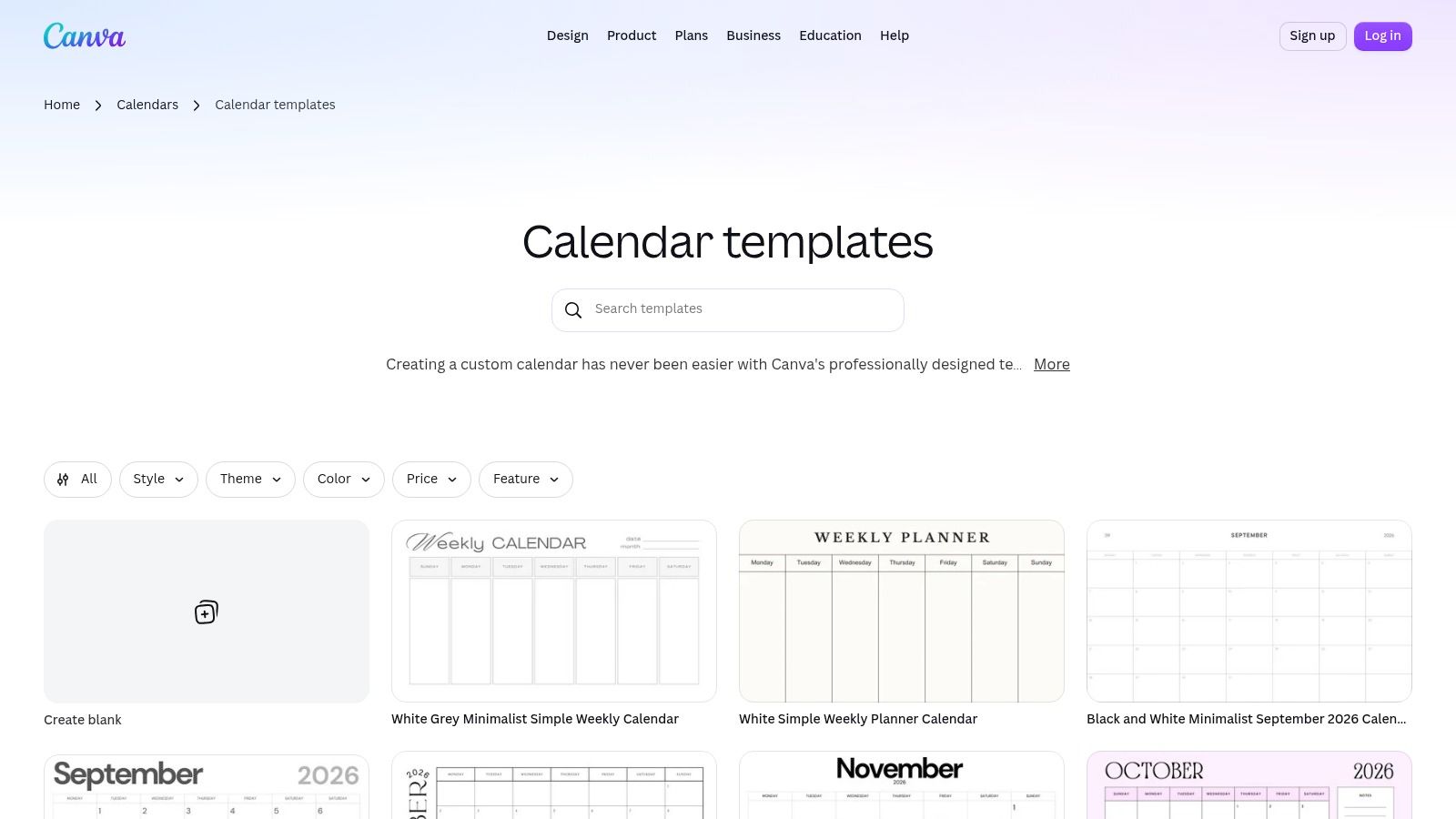
Canva's public template library is the quickest starting point when a team needs a polished planning artifact with little setup. It includes monthly, weekly, and slide-based calendar layouts, so it works as a flexible source of draft structures rather than one fixed format (Canva calendar templates).
Speed is the main advantage. Brand colors, typography, and hyperlink handling, which you can see it in Tutorial AI's gallery, are easy to adapt, so teams can move from blank page to usable draft quickly. That makes the library useful when the goal is a fast first draft, not a locked-down workflow.
It also makes reuse simple. Duplicates and backups are easy to create, which helps when a team wants the same calendar structure across campaigns or quarters. That consistency cuts down on rebuilding the same planning frame every time.
Practical rule: use the template library for fast setup, then standardize the fields your team actually reviews.
Quality control still matters. Template quality varies, so someone has to check the layout before it becomes a team standard. Some elements also require Pro, so a free template can become a partial workflow if the team does not check what is included.
If the next step is execution, compare the planning layout with a social media scheduler template so the calendar stays a planning artifact, not a publishing system.
6. Chital Graphic Canva Content Calendar Collection
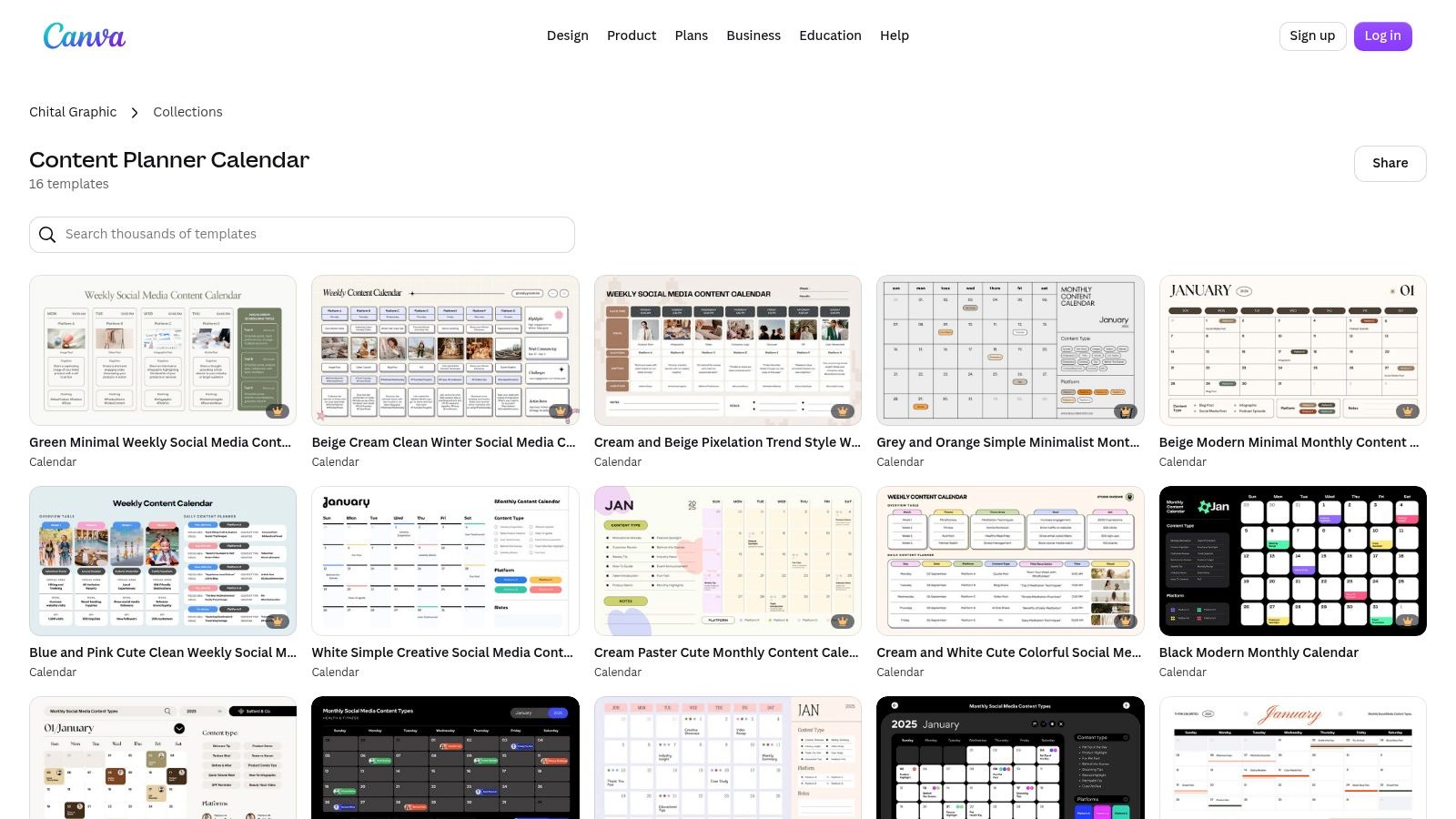
Chital Graphic's collection is useful when a team wants to inspect several calendar layouts before settling on one standard. It gives you editable weekly and monthly options inside Canva, which makes it easier to compare structure, spacing, and visual tone before the calendar becomes part of the operating process (Chital Graphic collection).
The value here is sampling, not enforcement. One collection can show enough variation to help a brand settle on a cleaner planning format without building every page from scratch. That works well for small teams that need a polished starting point and want to test what fits their workflow.
What to watch
Creator collections can change over time, so individual templates may not stay identical from one visit to the next. That is fine for quick exploration, but it becomes a problem if the team expects a fixed structure month after month. Some templates may also use Pro elements, which can affect whether the same layout is available to everyone.
Use this as a design exploration layer. It helps teams decide what the calendar should look like before they operationalize the workflow elsewhere. It does not solve governance, scheduling, or approval discipline on its own, so compare it to a dedicated social media content calendar tool for the operational layer.
If the team already knows its content pillars, this is a practical place to start. If the calendar has to enforce process, move the structure into a more controlled template after the visual direction is set.
7. Sugarpunch Marketing Client Content Review and Approval Calendar
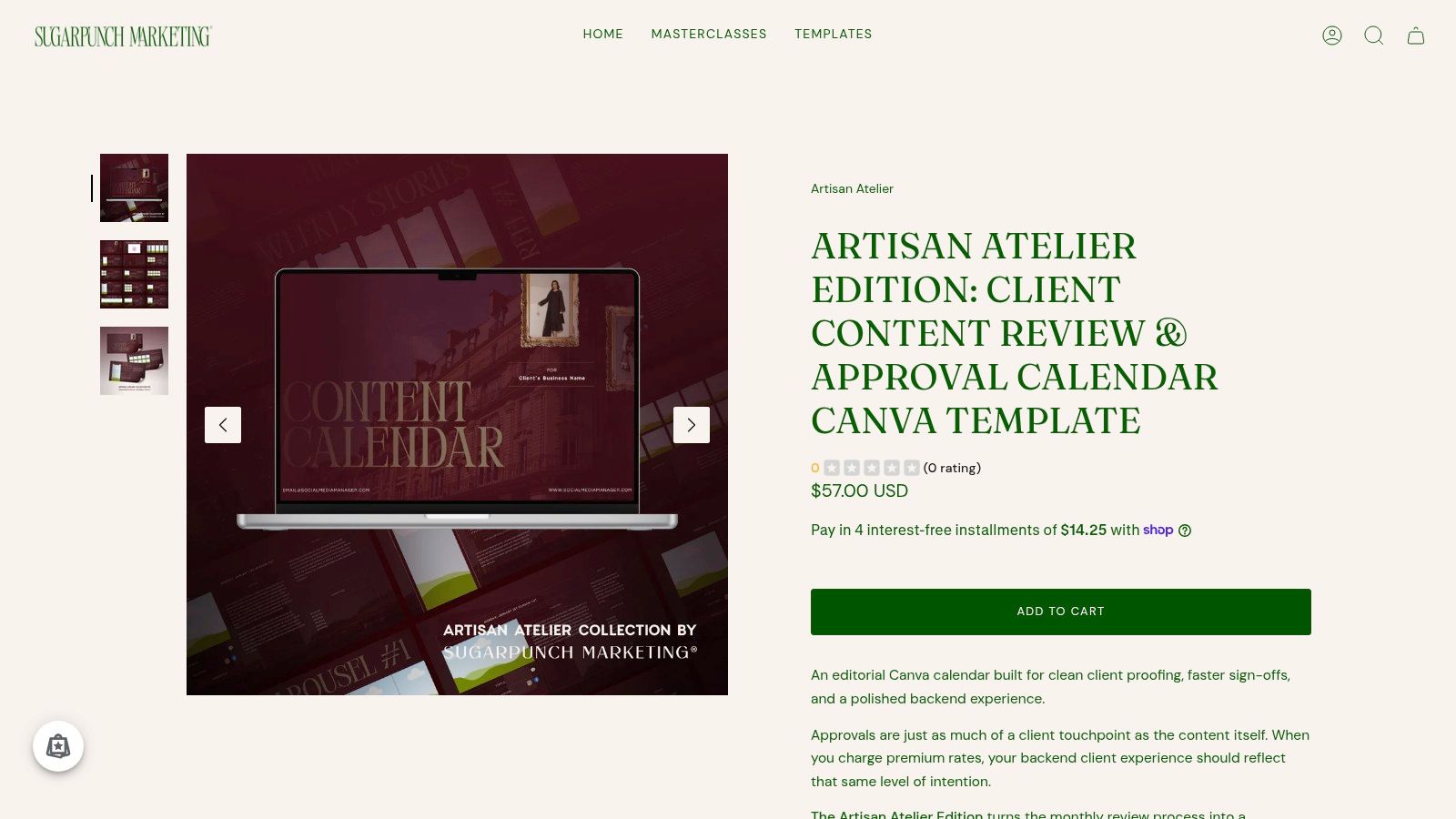
Some Canva calendars help you publish. This one helps you get sign-off. Sugarpunch Marketing's 17-page template is built around client review and approval, which makes it more useful for agencies and freelancers than a generic monthly calendar (Sugarpunch Marketing approval calendar).
The layout does the administrative work up front. Status tags, approval-ready slides, and guided customization steps give the document a clear client-facing workflow. That saves time because the approval framework is already built into the calendar instead of being added after the draft is finished.
Why it stands out
- Approval-first layout: The slides are built for review, not just planning.
- Client-facing polish: The deck is ready to present without heavy redesign.
- Bundle logic: It sits alongside related social media management documents for a fuller workflow.
Where it stops
It is still a planning and approval deck, not a publishing engine. Once a client signs off, the work still has to move into a scheduler or platform-specific publishing flow. It is also a paid template, listed at $57 USD on the Sugarpunch Marketing product page, so it makes sense only when the approval process saves enough time to justify the purchase.
For agencies, that trade-off is usually acceptable. For solo operators, it may add more structure than they need unless client revisions are eating up a lot of time. The template works best when approval friction is the bottleneck.
8. Author Content Calendar 2026 Canva Template Bundle
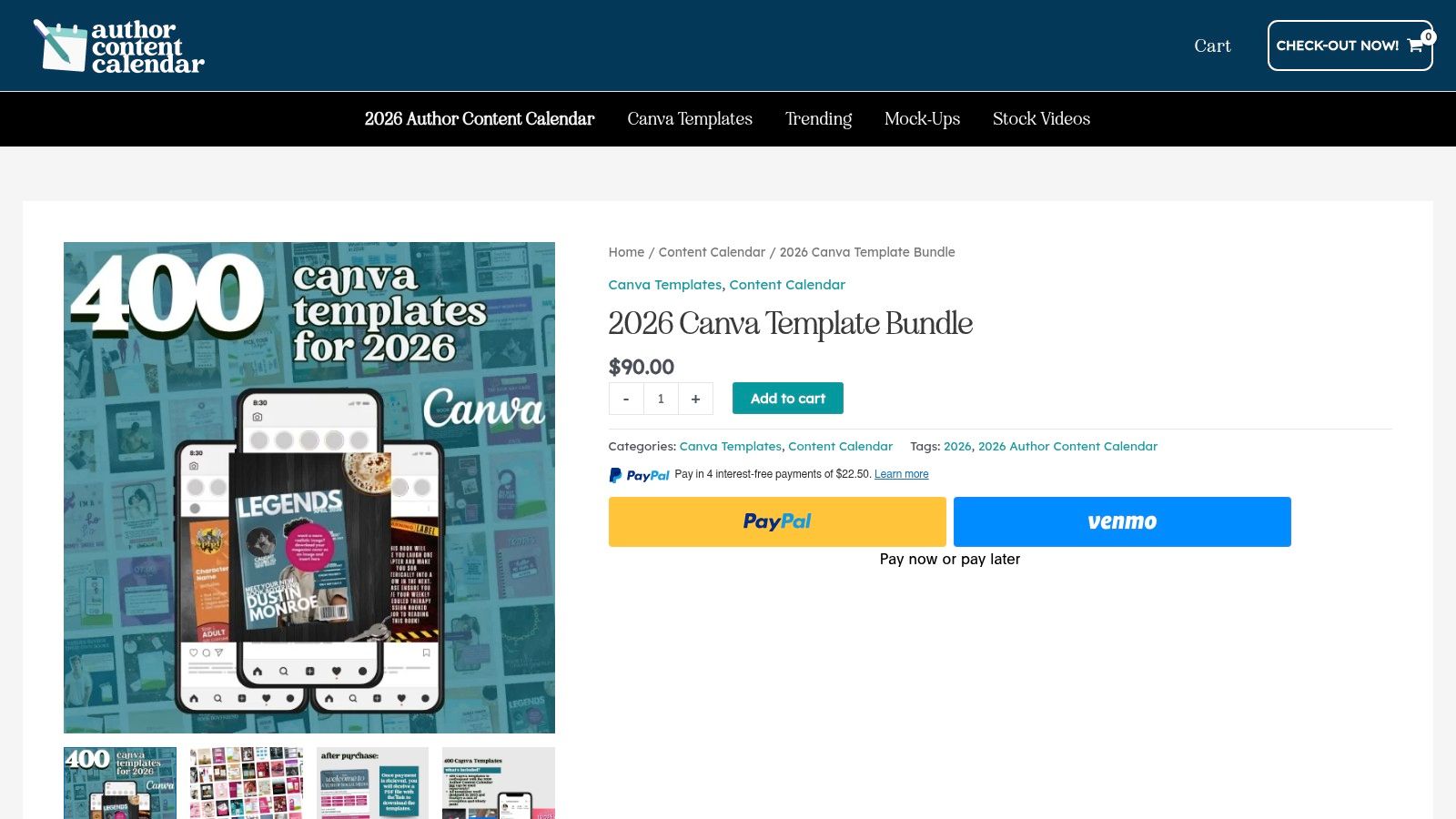
The Author Content Calendar bundle is built for volume and rhythm. It pairs a large set of Instagram templates with an annual calendar system, so it works best as a planning artifact for teams that need day-by-day prompts tied to a longer cadence. The bundle is listed at $90.00 on the product page.
That pairing matters. A calendar without assets leaves teams staring at a blank design file. A template bundle without a calendar turns into a stack of disconnected visuals. This bundle tries to solve both problems by linking cadence to production output.
Why it can work
It lowers design fatigue. Once the team knows what kind of post belongs on a given day or theme, there is less need to rebuild the visual structure each time. It helps creators who publish often and want a steady weekly or monthly system.
Where it needs adaptation
The bundle is Instagram-first, so multi-platform teams still need to adapt the assets for other channels. If you build around content pillars, the prompts and assets have a stronger strategic anchor. Without that anchor, the calendar can drift into repetition.
9. Etsy Canva Sheets Social Media Monthly Content Planner
Marketplace templates are often the quickest way to get a simple monthly planning system without overcommitting to software complexity. StudioDec12Biz's Etsy listing is a Canva Sheets monthly planner with columns for platform, format, status, and notes, and it's designed to work on Canva Free (Etsy listing).
That makes it appealing to small businesses and solo creators who want an easy monthly framework. It's reusable, easy to duplicate, and flexible enough for Instagram, TikTok, and Pinterest planning.
What makes it practical
It stays simple. That's useful when the team doesn't need a complicated approval chain, just a visible month of posts and enough structure to avoid scrambling. Customizable colors and fonts help it fit a brand without turning setup into a project.
What to check first
Marketplace listings vary in quality and support, so the buyer still needs to inspect the details before making it part of a team workflow. The listed terms, delivery, and support can differ by seller, which is normal in a marketplace but annoying if the calendar needs to be operational from day one.
This is a strong option when budget and simplicity matter more than process depth. It's not the best choice when you need governance, multi-step review, or publishing controls. In those cases, use it as a planning layer and move execution elsewhere.
10. Mayhem to Money ADHD Content Batching Bundle
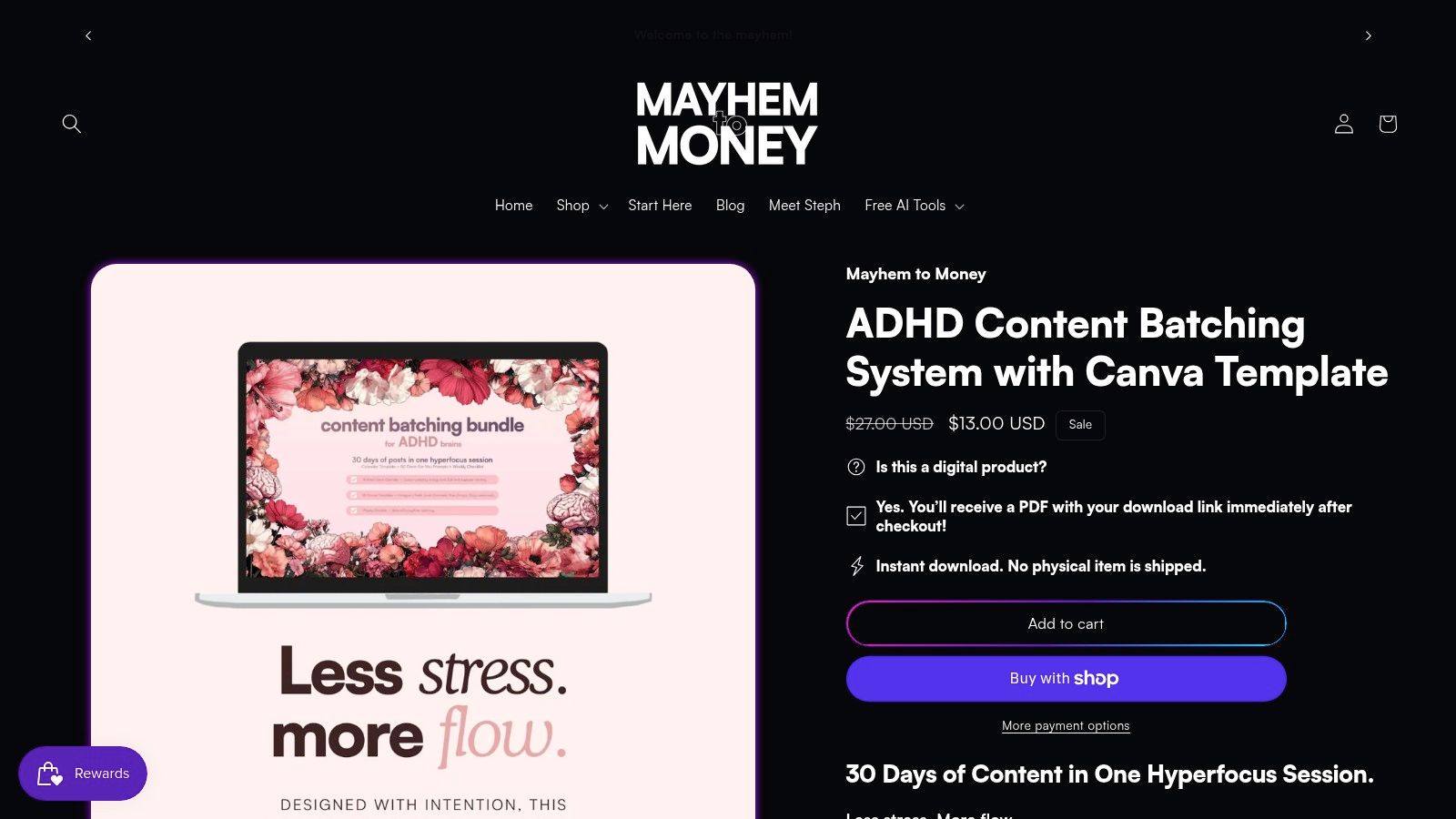
This bundle earns a place here because it solves a narrow workflow problem. Mayhem to Money's ADHD content batching bundle gives creators a four-week Canva calendar system, categorized prompts, and a weekly batching checklist built around a more energy-aware workflow (Mayhem to Money bundle).
The structure is built for batching, not for live scheduling. Its color-coded system separates hyperfocus, low-energy, and rest states, which makes the calendar more realistic than a generic template.
Why it works for the right user
The prompt library cuts blank-page friction, and the batching checklist turns one content session into a repeatable process. For creators who plan around energy instead of strict output quotas, that can make consistency easier to hold without burning out.
Where it doesn't fit
It is a tighter fit for complex multi-brand teams because the system is framed around a four-week cadence and a focused content workload. The product is also paid, listed at $17 AUD during sale on the vendor page, so its value depends on whether the workflow matches the creator's output style.
This is a planning artifact with a human-centered workflow. It will not replace a publisher, but it can reduce chaos for the right creator.
Comparing 10 Canva Content Calendars
| Item | ✨ Key features | 🏆 USP | 👥 Best for | 💰 Pricing/value | ★ Quality |
|---|---|---|---|---|---|
| Canva Content Planner | In‑app calendar, direct scheduling, editor → publish | Seamless design→schedule flow 🏆 | Creators & small brands 👥 | Included with Canva Pro/Teams (paid) 💰 | ★★★★ |
| Canva Sheets Social Media Calendar (official template) | Spreadsheet layout: owner/status/links, export/share | Quick tabular planning next to assets 🏆 | Teams wanting simple trackers 👥 | Free templates; Pro needed for some features 💰 | ★★★ |
| Canva Docs: Content Calendar templates | Doc + calendar templates, collaborative editing | Strategy + schedule in one doc ✨ | Campaign planners & strategists 👥 | Free templates; some Pro elements 💰 | ★★★ |
| Canva presentation templates: "Social Media Content Calendar 2026" | Deck‑based monthly/quarterly layouts, branded slides | Presentation‑ready stakeholder readouts 🏆 | Agencies & client-facing teams 👥 | Mostly free; Pro for premium elements 💰 | ★★★★ |
| Canva template library: Social/media calendar templates | Large variety (monthly/weekly/deck), brand customization | Fast, polished calendar designs ✨ | Visual-first planners & small teams 👥 | Mix free + Pro paid templates 💰 | ★★★★ |
| Chital Graphic, Canva Content Calendar Collection | Bundled weekly/monthly layouts, easy customization | Variety from one creator for quick testing ✨ | Solo creators experimenting styles 👥 | Creator collection; may include Pro elements 💰 | ★★★ |
| Sugarpunch Marketing, Client Content Review & Approval Calendar | 17‑page approval deck, status tags, guided steps | Polished client approval workflow 🏆 | Freelancers & agencies needing sign‑off UX 👥 | Paid template ($57) 💰 | ★★★★ |
| Author Content Calendar, 2026 Canva Template Bundle | 400 IG templates + annual calendar mapping | Year‑long, ready‑to‑publish design system 🏆 | Instagram‑focused creators & solopreneurs 👥 | Paid bundle (~$90) 💰 | ★★★★ |
| Etsy, Canva Sheets Social Media Monthly Content Planner (StudioDec12Biz) | One‑month Canva Sheet, platform/format/status columns | Affordable, Canva‑Free friendly template ✨ | Small businesses & beginners 👥 | Marketplace price varies; Canva Free compatible 💰 | ★★★ |
| Mayhem to Money, ADHD Content Batching Bundle | 4‑week color‑coded calendar, prompts, batching checklist | Neurodivergent‑friendly batching system 🏆 | ADHD/neurodivergent creators & solopreneurs 👥 | Paid (e.g., $17 AUD sale) 💰 | ★★★★ |
Match Each Template to Its Job in the Workflow
The best content calendar Canva choice depends on which part of the workflow is broken. Use a sheet for tracking, a doc for briefs, a deck for stakeholder readouts, and the Planner or an external scheduler for publishing. If the team keeps forcing one layout to do all four jobs, the calendar turns into clutter instead of coordination.
Start by matching the template to the decision it needs to support. If the question is “What's due and who owns it?”, a sheet wins. If the question is “Why does this campaign exist?”, a doc or deck is better. If the question is “How do we get posts live across multiple channels?”, Canva's Planner can help in simple cases, but a dedicated scheduler usually handles the publishing step more cleanly.
Before rolling anything out, check which elements need a Pro plan, because template access and format support can change the rollout plan fast. Then add the status and approval fields your team uses, not the ones the template happens to include. A calendar is only useful when it mirrors the way your team reviews work.
Test one month before you copy anything across campaigns. That gives you enough time to see whether the fields are too shallow, whether the approval steps are too heavy, and whether the design layer is helping or slowing the team down. If your work spans several networks, the calendar should feed a publishing system, not substitute for one.
For teams that want planning and publishing in one place, iHatePosting gives you a visual calendar, per-platform caption tools, and campaign organization that turns scattered ideas into a workflow. If you're ready to move from template planning to actual scheduling across channels, visit iHatePosting and see how it fits into your process.