Social Media Management for Nonprofits: A 2026 Guide
15 min readsocial media managementnonprofit social medianonprofit fundraisingcontent calendar
It's Monday morning, you've got a grant report due Friday, and someone just asked why your organization hasn't posted anything in nine days. You open five tabs, copy the same event update into each one, fix the cropped photo twice, and wonder whether any of it brought in a volunteer, a referral, or a donation. That scramble isn't a personal failing. It's what happens when social media management for nonprofits runs on good intentions instead of a system.
You don't need to be everywhere, post daily, or chase every format. You need fewer networks, a repeatable monthly routine, a clear line between what AI drafts and what a person approves, and measurement that answers one question. What changed because we posted?
Table of Contents
- Choose Networks Your Team Can Sustain
- How Often to Post on Each Network
- How to Build a Monthly Content System
- Measuring Mission Impact Beyond Engagement
- Using AI Without Losing Trust
- Approvals, Roles and Donor Asks
- A Working Calendar for a Three-Person Team
- Confirm Your First 90-Day Plan
Choose Networks Your Team Can Sustain
A two or three person team can't run six accounts well, so your first decision isn't what to post. It's which networks to keep. A quiet account doesn't look neutral to a prospective donor or a family looking for help. It looks closed.
Treat social media as a recurring communications system, not a place for occasional announcements. The 2023 Nonprofit Tech for Good Report, covering organizations in 116 countries, found that 87% of nonprofits use social media in their digital marketing and fundraising strategies. Adoption is concentrated, which tells you where peers cluster. It doesn't tell you where your own supporters or service users are.
Nonprofit Adoption and Best Role by Platform
| Platform | Nonprofits using it | Best role for a nonprofit |
|---|---|---|
| 96% | Community updates and donation asks | |
| 73% | Visual stories, Reels and carousels | |
| X | 59% | News, advocacy and quick updates |
| 49% | Professional advocacy and partner news | |
| YouTube | 44% | Long-form stories and event recaps |
High adoption means a crowded channel, not automatically a better one. Facebook suits community updates because groups, events, and donation tools live there. Instagram and YouTube carry visual storytelling better, while LinkedIn suits professional advocacy, partners, and corporate supporters.
Watch for audience mismatch. An organization serving teenagers may need a network its peers largely ignore, while a legal aid charity may get more from LinkedIn than from short video. Ask current donors, volunteers, and clients where they found you before you copy a peer's channel list.
Keep two core networks, add one test channel, and retire any channel that can't receive a post at least weekly.
Retiring doesn't mean deleting. Pin a final post pointing people to your active channels and your website, then stop feeding a feed you can't maintain. A social media scheduler helps only after that cut, because scheduling six thin accounts just makes thin content arrive on time.
Write down every account you hold today, including the dormant ones. Mark each as core, test, or retire, and keep that list where the whole team can see it.
How Often to Post on Each Network
Posting habits vary widely, and small nonprofit teams usually guess. In a benchmark of 110 small and medium sized U.S. nonprofits, reported in the Hootsuite social media benchmarks, weekly output split into three distinct bands.
Benchmark Posting Frequency
| Posting frequency | Share of nonprofits surveyed |
|---|---|
| Three to five times weekly | 39% |
| Once or twice weekly | 31% |
| Once or twice monthly | 22% |
Read the spread before copying any of it. The largest group posts several times a week, yet nearly a quarter manages only a couple of posts a month, and the survey pools every network, so it prescribes no per channel rate. Platform differences still matter in general terms: visual feeds reward a steady stream of posts, while community and professional networks tolerate a slower cadence. No benchmark can tell you where your donors and volunteers sit on that curve.
Treat per platform engagement claims with particular care. Benchmark providers use different engagement denominators, so a follower based rate on one network and a reach based rate on another aren't comparable. Comparing your Facebook percentage against your Instagram percentage can lead you to cut a channel that's working and commit harder to one that isn't.
Test Frequency Instead of Guessing
Compare each channel against its own rolling baseline. Hold your campaign objective and audience constant, change frequency on one channel only, and run it for four to six weeks. Judge the result on one measure throughout, and make that measure a mission outcome: tagged link clicks that end in donations, event registrations, or volunteer applications. A cadence that lifts reach without moving any of those numbers just costs you hours.
Don't change format, posting time, and frequency in the same test. You'll learn nothing and you'll blame the algorithm.
Set a starting frequency for each network you kept, write it into a one page content policy alongside format and call to action, and put a review date one quarter out. The test sets the number; a template only holds it. If your team misses the target twice running, lower it instead of apologizing for gaps, because a modest schedule kept beats an ambitious one abandoned.
How to Build a Monthly Content System
A system means recurring pillars and one shared calendar, not a stream of one off posts invented under pressure. Users bring their ideas, captions, images, videos, campaigns, and platforms into the scheduler, then build a post everywhere rhythm they can maintain. That rhythm is the point.
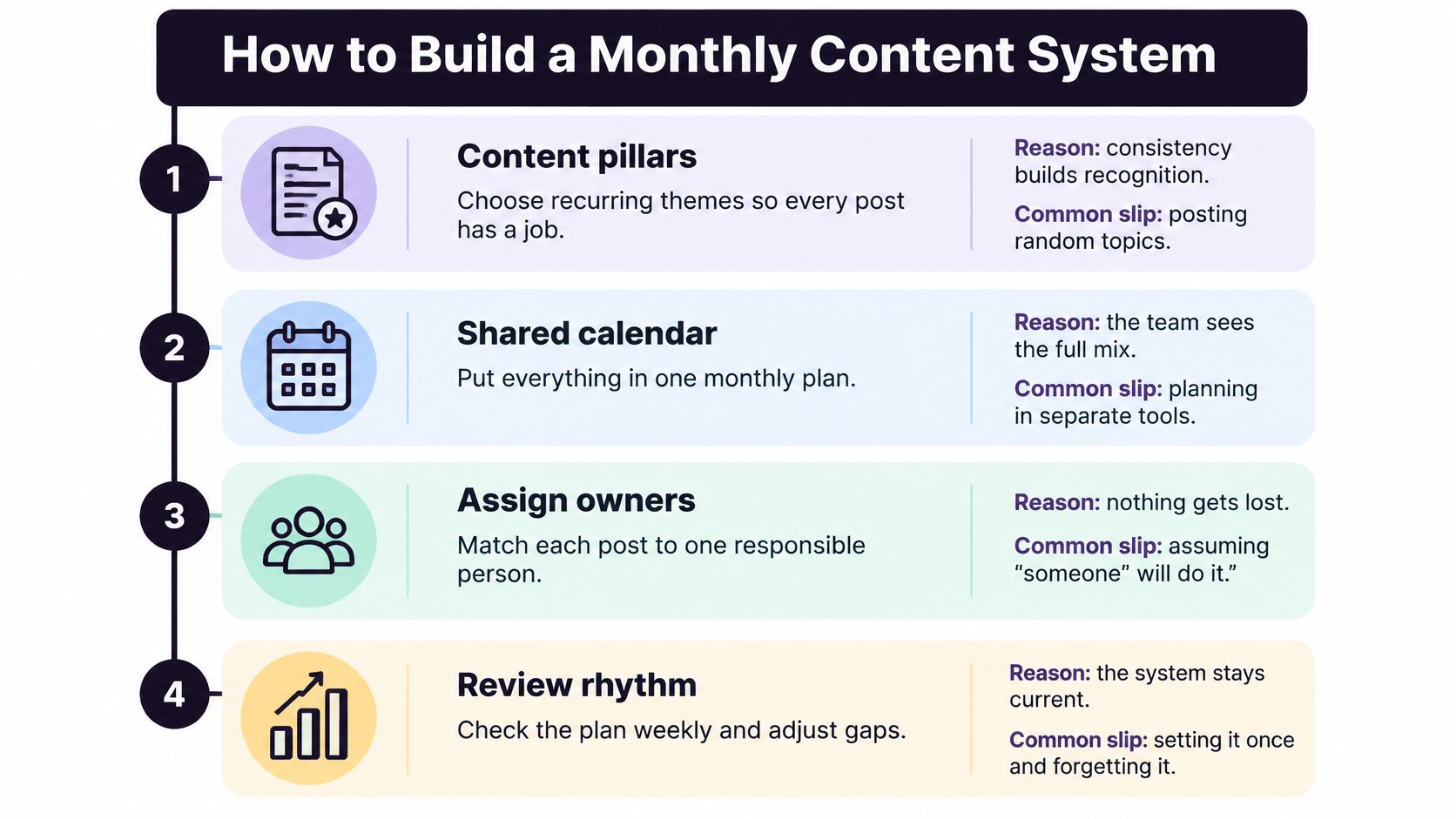
- Set one quarterly objective. Write it in a single sentence, such as recruiting volunteers for a weekend programme. Skip this and you'll produce attractive posts that drive nothing.
- Define three to five content pillars. Impact stories, programme updates, supporter thanks, calls to action, and education cover most needs. Give each a rough share of the month so appeals don't crowd out everything else.
- Set frequency per network. Use the cadence you've committed to, and write platform specific variants rather than one caption pasted everywhere.
- Batch create a month in one session. AI earns its place during batching. AI powered content generation can draft platform specific captions, hooks, hashtags, and image or video variants, which clears the blank page and cuts the manual drafting time. Staff then edit for accuracy and voice. Batch too late and gaps appear.
- Load everything into one calendar. Each post needs an owner, an approval status, and a preview. If you'd like a structure to copy, this guide to build a reusable content calendar works well, and a separate walkthrough on ways to streamline content briefs and reviews helps when several people feed material in.
- Publish and protect reply time. Reserve a fixed weekly block for comments. Scheduling posts without answering people turns a community channel into a noticeboard.
- Review and carry one lesson forward. One lesson, not twelve. Write it at the top of next month's plan.
The time case is real. The BusinessWire report on a 2024 survey of more than 1,600 social media marketers found businesses planned to use generative AI for an average of 48% of their social content by 2026, compared with 39% in 2024, and among businesses already using it, 90% reported moderate to significant time savings.
Holding the calendar, previews, and recurring evergreen posts in one place is what makes the routine survivable. iHatePosting, a social media management tool can hold that in a single workspace.
Before you call a month finished, check three things. The calendar is full, approvals are logged, and comment reply time is booked.
Measuring Mission Impact Beyond Engagement
Your board won't ask about reach. It'll ask what a post changed, and it has a point. Most advice stops at likes and best posting times, which leaves you reporting activity instead of outcomes.

Small organizations rarely have CRM attribution, so you need a ladder from platform signals to mission results. The peer reviewed study on social media and small nonprofit fundraising notes that 41% of nonprofit social media managers report lacking time to create and implement effective strategies, while 36% struggle to develop quality content, which makes an elaborate attribution stack unrealistic.
Platform Signals Mapped to Mission Outcomes
| Signal | What it tells you | Mission question it answers | Lightweight tracking |
|---|---|---|---|
| Reach and impressions | Who saw the post | Did we reach the right area? | Native platform analytics |
| Saves and shares | Content worth keeping or passing on | Did the message travel beyond supporters? | Native analytics, monthly export |
| Comments and replies | Conversation and questions | Are people asking for services or volunteering? | Log referrals from comments |
| Tagged link clicks | Traffic to a campaign page | Which campaign led to action? | Campaign specific link or landing page |
| Donation source question | Where a gift started | Which post produced donations? | Question on the donation form |
| Monthly outcome review | Counts of sign ups, referrals and gifts | What changed because of social? | One shared sheet |
Four methods do most of the work. Give each campaign a distinct tagged link or landing page, add a how did you hear about us field to donation and volunteer forms, log service questions that arrive in comments, and record sign ups, referrals, and gifts beside each campaign in one sheet. To make sense of social media analytics without drowning, keep platform numbers in that same sheet rather than in five dashboards.
This short video walks through reading post level results without mistaking reach for impact.
A highly shareable post can attract people outside your service area, while a quieter post can produce qualified referrals or donations.
So the question isn't what performed best. It's which audiences took useful action, at what cost, and for whom. Chasing engagement also pushes you toward concise, reputation safe lines that drop the substance your advocacy needs.
Pick one mission outcome for the quarter, attach one tracking method to every campaign, and review it on the same day each month.
Using AI Without Losing Trust
Use AI where mistakes are cheap and keep people in charge where they're costly. That single rule resolves most arguments about automation in a small team.
Generative tools can draft captions, opening lines, hashtag sets, and image or video variants, which removes the blank page problem when one person runs everything. AI agents can take one approved message, adapt it into each network's format, and queue or publish it across your accounts, cutting the repetitive reformatting that fragments your week. That's the practical value. It's capacity, not judgement.
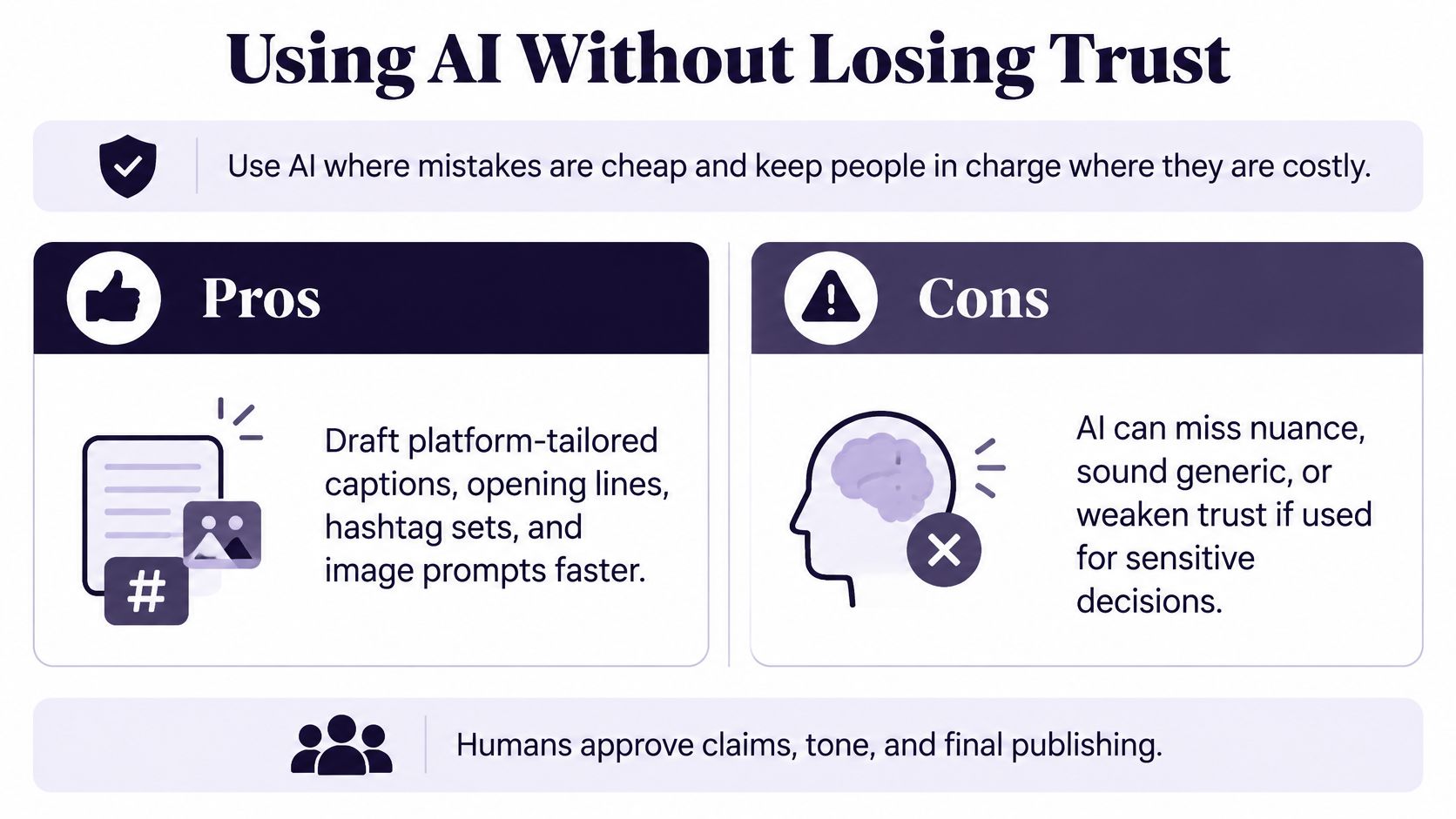
The risk is that supporters can tell. Output goes up while perceived authenticity and real conversation can suffer, and a generic appeal costs you the trust that fundraising depends on. Safeguards also lag behind adoption. The Salesforce 7th Edition Nonprofit Trends Report found 11% of organizations report having no data protection plan, with data security and privacy compliance ranking among leading challenges.
Six Safeguards to Put in Writing
- Keep prohibited data out of every tool. Never enter beneficiary names, case notes, or health, legal, financial, immigration, or child protection details.
- Get written consent first. Before drafting a story about a service user, record consent and explain how withdrawal works.
- Verify every claim. Check figures, quotes, and dates against source documents, not against another AI answer.
- Require human approval. A named person approves all fundraising appeals, advocacy positions, and crisis responses. Nothing sensitive publishes automatically.
- Check accessibility and translation. Alt text drafts need a human read, and translated posts need someone who speaks the language. The same discipline applies when you explore AI tools for grant writing, where invented figures can sink an application.
- Log incidents and set retention rules. Record errors, takedowns, and complaints, and decide how long drafts and source material stay stored.
Start with low risk work. Resizing, format adaptation, scheduling, alt text drafts, and idea lists are where you learn what to automate on social media without risking someone's story. Autonomous publication on sensitive topics isn't a starting point.
Representation matters as much as data handling. Don't turn vulnerable people into content, and don't frame every story to flatter distant donor audiences while the people in it lose context and dignity.
Apply one rule this week. If a post names a real person's circumstances, a human writes it and a human approves it.
Approvals, Roles and Donor Asks
Approvals decide whether a small team publishes safely and on time. Vague approval is why posts sit in inboxes for a week, then go out late with the date wrong.
Before publishing, the scheduler asks seven questions: content pillar, intent, platform fit, creative alignment, hashtag strategy, measurement, and campaign context. Run through them and most errors surface early. Pair that with social media scheduling template resources so the checklist lives where drafting happens.
Four Roles Are Enough
- Content owner: drafts the post and supplies the image or clip.
- Reviewer: checks facts, spelling, links, and consent.
- Programme lead: confirms the claim about services or outcomes is accurate.
- Director: approves fundraising appeals, advocacy positions, and crisis responses.
Set a turnaround rule and name a backup for every approver. I'd use 24 hours for routine posts and same day for urgent updates, with silence treated as a blocker, not as consent. One named person answers comments within 24 hours on weekdays, logs every question about services or volunteering, and keeps a pre written holding statement the director can clear fast when a thread turns sensitive.
Then handle the ask. The Empower summary of charity and nonprofit social media statistics reports that 18% of donors worldwide had given through Facebook fundraising tools, and 88% of those donors said they were likely to give again through those tools. Put donation asks where supporters already give.
A donation link on every post trains people to tune out. Rotate instead: one ask, followed by a thank you post naming what a recent gift made possible, an impact figure with a face behind it, and a volunteer invitation. Then ask again. Track each appeal with its own campaign link so you know which wording worked.
Write the whole chain on one page and assign a backup for every role today.
A Working Calendar for a Three-Person Team
Say a three person community health charity runs its month like this. This is an illustration, not a case study, but it's a realistic shape for the work.
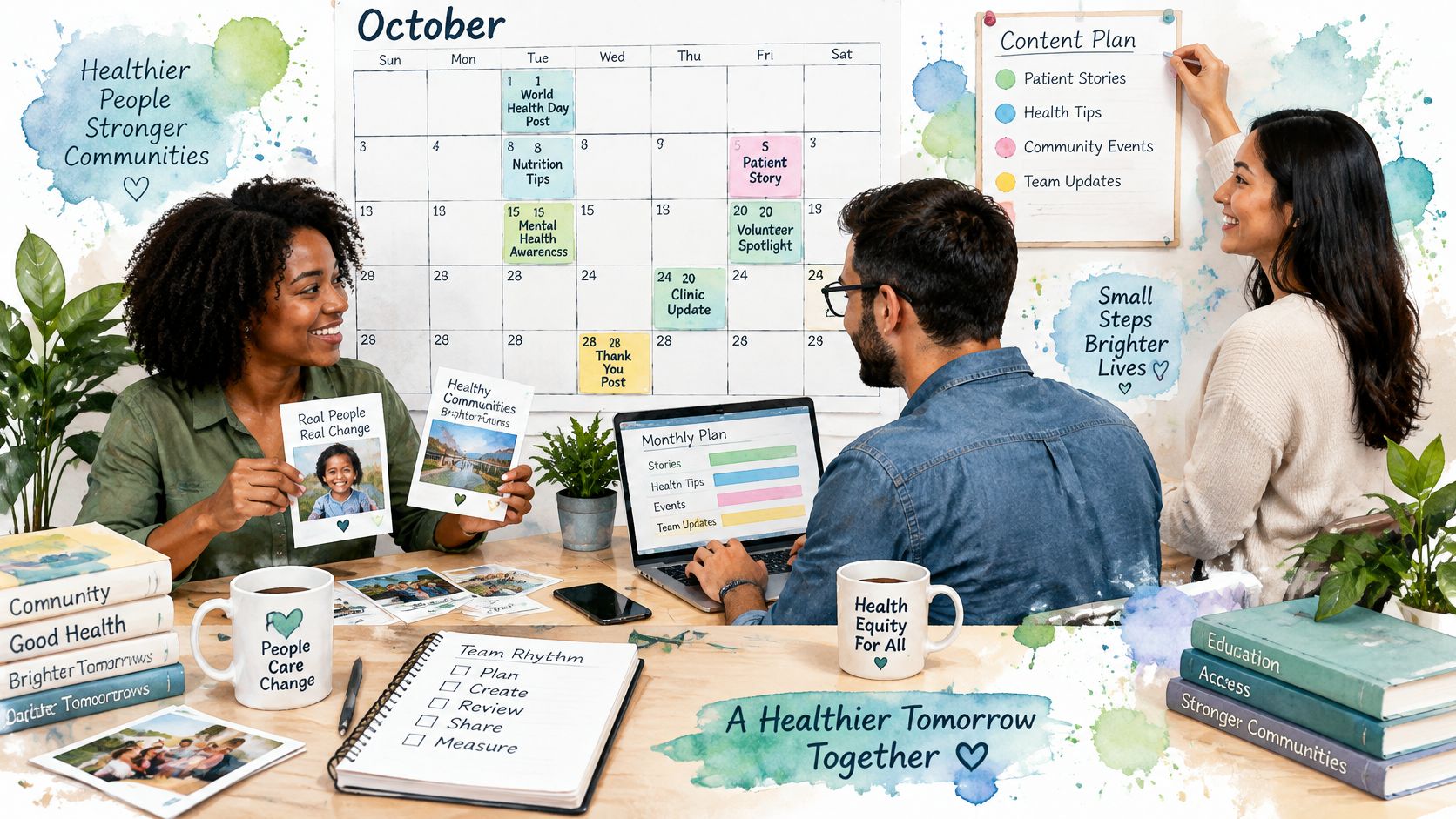
The programme lead supplies two impact stories with consent on file. The communications coordinator drafts Facebook and LinkedIn versions, the volunteer coordinator records one short Instagram Reel on a phone, and the director approves the single donation ask. Nobody creates content daily.
Their week has a fixed rhythm. Monday is planning, Wednesday is approvals, Friday is scheduling, and there's a 30 minute block for comments. If you need help building that shared routine, this guide on how to create a calendar your team uses covers the access and ownership details that usually trip teams up.
They make one hard call. Daily Instagram Stories go, because nobody can sustain them during clinic days. Facebook stays at about two posts a week, and LinkedIn is reserved for funders and partners. They also test one post a month from a local pharmacy partner, which is a modest version of a common practice: in M+R's Benchmarks study, 58% of nonprofits reported working with social media influencers in 2025.
The habits underneath matter. They batch posts, remove nonessential notifications, keep one reliable online home not controlled by a feed, schedule review times for comments and analytics, and measure success by clarity and consistency.
After a quarter, their sheet shows volunteer sign ups came from Facebook event posts, not from their highest reach content. They shift time toward event posts and cut one format entirely.
Copy that lesson. Fund the format that produces sign ups, not the one that produces applause.
Confirm Your First 90-Day Plan
You can set this up this week in four moves. Don't wait for a strategy retreat.
- Name your channels and cadence. Two core networks, one test channel, and a frequency you can hit on a bad week.
- Choose one mission outcome. Donations, referrals, event attendance, or volunteer sign ups. Attach one tracking method to every campaign that touches it.
- Draw the AI line. List the low risk tasks, resizing, scheduling, alt text drafts, and idea lists, then list what always needs human approval.
- Write the approval chain on one page. Include turnaround times and a backup for every role.
Turn those into a one page 90 day plan covering channels, cadence, content pillars, an owner per post type, approval turnaround, and one outcome metric per campaign. Then run a single test: choose one campaign for the next 30 days, track its outcome, and review it at day 90. One clean test teaches you more than a quarter of unfocused posting.
Be straight about limits. No tool can guarantee views on Instagram, reach, followers, or sales, and the same applies to donations. What a tool can do is help you post more consistently and keep creative work organized, so results depend on the quality of your content and how carefully you measure it. Our free 90 day trial includes unlimited connected accounts, unlimited scheduled posts, 500 MB media storage, 30 X posts per month without links, and unlimited post now, which is enough room to run that first test properly.
Start with the question that should sit at the top of the page. Which supporter action would change if this plan works? If you can't answer it in one sentence, you're not ready to post yet.
Put your two core networks, one test channel, and your monthly pillars into one calendar and run the 90 day test described above. iHatePosting gives your small team AI drafting help, per platform tailoring, approvals, scheduling, and post level analytics in one workspace, so you spend your limited hours on stories and consent rather than reformatting. Start the free trial, load one campaign, and see which posts move donations, referrals, or volunteer sign ups.