How to Schedule Posts on Bluesky Without Breaking
11 min readbluesky schedulingbluesky schedulerhow to schedule posts on blueskybluesky api
The most common advice on how to schedule posts on Bluesky is to pick a tool, fill a calendar, and move on. That skips the detail that matters most: Bluesky doesn't hold your future posts in a native queue. A third-party scheduler stores the draft and is responsible for sending it when it's due. If the tool's queue, authentication, or retry handling fails, a scheduled post may never appear.
That doesn't make scheduling a bad idea. It means you should choose a workflow based on how it handles publication, not just how neat its calendar looks. Understand what happens between “scheduled” and “live,” and you'll avoid the failures that turn a planned campaign into a silent miss or an unexpected duplicate.
Table of Contents
- What Bluesky Scheduling Actually Is
- The Validation and Publish Pipeline
- Rate Limits, Write Budgets, and Cadence
- Designing a Queue That Survives Outages
- Choosing a Scheduling Tool for a Real Workflow
- Diagnosing the Failures You Will Actually See
- A Reliable Bluesky Posting Runbook
What Bluesky Scheduling Actually Is
If you've been looking for a hidden scheduling setting on Bluesky, stop searching. Scheduling is an external publishing workflow, not a native Bluesky feature. Bluesky's developer documentation describes a post as an AT Protocol repository record, with text and a createdAt timestamp as required fields. The documented create-record mechanism publishes a post, but it doesn't describe a future-publication field or an in-app queue (Bluesky's post-creation documentation).
In practice, a scheduler keeps your unpublished text and media in its own system. At the appointed time, it authenticates with Bluesky and submits the post through the API. Until that request runs, Bluesky doesn't have a reserved post waiting to go live. “Scheduled” means the scheduler has a job to perform, not that Bluesky has guaranteed publication.
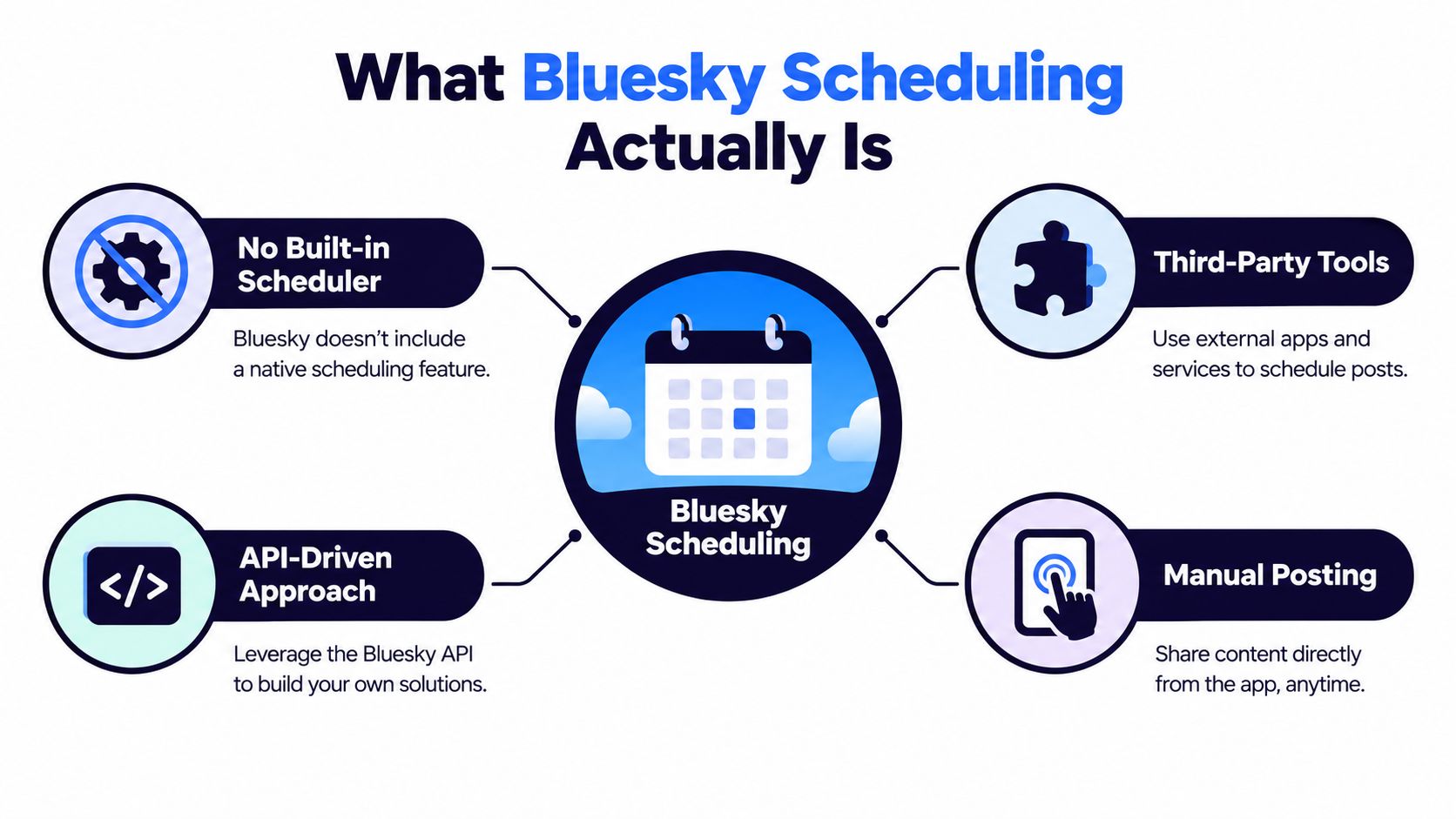
That difference should shape the questions you ask before trusting a tool with a launch calendar:
- Where does the draft live? Check whether the service retains both text and attached media until publication.
- What happens at publish time? The scheduler needs to make an authenticated API request, then tell you whether Bluesky accepted it.
- What happens when something fails? Look for clear alerts and a retry policy, not just a calendar tile that stays marked “scheduled.”
- Can you edit or cancel the job? Make sure changes to a queued post are reflected in the publishing system, not just in a preview.
This architecture is useful for planning across networks, but it places responsibility on the scheduling service. If you're coordinating Bluesky with other channels, plan a cross-platform workflow for X, Threads, and Bluesky, then verify how each destination handles its own publishing process.
The Validation and Publish Pipeline
A reliable scheduler doesn't just wait until a timestamp and send whatever's in the draft. It moves each post through a validation-and-publish pipeline so formatting errors, stale authentication, and missing media don't become last-minute surprises.
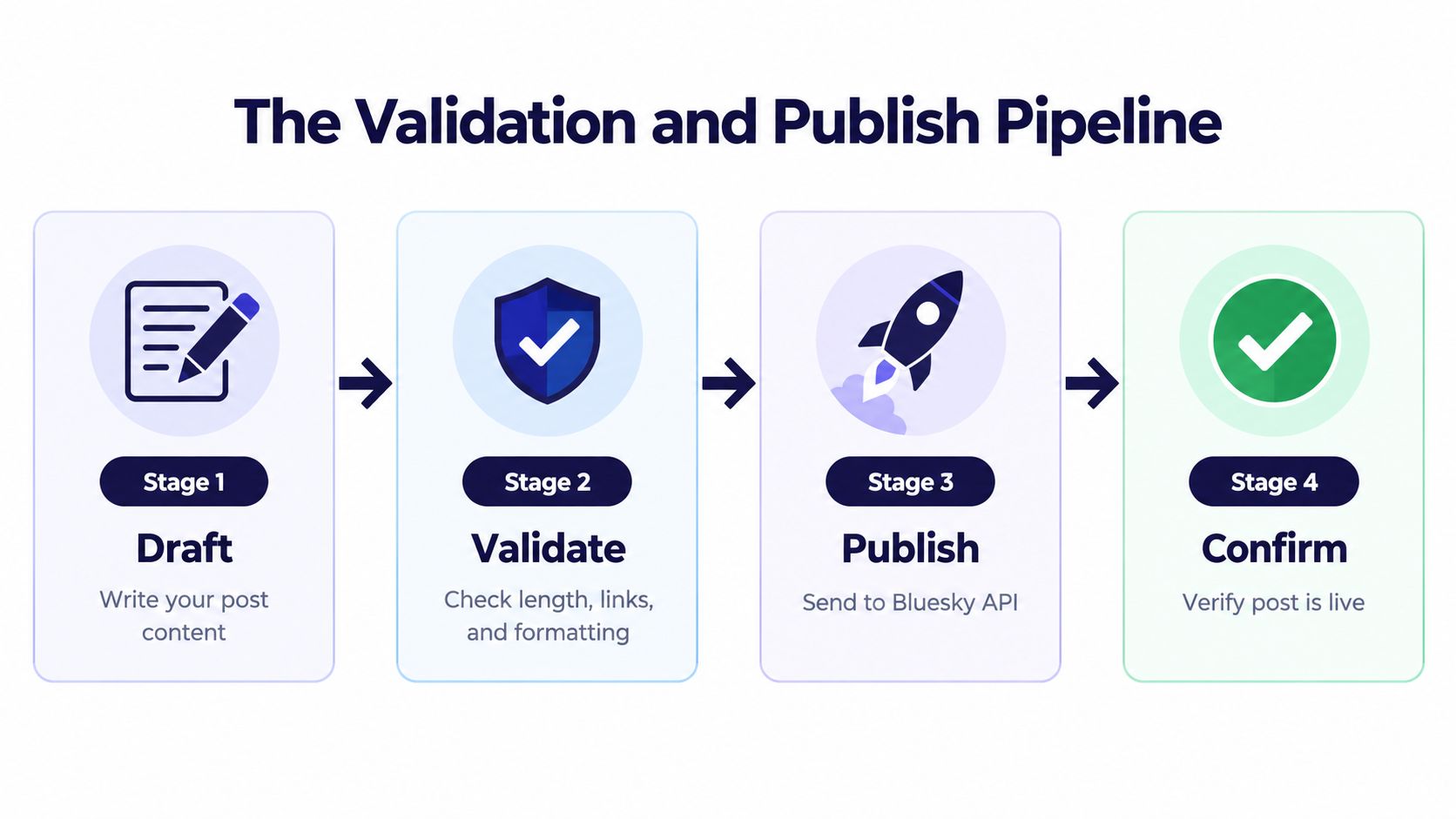
Start with the copy. Bluesky's post text has a 300-character limit, so check the finished post using the same kind of grapheme-aware counting your publishing system uses. Emoji, combined Unicode characters, mentions, and URLs can make a simple character count misleading. Don't leave that check until the publish request is already running. For an overview of platform limits, see this guide to social media character limits.
Next, make sure the scheduler stores the complete job durably: the text, media, intended publication time, time zone, and any platform-specific details. If the scheduler loses the job when a process restarts, the calendar may look complete while the post disappears from the queue.
Prepare, submit, and confirm
Shortly before publication, the scheduler should recheck the job and refresh authentication rather than relying on credentials that may no longer be valid. If the post includes media, the publishing worker should upload it as part of the process, then submit the post record to Bluesky. The scheduler should generate createdAt at publication time, rather than treating the time the draft entered the queue as the publication timestamp.
The final stage is confirmation. A successful queue operation only tells you that the scheduler accepted the job; it doesn't prove Bluesky published the post. A dependable workflow records the response from the create-record request, including the resulting URI and CID, so the team can verify what went live and investigate a failure.
Practical rule: Treat “queued,” “submitted,” and “confirmed” as separate states. A tool that can't show the difference makes troubleshooting harder than it needs to be.
Rate Limits, Write Budgets, and Cadence
Most business accounts don't need to design their publishing calendar around Bluesky's write limit. The more useful question is whether the scheduler coordinates publishing with other activity on the same account.
The documented repository-write budget is 5,000 points per hour and 35,000 per day, and creating a post costs 3 points. That budget is shared with actions such as likes, follows, and reposts, so publishing isn't the only work that consumes it (the rate-limit analysis and write-budget breakdown).
Consider a steady cadence of one post every five minutes. That's 12 posts per hour and 288 per day. At three points per post, those scheduled posts use approximately 0.7% of the hourly budget and 2.5% of the daily budget. For an ordinary publishing calendar, the limit is unlikely to be the bottleneck.
| Cadence | Posts/Day | % Hourly Budget | % Daily Budget |
|---|---|---|---|
| One post every five minutes | 288 | ~0.7% | 2.5% |
The table is an illustration of publishing activity alone, not a guarantee that every account has the same available capacity. Engagement automation, retries, and accidental duplicate attempts also use write capacity. A busy account should coordinate those jobs instead of letting every system publish or engage independently.
Leave room for recovery
When the API returns a rate-limit response, use its reset information rather than retrying blindly or relying on a fixed delay. Official Bluesky rate-limit guidance describes response headers that help clients understand remaining capacity and reset timing. A queue that respects those headers can respond to the actual limit instead of guessing.
Keep planned publishing separate from high-volume engagement jobs, even though both use the same account-level budget. That makes it easier to protect scheduled campaigns from automation that can be paused or throttled. For timing decisions, use account-specific results rather than a generic posting clock; this guide to choosing the best time to post content offers useful context for building a schedule around your audience.
Designing a Queue That Survives Outages
A queue is only reliable if it can recover without losing posts or publishing them twice. The first safeguard is to assign every planned post a unique campaign-post key and save it before the scheduler calls Bluesky. If a network timeout leaves the result unclear, the worker can check whether it already recorded a Bluesky URI before trying again.

Time zones need the same attention as duplicate prevention. Store a normalized publication time and retain the intended zone, so a campaign scheduled for 9 a.m. in Tokyo doesn't shift when a teammate in Berlin edits the calendar. Displaying local time is useful; storing an unqualified time without its zone is asking for a mistake.
Make failure visible and bounded
Run preflight checks close to publication, when they can catch a missing asset, invalid text, or other change made after the post was first queued. Refresh authentication in the publishing worker, too. A connection that worked when someone built the calendar may have expired by the time the job runs.
For transient failures, retry with exponential backoff and jitter, then stop after a defined retry cap. Jitter prevents many jobs from retrying at exactly the same moment, while a cap keeps one outage from flooding the queue. If a post still can't publish, alert a person rather than leaving it in an ambiguous state.
Keep an immutable audit record of the job, submission attempts, API responses, and final status. That gives the team something concrete to inspect when a campaign misses a post or publishes unexpectedly. When a wider service problem might be involved, a downtime diagnosis for webmasters can help distinguish a broader outage from a problem in your own scheduler.
Here's a short video to use as a companion while reviewing your publishing workflow:
For a team building its calendar around campaigns and recurring content, compare content calendar apps with these queue requirements in mind. A calendar is useful only when the system behind it can account for time zones, recover from errors, and show what happened.
Choosing a Scheduling Tool for a Real Workflow
Choose a scheduler by inspecting its publishing workflow, not by counting features on its marketing page. At a minimum, check whether it supports Bluesky publishing, catches character-limit problems, handles time zones clearly, and tells you when a post fails. If you publish elsewhere, also consider whether it can keep your campaign calendar and platform-specific versions together.
| Workflow need | What to verify |
|---|---|
| Bluesky publishing | The tool can publish to Bluesky, not just save a draft. |
| Pre-publish checks | The composer flags length or formatting problems before a post is due. |
| Time-aware planning | The calendar displays publication times clearly across time zones. |
| Recovery and alerts | Failed jobs are visible, retried appropriately, and escalated when needed. |
| Cross-network planning | Posts and tailored versions can be managed without duplicating the entire workflow. |
| Performance feedback | Analytics help you refine timing based on your own account data. |
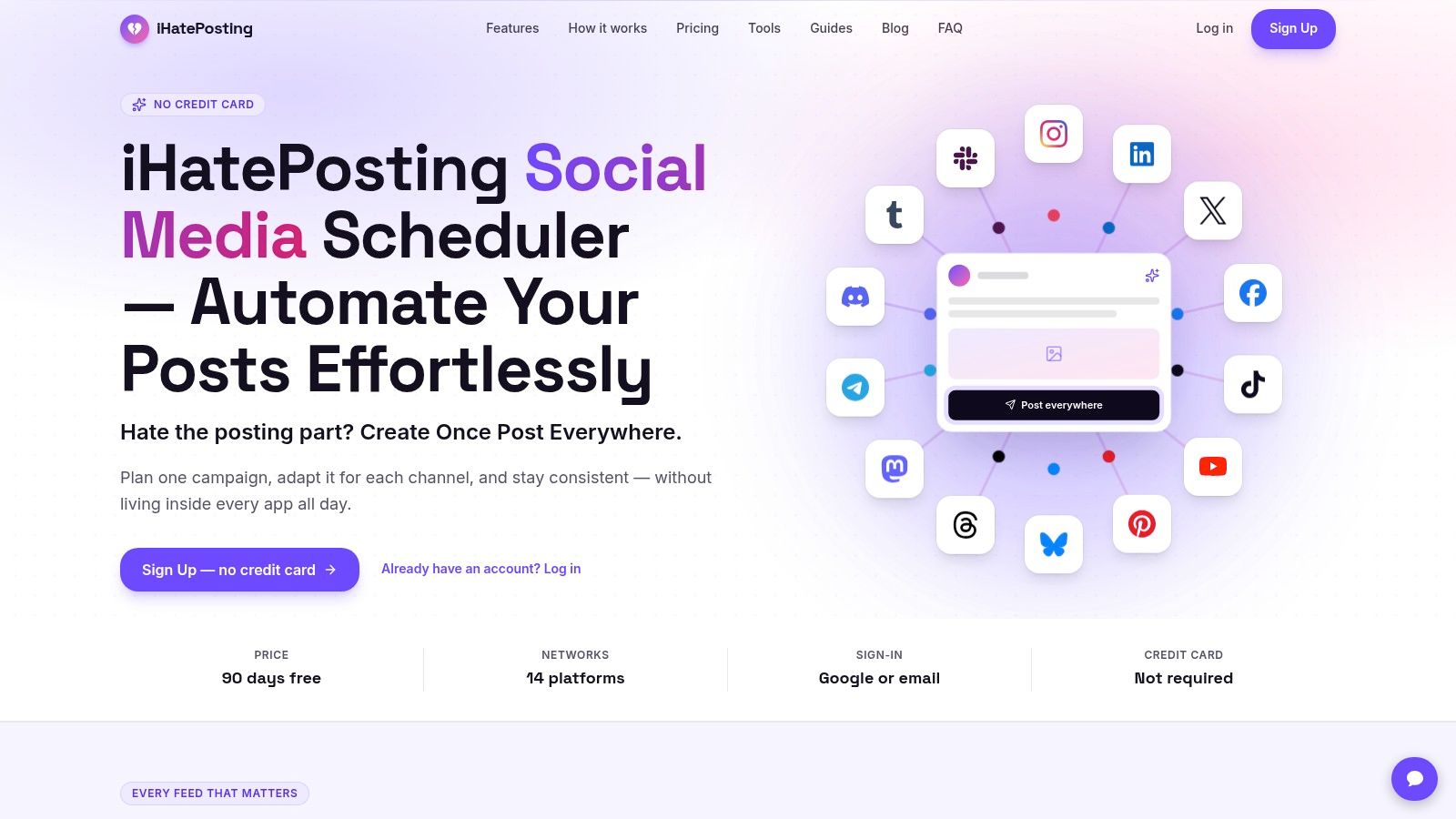
For teams already managing several channels, iHatePosting offers a visual calendar, live previews, pre-publish checks, campaign organization, and publishing across fourteen networks, including Bluesky. Its analytics include best-time-to-post recommendations derived from account data. That makes it an option for coordinating a cross-network workflow, rather than a solution built only around a single Bluesky queue.
A solo creator who only needs to publish to Bluesky may prefer a lighter scheduler. An agency or marketing team should pay closer attention to shared calendars, approval needs, and how the tool reports a failed job. If you're assessing how automation could fit into a broader marketing operation, this marketing automation agency resource offers another perspective on planning those systems. For a broader comparison of publishing workflows, see social media publisher tools compared for teams.
Diagnosing the Failures You Will Actually See
A post is marked scheduled, but the Bluesky account never published it. Start by checking the job's submission history and authentication status. If the service doesn't show whether it attempted the API call, you've found a monitoring problem. The smallest useful fix is an alert that identifies the affected post and tells someone to reconnect or retry.
A different failure looks less obvious: the same post appears twice after a network blip. That usually means the scheduler retried without checking whether the first request had already created a record. The worker needs a saved unique key and a lookup against any URI it already recorded before it sends the post again.
A retry should resolve uncertainty, not multiply it.
Match the symptom to the cause
A post can also be rejected for length even when the draft looked within the limit. Check the exact text sent to Bluesky and how the scheduler counted emoji and combined characters. If its counter doesn't match the publishing system's grapheme-aware validation, the fix is to correct the counter or add a preflight check that uses compatible rules.
If a post goes out at the wrong time, inspect the stored timestamp and its time zone before changing the calendar entry. A local clock time saved without a zone can be interpreted differently by the scheduler or by a teammate working elsewhere. Store the intended zone with the normalized time and confirm how the calendar displays both.
A missing image points to a separate part of the job. Check whether the media remained attached to the queued post and whether the publishing worker completed the upload before creating the record. Don't assume the text-only job succeeded just because the calendar item changed status.
For each incident, record the symptom, the evidence, and the change that prevents a repeat. That turns a one-off fix into a better publishing workflow, instead of leaving the next person to diagnose the same failure from scratch.
A Reliable Bluesky Posting Runbook
Use this as the default for every scheduled post:
- Choose a scheduler that owns the job. Confirm it stores the draft and media, refreshes authentication, and alerts you when publication fails.
- Validate before queueing. Check the post against Bluesky's character limit with a grapheme-aware counter.
- Store the time correctly. Keep the intended time zone with the scheduled job, and generate
createdAtat publication. - Prevent duplicates. Save a unique key before the API call and treat a recorded Bluesky URI as the source of truth.
- Retry with limits. Back off on transient failures, cap attempts, and honor rate-limit reset headers.
- Protect the publishing queue. Coordinate engagement automation that shares the account's write budget.
- Verify the result. Record the API response and confirm that each scheduled post reached its published state.
Review the queue regularly, investigate failed jobs while their context is fresh, and adjust the calendar using your account's performance trends. Scheduling should make routine publishing dependable, while leaving your team free to show up in conversations rather than babysit a queue.
iHatePosting brings Bluesky scheduling, a visual content calendar, per-platform post previews, and campaign organization into a workflow that also supports other networks. If you want to plan and publish Bluesky posts alongside your other channels, visit iHatePosting and see whether its workflow fits the way your team works.