Promoting a Podcast: Before and After Every Episode
12 min readpromoting a podcastpodcast marketingpodcast promotion tipspodcast social media
Social media is now one of the main ways listeners find new podcasts, often ahead of recommendations from friends and family. That turns promoting a podcast into a discovery sequence that runs before, during, and after launch day. Each post earns its place by producing a listener who starts an episode and returns for the next one. Reach alone tells you very little about that.
Promotion Timeline From Pre-Launch to Day Seven
Most promotion fails because it starts when the episode publishes. By then you're writing captions, asking the guest to share, and cutting clips in a rush, so you post once and move on. I'd build the opposite routine. Start 7 to 10 days before release, finish the assets first, and let launch day become a publishing task rather than a creative scramble.
Build Assets Before You Need Them
Pick one audience promise first. Say a finance show promises one pricing mistake freelancers can fix this week. That promise sets the title, the trailer hook, and the first clip. Build the trailer, audiogram, captioned vertical video, and quote graphic from that same promise, so every asset points to one reason to listen.
Write the email segment as a short preview for your existing list. Link it to the episode page, where your show notes, transcript, and keywords give search engines text they can index. Brief guests and partners three days out with finished copy and tracking links. Don't ask them to invent a post on release day.
| Timing | Task | Output |
|---|---|---|
| 7-10 days before | Choose one audience promise and an episode-specific title | Title brief and hook line |
| 5-7 days before | Create trailer, audiogram and captioned vertical video | Three ready-to-post assets |
| 3 days before | Brief guests and partners with post copy and links | Shared copy and tracking links |
| Launch day | Publish the full episode on each host platform | Live episode and pinned posts |
| Days 2-4 | Post the first two clips with platform-specific calls to action | Clip series started |
| Days 5-7 | Share the quote graphic and email segment, reply to comments | Week-one engagement log |
| After day 7 | Review metrics and recycle evergreen clips only if the episode is still relevant | Keep or cut decision for each asset |
Space the Release Week
A launch push mostly reaches people who already follow you. Clips spread across the week do different work, because a new viewer can see one moment, search for the show, and start the episode days later. Recommendations from trusted shows and people carry weight, so give partners material early and ask them to share on release day, not whenever they get around to it.
Keep the whole sequence visible with reusable social content planning with iHatePosting, so dates and owners aren't living in message threads.
Practical rule: If a task has no output and no date, it doesn't belong in the plan.
How to Turn One Episode Into a Week of Clips
One recorded episode should produce a week of entry points, not one announcement. The workflow below keeps selection honest, because a clip needs a clear point before it needs polish.
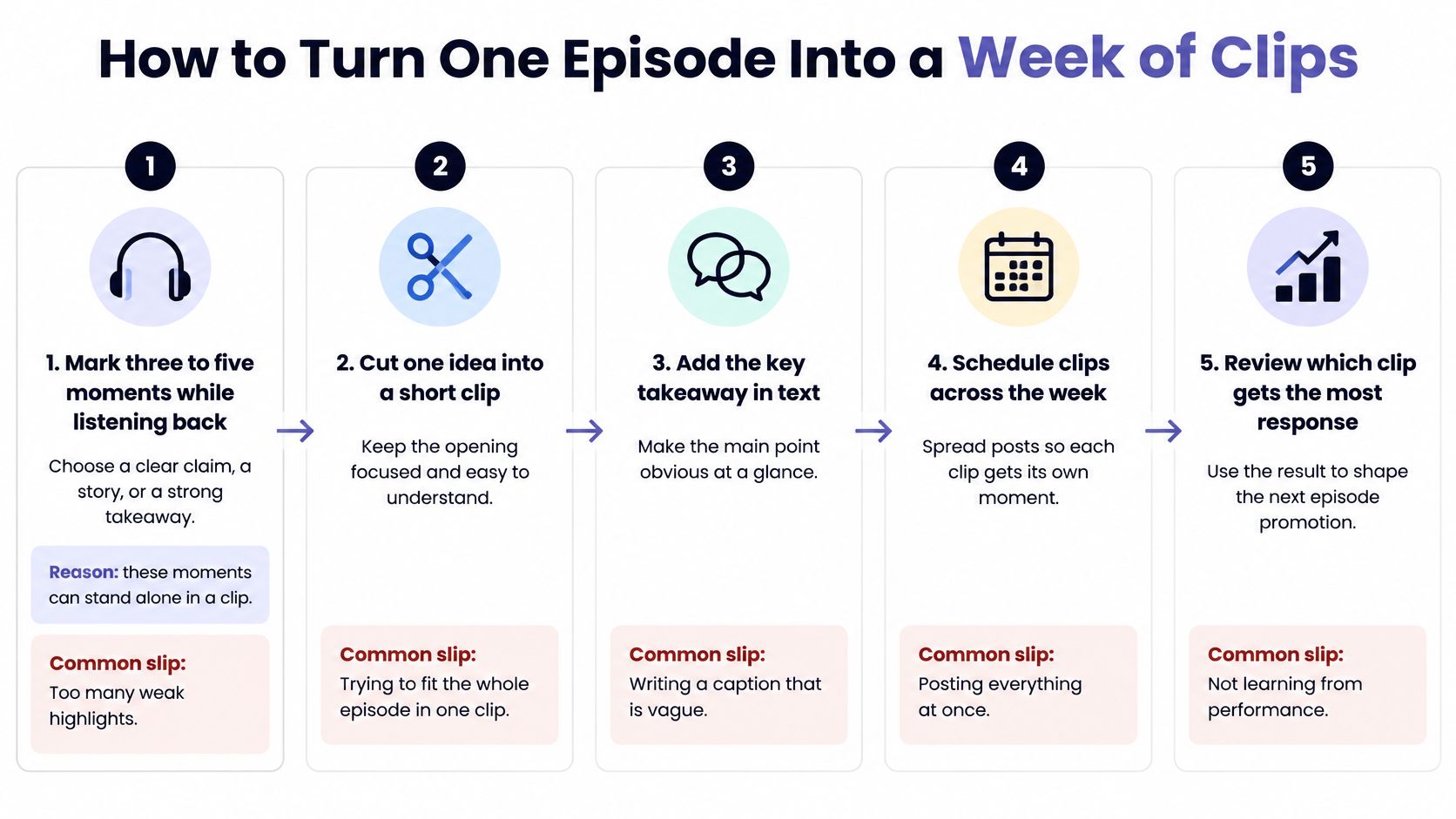
Six Steps From Listen-Back to Schedule
- Mark three to five moments while listening back. Choose a clear claim, a short story, or a surprising answer that stands alone. If you can't summarize the point in one sentence, it won't survive as a clip, so skip it.
- Trim each moment to 30 to 60 seconds. Put the hook in the first three seconds and cut on complete sentences. A clip that starts mid-thought makes new viewers work for context they don't have yet.
- Add captions to every cut. Many viewers watch with sound off, and captions also make names, numbers, and key phrases easier to catch. Check spelling manually, because auto captions often mangle guest names.
- Export by placement. Make a vertical cut for short-form feeds and a square or wide cut for feed posts. Match each version to the platform specifications instead of shrinking one master file.
- Write a benefit-led caption for each platform. Name what the listener gets, not just who the guest is. A caption with no stated benefit reads like an announcement and gets scrolled past.
- Schedule clips across the week after launch. Spacing gives each clip its own chance to be shared and lets late viewers find the rest. Posting everything on day one burns your best material on your existing audience.
These strategies for repurposing your best content from SuperX cover the wider logic of turning one piece into many, and the same thinking helps you turn one idea into social content without repeating yourself verbatim.
Make Clips People Pass Along
Sharing beats sponsorship here. A 2026 podcast-discovery survey reported by Forbes found that, among listeners who found a favorite podcast through social media, 60% discovered it through content shared by someone they followed, while 33% discovered it through sponsored content. Build for that pass-along behavior with quotable clips and quote cards a guest's followers can forward, and track organic and sponsored sources separately so you know which one earns listeners.
A clip should make someone want the next minute of the episode. Pair every quote card with the episode link, and end each clip on an open thread the full conversation resolves.
Platform Posts That Match How Listeners Find Shows
Treat YouTube as a primary home, not a backup upload. The YouTube blog announcement reported that podcast content reached more than 1 billion monthly active viewers in January 2025 and described YouTube as the most frequently used podcast-listening service in the United States. Search and recommendations drive discovery there, so the full episode needs a searchable title, a real description, and a thumbnail built for the topic.
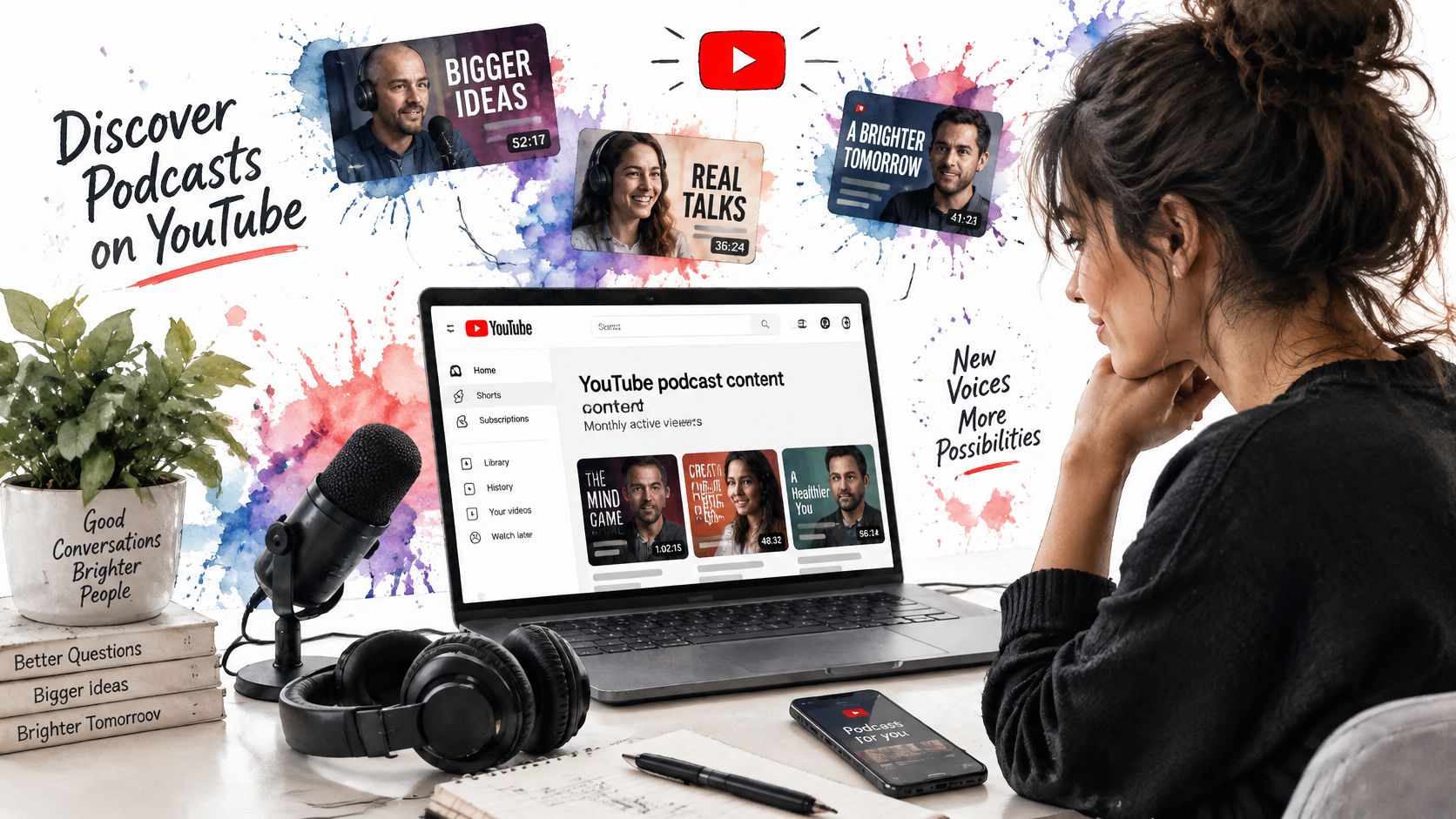
A vertical hook and a search-friendly title do different jobs. The hook stops a scroll in a feed where nobody asked for your episode. The title and description catch people already searching for the problem your episode solves. You need both, written separately.
| Platform | Format | Target length | Hook style | Call to action |
|---|---|---|---|---|
| YouTube | Full episode plus searchable title and thumbnail | Full episode | Specific episode benefit in title | Watch the full conversation |
| YouTube Shorts | Vertical clip | Under 60 seconds | Question or surprising claim | Find the full episode on the channel |
| Instagram Reels | Vertical clip with captions | 30-60 seconds | Quote with a visual cue | Listen via link in bio |
| TikTok | Vertical clip with on-screen text | 30-60 seconds | Story or myth-busting opener | Follow for the next episode |
| Square or landscape clip with quote card | Under 60 seconds | Shared insight with a question | Listen to the full episode | |
| Text post with short clip or quote graphic | Under 90 seconds | Professional lesson from the guest | Read the episode notes |
Adapt Once, Review Everywhere
AI-powered content generation can draft captions, hooks, hashtags, images, and short videos customized for each network, which removes the blank page problem and cuts manual drafting time. AI agents can then handle adaptation, scheduling, and publishing across channels, so you're not copying files between apps. A person still reviews each post before it goes live, checking claims, names, and timing.
This walkthrough shows how the publishing side works in practice.
The goal is cross posting without losing engagement, not identical posting. An identical caption on every network reads as a repost, and it usually earns less reach than a version written for the place where it appears.
Tracking Which Posts Bring Listeners Back
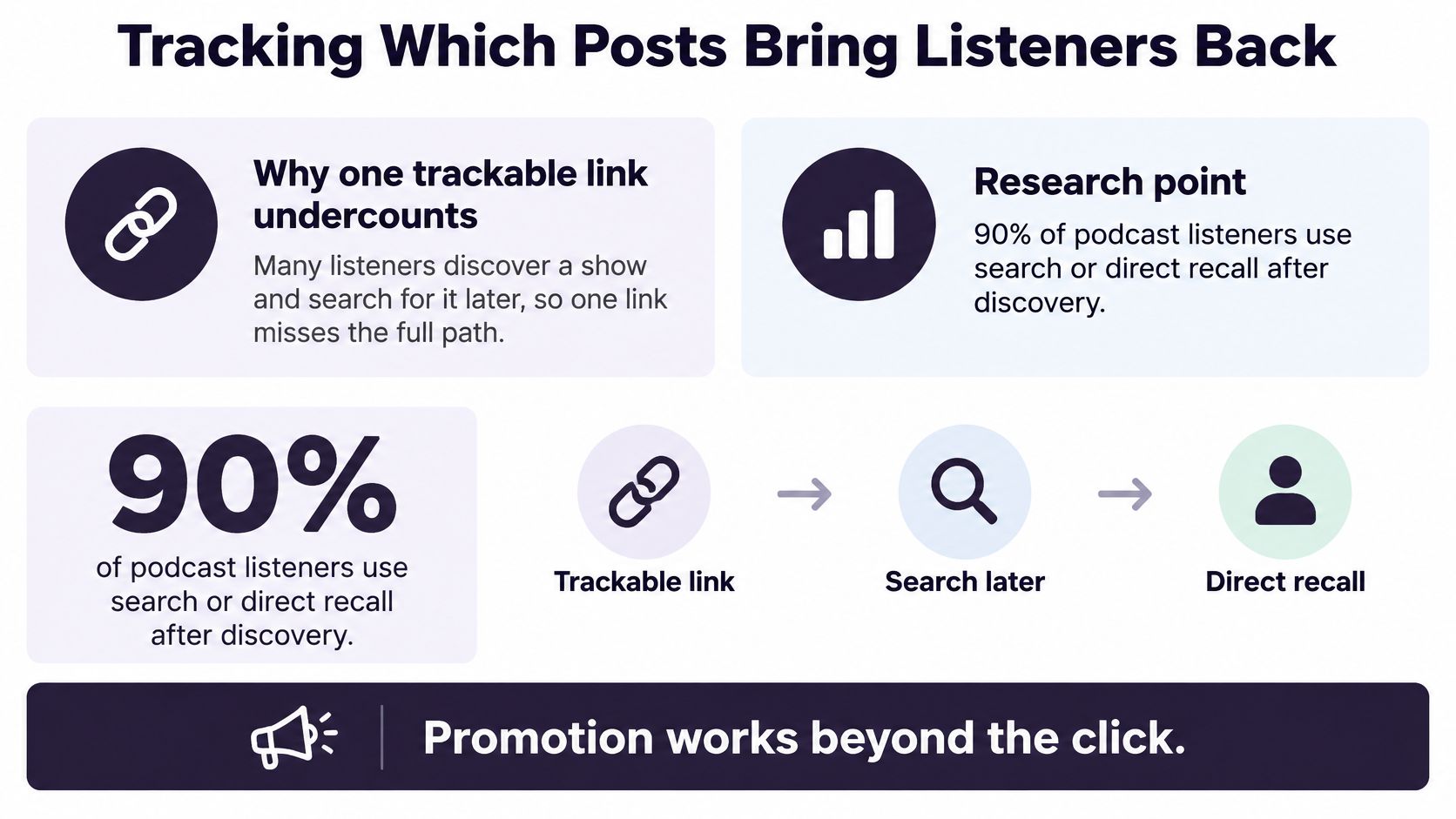
A single trackable link undercounts podcast promotion. A listener sees a clip on Tuesday, remembers the show name, and searches for it in their podcast app on Friday. Your link reports nothing, but the post did the work. That gap produces false pessimism, where a post that recruited listeners looks dead because measurement stopped at the click.
The gap is widely felt. SiriusXM Media's podcast measurement analysis reports that 90% of podcast consumers have taken some action after hearing a podcast advertisement, while only 41% of industry professionals believe podcast impact can be measured effectively with the right tools and attribution models. Treat each metric as one signal, then read the signals together.
| Metric | Where to find it | What it signals | Change if weak |
|---|---|---|---|
| Impressions to profile visits | Platform analytics | Hook and thumbnail pull | Rewrite the first three seconds or title |
| Profile visits to listens | Host platform dashboard | Episode page promise matches the clip | Point the clip to a clearer entry episode |
| Unique listeners | Hosting and video platform analytics | New audience reached | Shift budget or effort to the platform that produces new listeners |
| Completion rate | Platform retention graph | Whether the listener stayed | Use a clip that sets accurate expectations |
| Seven-day return rate | Hosting analytics | Whether the listener came back | Improve onboarding to a strong first episode |
| Subscriber growth | Platform subscriber count | Long-term audience build | Keep the posting pattern that adds subscribers |
Read the Signals Together
The useful question is which post started a listening habit. Give every asset a campaign identifier in a consistent format, such as episode number plus platform, so you can compare a Short against a Reel for the same episode instead of comparing raw view counts across different shows. Then compare channel and post performance in one view before you decide anything.
Views are cheap evidence. Return visits are not.
Delayed signals matter too. Branded search lifts, newsletter signups, and direct visits to your episode page often appear days after a post, and they count as proof the post planted the show in someone's memory.
Promotion works beyond the click. Judge it at the point where a stranger becomes a returning listener.
Check results at seven days and again at thirty. Keep assets that bring returning listeners, rewrite the ones that bring starts without completion, and drop the ones that only bring views.
Guest Swaps and Community Replies That Bring Listeners
Audience match beats audience size. A small show whose listeners match yours demographically will outperform a big show in your broad genre, because the recommendation makes sense to the person hearing it. Test host-read recommendations, trailer swaps, and video placements separately, with a unique link or code for each partner.
Run Swaps as a Measured Funnel
- Define a qualified conversion. Count a first-time listener who downloads or streams your show, not a click on the partner's post.
- Assign each partner a unique tracking link or promo code. Without separate identifiers, every partner looks identical in your results.
- Compare conversion rate, completion, and repeat listening. Downloads alone hide whether the new listener stayed.
- Keep partners who deliver returning listeners. A partner who brings fewer people who stay is worth more than one who brings a spike that vanishes.
- Retarget non-converters. Send a short clip or one specific episode recommendation rather than repeating the original pitch.
Use these reference values from Inside Radio's report on podcast promotion benchmarks to judge results.
| Measure | Value | How to use it |
|---|---|---|
| Median new-listener conversion across podcast-promotion campaigns | 1.69% | Baseline for judging a partner |
| Conversion for video-enabled shows | 3.55% | Prioritise video placements |
| Conversion for RSS-only shows | 1.47% | Lower bar for audio-only placements |
| Converted listeners who returned for more episodes | 55.5% | Check repeat listening, not downloads alone |
That last figure is the warning. If roughly half of converted listeners never return, your creative promised something the episode, or your weak entry episode, didn't deliver. Point partners to your strongest starter episode and set accurate expectations in the read.
Community replies follow the same logic. Answer real questions in relevant groups with a specific answer first, then link the one episode that fits that question. A generic show link dropped into threads reads as spam and earns nothing. And a guest who posts once and disappears is worth less than a smaller partner who shares a clip twice across the release week.
Schedule Your Next Episode Promotion Today
Decide this week, before recording ends, and block the next episode's promotion on a calendar. That single habit converts everything above from good intentions into dated tasks.
Three Steps to a Scheduled Release
- Connect the channels you publish to. One workspace beats logging into each network on launch day.
- Create or upload the assets with per-platform captions. Write each caption for its destination while the episode is fresh.
- Schedule everything across the release window. Queue launch posts, the clip sequence, and the day seven review in one sitting.
A social media scheduler with this workflow keeps creation and publishing together, and this roundup will help you find tools for managing social accounts if you're comparing options. AI can draft captions, hooks, and hashtags and queue the posts, but name a person for approval. The producer checks copy and timing, the host checks any claim about the episode, and the guest signs off on their quote before it goes live.
Check Before You Publish and After
Before each post goes live, run seven planning questions as a checklist:
- Content pillar: Which recurring theme does this post serve?
- Intent: What should the viewer do next?
- Platform fit: Does the format suit this network?
- Creative alignment: Do clip, caption, and graphic make one promise?
- Hashtags: Are they specific to the topic, not generic?
- Measurement: Which metric will judge this post?
- Campaign context: Where does it sit in the episode sequence?
Run a social media audit monthly, quarterly, or after major campaigns, using the seven and thirty day checks to decide which clips to recycle and which formats to drop. Keep the calendar, approvals, and analytics in one place with the podcast promotion scheduling tool.
Your next step is small. Put the seven-day timeline into your calendar for the next episode, and set the day seven review date before you publish anything.
Promoting a podcast gets easier when every clip, caption, and guest post for an episode lives on one calendar with clear owners and review dates. iHatePosting helps you connect your channels, adapt posts per platform, and schedule the full release week without juggling separate logins. Start planning your next episode launch at iHatePosting.