IG Reel vs Post: Which Format Wins in 2026
16 min readig reel vs postInstagram Reelsfeed postscarousel saves
Reels win reach. Feed posts win depth, saves, and explanation. That's the short answer to the IG Reel vs post question, and it's also where most advice stops too early. The format that reaches strangers isn't always the format that persuades followers, and the format that worked for a small account can lose to a carousel once that account grows. Read each format against the job you hired it to do, not against a single like count.
Table of Contents
- IG Reel vs Post Side by Side
- Canvas Size Length and Upload Rules
- Scoreboards and Ranking Signals
- Format Choice by Goal and Account Size
- When Extra Reels Stop Adding Reach
- Pick This Week Mix and Schedule It
IG Reel vs Post Side by Side
Start with the clearest split in the numbers. The Buffer analysis of more than 4 million Instagram posts published through Buffer between January 2022 and October 2024 found Reels generated 2.25 times the reach of single-image posts, or 125% more reach, and 1.36 times the reach of carousel posts, or 36% more. If this week's job is discovery, a Reel is usually your strongest first move.
Reach isn't engagement, though. In that dataset, carousels produced 1.12 times the engagement of Reels, about 12% more likes, comments, and shares, and 2.14 times the engagement of single-image posts. A carousel reaches fewer people on average, but the people it reaches do more with it. That distinction turns IG Reel vs post from a winner-take-all debate into a sequencing decision.
IG Reel vs post by job, reach, and engagement
| Format | Primary job | Reach tendency | Engagement tendency | Typical canvas |
|---|---|---|---|---|
| Reel | Non-follower discovery and demos | 2.25x single-image reach; 1.36x carousel reach | Below carousels on likes, comments, and shares | 9:16 vertical video |
| Single-image feed post | One announcement or hero visual | Baseline in the Buffer set | Baseline engagement | 1.91:1 to 3:4 photo |
| Carousel | Education, comparison, save-worthy detail | Lower reach than Reels in this set | 1.12x Reel engagement; 2.14x single-image engagement | Multi-frame photos in feed bounds |
| Standard feed video | In-feed motion without the Reels tab | Not split out as Reels in the Buffer set | Tied to existing-follower interactions | Flexible, not forced to 9:16 |
Pick the row that matches the outcome you need. A product demo, a before-and-after transformation, or a personality-led tip belongs in motion where non-followers can find it. If you're building that motion around music, well-matched AI music visuals for Instagram can help the opening frame and the track work as one hook instead of competing for attention.
A pricing breakdown, a checklist, or a multi-step tutorial belongs in a carousel where someone can swipe at their own pace and save it. A single image still earns its place for one announcement, one offer, or one hero visual that doesn't need supporting frames. Don't ask it to teach.
Practical rule: Use a Reel to earn a first look. Use a feed post to make that look worth returning to.
The audience split reinforces the table. A Reel is built to meet people who don't follow you yet. A feed post mainly meets people who already do, which is why it carries explanations, proof, and details better than it carries cold discovery. If you're also weighing ephemeral formats, Reel and Story reach differences follow the same logic of matching surface to intent.
So don't schedule a format because it's fashionable. Decide whether this post needs awareness or explanation, then let that answer choose the canvas. File specs, ranking signals, and account-size exceptions sharpen the choice, but they don't replace it.
Canvas Size Length and Upload Rules
Format choice fails at the export screen more often than at the idea stage. A Reel and a feed post live on different canvases, so one file dropped into both usually crops badly in one of them. Build two masters from the same idea and check each against its own rules before anything is scheduled.
The Reel master
Work to a 1080 x 1920 pixel, 9:16 vertical master for full-screen mobile viewing. Instagram supports Reels in aspect ratios from 1.91:1 through 9:16, and its Reels feature page describes a native creation environment that supports videos up to 20 minutes, with uploads at least 720 pixels wide and 30 frames per second. Permission to go long isn't a reason to go long. Discovery favors a tight cut, a readable first frame that works as a thumbnail, and captions that carry the message with the sound off.
Keep text and faces inside the safe zones where captions, buttons, and profile overlays sit. If your key line lands under the caption block, viewers won't read it, and they won't wait for you to explain it later.
The feed photo range
Feed photos give you more shape to work with. Instagram's image-upload help page states the platform preserves original resolution when an image is between 320 and 1080 pixels wide with an aspect ratio between 1.91:1 and 3:4. That range covers horizontal, square, and portrait posts, with the 3:4 portrait limit corresponding to a 1080 by 1440 pixel image.
Carousels use that same photo range per frame, and they reward order. Each slide should advance one step, one comparison point, or one side of a before-and-after. If you need help structuring that sequence, learn to write stronger carousel hooks and captions so slide one earns the swipe and the last slide earns the save.
Upload specs for Reels and feed posts
| Asset | Aspect ratio | Resolution guide | Length or frames | Pre-publish check |
|---|---|---|---|---|
| Reel master | 9:16 preferred; 1.91:1 to 9:16 accepted | 1080 x 1920; at least 720 px wide | 30 fps; native editor up to 20 minutes | Safe zones, silent captions, first-frame thumbnail |
| Feed photo | 1.91:1 to 3:4 | 320 to 1080 px wide preserved; 3:4 max about 1080 x 1440 | Single frame | Crop, type size, consistent margins |
| Carousel | Same photo bounds per frame | Same preserved width per slide | Multiple ordered frames | Sequence tells the story without autoplay |
| Recommendation risks | Any | Low resolution | Watermarks, borders, muted audio, majority text | Fix before expecting distribution |
Run the reject list in the same pass. Low resolution, watermarks, borders, muted audio, and a frame that's mostly text can hurt recommendation eligibility, so fix them before you blame the algorithm. A watermarked vertical clip recycled into a feed crop carries two problems at once.
Adapt the media itself, not just the caption. Reframe the shot, reset the type, and reorder the frames for each canvas. One exported file should not be dropped into both placements unchanged.
Scoreboards and Ranking Signals
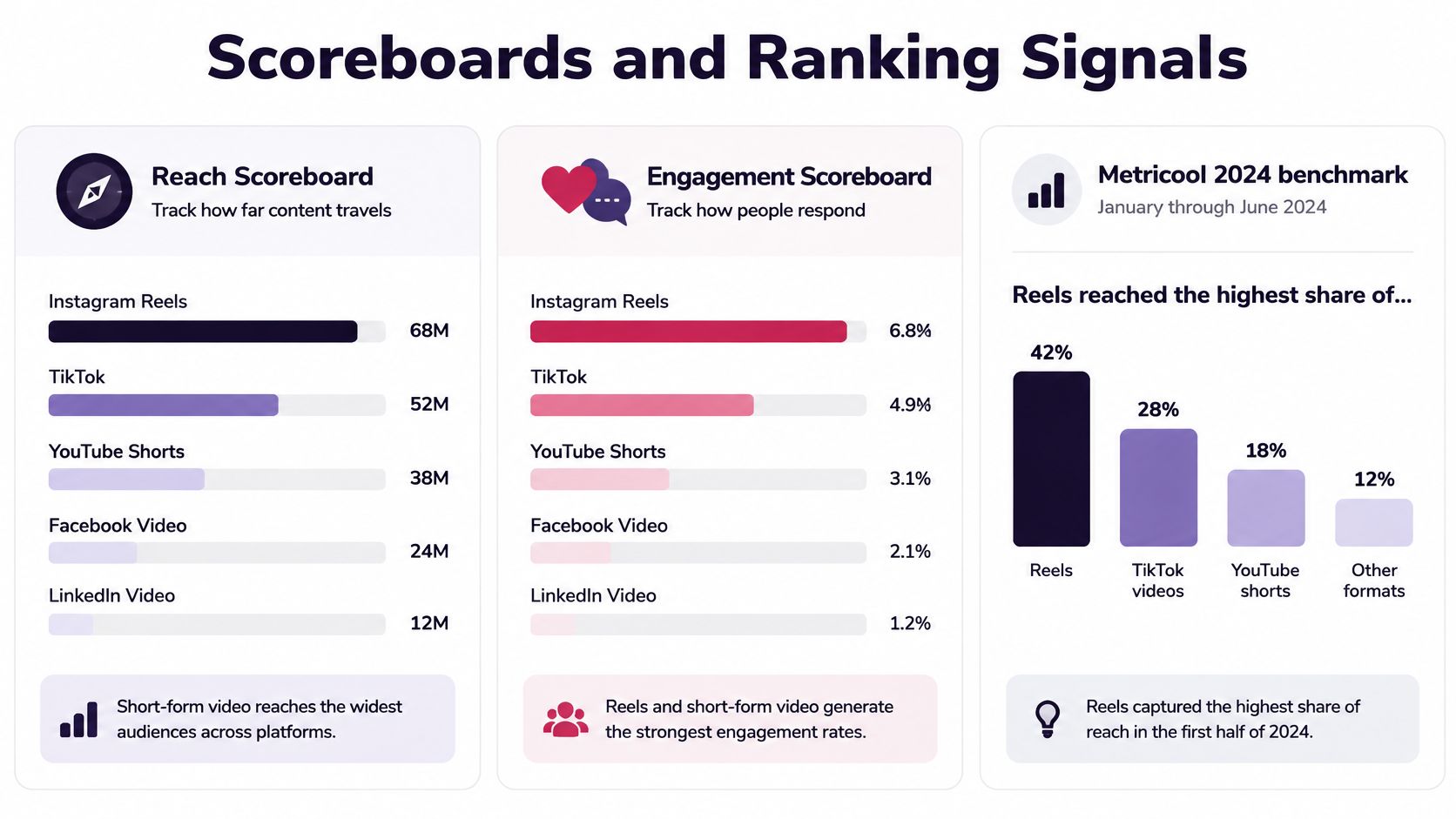
Most format arguments go wrong because both sides are reading different scoreboards. Reach tells you how far a post traveled. Saves, comments, and shares tell you what people did when it arrived. A Reel can win the first scoreboard and lose the second in the same week, and that's not a contradiction. It's the formats doing different jobs.
The Metricool 2024 Instagram benchmark announcement reported that Reels reached the highest percentage of Instagram users at 37.87%, based on data collected from January through June 2024. That figure supports Reels as a reach format. It says nothing about whether those viewers saved anything, asked a question, or bought.
Read each format against its own job
For a Reel, track these numbers first:
- Reach: Did it get beyond your followers?
- Completion or average watch: Did people stay, or did they bail in the first seconds?
- Shares: Did anyone pass it to someone else?
- Follows gained: Did discovery convert into an audience you keep?
For a feed post or carousel, track a different set:
- Impressions: How often did it surface, including repeat views?
- Saves: Did someone decide it's worth reopening?
- Comments: Did it start a conversation rather than collect a tap?
- Engagement per reach: Of the people who saw it, how many acted?
That separation changes how you judge individual posts. A Reel with large reach and weak completion is a failed distribution test, because the surface gave it a chance and viewers didn't stay. A carousel with modest reach and a high save rate is a successful reference asset, and it's the one worth keeping, updating, and reposting. Judging both on likes would call the first one a win and bury the second.
Likes are the weakest tie-breaker you have. Both surfaces collect them cheaply, so use them last.
If you want a habit that enforces this, build a weekly readout with one discovery number from Reels beside one depth number from feed posts. It's a simple way to turn social data into better content decisions instead of reacting to whichever post collected the most hearts.
Two surfaces, two ranking logics
The scoreboards differ because the ranking systems differ. Instagram's ranking explanation says Reels ranking focuses on entertainment predictions, including whether viewers watch a Reel through to the end, like it, find it entertaining, reshare it, or visit its audio page, and that much of the Reels experience consists of content from accounts a user doesn't follow. Feed ranking weighs a broader set of interactions, including how likely users are to spend time on, comment on, like, share, or tap through to a profile.
That tells you how to build each piece. A Reel is graded on retention and resharing, so open on the action, keep one idea per clip, and make the reason to share obvious without begging for it. A slow intro, a logo sting, or a hook that arrives at second eight works against the very predictions the surface uses.
A feed post is graded closer to your existing relationships and interaction history. Design it for legibility, a caption people finish, and a clear reason to swipe or save. Dense text squeezed into a small frame fails here for a different reason than a slow Reel fails. Nobody's grading your carousel on whether it entertained a stranger for nine seconds.
What a good weekly readout looks like
Say a bakery posts a Reel of a croissant being laminated and a carousel breaking down its weekend pre-order menu. The Reel reaches five times more accounts, but most viewers leave before the fold that makes the clip interesting. The carousel reaches fewer people, yet a strong share of them save it and several ask about pickup times.
The wrong conclusion is that Reels don't work or that carousels are better. The right conclusion is narrower. The Reel's opening needs to move the fold to frame one, and the carousel has proven there's demand for menu detail, so the next Reel should tease one menu item in motion and point to the saved post for the full list.
That's how the two scoreboards talk to each other. Reach finds the audience. Depth tells you what that audience wants next. Keep the numbers separate and you'll stop asking a discovery format to prove loyalty it was never built to measure.
Format Choice by Goal and Account Size
The blanket rule, Reels for reach and posts for engagement, breaks down once follower count enters the picture. Replace it with three jobs. Non-follower discovery means meeting strangers. Follower conversation means replies, questions, and profile visits from people who know you. Durable reference means checklists, comparisons, and explanations someone saves and reopens. Each job points to a different format, and account size changes the answer for the first one.
ManyChat's guide to Instagram content formats summarizes a 2025 to 2026 benchmark reporting that Reels reached more users than carousels for accounts below 50,000 followers, while carousels outperformed Reels in median reach once accounts exceeded 50,000 followers. At 1 million-plus followers, median carousel reach was reported at 217,600 versus 110,500 for Reels, and carousels are saved about twice as often as other formats.
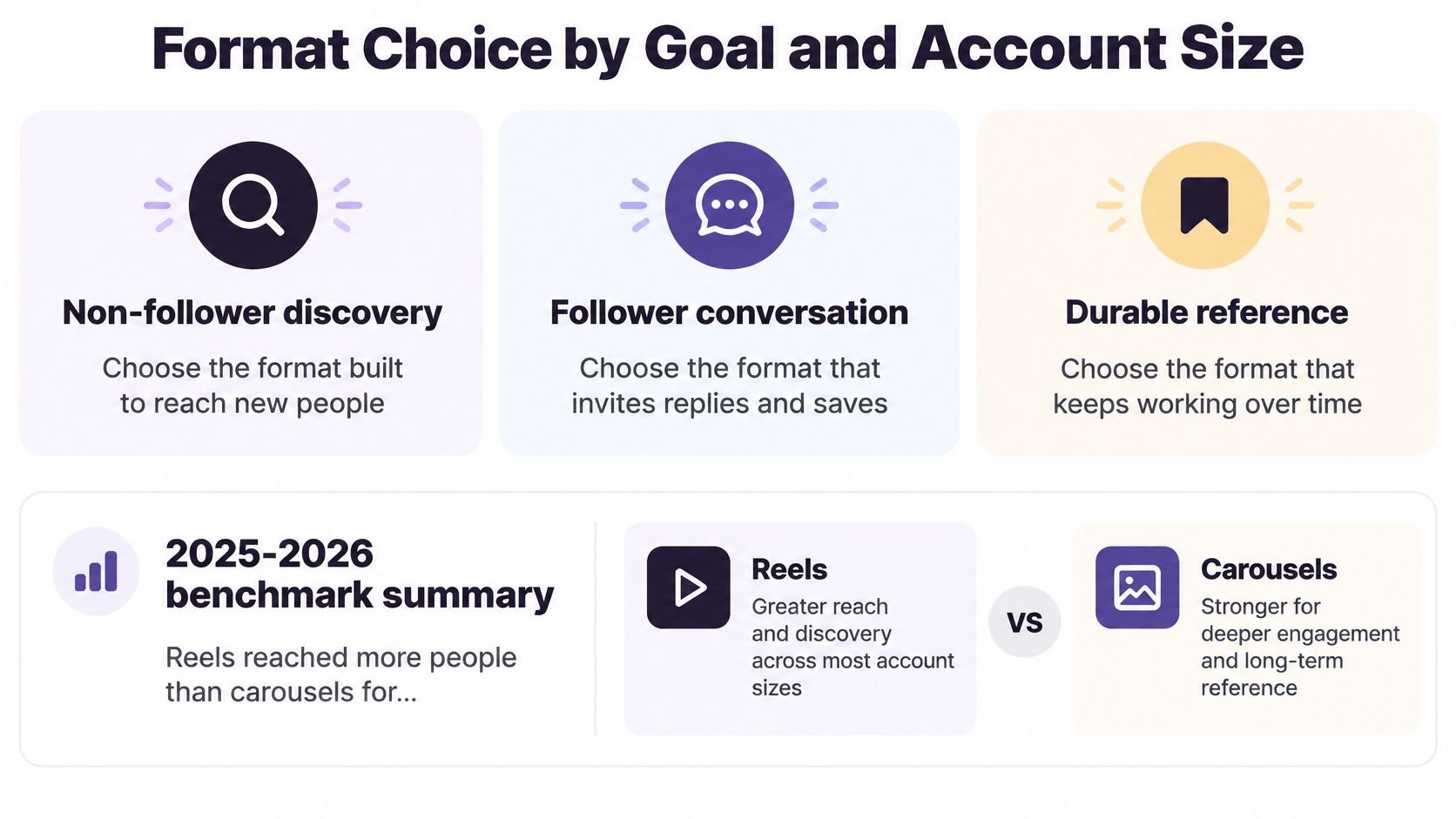
That flip matters. A large account assuming Reels automatically out-reach everything may be leaving distribution on the table. A small account copying a large account's carousel-heavy calendar may be skipping the one surface built to introduce it to strangers.
Three accounts, three different calendars
Say a cafe has fewer than 10,000 followers. A Reel of a drink being poured does the discovery work, because motion and a strong first frame travel. The full menu still belongs in a carousel, because nobody screenshots a passing video to check prices later. Small reach on that carousel isn't failure if the saves come from locals deciding where to go on Saturday.
Now say an educator has 80,000 followers. Carousels can lead, since median reach may favor them at that size and their lessons are built to be saved. Reels still have a role, but it's a narrower one. One sharp tip, tested as a hook, then expanded into the carousel that followers keep. If you're planning that kind of sequence, browsing iHatePosting's social media content ideas by goal rather than by format keeps the calendar from filling with clips that have nowhere to send people.
At a million followers, a brand shouldn't default to Reels for a launch and assume reach follows. A carousel comparison or checklist may travel farther and get saved more. Product-led teams can sharpen that judgment by studying competitor creative through Instagram advertising insights for Shopify stores, then testing whether their own audience responds to the same hooks in video or in swipeable frames.
Format by goal and follower count
| Goal | Under 50,000 followers | Over 50,000 followers | 1 million followers and up |
|---|---|---|---|
| Non-follower discovery | Reel | Test both; carousel median reach can pass Reels | Carousel median reach 217,600 vs 110,500 for Reels |
| Saves and reference | Carousel, even if reach is smaller | Carousel; saved about twice as often as other formats | Carousel for checklists and comparisons |
| Follower conversation | Feed photo, carousel, or in-feed video | Feed formats tied to existing interaction history | Feed post or carousel, not a Reel by default |
| Hook testing | Short Reel, judge completion and shares | Short Reel only while retention holds | Skip extra Reels if completion falls |
The small-account carousel question deserves a direct answer. Yes, publish it when the goal is saves, education, or conversion, because discovery isn't the only win available to you. A Reel can bring someone to your profile, but if everything there is a nine-second clip, there's nothing substantial for them to act on.
Let the next post's goal pick the row. Last week's like count can't do that job.
When Extra Reels Stop Adding Reach
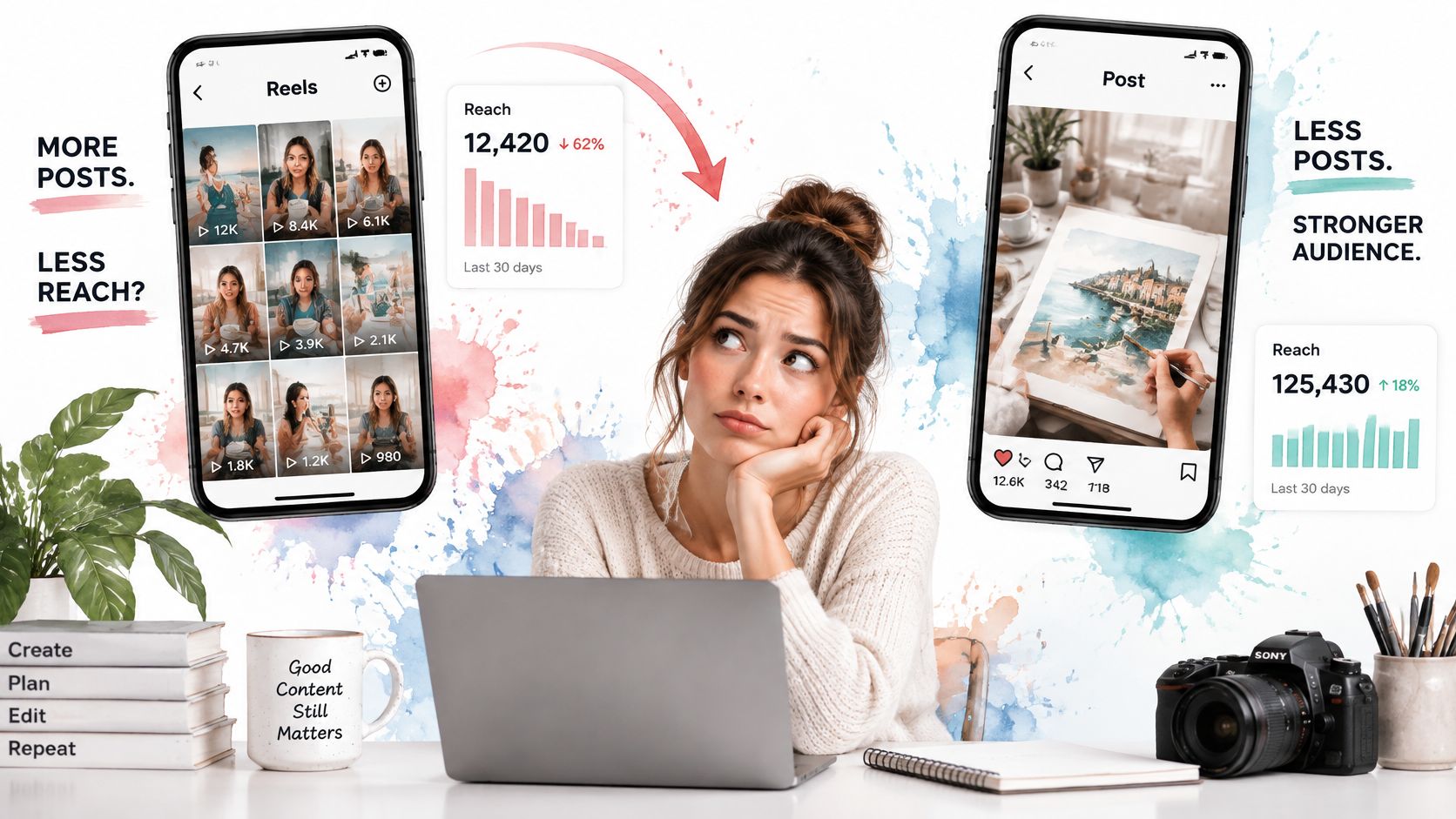
More Reels doesn't automatically mean more distribution. A 2026 analysis of falling Instagram engagement cited a 35% year-over-year increase in Reels publishing alongside a 35% decline in Reels reach. It also summarized benchmark figures reporting that in 2025, Reels reach fell 35% and impressions fell 39%, while standard-post impressions increased 27% even as post reach declined 31%.
Read those paired numbers carefully. More creators are competing for the same recommendation slots, so each additional Reel enters a more crowded auction. Volume stops being a strategy when the average clip holds attention weakly, because frequency can't compensate for low completion or low sharing value for long.
The image below captures the decision point many teams hit, falling Reel returns on one side and steadier feed engagement on the other.
Run a marginal return test
- Hold a steady cadence: Publish Reels at a consistent pace for two to four weeks so you're comparing like with like.
- Track per-Reel numbers: Record reach, completion, and shares for each clip, not total views across the month.
- Watch for the slip: Stop adding slots when those three measures fall for several posts in a row.
- Move the next slots: Give freed-up days to carousels or feed posts that can be saved, reused, and updated.
- Fix the hook first: Improve the opening, the first frame, and the share reason before raising volume again.
Total views can hide the problem for weeks. Ten mediocre Reels may out-view five strong ones while training your audience to expect less from you. Per-Reel averages expose that trade immediately.
When reach per Reel falls, adding another Reel isn't distribution. It's dilution.
There's one edge case. A launch week can justify a short burst of Reels if each clip shows a different proof point, a different use case, a different customer problem, a different result. The same clip recut three ways isn't a burst. It's repetition competing with itself.
The short video below is worth watching with your own last ten Reels open beside it, so you can check whether your per-clip numbers are rising or sliding.
Improve the mix instead of filling every day with video. A calendar with fewer, stronger Reels and feed posts worth saving gives each surface a clearer signal to work with.
Pick This Week Mix and Schedule It
For a typical small or mid-size account, start with three to five feed assets and two to four Reels a week. Give each slot a named job. One Reel tests a hook, one Reel demos something for non-followers, one carousel carries the save-worthy explanation, and one single image handles an offer or announcement. If a slot has no job, cut it rather than filling the day.
Adjust for size. If you're over 50,000 followers, or past a million, start from the carousel when the goal is reach plus saves, and add a Reel only when the last few held completion and shares. If your average Reel reach is falling, don't fill the gap with more clips. Improve the hook, then retest at the same cadence.
Put both versions of each idea on one calendar so the vertical cut and the feed crop stay linked, and time posts from your own results. Our visual content calendar maps your week, month, or launch campaign before publishing, showing what's planned, what needs edits, and where gaps exist. We include automatic scheduling, per-platform tailoring, and support for Reels, Shorts, and video, and our guide shows you how to Schedule Instagram Posts And Reels from one place.
Creative speed helps once the jobs are clear. Using a social media publishing workspace, AI-powered generation can draft platform-specific captions, hooks, hashtags, images, and short videos for each format, so a carousel doesn't inherit a Reel's caption by default and you're not staring at a blank composer. AI agents can then handle adaptation, scheduling, and publishing across your channels, which cuts repetitive reformatting and keeps your workflow in one place instead of scattered across apps.
Be clear about the limit. We can't guarantee views on Instagram, reach, followers, or sales. What we can do is help you post more consistently and keep creative work organized, so your format tests run long enough to mean something.
Label tomorrow's post discovery, conversation, or reference, then publish the format that matches. That's the whole IG Reel vs post decision, reduced to one honest question you answer before you open the editor.
Plan your Reels for discovery and your feed posts for saves on one shared calendar, with format-specific captions, hooks, and scheduling handled together instead of rebuilt for every upload. Visit iHatePosting to set up this week's mix, label each post by its job, and publish the version built for the surface it'll run on.