10 Best Social Media Management Tools for Agencies in 2026
21 min readsocial media managementagency social mediasocial media schedulingclient approval workflow

Monday starts with six clients expecting their own calendar, their own approval path, and their own version of “just one small change.” Login details sit in a spreadsheet, creative files are scattered through chat, and an approval request is buried somewhere in email. By the time the team finds the right account, the publishing window has moved.
The best social media management tools for agencies reduce that operational drag, but they don't solve the same problem. This guide compares ten platforms by the details that affect agency life: whether clients can approve without a login, whether workspaces separate each client cleanly, whether billing scales by seat, account, profile, or workspace, and whether the product fits a solo operator or a large client roster. Each entry explains where the tool earns its place and where it starts to strain.
Agency software is now infrastructure rather than a nice extra. A survey of social agencies found that 90% used third-party social media management tools, while 75% used analytics tools and 45% used editorial-calendar applications (Agorapulse's agency research). The right choice is less about collecting features and more about removing handoffs without weakening approvals, reporting, or client separation.
Table of Contents
- 1. iHatePosting
- 2. Sprout Social
- 3. Hootsuite
- 4. Agorapulse
- 5. Sendible
- 6. SocialPilot
- 7. Zoho Social
- 8. Metricool
- 9. HeyOrca
- 10. Planable
- Top 10 Agency Social Media Tools Comparison
- Narrow to Two Tools and Test Them on a Real Client Week
1. iHatePosting
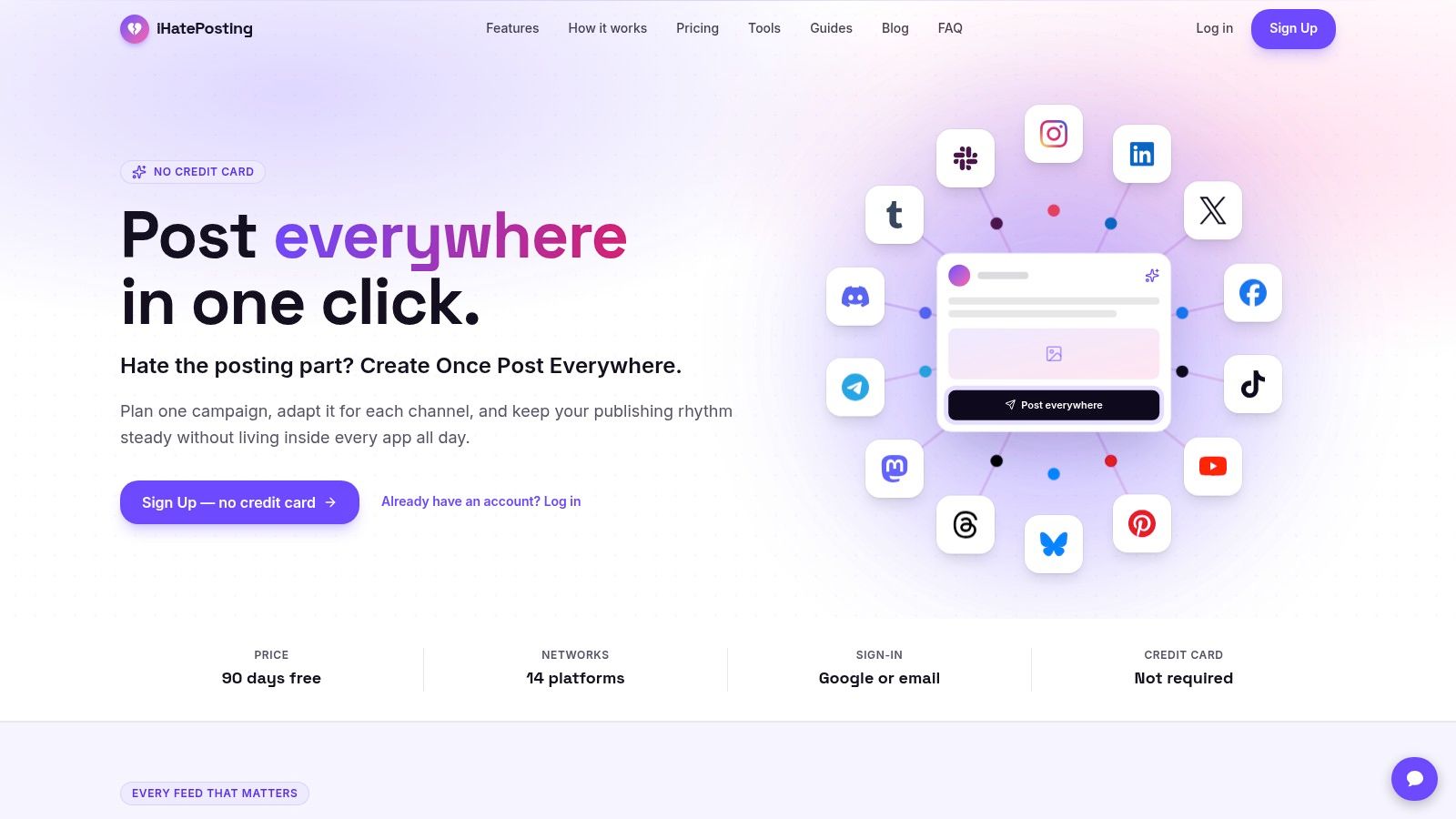
A small agency can lose more time adapting one campaign than creating it. iHatePosting suits solo social managers, compact teams, and agencies that need fast multi-platform publishing without enterprise overhead. Its workflow centers on one campaign record, where teams tailor copy and creative for each destination and manage the schedule from a visual calendar.
The composer supports fourteen networks, including Instagram, LinkedIn, Facebook, TikTok, YouTube, X, Bluesky, Threads, Mastodon, Telegram, Discord, Tumblr, Pinterest, and Slack. That range fits agencies handling campaigns across several channels. Research published in February 2025 found that the average internet user actively used 6.83 social platforms per month, while 97.3% of connected adults used at least one social or messaging platform monthly (DataReportal's Digital 2025 social overview). One composer reduces repeated setup, while separate captions, previews, character counters, hashtag sets, and snippets preserve each network's requirements.
Where the workflow earns its place
Organization is the main advantage. Teams can group content by campaign or pillar, keep images and videos attached to the correct post, and handle reels, carousels, and short-form video without rebuilding the asset flow for every network. Pre-publish checks help review platform fit, intent, and hashtag choices before an account manager sends a calendar to the client.
Analytics are designed for operational reporting rather than as a replacement for a business-intelligence stack. The platform offers 12-month history, trend views, CSV export, and best-time recommendations based on each account's performance. An API, signed webhooks, and Zapier, Make, and n8n integrations can connect publishing data to an agency's existing reporting process.
Practical rule: Test one complete client campaign, not a sample post. Check how much of the campaign can be drafted, tailored, reviewed, published, and exported without leaving the workspace.
Billing is appealing for agencies that want to avoid per-seat or per-channel growth. The website promotes a 7-day free trial with no credit card and unlimited accounts and scheduling during the trial. Paid plans are priced by connected accounts rather than individual channels. Product materials describe Creator, Growth, and Pro tiers, with priority human support on Growth and Pro. Pro adds bulk CSV import, X growth automations, and links-in-X posts.
The limitation is governance depth. iHatePosting favors speed and clarity over the detailed permission matrices available in enterprise suites. Its site also does not show named customer testimonials, partner logos, or formal awards. Agencies that require stronger procurement evidence should request references and confirm current terms during signup.
2. Sprout Social
Sprout Social suits agencies that sell more than scheduled content. It combines publishing, engagement, analytics, social listening, and customer-care workflows in a mature suite, so a team can manage a brand's social presence and its incoming conversations from the same operating environment.
Its Smart Inbox supports tagging, routing, and collision detection, which helps prevent two team members from replying to the same customer. Internal and external approval workflows are useful when an account manager, strategist, legal reviewer, and client all need visibility. Client reviewers can participate without creating a full platform login, a small detail that removes a surprising amount of friction from sign-off.
The agency trade-off
Sprout is strongest when governance, reporting depth, and social care justify the investment. CRM and helpdesk integrations make it more credible for agencies handling customer-service work, while analytics and listening support deeper client conversations than a basic scheduler. AI Assist can help with suggested replies and analysis, but it still needs human review for brand voice, regulated claims, and sensitive responses.
The cost structure is the main pressure point. Per-seat pricing can rise quickly as agencies add account managers, specialists, contractors, and client-facing users. That model can work for a compact senior team, but a large agency should calculate the cost of every person who needs to review, approve, respond, or build reports.
Sprout is rarely the economical choice for publishing alone. It earns its place when the agency can bill for customer care, listening, governance, or sophisticated reporting.
Small agencies may find the interface and feature depth heavier than their actual workflow requires. If the team mainly plans calendars, gathers approvals, and publishes organic posts, a lighter platform may be easier to adopt and easier for clients to understand. Agencies comparing alternatives should also assess the specific differences in Sprout Social alternatives, especially around client access and seat economics.
3. Hootsuite
Hootsuite remains a practical command center for agencies managing publishing and engagement across many profiles. Its unified inbox covers Facebook, Instagram, X, WhatsApp, TikTok, LinkedIn, and Threads, giving response teams a consolidated place to handle comments and messages rather than switching between native tools.
The product's agency value comes from maturity. Team roles, assignments, approvals, analytics, and governance are established parts of the workflow, and frequent product updates help it keep pace with a changing channel mix. That matters because platform demand doesn't stand still. In Digiday's Q3 2024 survey, Instagram was used by 97% of surveyed brand, retailer, and agency professionals, Facebook by 89%, TikTok by 86%, YouTube by 73%, and Pinterest by 39% (Digiday's social media marketing research). TikTok's reported rise from 61% in Q1 to 86% in Q3 in that survey shows why agencies shouldn't lock themselves into workflows designed only around older networks.
Where it strains
Hootsuite is a better fit for a high-volume, multi-user shop than for a solo operator. Seat-based billing increases the total as headcount grows, and advanced listening and reporting sit on higher tiers. The entry plan may look reasonable until an agency adds the approvals, permissions, analytics, and reporting controls it needs.
The inbox is a genuine strength for larger response teams, particularly where assignments and shared visibility matter. Publishing teams should still test platform-specific workflows rather than assuming that broad coverage means identical handling for every format. Check previews, video behavior, carousel support, status callbacks, and retry behavior for each channel you actively sell to clients.
Before choosing it, model your real team rather than the smallest possible user count. A lean agency may get more value from a simpler account-based tool, while a larger operation may prefer Hootsuite's governance even if the subscription is harder to keep lean. For a direct comparison with another established scheduler, review Buffer versus Hootsuite.
4. Agorapulse
Agorapulse is built around the agency problems that appear after publishing: client review, community management, reporting, and permission control. Its Shared Calendars are particularly useful because clients can review planned content without being counted as paid users. That makes the client experience easier to offer without turning every approver into a billing decision.
The platform combines cross-platform publishing with a unified inbox, role and permission controls, and white-label reporting. Custom and “power” reports help agencies produce deliverables that look like part of their service rather than a raw export from a vendor dashboard. That distinction matters when reporting is part of a retainer and the client expects the agency to interpret performance, not just forward screenshots.
A good middle ground
Agorapulse sits between lightweight schedulers and enterprise suites. It has enough governance for a growing team, but its workflow remains understandable for account managers who don't want to maneuver through a sprawling system. Shared calendars also give it a practical advantage over products that force clients into full seats or internal logins.
The cost still scales with users. That makes the platform more comfortable for a small core team with occasional external reviewers than for an agency with a large rotating group of specialists and contractors. Some advanced capabilities, including bulk CSV functions and certain report types, are gated to higher tiers, so the apparent entry plan shouldn't be treated as the agency operating cost.
Approval test: Send the calendar to a client who wasn't trained on the platform. If they can't understand what needs review, the agency will carry the friction forever.
Agorapulse is a sensible shortlist candidate for agencies that need publishing, inbox management, client review, and polished reports in one place. It becomes less attractive when the main requirement is broad account coverage at the lowest possible cost, or when the agency needs a highly specialized listening and data-governance environment.
5. Sendible
Sendible takes a distinctly agency-first approach. The product separates clients into workspaces with their own calendars, inboxes, reports, and queues, then adds white-label features such as a custom domain, logo, colors, and branded emails. That structure is valuable when the software needs to feel like part of the agency's service rather than a third-party tool clients occasionally visit.
The pricing mechanics are the headline advantage. Agency plans use unlimited users and flat-rate pricing, which protects a growing team from the per-seat increase that affects Sprout Social, Hootsuite, and other seat-based platforms. If an agency adds a designer, freelance copywriter, strategist, and client-success lead, the billing model doesn't treat every new collaborator as a separate expansion event.
Best for branded client operations
Sendible supports a broad channel mix, including TikTok and Google Business Profile. Its client workspaces also help prevent a common agency mistake, replying or publishing from the wrong brand because several accounts share one undifferentiated dashboard. Clear workspace boundaries matter just as much during offboarding, when the agency needs to remove access and preserve the right client history.
The trade-off is the entry point. Agency-scale plans cost more than the simplest small-business schedulers, so a solo freelancer with one client may pay for structure they won't use. Sendible also has fewer enterprise integrations than the top-end suites, which matters if the agency's service includes a large CRM, helpdesk, or listening stack.
It's a strong match for a shop that sells branded reporting, client portals, and dependable workspace separation. It's less compelling when the team needs advanced social listening or when the primary requirement is the cheapest way to schedule a small number of accounts.
6. SocialPilot
SocialPilot is a value-focused option for agencies that need bulk scheduling, client separation, approvals, and white-label reporting without moving straight to an enterprise suite. CSV import and content libraries make it useful for campaigns that arrive in batches, particularly when a client supplies a large archive of approved evergreen posts.
The agency tiers support client management and multi-user collaboration, while branded dashboards, PDF reports, and custom domains help the agency control the client-facing experience. The account-to-cost relationship is often more attractive than per-seat software for growing teams, although agencies should still model account limits and feature gates at their actual size.
The practical limitation
SocialPilot doesn't include a dedicated social-listening module, so it won't replace a specialized monitoring product for agencies responsible for reputation management or broad mention tracking. Some integrations and collaboration features can also behave differently when white-label mode is enabled. Those details belong in a hands-on trial, not in a procurement assumption.
The tool works best for content-delivery agencies whose core service is planning, publishing, approval, and reporting. It can handle a broad client roster without demanding enterprise complexity, but it isn't the obvious pick for a PR agency that needs deep monitoring or a customer-care team that lives in a shared inbox.
Use the trial to import a representative CSV, invite a client, create platform-specific variants, and produce a branded report. If the workflow feels clean at that point, SocialPilot becomes a credible shortlist choice. For teams evaluating adjacent options, this comparison of SocialPilot alternatives is useful when white-label reporting and bulk scheduling are the main requirements.
7. Zoho Social
Zoho Social makes the most sense when the agency already works in the Zoho ecosystem. Its agency structures include client invites, portal customization, branded reports, approvals, and custom roles on higher tiers. Integration with Zoho CRM and Zoho Desk can connect social activity to lead and support workflows, which is more valuable than a standalone scheduler when the client measures social by pipeline or service outcomes.
The platform covers a broad mix of channels, including Threads, Bluesky, and WhatsApp Business. That flexibility helps agencies avoid stitching together different tools for newer or less conventional destinations. It also offers agency and agency-plus structures with a sizing calculator, which is useful when the agency needs to estimate client and channel capacity before choosing a tier.
Where it fits
Zoho Social suits lead-generation agencies, CRM consultancies, and teams already delivering Zoho implementations. A social manager can publish and monitor content, while the broader client team can work from a connected customer and support record. Client portals and agency-branded reports also make external collaboration easier without handing clients the internal operating dashboard.
The drawback is complexity in the plan grid. Feature allocation varies by tier, pricing display can differ by region, and agencies may need to contact the vendor for a precise commercial picture. That makes it less appealing for a small independent operator who wants to understand the entire cost in a few minutes.
Don't choose Zoho Social solely because it supports many networks. Choose it when the CRM connection changes the service you deliver. Without that ecosystem benefit, a focused publishing or approval tool may offer a cleaner experience for both the agency and the client.
8. Metricool
Metricool is a strong analytics and scheduling workhorse for agencies that need cross-network visibility without buying an enterprise suite. It brings organic performance and paid social dashboards together, with coverage for Meta, Google, and TikTok advertising alongside social publishing and measurement.
That combination is useful when the agency reports both content activity and media activity. Instead of exporting separate snapshots and manually reconciling them, the team can start from one reporting environment. Advanced Analytics and Studio are available as paid add-ons, giving agencies a way to expand the reporting layer as client requirements become more demanding.
Analytics first, approvals second
Metricool is more compelling for a reporting-focused agency than for an approval-heavy content studio. Collaboration and approval capabilities are lighter than those of Planable or HeyOrca, so the team should test whether client review feels controlled enough before using it as the central operating system.
The add-on structure is manageable when agencies know what they need, but it can complicate comparisons. A basic plan may cover scheduling and core analytics, while client-ready dashboards or deeper reporting require additional spend. Budget the complete reporting workflow, not just the lowest visible tier.
Metricool works well when the agency's main question is, “What happened across our organic and paid activity, and how do we explain it?” It works less well when the main question is, “Which client still needs to approve this post, and what changed since the last revision?” For teams weighing other analytics-led platforms, this Metricool versus Hootsuite comparison helps frame the workflow difference.
9. HeyOrca
HeyOrca puts client approvals at the center of the product. Its visual calendars are designed for review, sign-off, and feedback, so the client sees a clear publishing plan instead of an internal operations dashboard full of settings they don't need.
The approval workflow is available from the base paid plan, and paid tiers include unlimited users and unlimited media storage. That removes two common sources of agency friction. Account managers can invite clients, contractors, and internal reviewers without treating every additional collaborator as a new seat, while large creative libraries don't force the team to constantly manage storage limits.
Excellent for calendar-led teams
The client-facing experience is the main reason to shortlist HeyOrca. Agencies that spend their week chasing sign-off, consolidating edits, and explaining what is scheduled will find the product more aligned with their reality than an analytics-heavy suite. The separate calendar structure also helps maintain client boundaries and keeps approvals attached to the right brand.
The pricing trade-off is profile capacity. Social profiles are capped per calendar, and agencies may need add-ons as a client's channel list expands. That means unlimited users doesn't necessarily mean unlimited agency scale. An agency with many collaborators but a modest number of profiles may find the model attractive, while a broad multi-channel roster needs to model calendar and profile growth carefully.
HeyOrca is specialized rather than broad. It is not the first choice for deep listening or complex customer care, but that isn't a weakness if the agency's core service is content planning and client approval. Choose it when a polished calendar and low-friction sign-off matter more than an all-in-one command center.
10. Planable
Planable is an approval and collaboration layer that can also handle scheduling across Facebook, Instagram, LinkedIn, X, YouTube, TikTok, Pinterest, Google Business Profile, and Threads. Posts can move through internal and external review modes, and shareable review links make it easier to involve clients without turning the approval process into a training project.
The pricing model is based on workspaces, with unlimited collaborators. That maps neatly to agencies that think in client accounts. A new client adds a workspace rather than a collection of seats, and a large internal team can collaborate inside the same workspace without creating immediate per-user anxiety.
The right role for Planable
Planable is at its best when approval clarity is the agency's bottleneck. The visual calendar, feed-style review, and multi-level workflows make it easy to see what is waiting on the client, what needs internal approval, and what is ready for publishing. It can also work as an approval layer alongside an existing scheduler when the agency doesn't want to replace its analytics or inbox system.
The limitation is depth outside planning and collaboration. Inbox, analytics, and listening are optional modules, and the platform may not replace a mature enterprise suite for agencies that manage substantial monitoring or customer-care programs. Agencies should also evaluate whether paying per workspace remains sensible as the client roster grows.
Planable is a strong choice for a creative or content agency with recurring client reviews. It isn't automatically the best choice for a solo operator who only needs a simple calendar, or for a performance agency that needs extensive attribution and data governance in the same system.
Top 10 Agency Social Media Tools Comparison
| Product | Core features | UX & quality | Value & pricing | Target audience | Unique selling points |
|---|---|---|---|---|---|
| 🏆 iHatePosting | 14-network one‑composer; visual calendar; per‑platform composer; API/webhooks; analytics | ★★★★☆, visual, audit-ready workflow | 💰 90‑day free trial; Creator/Growth/Pro; flat pricing by accounts | 👥 Creators, small teams, agencies | ✨ One composer for 14 networks; account-driven best‑time insights; no per‑channel pricing |
| Sprout Social | Publishing, Smart Inbox, approvals, analytics, listening | ★★★★★, enterprise-grade governance & reporting | 💰 Per-seat / enterprise pricing | 👥 Mid‑market & enterprise agencies | ✨ Deep CRM/helpdesk integrations; mature listening & reporting |
| Hootsuite | Scheduling, unified inbox, approvals; analytics/listening on higher tiers | ★★★★☆, robust inbox & broad channel support | 💰 Seat-based billing; higher tiers for listening | 👥 Large response teams & enterprises | ✨ Sparkcentral-powered inbox; wide channel coverage |
| Agorapulse | Publishing, unified inbox, shared calendars, white‑label reports | ★★★★☆, strong reporting & team controls | 💰 Per-user pricing; advanced features on higher tiers | 👥 Agencies needing client reporting & controls | ✨ Shared Calendars for client review; white‑label power reports |
| Sendible | Client workspaces, white‑label portal, unlimited users on agency plans | ★★★★☆, agency-first UX with branded delivery | 💰 Flat-rate agency plans; higher entry point | 👥 Agencies wanting unlimited users & branding | ✨ Full white‑label portal; unlimited users on agency tier |
| SocialPilot | Bulk scheduling, content library, approvals, white‑label reports | ★★★★☆, high accounts-per-dollar value | 💰 Value-focused; strong mid-market pricing | 👥 Agencies needing many accounts without enterprise cost | ✨ Bulk CSV scheduling + white‑label reporting at mid-market price |
| Zoho Social | Agency portals, approvals, client reports; Zoho CRM/Desk integration | ★★★★☆, integrated when in Zoho ecosystem | 💰 Agency plans; regional pricing variations | 👥 Agencies using Zoho CRM/Desk | ✨ Native Zoho integrations; free client logins & portal customization |
| Metricool | Scheduling + cross-network analytics; paid add-ons for Studio/advanced reports | ★★★★☆, strong analytics depth for price | 💰 Competitive tiers; add-ons for advanced analytics | 👥 Agencies needing unified organic + ads analytics | ✨ Unified organic+ads dashboards; affordable analytics add‑ons |
| HeyOrca | Approval-first planner, visual calendar, unlimited media storage | ★★★★☆, polished client review & approval flows | 💰 Per-calendar pricing; unlimited users on paid tiers | 👥 Agencies prioritizing client sign‑off workflows | ✨ Client-facing calendar & approvals; unlimited users/media |
| Planable | Collaboration & approvals, shareable review links, scheduling to major networks | ★★★★☆, fast approvals & intuitive review links | 💰 Per-workspace pricing; unlimited collaborators | 👥 Teams needing client review without per‑seat fees | ✨ Lightweight approval layer that pairs with existing schedulers |
Narrow to Two Tools and Test Them on a Real Client Week
The shortlist should end with two tools, not ten permanent browser tabs. Pick the platforms that match your agency's size and approval model, then test both against the same real client week. A fictional campaign hides the details that cause operational pain, especially account permissions, revision history, export quality, and the amount of manual cleanup required before publishing.
Start by identifying the pricing variable that will grow fastest for your agency. A per-seat model may work when a small senior team handles every account, but it becomes harder to defend when contractors and specialists need access. A per-account or per-profile model can be predictable for a compact client roster, yet expensive when every new client brings several channels. Workspace pricing suits agencies that organize work client by client, while flat-rate unlimited-user structures are attractive when headcount grows faster than account volume.
Then run the same workflow in both products:
- Build one campaign: Create a launch or recurring content series with platform-specific copy, media, timing, and approval status.
- Invite one client reviewer: Test whether the client needs a login, whether the invitation is clear, and whether the reviewer can approve or request changes without seeing unrelated accounts.
- Process a revision: Change the caption and creative after feedback. Check whether the team can identify the current version and preserve a useful record of what changed.
- Publish across the channel mix: Include the formats your agency sells, such as reels, carousels, short-form video, links, or platform-specific variants.
- Export one report: Check whether the result is client-ready, auditable, and separable by organic and paid activity where that distinction matters.
The final test should involve failure, not just the happy path. Disconnect or restrict a test account if the platform allows it safely. Review what happens when an API fails, a scheduled post needs editing, a permission changes, or a client rejects content close to publication. Agencies face operational risk as well as creative workload. In a 2025 agency survey, 56.1% of advertising agencies identified inefficient processes as their top organizational challenge, while 85.3% said brand-safety risks were higher than the prior year (Basis's 2025 advertising agency report). Those findings make approval trails, alerts, permissions, and recovery procedures buying criteria rather than administrative details.
Data quality deserves the same attention. A 2025 survey found that 65% of brand and agency respondents identified proving impact or ROI as a major digital-marketing challenge, while 63% cited data quality and accuracy (Digiday's DTC marketing research). Don't choose a platform because its dashboard contains more metrics. Ask whether the agency can explain where each metric came from, distinguish organic from paid outcomes, export the underlying data, and document missing or changed platform measurements.
Record the time required for setup, approval, revisions, publishing checks, and reporting. You don't need an invented productivity benchmark to make the comparison useful. Your own workflow provides the relevant baseline. Note where each team member gets stuck, which client questions repeat, and which tasks still happen outside the primary tool.
Finally, confirm current pricing, included channels, user limits, add-ons, trial length, and cancellation terms directly with each vendor. Pricing pages and product packaging change, and the published details for iHatePosting currently contain inconsistent references to trial length. Treat the trial as a buying test, not a passive demo period.
The best social media management tools for agencies aren't the ones with the longest feature lists. They're the ones that keep client work separated, make approvals obvious, preserve platform-specific quality, and produce defensible reports without adding another layer of administration. Narrow the decision to two tools, run both through a real client week, and choose the one your team and clients can use consistently.
iHatePosting gives agencies one composer for planning, tailoring, and publishing across fourteen networks, with visual campaign calendars, per-platform previews, account-based analytics, exports, and automation integrations. Visit iHatePosting to test whether its account-driven pricing and workflow clarity fit your client roster better than seat-based or channel-based alternatives.