How to Post a Short on YouTube in 2026
13 min readyoutube shortspost a shortshorts uploadyoutube tutorial
You finish the edit, export a clean vertical clip, open YouTube, and then pause. The file looks ready, but the clock in the corner says 2 minutes, the soundtrack came from a trending edit pack, and the upload screen suddenly feels less like a button and more like a decision tree. That's the real reality of how to post a Short on YouTube. It's not just “upload and hope.” It's a repeatable publishing workflow with rules that affect classification, rights, and performance before anyone sees the video.
Table of Contents
- Why Posting a Short Is Its Own Publishing Task
- Uploading a Short From Desktop
- Uploading a Short From Mobile
- The 2025 View-Count Change You Cannot Ignore
- The 60 to 180 Second Rights Gap
- What Actually Moves Performance After You Post
- A Repeatable Shorts Publishing Workflow
Why Posting a Short Is Its Own Publishing Task
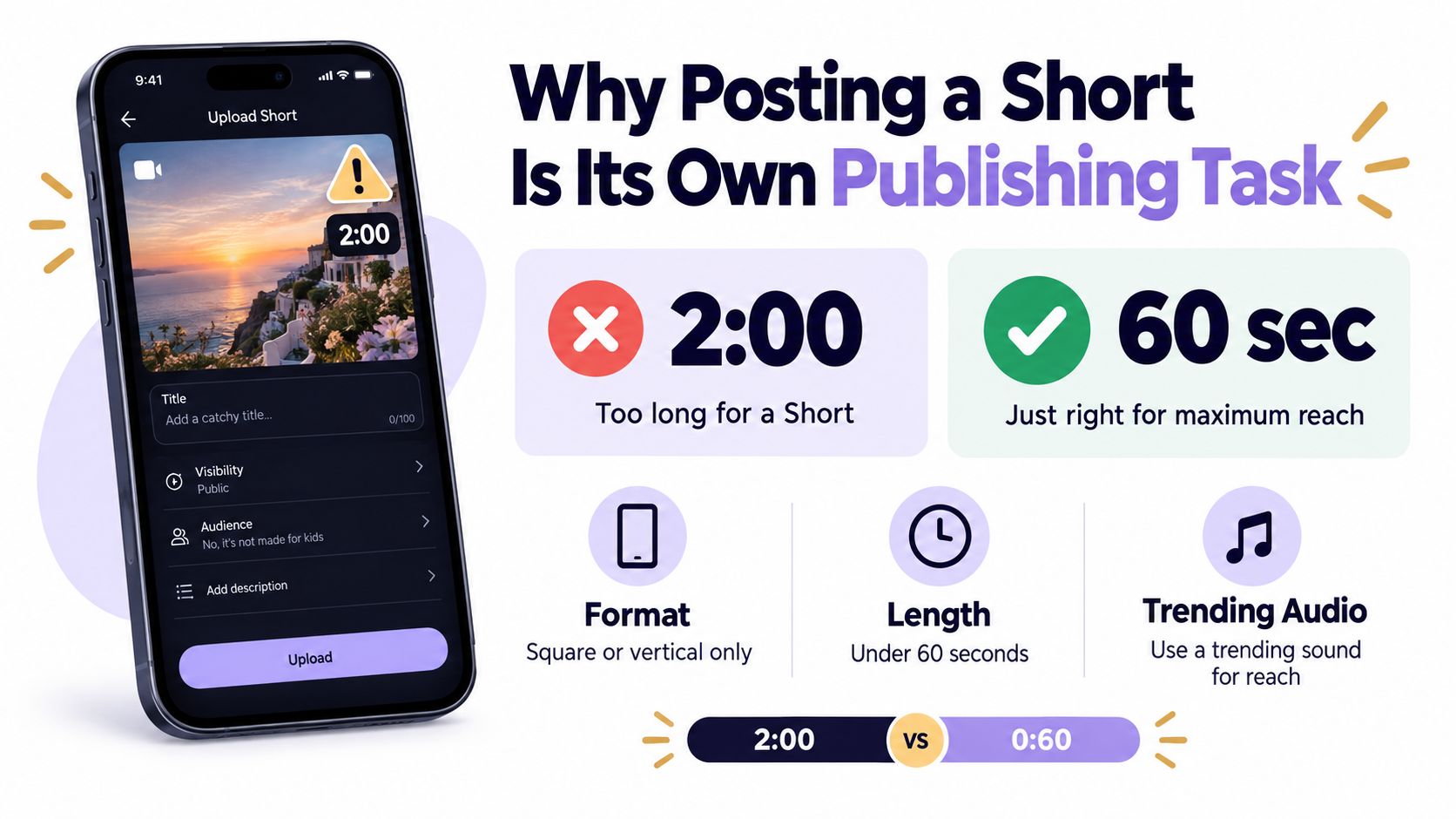
A lot of creators treat Shorts like compressed long-form uploads. That is where the mistakes start. YouTube's current publishing rules are built around a simple structure, square or vertical video, up to 3 minutes for uploads on or after October 15, 2024, with older uploads keeping their original classification. The upload itself decides whether the clip lands as a Short or not (YouTube Help on Shorts specs).
The upload decision starts before the file goes live
The first three minutes of the upload flow matter because that is when the platform checks whether the clip fits the format, whether the title stays within limits, and whether the rights posture is clean enough to publish. A vertical file can still fail in practice if the key visuals are buried under mobile overlays or the soundtrack cannot be used the way you planned.
Practical rule: treat the upload screen like a checklist, not a form. If duration, aspect ratio, title length, audience settings, and rights status are not validated first, the publish button is too early.
For teams that post on a schedule, that shift matters even more. A planner built around a social media API for YouTube scheduling can help centralize the timing logic, but the human decision still happens at the draft level, where the platform asks what the video is, who it is for, and whether it can be shown at all. I also keep an eye on how Shorts fit into a broader content system, especially when a clip may later be repurposed elsewhere. That is where cross-posting workflows start to matter, not just a single upload path.
Why the format behaves differently from long-form
Shorts have become a high-volume distribution surface, not a side feature. YouTube said the Shorts player had surpassed 6.5 billion daily views in March 2021, then later said Shorts were watched by more than 2 billion logged-in users each month in July 2023, up from 1.5 billion a year earlier, and by June 2025 YouTube said Shorts averaged more than 200 billion daily views compared with about 70 billion in early 2024 (YouTube Shorts audience growth).
That scale changes how publishing works. A Short is not just a shorter cut of the same video, it is a separate packaging decision with its own metadata, cropping, and rights checks. If you want consistent performance, the workflow has to be repeatable, not improvised.
Uploading a Short From Desktop
Desktop is the cleaner operator view. If I'm publishing for a brand account, this is usually where I go when the goal is control, not speed. Sign in to YouTube Studio, choose Create, then Upload videos, and select the square or vertical file you want to ship.

Batch upload helps when the queue is full, but it does not replace review. I still open each draft and check the title, visibility, and crop before anything goes live. That matters for agencies and in-house teams alike, because the upload screen moves quickly while the publishing decisions do not.
What to check before you touch publish
The desktop workflow should follow the same order every time:
- Confirm the file shape. Square or vertical works for Shorts, while wider 16:9 files stay long-form under the current rules.
- Open the draft title field. Titles can be up to 100 characters, so you need a concise hook, not a sentence that rambles.
- Review audience and visibility. The wrong setting can stall the post before the creative gets a fair run.
- Preview the crop. A video that is technically vertical can still fail in practice if important text or faces sit where the mobile interface overlays will hide them. Before export, confirm the correct way to post Shorts so the desktop master survives the mobile frame.
A vertical export that looks fine in Premiere can still fail on a phone if the lower-right corner holds a logo or the bottom edge carries the key caption line.
That is why I use desktop for anything with scheduling, campaign organization, or multiple stakeholders. If I need a second set of eyes on the title, I'll compare it with a YouTube title checker before the draft gets locked. A small fix at this point is easier than rewriting a scheduled upload after it is already live.
Why crop preview matters more than export quality
The mobile trim editor shows what will remain visible in the Short, and desktop uploaders miss that part more often than they should. A clean master file still needs to survive the frame the viewer sees. If the clip depends on a subtitle bar, a product label, or a face placed too low in the canvas, it can look polished in editing software and still feel broken on the platform.
The upload screen is where classification, crop, and metadata collide. Desktop works best when you want a deliberate publish, not a rushed one.
Uploading a Short From Mobile
Mobile is the creator's path. It's the fastest route when the clip is already on your camera roll or when you're recording in the moment and want the post to feel immediate. Tap the plus button, choose Short, pick an existing file or record inside the YouTube app, and trim to the moment that lands.
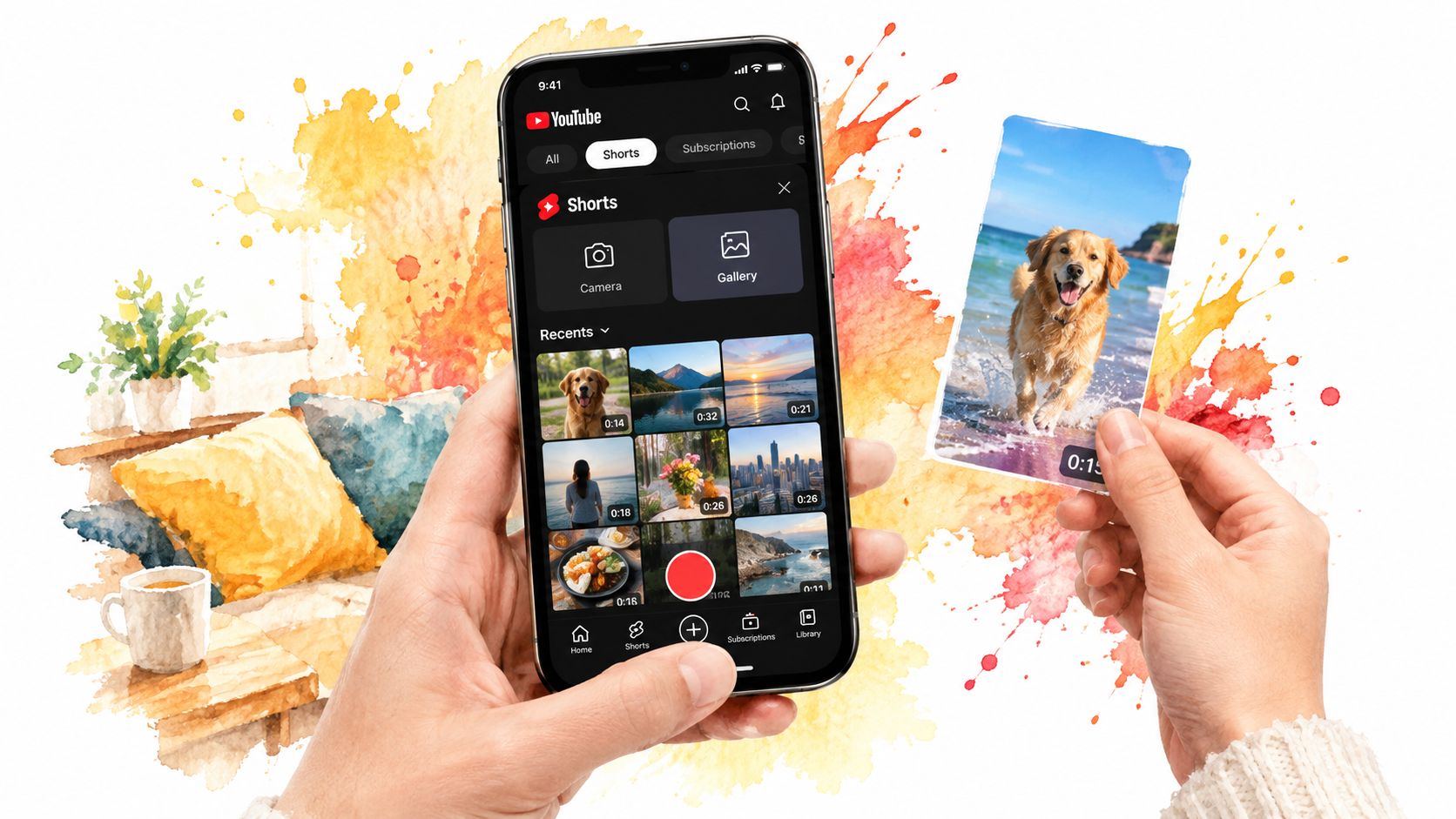
You can then add text, filters, music, or other audio before you move to the title, privacy, and audience fields (YouTube Shorts upload flow). That sequence matters because the mobile app is built for quick composition, but the publishing decision still depends on the same underlying rules as desktop.
Where mobile is better than desktop
The mobile trim editor is the advantage. It shows you the cut that will remain visible, which is useful when the strongest part of the clip starts a few frames too early or too late. On a phone, you can fix that instantly instead of exporting another version.
Mobile also makes the creative decisions feel more natural:
- Pick the right opening frame. The first image has to hold attention without explanation.
- Add text inside the safe area. Keep key words away from the edges where overlays can cover them.
- Set audience deliberately. Don't tap through the field just because the clip feels informal.
- Decide whether it's live now or later. If timing matters, move it to Studio rather than forcing a rushed publish.
When to switch to Studio instead
I usually switch to desktop when a Short belongs to a campaign, when a brand needs review, or when I'm publishing several clips in a row. Mobile is great for speed and spontaneity, but it's easier to miss details when you're juggling comments, notifications, and a half-finished caption at the same time.
For solo creators, the rule is simpler. Use mobile when the clip is ready and the publish decision is obvious. Use Studio when the title, audience, or timing still needs a second pass. That split keeps the workflow honest.
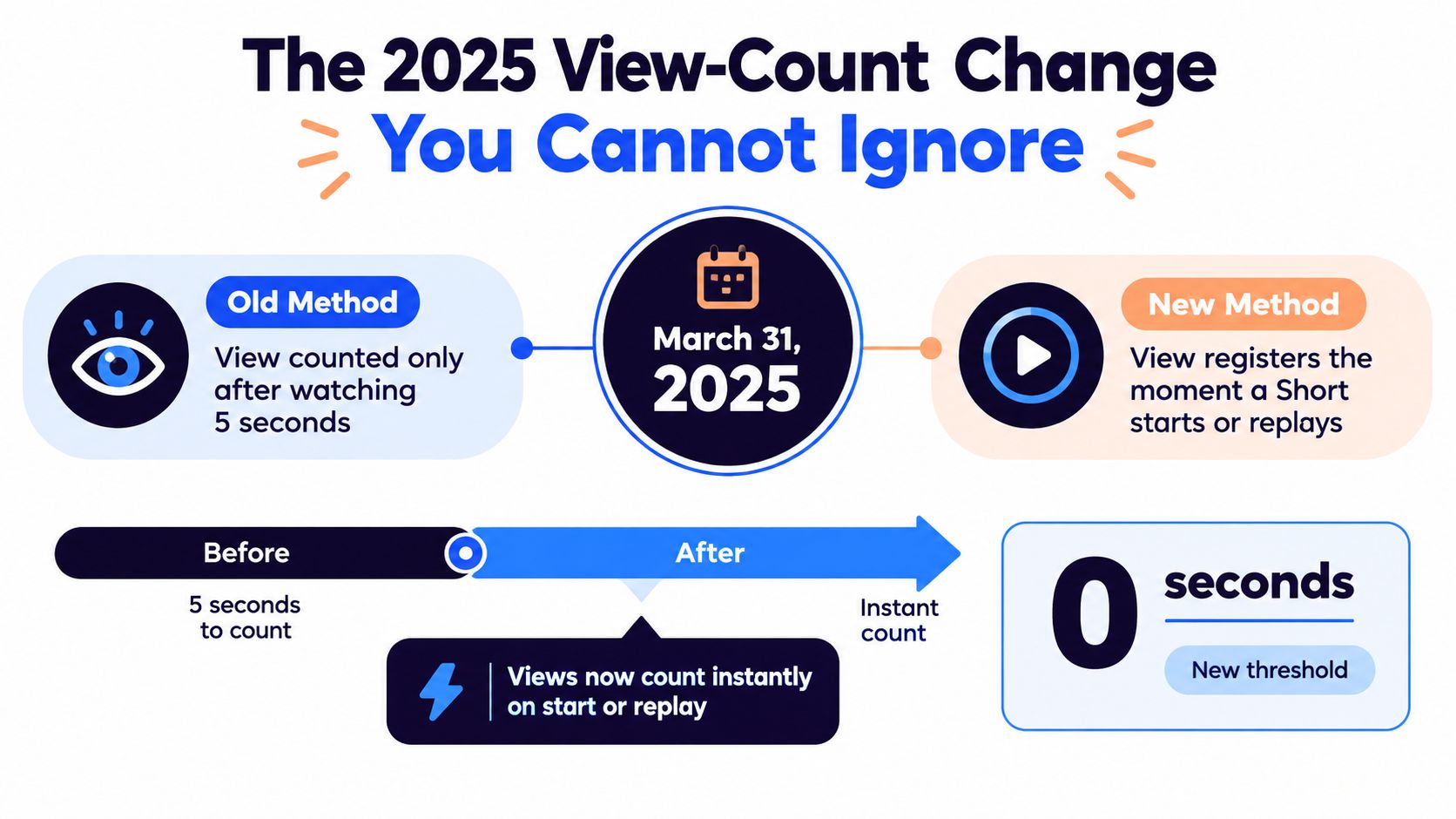
The 2025 View-Count Change You Cannot Ignore
A lot of Shorts reporting still gets read through the old lens. That breaks fast after March 31, 2025, when YouTube changed Shorts view counting so a view registers as soon as a Short starts or replays, with no minimum watch time. YouTube's official announcement also keeps the older watch-based metric available as Engaged views. For anyone comparing performance across upload cycles, that shift changes the meaning of the public view total. YouTube Shorts views update
Why the public number can mislead you
A view spike after March 2025 does not automatically mean the edit improved. It may only mean the counting changed. I separate public views from engaged views whenever I review a campaign, especially when the same Short has been reused across platforms and the dashboard suddenly looks stronger without any visible creative change.
The useful split is simple. Public views show how often the Short started or replayed. Engaged views show who kept watching, which is the cleaner signal for whether the clip held attention.
What to track instead
Keep the comparison set stable, or the trend line gets noisy. I track the same signals every time:
- Viewed versus swiped away. Shows whether the opening earns a stop.
- Average view duration. Separates curiosity from real watch behavior.
- Average percentage viewed. Useful, but not enough on its own.
- Rewatches. Helpful when a clip loops naturally.
- Subscriber conversion. Stronger than vanity traffic.
Compare Shorts on the same metric set before and after the March 2025 break, or your reporting will read the counting change as creative lift.
If you need a clean way to explain that shift to clients, keep the definitions tied to your reporting sheet and your social media analytics for business process. That keeps a counting update from being mistaken for a content win.
The 60 to 180 Second Rights Gap
The biggest compliance mistake I see is assuming vertical format is enough. It is not. YouTube says square or vertical videos up to 3 minutes uploaded after October 15, 2024 can be categorized as Shorts, but clips between 60 and 180 seconds need a closer rights review because copyright and music exposure become more sensitive as the runtime gets longer (Shorts specs and rights).
That is where repurposed clips get risky. Podcast excerpts, licensed footage, product demos, and influencer collabs can all look fine in a vertical frame while still carrying rights problems that lead to a claim, removal, or strike if the material was not cleared for YouTube.
Treat longer Shorts as a separate class
A clip over a minute is a different publishing task.
- Check the soundtrack first. For Shorts, music availability depends on the Shorts Audio Library, not the track sitting in your regular edit project.
- Review Content ID status. Active claims can still affect longer Shorts, so a vertical export does not make the upload safe. Review the claim state before you publish, and use the Content ID claims page when you need to understand what the claim means for the upload.
- Verify classification. Make sure the file still qualifies as a Short under YouTube's duration and format rules, because a longer vertical cut can fall outside Shorts treatment if it misses the current threshold (Shorts publishing constraints).
- Preview the crop and captions. A long clip with on-screen text can look fine in the timeline and still fail once the phone interface trims the frame.
If you need royalty-free music options for YouTube work, keep a source list ready instead of improvising under deadline. A practical reference on royalty free music for videos helps when you need a track that will not create avoidable rights headaches.
The clean rule is simple. If the Short runs longer than a minute, treat rights as part of the publishing step, not cleanup after upload.
What Actually Moves Performance After You Post
The opening seconds decide more than the title does. If the first beat doesn't stop the swipe, the rest of the edit is wasted. YouTube's own analytics lets you inspect whether people watched or swiped away and how long they kept watching, which is a much better diagnostic than staring at one public view number.
A workable testing loop is boring in the best way. Change one thing, publish, inspect the result, and keep the version that improves the behavior you care about. Open with the result, cut the brand intro, put the payoff before the setup, add burned-in captions, or end on a clean loop.
What the benchmark numbers can and cannot tell you
Published benchmark compilations report about 73% average retention across Shorts and call 50 to 60 seconds a strong duration range, but those numbers are directional, not guarantees, because topic, audience, traffic source, and sample definition all shift the outcome (Shorts benchmark compilation). A tiny clip can also show a high percentage viewed because the loop is inflating the metric while the audience stays small.
So the job is not to chase one perfect number. The job is to compare the same Short against the same signals over time and to use the opening seconds as the primary lever.
| Signal | What it tells you | Watch-out |
|---|---|---|
| Viewed versus swiped away | Whether the opening stops attention | A strong hook can still fail if the rest of the clip drags |
| Average view duration | How long people stay with the Short | Averages can hide very different audience reactions |
| Average percentage viewed | How much of the clip people finish | Looping can make this look better than it really is |
| Rewatches | Whether viewers want another pass | Rewatches don't always mean broader appeal |
| Subscriber conversion | Whether the Short creates a durable audience gain | High views without subs can still be weak business-wise |
I also like keeping timing tests honest by looking at the publish window against the account's own history, not a generic rulebook. If you want a deeper reference point on that question, this guide on the best time to post YouTube Shorts on Sunday is a useful way to think about time as a variable rather than a superstition.
A Repeatable Shorts Publishing Workflow
The teams that ship Shorts every week do not trust memory. They use the same publishing checklist every time, because one missed setting can turn a clean edit into a rejected upload or a weak launch.
Start with the file. Confirm it is vertical or square, check that it fits the current Shorts classification rule, and verify the duration you planned. Then open the upload on a phone-sized preview and look at the crop, because the frame can fail even when the export is technically fine.
The publish checklist
- Check format and duration. Keep the clip in the correct shape and make sure it is classified properly before it goes live.
- Review rights. Confirm the soundtrack is usable in Shorts and that no active Content ID claim changes the upload plan.
- Tighten the title. Keep it under 100 characters and make the first words do useful work.
- Set the audience intentionally. Do not leave a default audience setting untouched.
- Choose publish now or schedule. If timing matters, use a workflow that checks the file before launch.
For teams that want that kind of handoff in one place, the YouTube Shorts scheduling workflow keeps the upload process organized without turning it into a creative bottleneck. I treat that kind of system as operations support, because its real value is catching mismatched metadata, missing rights checks, and bad timing before a clip goes live.
The October 2024 rule change matters here, too. A Short that sits in the 60 to 180 second range brings extra rights exposure, so the checklist needs a deliberate review of audio, licensing, and any claim that could limit reach later. That is where repeatability pays off. It keeps the same standards in place whether you are posting a quick cut or a longer clip that still needs to clear Shorts rules and survive the first hour after upload.