7 Cheapest Social Media Scheduler Picks for 2026
11 min readsocial media schedulercheapest schedulerfree social schedulersocial media scheduling
The cheapest scheduler by headline price can cost more once you connect several accounts. Check the billing basis, annual-payment requirement, and queued-post limit before choosing.
DataReportal reports that internet users actively visit an average of 6.5 social platforms each month and spend about 18 hours and 36 minutes weekly on social media, or roughly 2 hours and 39 minutes daily. It also estimates more than 15 billion hours of social content consumption worldwide each day. A scheduler limited to one channel may not fit how people use social media.
Pricing comparisons show that per-channel pricing can be cheaper for two channels, while flat pricing may cost less as account counts rise. The better deal depends on how many accounts you manage, with the comparison changing at three, five, ten, or twenty-five accounts. This roundup ranks seven schedulers by real account count, identifies the limit behind each low price, and names the buyer each option suits.
Table of Contents
- 1. iHatePosting
- 2. Adobe Express Content Scheduler
- 3. Buffer
- 4. Publer
- 5. Zoho Social
- 6. Metricool
- 7. SocialPilot
- Lowest listed prices, free plans, and pricing basis for the cheapest social media scheduler options
- A Buying Checklist Before You Pay for Any Scheduler
1. iHatePosting
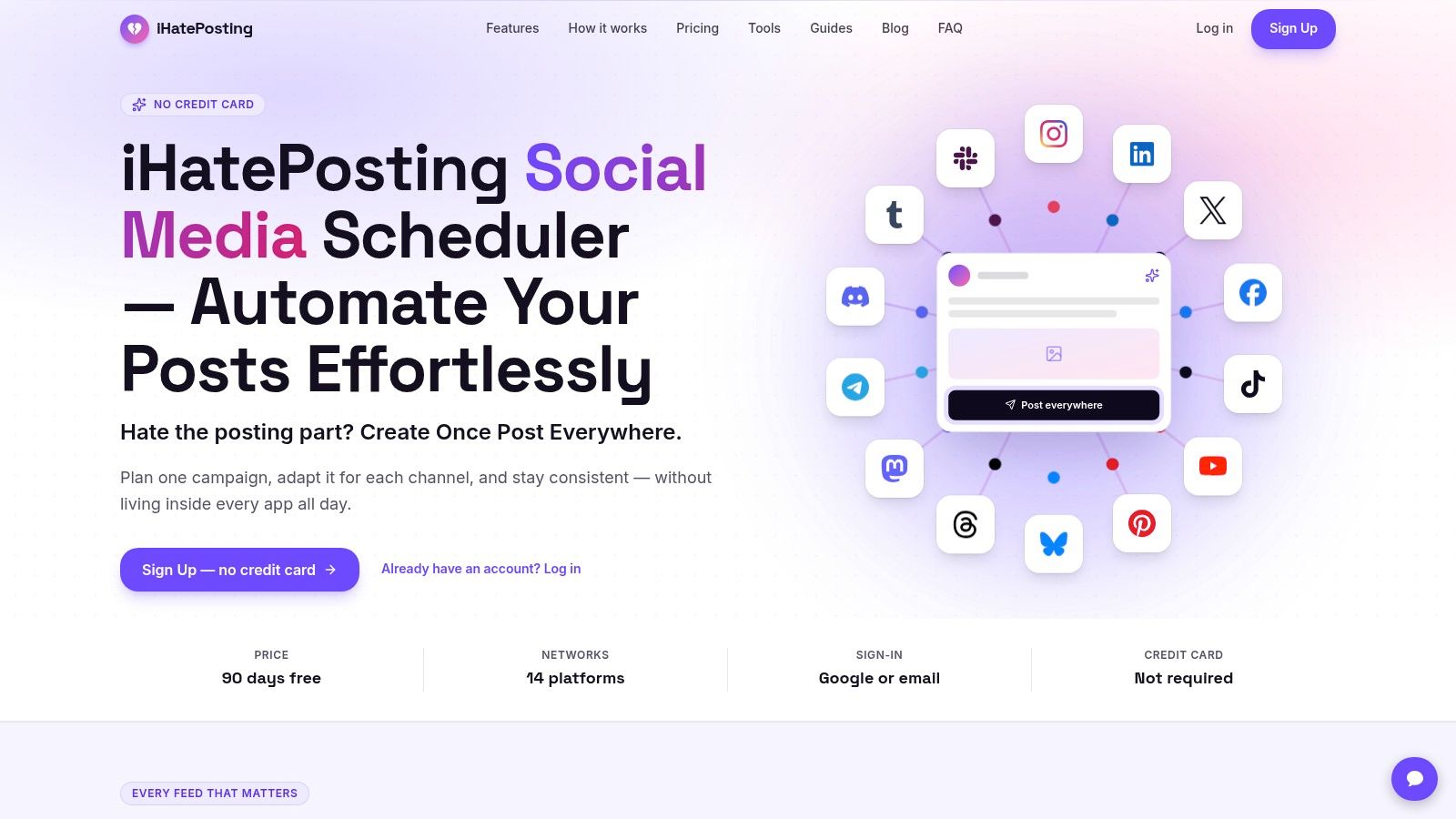
iHatePosting is worth comparing when you manage several accounts across different networks. It supports scheduling across 14 platforms: Instagram, LinkedIn, X (formerly Twitter), Facebook, TikTok, YouTube, Pinterest, Bluesky, Threads, Mastodon, Telegram, Discord, Tumblr, and Slack. One composer publishes to all fourteen, with captions adapted to each platform, live previews, and pre-publish checks. That breadth matters only if you use it. A solo user posting to one or two channels should compare simpler options first.
What the low entry actually covers
Other social media scheduling tools typically cost $15 to $99 per month. iHatePosting offers a 90-day free trial with no credit card required, followed by pricing based on connected accounts, not channels. During the trial, the allowance is limited compared with paid plans, so check current pricing with iHatePosting before committing. The account-based pricing model is the key comparison for anyone managing several profiles; don't assume the trial allowance represents a paid plan.
The tool brings planning and publishing into one workflow. Its visual calendar helps map posts and spot gaps, while per-platform captions, live previews, and pre-publish checks help keep content suited to each network. It supports video, Reels, and carousels, plus hashtag groups and analytics. For teams reducing repetitive publishing, social media automation can connect the scheduler to workflows using its API, webhooks, Zapier, Make, and n8n.
- Fourteen networks, one composer: Publish across platforms and tailor each caption instead of copying one version everywhere.
- Planning before publishing: Use the visual calendar, previews, and checks to organize posts and catch gaps.
- Media stays with the post: Schedule images, video, Reels, and carousels, with hashtag groups available for reuse.
- Trial terms: Get 90 days without a credit card. The trial has a more limited allowance than paid plans; pricing afterward is based on connected accounts, not channels.
Skip it if you need a confirmed cost before trying a tool or only publish on a couple of channels. Unused network coverage won't lower your bill.
2. Adobe Express Content Scheduler
Adobe Express Content Scheduler is a design app with a queue, not an agency desk. You build graphics and plan posts in one place, on desktop or mobile, for Instagram, Facebook, TikTok, X, Pinterest, LinkedIn, and YouTube. Calendar planning, drafts, and post previews come with the templates.
The free plan allows up to 1,000 posts per month. Volume isn't the limit. One account per social channel is. A second Facebook Page or a client Instagram needs Premium. Threads, Bluesky, Mastodon, Discord, and Telegram aren't in this set.
One account per channel is not a free pass for a second brand.
- Volume is generous: A thousand posts a month covers a solo creator.
- Accounts are the wall: Free means one profile per network.
- Design is the reason to stay: Editing and templates sit next to the queue.
Skip it if you manage several brands, need approvals, or want campaign analytics. See the Adobe Express Content Scheduler limits before you treat the free tier as multi-client ready.
3. Buffer
Buffer suits a solo creator who can stay within three profiles. Its free plan does not expire, but limits you to three channels and 10 scheduled posts per channel. That queue is tight for daily posting.
Essentials starts at $5 per month for one channel, billed annually. Price your actual roster, not the entry price: six channels cost $30 monthly, and ten cost $50, before adding a teammate. Paid plans add a calendar, publishing, an AI Assistant, insights, advanced analytics, and first-comment scheduling.
Check the billing unit: Buffer charges by channel, so each added profile raises the bill.
Some networks or post formats require reminders rather than automatic publishing. If you need more room to schedule, compare Buffer's queue limits and per-channel cost with a social media scheduler built around your expected account count. Check the Buffer pricing page and confirm whether annual billing suits your budget.
Skip Buffer if you manage several brands or an agency roster. The channel-based price climbs quickly, and the free queue may not cover a daily posting routine.
4. Publer
Publer's free plan can work beyond a trial, but its account cap is the catch. It includes one user, one workspace, up to three social accounts excluding X, and 10 scheduled posts per account. Professional starts at $5 per month for one social account, while Business starts at $10 per month for one account. For a ten-account roster, those entry prices are not your monthly total.
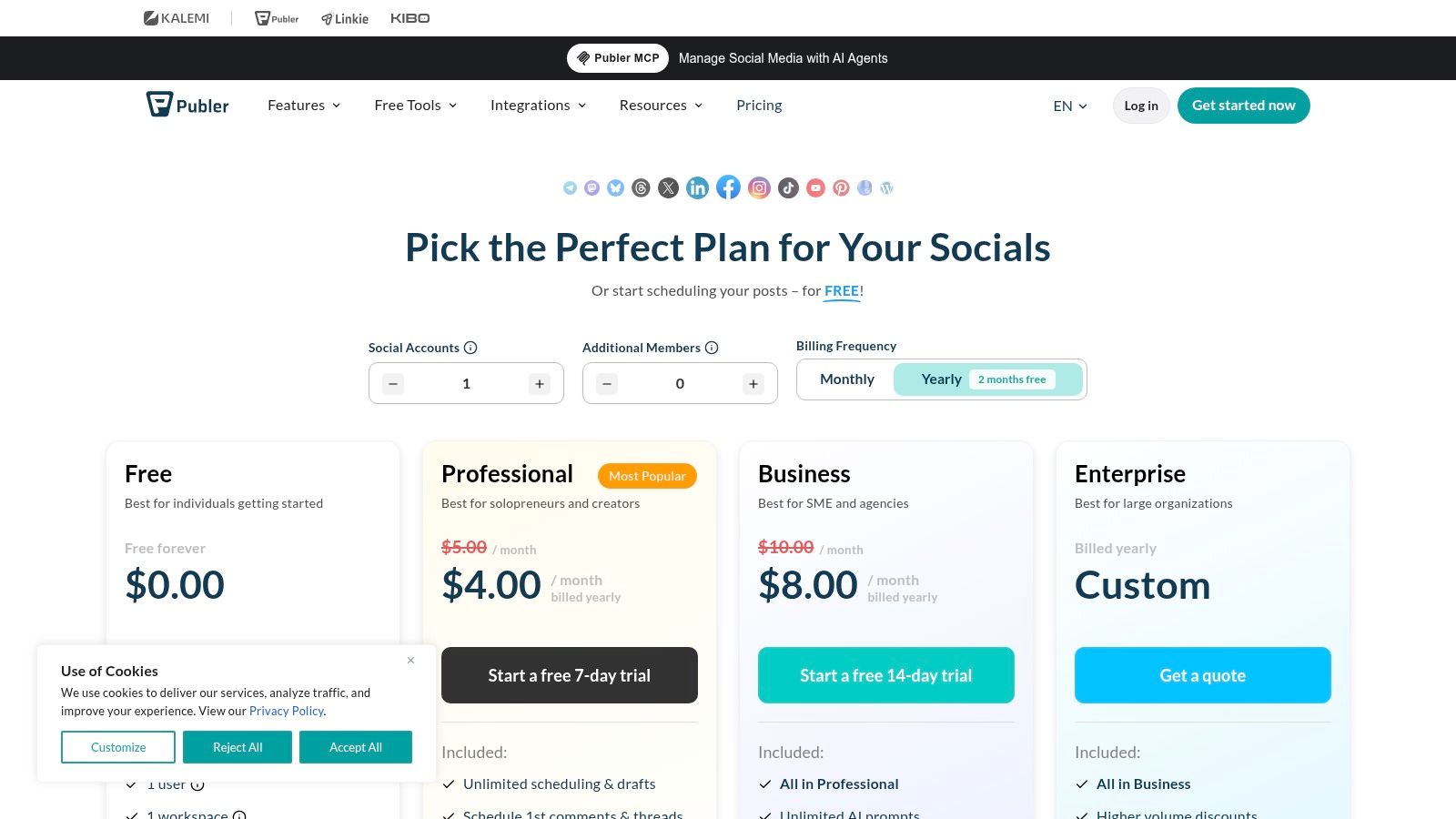
Professional and Business offer unlimited scheduling, bulk scheduling, media storage, and extra members, alongside per-network customization, previews, AutoSchedule, and saved drafts. Check the Publer plans page for the limits and pricing at your account count, and confirm whether X is excluded from the free plan's account allowance.
A 2026 survey of 200 European small-business owners covers scheduling-tool users generally, not Publer customers specifically, so it cannot show how much time a Publer plan saves. The reported averages differ between basic scheduling-tool users and AI-tool users, but they are not evidence of Publer's results.
Before paying per account, find free software for scheduling posts and compare the actual limits. Choose Publer's free tier if its account cap and post queue fit your workflow. Skip it if you need X on the free plan, several accounts, or collaborators from day one.
5. Zoho Social
Zoho Social suits small businesses already using Zoho or expecting to manage client accounts. Its free plan covers one brand and one team member. Standard is listed at $10 per month with annual billing on the U.S. pricing page. That entry rate adds channels and publishing tools, while higher tiers add bulk scheduling, repeat posting, inbox tools, approvals, and reporting. Agency plans add clients and seats.
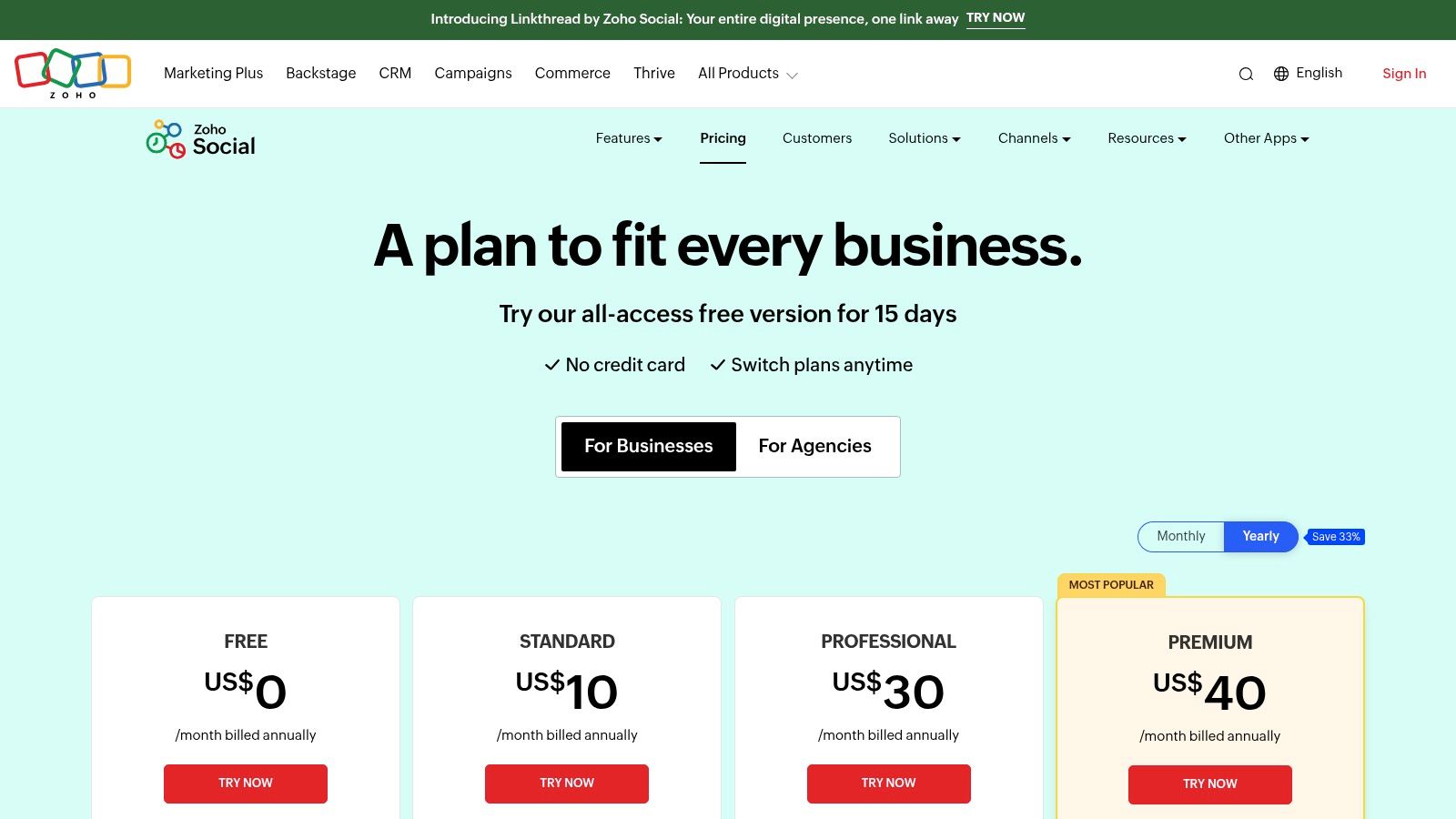
The ten-dollar price is an annual-billing rate, not a universal regional price. Channel access also varies by plan and country, so check Zoho Social pricing for your location before comparing costs. Count the brands, team members, and channels you need, then compare that total with the headline price. Zoho's wider suite can make the added tools worthwhile for existing customers; otherwise, you may be paying for features and collaboration capacity you will not use. For a broader guide to account-based and channel-based costs, review these social media cost insights from iHatePosting.
Solo creators focused on TikTok or Reels should skip Zoho Social if they have no team or client roster. Its collaboration features do not justify the extra cost for that use case.
6. Metricool
Metricool is a scheduler with a measurement desk attached. The free plan supports one brand and up to 20 posts per month, and it excludes LinkedIn and X. Starter's listed U.S. price is $20 per month on annual billing, higher than the one-account floors above. You're paying for unlimited publishing subject to fair use, LinkedIn, longer analytics history, reports, competitor analysis, and AI assistance. After that, price scales by the number of brands.
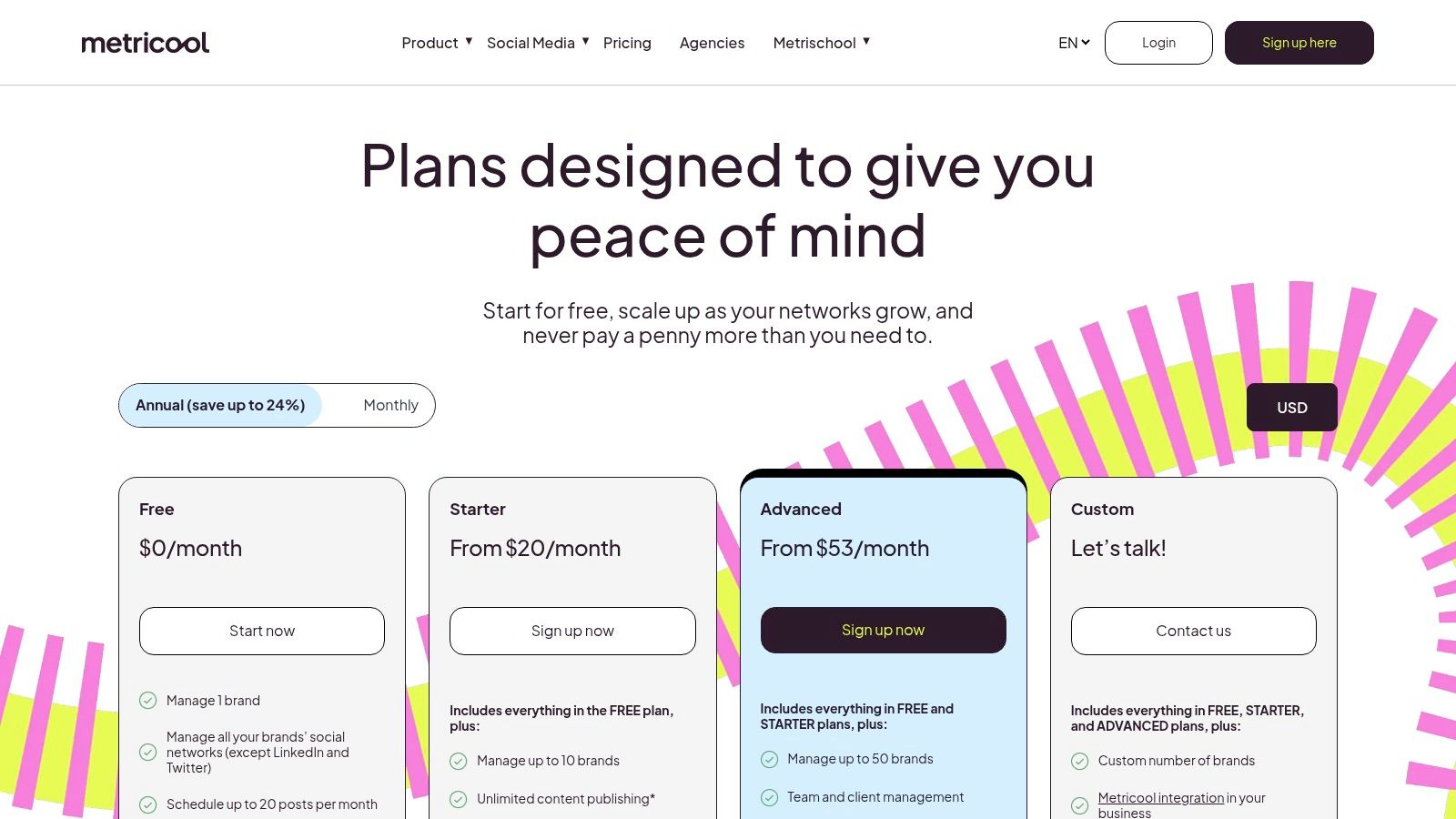
Global social-media advertising spend was projected at $276.72 billion for 2025, a 13.6% increase from 2024, in Statista figures reported by Digiday. If reporting is how you justify that budget internally, Metricool's analytics are why the sticker is higher. If you only need a queue, you're overpaying. Check Metricool pricing against brand count, not against a $5 one-channel ad.
Skip the free plan if LinkedIn or X is core. Skip Starter if you run one lightly posted brand. Brand-based pricing helps a freelancer with real clients and punishes a pile of tiny brands you barely use.
7. SocialPilot
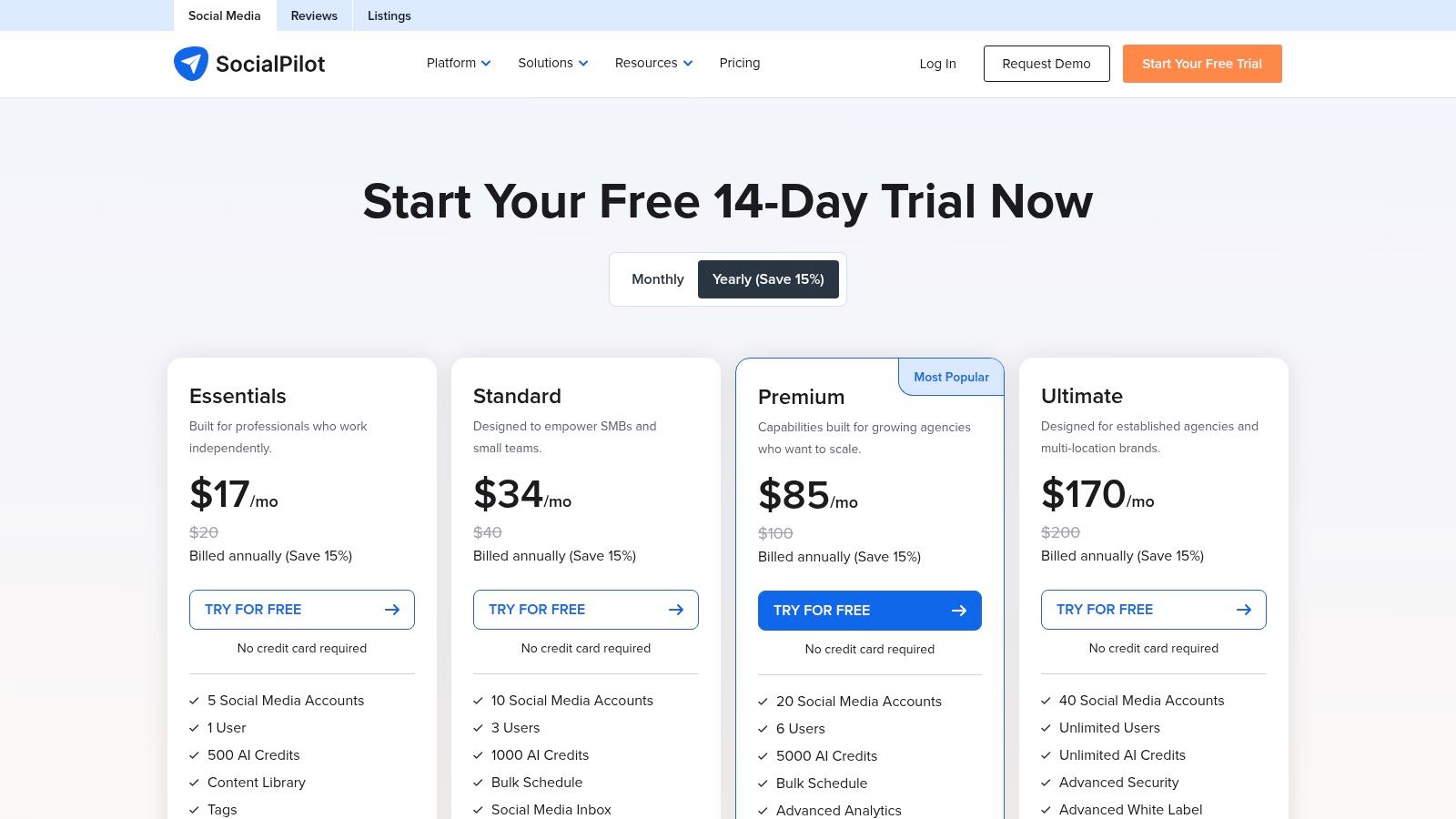
SocialPilot's entry price buys five social accounts, not one. Essentials costs $17 per month with annual billing and includes one user, analytics, and a content library. Standard costs $34 per month annually for 10 accounts and three users. The 14-day free trial requires no credit card. Higher tiers add bulk scheduling and collaboration, alongside the calendar and tags.
That account allowance can make Essentials a better fit for freelancers managing several profiles than a $5-per-channel scheduler. Check the actual total at your account count, including added users, before committing to annual billing. There is no free-forever plan, and the annual commitment is the catch behind the lower monthly price. Confirm current rates on SocialPilot pricing.
During the trial, test actual caption variations for each network using choosing a scheduler for platform-specific captions. Skip SocialPilot if you need month-to-month billing or will leave most of its five account slots unused. Empty capacity is not a saving.
Lowest listed prices, free plans, and pricing basis for the cheapest social media scheduler options
| Item | Lowest Listed Paid Price | Free Plan | Pricing Basis | Best For |
|---|---|---|---|---|
| iHatePosting | Not published | 90-day free trial; no credit card | Future pricing based on connected accounts | Managing and automating posts across many platforms |
| Adobe Express Content Scheduler | Not specified | Yes; up to 1,000 posts per month, one account per channel | Premium required for additional accounts per channel | Creators who want design tools and scheduling together |
| Buffer | $5/month for one channel, billed annually | Yes; up to 3 channels and 10 scheduled posts per channel | Per channel | Solo users managing a few profiles |
| Publer | $5/month for one social account | Yes; up to 3 accounts, excluding X, and 10 scheduled posts per account | Per social account; costs increase with accounts or members | Users seeking low-cost scheduling for a few accounts |
| Zoho Social | $10/month, billed annually | Yes; one brand and one team member | Plan-based; pricing and channels vary by plan and region | Small businesses that may need team or client tools |
| Metricool | $20/month, billed annually | Yes; one brand and up to 20 posts per month | By number of brands | Users who want scheduling plus analytics and competitor analysis |
| SocialPilot | $17/month, billed annually | No free-forever plan; 14-day free trial | Tiered by social accounts and users | Freelancers and small businesses managing multiple profiles |
A Buying Checklist Before You Pay for Any Scheduler
The headline price is a poor guide to what you will pay. Constant Contact survey data reported by Postsider found 56% of small businesses have one hour or less each day for all marketing. Choose a scheduler that saves time within that limit, then price it using the account count you expect to manage in six months.
- Account billing: Multiply the per-account or per-channel rate by your planned profiles. A low starting price can rise quickly as you add accounts.
- Network coverage: Check that the free plan includes every network you use. A plan that excludes X or LinkedIn may not fit your workflow.
- Post limits: Compare queue and monthly caps with your publishing schedule. Ten queued posts or twenty monthly posts can constrain frequent publishing.
- Billing terms: Confirm whether the advertised monthly rate requires annual payment.
- Workflow checks: Look for per-platform previews, pre-publish checks, and a calendar that makes gaps easy to spot.
- Trial test: Schedule your usual mix of posts during the trial. Dummy text will not reveal formatting problems.
In 2025, 80% of marketing leaders surveyed worldwide planned to shift funds from other channels to social, according to Sprout Social's survey of 1,200 leaders. More social budget does not make per-profile charges disappear. Test a free plan or trial against your real volume before committing to annual billing.
iHatePosting's 90-day free trial requires no credit card. Use it to check whether its account-based pricing and scheduling workflow fit your team. Compare the total cost at your actual account count, the networks included, the post limits, and the billing term. Skip any option whose caps or excluded networks make you pay for another tool.